Forum Widgets
Latest Discussions

No email queries available
First of all: Thanks for the great webinars about MTP/Sentinel etc. I hope my question is right here. We use an E5 license in the company. But the MTP does not offer me the possibility to check emails. All options that refer to mails are not offered to me. Unfortunately I can't find a check mark to activate this area (or I don't know in which portal I should find it) I'm pretty sure that I could see the corresponding menu items last week.Jan_F1801Jul 29, 2020Tin Contributor180KViews0likes2CommentsWelcome to the Virtual Ninja Show’s Ninja Cat giveaway!
We are so excited to announce there will be NINE opportunities across Season 3 of the Ninja Show to earn your very own plush ninja cat and give it a new beloved home and we have many plush ninja cats looking for a new home! It works like this: for each episode there is a task to accomplish related to the topic in that show. You can complete each episode’s task for an opportunity to win! When you receive a LIKE on your response (from me, Heike) make sure you check your messages here in Tech Community for a message (from me, Heike ) with next steps. If you do not receive a like, don’t worry - come back and keep trying! For each episode, you have a new chance to win a kitty! Though we do limit one ninja cat per person, please! Click on any episode conversation below to access the various tasks! Episode specific conversations will be posted after their live broadcast is finished. Once you’ve submitted your response, and received my like, I will reach out for the last few details to get your ninja cat on its way! P.S. You have time to put your raffle ticket in the basket (for any episode) until April 14 th ! > Episode 2 | Mastering email authentication and slashing overrides: Part 2 (March 9 th 9 AM PT) > Episode 3 | Microsoft Sentinel Integration (March 14 th 9 AM PT) > Episode 4 | Defender Experts for Hunting Overview (March 16 th 9 AM PT) > Episode 5 | Mobile Threat Defense (March 20 th 9 AM PT) > Episode 6 | SaaS security posture management (SSPM) (March 21 st 9 AM PT) > Episode 7 | Defender for Identity and Defender for Endpoint: Better Together (March 23 rd 9 AM PT) > Episode 8 | Get to know Microsoft Defender Vulnerability Management Premium (March 27 th 9 AM PT) > Episode 9 | Attack disruption (March 29 th 9 AM PT) > Episode 10 | Identity Threat Detection and Response (March 30 th 9 AM PT) Good luck! Heike and the Ninja Show crew This offer is non-transferable and cannot be combined with any other offer. This offer ends on April 14 th , 2023, or until supplies are exhausted and is not redeemable for cash. Taxes, if there are any, are the sole responsibility of the recipient. Any gift returned as non-deliverable will not be re-sent. Please allow 6-8 weeks for shipment of your gift. Microsoft reserves the right to cancel, change, or suspend this offer at any time without notice. Offer void in Cuba, Iran, North Korea, Sudan, Syria, Region of Crimea, Russia, and where prohibited.HeikeRitterMar 09, 2023Microsoft66KViews19likes29CommentsNinja Cat Giveaway: Episode 3 | Sentinel integration
For this episode, your opportunity to win a plush ninja cat is the following - Reply to this thread with: what was your favorite feature Javier presented? Oh and what does UEBA stand for? This offer is non-transferable and cannot be combined with any other offer. This offer ends on April 14 th , 2023, or until supplies are exhausted and is not redeemable for cash. Taxes, if there are any, are the sole responsibility of the recipient. Any gift returned as non-deliverable will not be re-sent. Please allow 6-8 weeks for shipment of your gift. Microsoft reserves the right to cancel, change, or suspend this offer at any time without notice. Offer void in Cuba, Iran, North Korea, Sudan, Syria, Region of Crimea, Russia, and where prohibited.55KViews6likes38CommentsMITRE ATT&CK Coverage
Morning from the UK! I am trying to better understand how Defender \ Sentinel protect against the MITRE ATT&CK framework. I am particularly interested in mapping to the tactics \ techniques that tools such as Bloodhound and PingCastle highlight for Active Directory \ Azure Active Directory, but am struggling to see what is available in the product and what is still on the roadmap: https://www.pingcastle.com/PingCastleFiles/ad_hc_rules_list.html In terms of what coverage exists within a Tenant, I know there is improvements planned in the roadmap to the current MITRE coverage in Microsoft Sentinel, but is there any way that I could use a Graph query to get what is currently covered?GerryMcCaffertyMay 11, 2023Copper Contributor54KViews0likes7CommentsNinja Cat Giveaway: Episode 4 | Defender Experts for Hunting Overview
For this episode , your opportunity to win a plush ninja cat is the following - Reply to this thread with: - How would YOU explain/describe Defender Experts for Hunting to someone? - Also in your own words: what is Threat hunting? This offer is non-transferable and cannot be combined with any other offer. This offer ends on April 14 th , 2023, or until supplies are exhausted and is not redeemable for cash. Taxes, if there are any, are the sole responsibility of the recipient. Any gift returned as non-deliverable will not be re-sent. Please allow 6-8 weeks for shipment of your gift. Microsoft reserves the right to cancel, change, or suspend this offer at any time without notice. Offer void in Cuba, Iran, North Korea, Sudan, Syria, Region of Crimea, Russia, and where prohibited.SolvedHeikeRitterMar 16, 2023Microsoft53KViews2likes24CommentsResources for Automatic attack disruption
Hi all, because this topic is really HOT, I thought I am sharing a collection of resources with you. Recordings: Microsoft Secure (free registration required): - How XDR defends against ransomware across the entire kill chain with Corina Feuerstein - Ask the Experts: How XDR defends against ransomware across the entire kill chain Ninja Show episode Attack disruption, with Hadar Feldman Ignite announcement: What’s new in SIEM and XDR: Attack disruption and SOC empowerment - Events | Microsoft Learn Blogs: Automatic disruption of Ransomware and BEC attacks with Microsoft 365 Defender XDR attack disruption in action – Defending against a recent BEC attack Documentation: Configure automatic attack disruption capabilities in Microsoft 365 Defender | Microsoft Learn What do you think about this new and exciting capability? Do you have any questions on how it works that we didn't refer to? If so feel free to start a conversation here! 🙂 Oh and if I missed another resource, let me know too! Heike51KViews0likes1CommentAdvanced threat hunting and multi-layered defense within the Microsoft Cloud ecosystem!
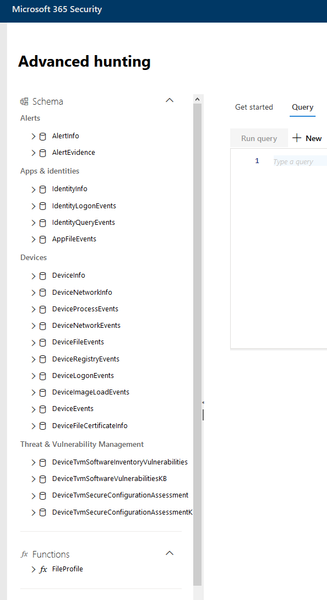
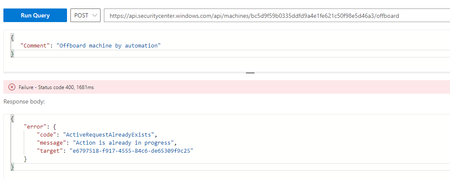
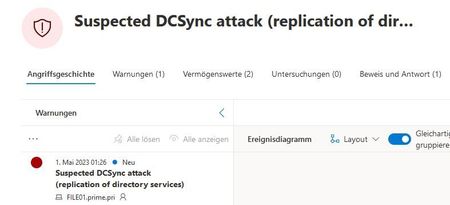
Dear Microsoft Cloud Friends, I think we all agree that cloud services are indispensable today. Whether it is cloud services from Microsoft, Amazon AWS, Google Cloud, etc., the integration of such services are widespread. As great and supportive as these cloud functionalities are, they also bring a big challenge. SECURITY! But this is exactly where the challenge starts. Where do protective measures need to be taken everywhere? Where is the first place to start? Where is it most important to set up protective mechanisms? Honestly, there is no standard solution that can be applied everywhere. This is extremely situational and depends on the cloud services used. This article is about giving you a jump start. The following information, measures, etc. are neither exhaustive nor complete. But they are intended to support you so that you can continue to develop. Identities are an incredibly important element in cloud services (I'm not just talking about user accounts, but also managed identities, service principals, App registration, etc.). This is exactly why we start with this first topic. What could support us, for example the MITRE ATT&CK framework and of course the Microsoft documentation. Identities: Cloud Matrix https://attack.mitre.org/matrices/enterprise/cloud/ Valid Accounts: Cloud Accounts https://attack.mitre.org/techniques/T1078/004/ Modify Authentication Process: Hybrid Identity https://attack.mitre.org/techniques/T1556/007/ Account Manipulation: Additional Cloud Credentials https://attack.mitre.org/techniques/T1098/001/ Azure AD Matrix https://attack.mitre.org/matrices/enterprise/cloud/azuread/ Tactics above represent the "why" of an ATT&CK technique or sub-technique. The following article describes several best practices on how to protect identities. Azure Identity Management and access control security best practices https://learn.microsoft.com/en-us/azure/security/fundamentals/identity-management-best-practices Best practices for Azure AD roles https://learn.microsoft.com/en-us/azure/active-directory/roles/best-practices Microsoft identity platform best practices and recommendations https://learn.microsoft.com/en-us/azure/active-directory/develop/identity-platform-integration-checklist Best practices for all isolation architectures https://learn.microsoft.com/en-us/azure/active-directory/fundamentals/secure-with-azure-ad-best-practices Securing identity with Zero Trust https://learn.microsoft.com/en-us/security/zero-trust/deploy/identity All of these safeguards are great, but logging should definitely not be forgotten. For example, if you have log collation set up for Azure Active Directory, you can use KQL (Kusto Query Language) to examine the logs. In the following example, you can investigate why a person was given the Global Administrator role. AuditLogs | where Category == "RoleManagement" | where Result == "success" | where OperationName == "Add member to role" | where (TargetResources has "Company" or TargetResources has "Tenant" or TargetResources has "Global") | project TargetUser = tostring(TargetResources.[0].["userPrincipalName"]) With Microsoft Defender for Identity there is a cloud service to monitor the Active Directory. Attacks like the following pictures show can be detected this way (sorry the screenshots are in German). Email and data information storage: Working with email services and storing data/information in the various cloud environments has become indispensable today. It is self-explanatory that this situation offers a large attack surface. Email Collection https://attack.mitre.org/techniques/T1114/ Compromise Accounts: Email Accounts https://attack.mitre.org/techniques/T1586/002/ Phishing https://attack.mitre.org/techniques/T1566/ Establish Accounts: Email Accounts https://attack.mitre.org/techniques/T1585/002/ Email Collection: Email Forwarding Rule https://attack.mitre.org/techniques/T1114/003/ Email Collection: Remote Email Collection https://attack.mitre.org/techniques/T1114/002/ Email Collection: Local Email Collection https://attack.mitre.org/techniques/T1114/001/ Data from Information Repositories: Sharepoint https://attack.mitre.org/techniques/T1213/002/ Office 365 Matrix https://attack.mitre.org/matrices/enterprise/cloud/office365/ Data from Information Repositories https://attack.mitre.org/techniques/T1213/ Let's take a look together at what Microsoft has to offer in terms of security features on these topics. Secure your data with Microsoft 365 for business https://learn.microsoft.com/en-us/microsoft-365/business-premium/secure-your-business-data Policy recommendations for securing email https://learn.microsoft.com/en-us/microsoft-365/security/office-365-security/secure-email-recommended-policies Recommended settings for EOP and Microsoft Defender for Office 365 security https://learn.microsoft.com/en-us/microsoft-365/security/office-365-security/recommended-settings-for-eop-and-office365 Managing SharePoint Online Security: A Team Effort https://learn.microsoft.com/en-us/microsoft-365/community/sharepoint-security-a-team-effort Policy recommendations for securing SharePoint sites and files https://learn.microsoft.com/en-us/microsoft-365/security/office-365-security/sharepoint-file-access-policies What is Microsoft 365 Defender? https://learn.microsoft.com/en-us/microsoft-365/security/defender/microsoft-365-defender Check last login to a mailbox https://github.com/tomwechsler/Threat_Hunting_with_PowerShell/blob/main/Hunting_Exchange_Online/Exchange_Mailbox_LastLogin.ps1 Check Sharepoint Online Library for specific file extensions https://github.com/tomwechsler/Threat_Hunting_with_PowerShell/blob/main/Hunting_SharePoint_Online/SharePoint_Online_specific_files.ps1 Virtual machines: Virtual machines are not only used in the on-premises infrastructure, but also in the cloud. In many cases, there are even hybrid infrastructures. Hide Artifacts: Run Virtual Instance https://attack.mitre.org/techniques/T1564/006/ Virtualization/Sandbox Evasion https://attack.mitre.org/techniques/T1497/ Virtualization/Sandbox Evasion: System Checks https://attack.mitre.org/techniques/T1497/001/ Compromise Infrastructure: Virtual Private Server https://attack.mitre.org/techniques/T1584/003/ Modify Cloud Compute Infrastructure: Create Cloud Instance https://attack.mitre.org/techniques/T1578/002/ Modify Cloud Compute Infrastructure: Delete Cloud Instance https://attack.mitre.org/techniques/T1578/003/ Acquire Infrastructure: Virtual Private Server https://attack.mitre.org/techniques/T1583/003/ Instance https://attack.mitre.org/datasources/DS0030/ Cloud Administration Command https://attack.mitre.org/techniques/T1651/ In such an infrastructure (IaaS Infrastructure-as-a-service) there are an incredible number of different threats, making them all visible is a real challenge. Azure Virtual Desktop Security best practices https://learn.microsoft.com/en-us/azure/virtual-desktop/security-guide Security best practices for IaaS workloads in Azure https://learn.microsoft.com/en-us/azure/security/fundamentals/iaas Best practices for defending Azure Virtual Machines https://www.microsoft.com/en-us/security/blog/2020/10/07/best-practices-for-defending-azure-virtual-machines/ Security recommendations for virtual machines in Azure https://learn.microsoft.com/en-us/azure/virtual-machines/security-recommendations Azure Virtual Machines security overview https://learn.microsoft.com/en-us/azure/security/fundamentals/virtual-machines-overview Security considerations for SQL Server on Azure Virtual Machines https://learn.microsoft.com/en-us/azure/azure-sql/virtual-machines/windows/security-considerations-best-practices Azure best practices for network security https://learn.microsoft.com/en-us/azure/security/fundamentals/network-best-practices Azure security baseline for Windows Virtual Machines https://learn.microsoft.com/en-us/security/benchmark/azure/baselines/virtual-machines-windows-security-baseline Plan your Defender for Servers deployment https://learn.microsoft.com/en-us/azure/defender-for-cloud/plan-defender-for-servers With Microsoft Defender for Servers, you can not only monitor systems in Azure, no, you also get support for Amazon AWS and Google Cloud. Networking: Systems but also cloud services want to communicate. Networks are therefore at high risk and require special attention. Network Service Discovery https://attack.mitre.org/techniques/T1046/ Network Segmentation https://attack.mitre.org/mitigations/M0930/ Network Sniffing https://attack.mitre.org/techniques/T1040/ Network Traffic https://attack.mitre.org/datasources/DS0029/ Network Allowlists https://attack.mitre.org/mitigations/M0807/ Data from Network Shared Drive https://attack.mitre.org/techniques/T1039/ Let's look together that we can make the networks more secure. Azure best practices for network security https://learn.microsoft.com/en-us/azure/security/fundamentals/network-best-practices Azure Virtual Network concepts and best practices https://learn.microsoft.com/en-us/azure/virtual-network/concepts-and-best-practices Azure security baseline for Virtual Network https://learn.microsoft.com/en-us/security/benchmark/azure/baselines/virtual-network-security-baseline Azure security best practices and patterns https://learn.microsoft.com/en-us/azure/security/fundamentals/best-practices-and-patterns Network security https://learn.microsoft.com/en-us/azure/well-architected/security/design-network Azure network security overview https://learn.microsoft.com/en-us/azure/security/fundamentals/network-overview Best practices to set up networking for workloads migrated to Azure https://learn.microsoft.com/en-us/azure/cloud-adoption-framework/migrate/azure-best-practices/migrate-best-practices-networking Security best practices for IaaS workloads in Azure https://learn.microsoft.com/en-us/azure/security/fundamentals/iaas Azure security best practices https://learn.microsoft.com/en-us/azure/cloud-adoption-framework/secure/security-top-10 What is Zero Trust? https://learn.microsoft.com/en-us/security/zero-trust/zero-trust-overview Advanced Hunting: These were a few examples and make directly visible how enormous the whole environment is. Installing protection mechanisms, setting up logging, monitoring the systems, examining log data is one thing, but how do you "master" this flood of information? One tool that can help us do this is Microsoft Sentinel. The Microsoft Sentinel is a is a cloud native security information and event management (SIEM) and security orchestration, automation, and response (SOAR) solution that runs in the Azure cloud. But not only can cloud environments be monitored, no, local infrastructures can also be integrated. In addition, other cloud providers and there are more than 100 connectors and third-party providers can be integrated. With Sentinel you get a tool with which you can search for threats in a targeted, fast and efficient way. Hunt for threats with Microsoft Sentinel https://learn.microsoft.com/en-us/azure/sentinel/hunting Use Hunts to conduct end-to-end proactive threat hunting in Microsoft Sentinel https://learn.microsoft.com/en-us/azure/sentinel/hunts Keep track of data during hunting with Microsoft Sentinel https://learn.microsoft.com/en-us/azure/sentinel/bookmarks If you have included the sources in Sentinel, you can create queries with KQL since only the sky is the limit (if at all). Here are a few examples: // Failed Signin reasons // The query list the main reasons for sign in failures. SigninLogs | where ResultType != 0 | summarize Count=count() by ResultDescription, ResultType | sort by Count desc nulls last // Failed MFA challenge // Highlights sign in failures caused by failed MFA challenge. SigninLogs | where ResultType == 50074 | project UserDisplayName, Identity,UserPrincipalName, ResultDescription, AppDisplayName, AppId, ResourceDisplayName | summarize FailureCount=count(), FailedResources=dcount(ResourceDisplayName), ResultDescription=any(ResultDescription) by UserDisplayName // All SiginLogs events // All Azure signin events. SigninLogs | project UserDisplayName, Identity,UserPrincipalName, AppDisplayName, AppId, ResourceDisplayName // Successful key enumaration // Lists users who performed key enumeration, and their location. AzureActivity | where OperationName == "List Storage Account Keys" | where ActivityStatus == "Succeeded" | project TimeGenerated, Caller, CallerIpAddress, OperationName let lookback = 2d; SecurityEvent | where TimeGenerated >= ago(lookback) | where EventID == 4688 and Process =~ "powershell.exe" | extend PwshParam = trim(@"[^/\\]*powershell(.exe)+" , CommandLine) | project TimeGenerated, Computer, SubjectUserName, PwshParam | summarize min(TimeGenerated), count() by Computer, SubjectUserName, PwshParam | order by count_ desc nulls last DeviceEvents | where ingestion_time() > ago(1d) | where ActionType == "AntivirusDetection" | summarize (Timestamp, ReportId)=arg_max(Timestamp, ReportId), count() by DeviceId | where count_ > 5 I hope that this information is helpful to you and that you have received a good "little" foundation. This is certainly not an exhaustive list. But I still hope that this information is helpful for you. Thank you for taking the time to read the article. Happy Hunting, Tom Wechsler P.S. All scripts (#PowerShell, Azure CLI, #Terraform, #ARM) that I use can be found on github! https://github.com/tomwechsler51KViews0likes0CommentsNinja Cat Giveaway: Episode 5 | Mobile Threat Defense
For this episode, your opportunity to win a plush ninja cat is the following - Reply to this thread with: After assessing this discussion with Yuji, tell us what are at least 3 common attack vectors on mobile devices? This offer is non-transferable and cannot be combined with any other offer. This offer ends on April 14 th , 2023, or until supplies are exhausted and is not redeemable for cash. Taxes, if there are any, are the sole responsibility of the recipient. Any gift returned as non-deliverable will not be re-sent. Please allow 6-8 weeks for shipment of your gift. Microsoft reserves the right to cancel, change, or suspend this offer at any time without notice. Offer void in Cuba, Iran, North Korea, Sudan, Syria, Region of Crimea, Russia, and where prohibited.51KViews2likes17CommentsNinja Cat Giveaway: Episode 7 | Defender for Identity and Defender for Endpoint: Better to together
For this episode, your opportunity to win a plush ninja cat is the following - Tell us about an alert that started either from Defender for Endpoint or Defender for Identity and what additional information from the other product (Defender for Endpoint or Defender for Identity) helped you get more details about that alert? Or share your favorite KQL query with tables from both products. This offer is non-transferable and cannot be combined with any other offer. This offer ends on April 14 th , 2023, or until supplies are exhausted and is not redeemable for cash. Taxes, if there are any, are the sole responsibility of the recipient. Any gift returned as non-deliverable will not be re-sent. Please allow 6-8 weeks for shipment of your gift. Microsoft reserves the right to cancel, change, or suspend this offer at any time without notice. Offer void in Cuba, Iran, North Korea, Sudan, Syria, Region of Crimea, Russia, and where prohibited.HeikeRitterMar 23, 2023Microsoft50KViews1like12Comments





Tags
- microsoft defender for endpoint378 Topics
- microsoft defender for office 365236 Topics
- threat hunting132 Topics
- alerts120 Topics
- investigation118 Topics
- incident management88 Topics
- automation78 Topics
- microsoft sentinel72 Topics
- learning57 Topics
- threat intelligence55 Topics