
Forum Widgets
Latest Discussions

Enforcing LDAP Signing breaks ADDS Replication (repadmin.exe)
Hi All, After months of auditing Event ID 2889 and remediating application simple binds (clear text usernames/passwords over the wire), I was left with only SASL binds (that do not use signing). I proceeded to set LDAP signing to 'negotiate' as per the GPOs below, and several dozen Microsoft KBs and from the community e.g.. https://learn.microsoft.com/en-us/troubleshoot/windows-server/active-directory/enable-ldap-signing-in-windows-server Default Domain Controllers Policy Domain controller: LDAP server signing requirements: None: Data signing is not required in order to bind with the server. If the client requests data signing, the server supports it Default Domain Policy Network security: LDAP client signing requirements: Negotiate signing: If Transport Layer Security/Secure Sockets Layer (TLS\SSL) has not been started, the LDAP BIND request is initiated with the LDAP data signing option set in addition to the options specified by the caller. If TLS\SSL has been started, the LDAP BIND request is initiated with the options that are specified by the caller. I still noted 1,000s of Event ID 2889s (0 – SASL Bind that does not use signing), primarily from DCs, and ::1 addresses I proceeded with enforcing LDAP signing ("Require Signing" for both GPO settings above) and noted: LDAP authentication was occurring via Kerberos (SASL/SPNEGO) with simple binds blocked as per tracing (and ldp.exe) confirmations: Error <8>: ldap_simple_bind_s() failed: Strong Authentication Required Error 0x2028 A more secure authentication method is required for this server. However, I came to work the next day and performed a manual replication: Repadmin /Syncall /APeD LDAP error 8 (Strong Authentication Required) Win32 Err 5. So I had to revert back to Negotiate. How can customers enforce LDAP signing if common Microsoft ADDS executables like repadmin.exe still use Simple Binds? Any ideas appreciated, thank you in advance. SteveDoJU70May 11, 2026Copper Contributor82Views1like0Comments
Windows Server 2025 DC — LSASS handle leak identified via WinDbg — authz!AuthzpDeQueueThreadWorker
Hello All!! Im having a problem, LSASS crashes on a Windows Server 2025 Domain Controller, I identified what appears to be the root cause using WinDbg memory dump analysis. Sharing this hoping someone else has seen it or Microsoft can confirm. The Problem LSASS handle count grows continuously over time and eventually crashes with a 0xC0000005 access violation (Event ID 1015). After a reboot the cycle repeats. The growth rate correlates with authentication load and faster during peak hours, slower overnight. WinDbg Dump Analysis Captured LSASS dump at high handle count and ran !handle 0 f: Token handles: overwhelmingly dominant Everything else: negligible Every leaked token shows: GrantedAccess: 0x8 (TOKEN_QUERY only) PointerCount: overflowed to negative integer Running !findstack authz 2 shows multiple worker threads all sitting in: authz!AuthzpDeQueueThreadWorker What Was Tested And Eliminated Stopped or disabled each individually and measured handle growth rate — zero meaningful difference from any: - Antivirus (all components) - Backup software - Application services - VSS snapshots - Hardware management agents etc.. Environment OS: Windows Server 2025, fully patched with the latest updates including April LSASS update. Role: Domain Controller DNS PAM: Not active. Conclusion Token handles are opened with TOKEN_QUERY access inside authz!AuthzpDeQueueThreadWorker and never released. Reference counter overflows to negative integer. Growth rate scales directly with authentication load. Current workaround: reboots during off hours. Has anyone else seen this pattern on Windows Server 2025? Is there a known fix or Microsoft acknowledgment for this specific authz token handle leak?26Views1like0Comments
Windows Server 2025 - Cannot Pin Tools and Apps on Start Menu
I am evaluating Windows Server 2025, Version 24H2 (OS Build 26100.32690) I am unable to pin Admin Tools or any other app on Start Menu. Taskbar pinning works well but not the Start Menu. Anyone experiencing the same ?Kayyum MApr 19, 2026Copper Contributor77Views0likes0Comments
Virtual printer in windows server 2019 standard is not shown after configuration
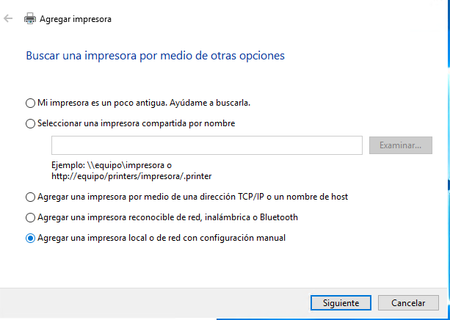
Hello, I am, trying to configure a virtual printer in a Windows server 2019 standard edition that is deployed in OCI cloud. This instance has windows server license included in the pricing. The problem comes when after ending the process of configuration this virtual printer is not displayed in "Devices and printers" any idea why is this happening? Regards, AnaAnaRuiz1Apr 14, 2026Copper Contributor33Views0likes0Comments
ntoskrnl.exe and build version not getting updated after applying KB5078740 on server 2025
I have installed the latest March patch kb5078740 on server 2025 which was upgraded from server 2022. the patch is showing installed but the ntoskrnl.exe and build version is still showing 10.0.26100.4652. Qualys is detecting it as patch not installed based on file version which should be 10.0.21600.32522. Please let me know how to fix this issue.aahmed28Mar 31, 2026Copper Contributor429Views0likes0CommentsProblem in Windows Server 2022
Hello, I need help with the following: I had the video application installed and working on a VPS with Windows Server 2022, and suddenly it stopped working. It won't start, and it doesn't show any errors or events that I can analyze in the viewer. Does anyone have any idea what might be happening? I've already tried many AI recommendations, from uninstalling and reinstalling an older version of the application to uninstalling the latest server update, among other things. I also tried installing it on another VPS, and it shows the same problem.anoriega74Mar 23, 2026Copper Contributor30Views0likes0CommentsBookmark the Secure Boot playbook for Windows Server
Secure Boot is a long‑standing security capability that works in conjunction with the Unified Extensible Firmware Interface (UEFI) to confirm that firmware and boot components are trusted before they are allowed to run. Microsoft is updating the Secure Boot certificates originally issued in 2011 to ensure Windows devices continue to verify trusted boot software. These older certificates begin expiring in June 2026. While Windows Server 2025 certified server platforms already include the 2023 certificates in firmware. For servers that do not, you will need to manually update the certificates. Unlike Windows PCs, which may receive the 2023 Secure Boot certificates through Controlled Feature Rollout (CFR) as part of the monthly update process, Windows Server requires manual action. Luckily, there is a step=by-step guide to help! With the Secure Boot Playbook for Windows Server, you'll find information on the tools and options available to help you update Secure Boot certificates on Windows Server. Check it out today!132Views0likes0CommentsCrowdStrike Secure Boot Lifecycle Management Content Pack
CrowdStrike has recently released the Secure Boot Lifecycle Management Content Pack. This new feature helps Falcon for IT module users manage Windows Secure Boot certificate updates ahead of these certificates’ expiration beginning in late June 2026. The dashboard provides an at‑a‑glance view of Secure Boot–enabled devices, showing which systems are already compliant with the updated 2023 Secure Boot certificate, which are in progress, and which are blocked or require opt‑in to a managed rollout. It also highlights certificate update failures that may require investigation. In addition, overall readiness is summarized through a compliance gauge, while a 30‑day trend shows how pass and fail counts change as remediation progresses. Filters by operating system, server edition, hostname, and update status help administrators quickly identify devices that need action to help ensure systems remain secure after the certificates expire. The feature also provides management options to opt devices into Microsoft's managed rollout for gradual, tested deployment, and to block updates on hardware with known compatibility issues to prevent boot failures. Note that this feature is available as part of CrowdStrike's Falcon for IT module. CrowdStrike Endpoint Detection and Response (EDR) customers who are not licensed for this module can enable a free trial from the CrowdStrike Store. To learn more about this feature, please see the content pack tutorial video.247Views0likes0Comments
PS script for moving clustered VMs to another node
Windows Server 2022, Hyper-V, Failover cluster We have a Hyper-V cluster where the hosts reboot once a month. If the host being rebooted has any number of VMs running on it the reboot can take hours. I've proven this by manually moving VM roles off of the host prior to reboot and the host reboots in less than an hour, usually around 15 minutes. Does anyone know of a powershell script that will detect clustered VMs running on the host and move them to another host within the cluster? I'd rather not reinvent this if someone's already done it.pabloh11Mar 09, 2026Copper Contributor84Views0likes0Comments
Did Microsoft make a mistake? WinServer 2022 Standard and up.
Microsoft removed functionality of Windows Deployment Service. I know their are ways to to get around this but they either are hackjobs or deploying your own windows with PE. as far as i know of writing this. I know I could go linux. they have a simple cd to follow. Or Mac has their own version for macs. but not microsoft. They THREW it away for some stupid reason. Do I really have to do a VM or worse ditch DNS & DHCP?Numlock587Feb 16, 2026Copper Contributor47Views0likes0Comments
Tags
- windows server2,270 Topics
- Active Directory850 Topics
- management395 Topics
- Hyper-V344 Topics
- networking329 Topics
- security301 Topics
- storage217 Topics
- clustering159 Topics
- PowerShell151 Topics
- AMA102 Topics