scanning
10 Topics
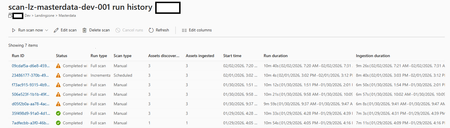
Datascan not picking up the schema of .parquet files ParquetFormat JavaInvocationException happened
Since about a week we have a problem with our datascan on ADLS not picking up the schema of .parquet files. It does pick up on the asset but not on the schema of said asset. The parquet files are perfectly readable and writeable with Fabric/spark. Purview had no issue picking them up before last week, but it seems that something has changed on the Microsoft side? Anyone else facing these issues recently? 2026-02-02T06:21:47.116Z,SystemError,ReadData,https://xxx.dfs.core.windows.net/landingzone/masterdata/someotherfile.parquet,ParquetFormat JavaInvocationException happened,ScanErr0000133Views0likes1Comment
Microsoft Purview Data Map Approach to scan
I plan to scan Purview data assets owner by owner rather than scanning entire databases in one go because this approach aligns with data governance and RBAC (Role-Based Access Control) principles. By segmenting scans by asset ownership, we ensure that only the designated data asset owners have the ability to edit or update metadata for their respective assets in Purview. This prevents broad, unrestricted access and maintains accountability, as each owner manages the metadata for the tables and datasets they are responsible for. Scanning everything at once would make it harder to enforce these permissions and could lead to unnecessary exposure of metadata management rights. This owner-based scanning strategy keeps governance tight, supports compliance, and ensures that metadata stewardship remains with the right people. This approach also aligns with Microsoft Purview best practices and the RBAC model: Microsoft recommends scoping scans to specific collections or assets rather than ingesting everything at once, allowing different teams or owners to manage their own domains securely and efficiently. Purview supports metadata curation via roles such as Data Owner and Data Curator, ensuring that only users assigned as owners; those with write or owner permissions on specific assets; can edit metadata like descriptions, contacts, or column details. The system adheres to the principle of least privilege, where users with Owner/Write permissions can manage metadata for their assets, while broader curation roles apply only where explicitly granted. Therefore, scanning owner by owner not only enforces governance boundaries but also ensures each data asset owner retains exclusive editing rights over their metadata; supporting accountability, security, and compliance. After scanning by ownership, we can aggregate those assets into a logical data product representing the full database without breaking governance boundaries. Is this considered best practice for managing metadata in Microsoft Purview, and does it confirm that my approach is correct?Solved327Views0likes2Comments
Regarding Existing Microsoft Applications for End-to-End Operational Management
I would like to inquire whether Microsoft offers any pre-built, production-ready applications—preferably within the Dynamics 365 ecosystem—that are currently in use by customers and proven to be stable, which support the following functionalities: Work Order Management Operational Management Production Planning and Control Resource Management Asset Management Quality Management Inventory Management Barcode Scanning for real-time job tracking (start/finish) Profitability and Financial Reporting Hours Variation Analysis( Planned Vs Actual) Cost Variation Analysis( Planned Vs Actual) We are seeking a solution that integrates these capabilities into a unified platform, ideally with real-time data capture and reporting features. If such a solution exists, we would appreciate details regarding its availability, deployment options, licensing, and customer success stories. Looking forward to your guidance
Scan-to-email wrong timestamp
Hi all, I am posting this to the Canon forums and Microsoft Outlook forums. I have a co-worker that whenever they use our network attached Canon ImageCLASS MF247dw using scan-to-email on the printer itself, his scanned image emails come with the wrong time stamp, they are dated one hour back. This also happens for a couple other co-workers. I am 99% sure i have compared Outlook settings including timezone settings, and the Canon MF247dw address book settings across the users it works for and does not work for and as far as i see they all match. Everyone is set to the same time zone, checked settings across Outlook and the Windows 10 machines. For the life of me i cannot figure out why some co-workers scan-to-email comes through Outlook as correct time stamp, and some say they are one hour behind. I have also checked the settings for day light savings. We all use the same Windows 10 version, same Outlook versions. Any thoughts or tips?1.7KViews0likes1Comment
Scan Excel/PowerPoint Data sources
Hi, Let's imagine that Excel uses a database or Power BI as a data source (i.e. for a Pivot Table), will Purview scan the Excel file and visualize the lineage so that you can track which Excel document is using which Power BI data set? I know it's possible with Power BI reports to find out which Dataset they are using, but it would be super helpful to find out what data sources the world's most popular BI front-end (Excel) is using 😉 Same with PowerPoint. So you can embed a Power BI report into a PowerPoint document. Will Purview scan the PowerPoint documents and find out which report/visual they use? For Impact Analysis (I would like to change a report, what other components will be affected) this would be very important... Thanks, Thomas581Views0likes0CommentsOrder of Columns of scanned Parquet Files
Hi, i did a scan of Parquet files (StorageV2 (general purpose v2)). The discovered columns are shown not the original order but alphabetically. When I do a scan with a CSV file the original order is retained. What can I do to keep the order of the columns in a scanned parquet file? Any hints? Do you have the same experience? Thanks, Bernhard1.4KViews0likes1CommentArchive Workflow - Scan PDF, Read Barcode, Create Folder and Store PDF
Relatively new with Teams (+Sharepoint) and we're trying to see if we can automate an existing paper-based document archiving workflow. Here's what we're trying to accomplish: Scan paper files on scanner (TBD, office MFP or otherwise - we'd ideally define a workflow that is scanner independent) First page of the scanned stack of papers has a barcode which represents an unique order number. Interpret the barcode (order number) and create a folder with that number in a Teams/Sharepoint Document Library Move the scanned PDF in its entirety to this folder. Does anyone have any idea if this is possible - and if so, perhaps shine some light on how to accomplish this? Thanks!Solved1.7KViews0likes1CommentUpdates to Assets Prevent Future Scan Updates
We've been working with Purview slowly over the last few days. Today I was able to scan some heavily used on-prem SQL server databases. Once the scan was complete I went into the assets, located the first asset I wanted to classify, and started to add a description. The minute I clicked Edit on the asset a warning appeared stating "Making a manual update to the asset will prevent future scans on this asset from updating it." As a software developer, I understand why this might be necessary, however as a member of the data governance team it concerns me. I need the ability to add classifications/glossary terms/contacts/descriptions to newly discovered assets, but I'd also like scanning to update the schema as the asset changes based on information found in scans. Is the functionality to edit an asset manually and receive updates from scans something that is on the roadmap? Will it be available in GA?6.4KViews3likes8Comments
Solutions - Is there a way to Scan & Annotate PDF Directly to Teams?
Hey Looking for a solution to our problem. We have Teams/365 installed across our network - and really loving the collaborative work. The issue we have is - our Warehouse Team is located on the other side of the building. They receive deliveries, with delivery notes, however, they delivery notes need to be checked off and annotated by the operations director in the head office. This is normally done by a warehouseman coming to head office, the operations director looking through the delivery note and handwriting all over them to identify and allocate the different items on the note. The warehouseman, then goes back to warehouse and hands it to the warehouse Manager to assign where the deliveries go or what needs to be done with them. What i was wondering is what would be the best solution for this, using Teams? I was thinking of getting a little mini scanner, for the warehouse manager, to be able to scan and then the operations director could annotate it from his desktop and the Warehouse manager would be able to see it from teams. and really I was wondering: 1) Can you scan directly into a Teams Conversation/Task/Teams? 2) Is there a method to then annotate the PDF that had been scanned? 3) Will it store it (not essential, but would be good) Alternatively, i am more than happy to go with any other solution if anyone has any cool ideas!? Many thanks for your time!1.5KViews1like1Comment