planner
837 TopicsAbility to send an email to Planner and create a Task
Is this on the roadmap? Our organization is starting to lose the battle of using Planner instead of Trello, pretty much because of the sole feature that Trello allows you to send an email to a specific email address and it will automatically create a Task. It is quite a simple model: Email Subject = Task Title Email Body = Task Description Email Attachments = Task Attachments This would be a massive win for adoption. Looks like this is the entry with the most votes, but there are about 100 of them that individually are asking for the same/similar functionality: https://planner.uservoice.com/forums/330525-microsoft-planner-feedback-forum/suggestions/13076007-ability-to-add-email-as-planner-task221KViews75likes39CommentsA new way to check off your to-dos—Tasks in Teams are coming soon!
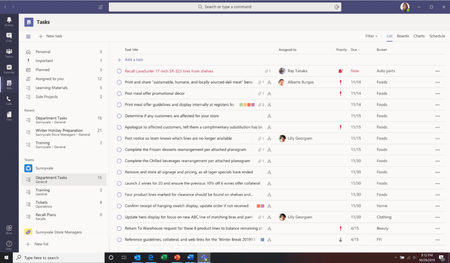
At Microsoft Ignite this year? Then you’ll have already heard the big news about Microsoft To Do and Microsoft Teams. Missed the announcement? We’ve got you covered. Today, we announced that you’ll soon be able to see your tasks from Planner and To Do in Teams. That’s right, one of your most requested integrations is on its way! We’ll now bring in your personal tasks from To Do and your team tasks from Planner into a single, comprehensive view in Teams. This will be coming very soon for Teams Technology Adoption Program (TAP) IT admins and will become generally available for all Microsoft customers at the beginning of 2020.169KViews65likes88Comments
2026.02.20 - Planner UI update is worse
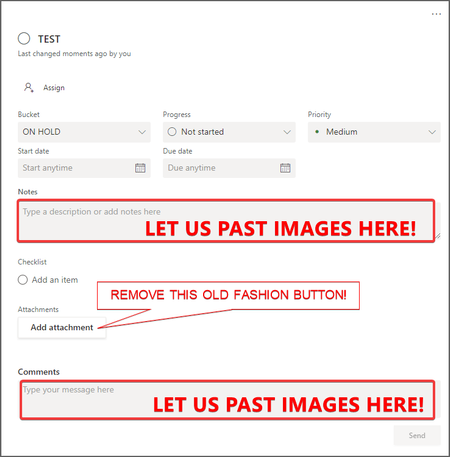
The UI changes to Planner within the latest Teams desktop app update (version 26032.208.4399.5) has regressed in its functionality and is worse than before. Previously, all of the contents of an item in the Planner were visible at the same time. Now I have to tab between Task Details, Attachments and Checklist, and am unable to view these at once, which has become a critical workflow for me. It is extremely irritating, as I've developed a workflow around how Planner was presented (which was that everything within a task was visible at once), and now it has been compartmentalised. Please unwind this - it is a regressive update and provides less information and requires more interaction to work through the detail of a task.3.9KViews31likes22CommentsWay to see all Planner tasks assigned to a team member?
Is there a way to see all project tasks assigned to a team member? Or is this functionality on the radar? I can see all my assigned tasks, and I can see tasks by person by project, but as a manager, I would like a way to see all tasks assigned to my team members across all of their projects/functional areas, so that we can quickly evaluate their current workload, reprioritize and assign new tasks accordingly. What I'm thinking is that there would be a filter option to see buckets by team member of their collective project tasks, like the view currently available right now by individual projects. Interested in the capability to overlay multiple projects. Thanks!58KViews30likes45CommentsCan I delete or reorder the un-used labels in Planner?
I noticed that there are a lot more color labels in Planner and picked the brighter colors that are lower in the drop-down list. When I use "Group By Labels" to view my planner according to these color labels, my tasks are listed way to the right end side of the board, with a bunch of empty color label columns I didn't use. I tried re-ordering and deleting those un-used color labels but I can't seem to find the features. This really defeats the purpose of adding all the new labels...46KViews29likes28CommentsGet ready for the new Microsoft Planner for the web
We are thrilled to announce that, in the coming weeks, we’ll start rolling out the new Microsoft Planner for the web! We first announced the new Planner last November at Microsoft Ignite, and this past April, we launched the first version of the new Planner app in Microsoft Teams.528KViews28likes99Comments