partner center
131 Topics
Looking to Connect with Dynamics 365 Teams for Support & Delivery Collaboration
I’m reaching out on behalf of Array Platforms Pvt. Ltd., a Microsoft solutions team specializing in Dynamics 365 and Power Platform. We’re interested in connecting with businesses and Microsoft implementation partners that need support with existing Dynamics 365 environments, ongoing maintenance, customizations, enhancements, or additional development resources. We’re also open to collaborating with implementation partners who need reliable delivery support to manage project workloads and ongoing client requirements. If your team is exploring ways to strengthen its Dynamics 365 support or delivery capabilities, I’d be happy to connect and explore potential collaboration opportunities. Looking forward to exchanging ideas with the community.
Learned something useful today about updating multiparty private offers
I needed to update a multiparty private offer in Azure Marketplace today, and a vendor showed me a simple way to do it as the reseller. While the offer is still pending customer acceptance, select the checkbox next to it in Partner Center and click Withdraw at the top. This lets you edit your part of the offer and send it back to the customer. If the change involves something the vendor controls, they’ll need to update it on their side. In other marketplaces I’ve worked with, this can involve getting a new resale authorization and creating a new offer, so I appreciated how easy this was. This feature has probably been around for a while, but I only learned about it today. A small thing that makes day-to-day work easier and helps move sales along. Thought I’d share!Agentic Marketplace publishing expands with broader product coverage and generally available APIs
When we introduced Marketplace Ingestion Model Context Protocol (MCP), the idea was simple: help developers start with what they want to accomplish, rather than with an API payload. Now, that workflow can go further. Marketplace Ingestion MCP and APIs have reached 100% product coverage for Microsoft Marketplace offers, giving publishers more ways to bring Microsoft Marketplace publishing into the development processes and tools they already use. We’ve also reached another important milestone: the Product Ingestion APIs for SaaS and virtual machine offers are now generally available (GA). Together, these updates give development teams more flexibility in how they build Marketplace publishing into their workflows, whether they work with an AI agent through Marketplace Ingestion MCP, integrate directly with APIs, or combine both approaches. From agentic publishing to broader product coverage In my previous post, I shared how Marketplace Ingestion MCP connects natural-language intent with Microsoft Marketplace publishing actions. That experience now supports a broader range of Marketplace products. With 100% product coverage across our MCPs and APIs, publishers can apply the same outcome-first approach across their Marketplace publishing workflows. Marketplace Ingestion MCP connects supported agentic experiences with Partner Center APIs. Instead of manually constructing API payloads, you can describe the publishing outcome you want. Your agent can then help retrieve the right schema, build and validate the payload, and perform supported publishing actions. For development teams, that means publishing can become part of the workflow rather than a separate activity after development is complete. SaaS and virtual machine APIs are now generally available Publishers that prefer to integrate directly with Marketplace publishing APIs also have an important update: Product Ingestion APIs for SaaS and virtual machine offers are now generally available. These APIs give development teams a programmatic way to create, publish, and manage their offers in Microsoft Marketplace. With these APIs now generally available, publishers have another way to build Marketplace publishing into their development and release processes. For teams already using the APIs, there is no need to immediately rework integrations built with older preview versions. Existing preview API versions continue to work. You can continue using those versions in your current integrations while adopting to the GA versions. If you're starting a new integration, we encourage you to use the latest generally available API versions for SaaS and virtual machine offers. Choose the workflow that works for your team There isn't one way every publisher needs to work. Some teams may want an agent-assisted experience, using natural language and Marketplace Ingestion MCP to handle more of the translation between publishing intent and API structures. Other teams may work directly with the Product Ingestion APIs to build publishing into automated processes. And some teams may combine both. The opportunity is to make Marketplace publishing fit more naturally into how your team develops and ships software. You can: Start with intent. Use Marketplace Ingestion MCP to describe the publishing outcome you want and let your agent help translate it into supported actions. Build repeatable workflows. Bring common offer creation and update tasks into development workflows, including CI/CD processes where appropriate. Integrate directly with APIs. Use the generally available Product Ingestion APIs for SaaS and virtual machine offers to build programmatic publishing experiences. Move forward at your own pace. Existing integrations using older preview API versions continue to work, giving teams flexibility in when they adopt the latest GA versions. What this means for publishers The goal is straightforward: give developers more flexibility in how they bring their cloud and AI solutions to customers through Microsoft Marketplace. Marketplace Ingestion MCP brings publishing closer to the tools and agentic workflows developers already use. The Product Ingestion APIs provide the foundation for teams that want direct programmatic integration. With expanded product coverage and GA APIs for SaaS and virtual machine offers, publishers have more options for building Marketplace publishing into the way they already develop and operate their products. If you've been exploring agent-assisted publishing, now is a good time to take another look. And if you're building directly with the Product Ingestion APIs, consider using the latest generally available SaaS and virtual machine API versions as you create new integrations. Get started Marketplace Ingestion MCP is included with access to Microsoft Marketplace submission APIs. To get started, you'll need: A Partner Center account with the required role Access to Microsoft Marketplace submission APIs An MCP-compatible client, such as Visual Studio Code or GitHub Copilot CLI, if you want to use Marketplace Ingestion MCP Learn more: Marketplace Ingestion MCP server | Microsoft Learn Product Ingestion API for Microsoft Marketplace | Microsoft Learn Product Ingestion API for SaaS | Microsoft Learn Product Ingestion API for virtual machines | Microsoft Learn Marketplace Ingestion MCP server - Marketplace publisher Publishing doesn't need to sit at the end of development. With agent-assisted workflows, broader product coverage, and generally available APIs, teams have more ways to make publishing a natural part of how they build and bring solutions to market.198Views2likes0Comments
Payout and tax profiles non-us individual, no company, no tax ID
Subject: Tax profile for an individual in the UAE: is a VAT/Tax ID mandatory? Hello, I am an individual developer (account type: Individual), permanent resident of the United Arab Emirates, creating a tax profile in order to sell a paid add-on on the Microsoft Store. At the "Tax Residence Country/Region" step, the field "Tax ID type" is required and its only option is "VAT number", which then requires a Tax ID. I am not registered for VAT in the UAE and have no Tax Registration Number (TRN). Leaving the field empty blocks the Next button (screenshot attached). In the UAE, TAX registration is only required to businesses above a set yearly revenue. I am only an individual. Questions: 1. Is a UAE VAT number (TRN) mandatory to create a tax profile as an individual seller? 2. If so, is there an alternative path for individuals who are not VAT registered? 3. If a TRN is required, is registering for VAT the only option? Thank you.Build your SaaS offer with the modernized SaaS Accelerator to sell on Marketplace
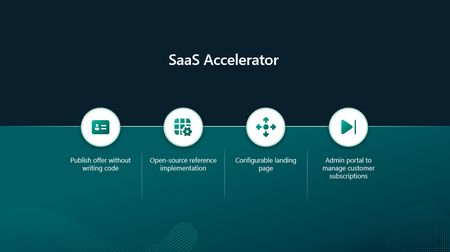
Build your SaaS offer for Microsoft Marketplace with coding agent guidance and the modernized SaaS Accelerator. Explore resources that help simplify Marketplace integration and move from development to publishing faster.209Views5likes0CommentsConfirming a Marketplace purchase counts toward an Azure commitment
Hi everyone, is there a way for us as the reseller to confirm that a Marketplace purchase will count toward the customer’s Azure commitment? We can check whether the product is Azure benefit eligible, but is there anything else we should check before sending the offer? And once the customer buys, can we see whether it counted, or can only the customer see that?Solved166Views1like3CommentsLand Your Offer - Anatomy of Revenue Generating Partner Offer - Part 3 - Copilot Deployment
In Part 1 we looked at Copilot in 30, a $0 trial for SMB customers. In Part 2 we looked at Envisioning & POC, a funded pre-sales engagement. Part 3 moves to post-sales. The customer has bought Copilot seats. The job now is to get people using them. That job has a new reward. From 1 October 2026, the Frontier Accelerate for Copilot: M365 Copilot Deployment Accelerator pays in two milestones: one when you deliver the deployment, and one when the customer's active users grow. It also lands just after Microsoft introduced the new Copilot with Home, Code and Autopilot, usage-based billing and FinOps for AI. Deployment now covers more ground, and customers need a partner to cover it. Package this engagement as a Microsoft Marketplace offer and you have a repeatable way to turn paid seats into active users across your whole customer base. Start Here: Why Publishing on Microsoft Marketplace Matters Microsoft Marketplace is Microsoft's partner-focused business platform. It helps you reach more customers and makes buying from you simpler. A published offer gives your practice a permanent storefront where customers and Microsoft sellers already look for Copilot help. An offer also makes your work repeatable. You define the phases, activities, deliverables and sizes once. Then you run the same engagement for every qualified customer instead of scoping each one from scratch. Partner Center supports both professional service and managed service offers, so one listing can carry the deployment and the ongoing services that follow. The Opportunity: Seats Bought, Value Waiting Many organisations have bought Copilot ahead of their people adopting it. The gap between paid seats and monthly active users is value still waiting to be realised. Take a customer with 3,000 paid Copilot seats and 1,000 monthly active users. That leaves 2,000 seats, about $720K a year of Copilot investment at $30 per user per month, not yet part of anyone's working day. Closing that gap is what this engagement is designed to do. Customer eligibility for each size is set by two numbers: purchased Copilot seats, and unused seats (purchased seats minus active users). Both are in Partner Center's growth insights reporting in the AI Business Solutions & Security Insights (ASPX) dashboard. Use the dashboard's filters to find customers to land this offer with, and you will know which size each one qualifies for before the first conversation. Why Deployment Is Where Copilot Value Is Won Copilot delivers its value through daily use. The more people build it into how they work, the more value the business sees, and the stronger the case to extend it to more teams. The new Copilot widens what a good deployment covers. Home is the new starting point, with the full power of Word, Excel and PowerPoint built in through Office in Copilot. Code lets people build apps, dashboards and automations in plain language. Autopilot is a persistent agent that keeps work moving without a prompt. Advanced capabilities run on usage-based billing, governed through FinOps for AI. So deployment now goes beyond assigning licences. It means securing data, governing Code apps and Autopilot agents, training people on Chat, Office in Copilot and Code, and putting spend controls in place before usage scales. Each of these takes skills many customers do not yet have in-house. Each one is a service you can deliver. Meet the Offer: M365 Copilot Deployment Accelerator, Paid in Two Milestones The M365 Copilot Deployment Accelerator is a post-sales, partner-led engagement. It covers technical deployment of Microsoft 365 Copilot and Microsoft 365 Copilot Business, security and governance controls, user training, and adoption and change management. The essentials: Who qualifies: Customers with a minimum number of purchased Copilot seats and unused seats for each size: XXS 50+ and 25+, XS 300+ and 250+, S 500+ and 500+, M 1,500+ and 1,500+, L 3,000+ and 3,000+. Strategic 500 customers are not eligible. EDU and non-profit customers are not eligible for XXS and XS. How it is sized: Five sizes: XXS (10 hours), XS (20 hours), S (40 hours), M (100 hours) and L (200 hours). How it pays: Milestone 1 (Solution Deployment) is paid once your proof of execution (POE) is approved. It is guaranteed and does not depend on any outcome. Milestone 2 (Consumption Growth) is paid if the customer's incremental paid Copilot monthly active users reach the nominated band within a six-month window. Going above the band does not increase the payment. Falling below it means no Milestone 2 payment. How it runs: Nominate the customer into a size band (the band is locked once submitted). Get customer consent within 30 days. Deliver the work and submit POE (partner survey, customer attestation and invoice) within 90 days of consent. Each customer tenant can have up to two approved claims, one at a time. Who can deliver: Partners at Copilot JumpStart Ready or higher until 31 December 2026. From 1 January 2027, the Microsoft 365 Copilot specialization is required. Term: 1 October 2026 to 30 June 2027, or until the program cap is reached. Microsoft funds the deployment and rewards the growth. You own the delivery, the relationship and everything that follows. Your Role: From Deployer to Adoption Partner A deployment is not finished when licences are assigned. It is finished when people use Copilot every week and the sponsor can see the value. Your job is to get the customer there, phase by phase. Plan: Confirm the first business functions to adopt. Validate priority scenarios across Chat, Office in Copilot and the Microsoft 365 apps. Set KPIs and Responsible AI guardrails. Build a measurable business case that includes usage-based billing. Assess the environment and sequence remediation before deployment. Implement: Prepare the environment and assign licences. Configure data controls, fix oversharing, and govern Code apps and Autopilot agents. Enable admin tools. Set up the Copilot Dashboard, reporting and FinOps for AI spend controls. Launch a champions programme and community. Train users on Chat, Office in Copilot and Code. Adopt: Run prompt-a-thons on real scenarios. Survey users on their experience. Track incremental paid active users every month against the Milestone 2 band. Review audit logs and Copilot reports. Monitor service health, demand, cost and AI spend. Manage and Improve: Extend analytics with custom impact reports. Refine the business case with real data. Align policies to Home, Code and Autopilot on a set schedule. Optimise operations and AI spend. Mine help desk tickets for new agentic use cases. Keep training going as adoption spreads. Close out: Deliver an executive summary with recommendations, risks, owners and dates. Submit POE. Agree the plan to reach the nominated active user band within the six-month Milestone 2 window. Every phase moves one number: active users. It is the number the customer's sponsor watches most closely, and the one both milestones are built around. Inside the Offer: Activities and Hours by Engagement Size Below is the full activity plan behind the offer, with hours for each of the five sizes. Use it to size your own offer plans and statements of work. ID Phase Activity XXS XS S M L Pre-req Eligibility Minimum Copilot seats / unused seats (unused = seats minus active users) 50+ / 25+ 300+ / 250+ 500+ / 500+ 1,500+ / 1,500+ 3,000+ / 3,000+ P1 Plan Identify priority business functions 0.25 0.5 1 2.25 4.5 P2 Plan Determine high-value scenarios 0.5 1.25 2.25 5.75 11.5 P3 Plan Define success metrics and guardrails 0.5 0.75 1.5 3.75 7.5 P4 Plan Develop the business case, incl. usage-based billing (UBB) 0.5 1.25 2.25 5.75 11.5 P5 Plan Plan readiness and remediation 0.5 1 1.75 4.5 9 I1 Implement Prepare environment and assign licenses 0.75 1.5 3 7.75 15.25 I2 Implement Configure security and data controls 0.75 1.5 3 7.75 15.25 I3 Implement Enable administrative tools 0.5 0.75 1.5 3.75 7.5 I4 Implement Deploy analytics and reporting, incl. FinOps for AI 0.5 0.75 1.5 3.75 7.5 I5 Implement Activate champions and communities 0.25 0.75 1.25 3 6 I6 Implement Conduct training and communications 0.75 1.5 2.75 6.75 13.75 A1 Adopt Drive cross-organizational adoption 0.5 1.25 2.5 6 12.25 A2 Adopt Gather user feedback and sentiment 0.25 0.5 1.25 3 6 A3 Adopt Measure business impact and usage 0.5 1 2 5.25 10.75 A4 Adopt Monitor security and audit reports 0.25 0.5 1 2.75 5.25 A5 Adopt Monitor and evaluate operations, cost and AI spend 0.25 0.5 1.25 3 6 M1 Manage and Improve Extend analytics 0.25 0.5 1.25 3 6 M2 Manage and Improve Evolve the business case, incl. UBB 0.25 0.5 1.25 3 6 M3 Manage and Improve Policy review and refinement 0.25 0.5 1.25 3 6 M4 Manage and Improve Optimize operations and AI spend 0.5 0.75 1.5 3.75 7.5 M5 Manage and Improve Continuous process improvement 0.25 0.5 1.25 3 6 M6 Manage and Improve Continuous training and adoption 0.5 0.75 1.5 3.75 7.5 C1 Close-out Executive summary, POE and Milestone 2 growth plan 0.5 1.25 2.25 5.75 11.5 TOTAL Hours 10 20 40 100 200 Land Your Offer: What One Customer Is Worth The table below is the revenue anatomy of one Deployment Accelerator engagement at each of the five sizes. Four revenue streams stack on top of each other: Milestone 1, Solution Deployment: Microsoft funds the deployment work, from $1,625 for an XXS engagement to $32,500 for an L engagement. It is paid once POE is approved and is guaranteed. Milestone 2, Consumption Growth: a further $875 to $17,500, paid when the customer's incremental paid active users reach the nominated band within six months. This is where adoption work earns its own reward. CSP incentive on Copilot revenue: earned on the Copilot seats you transact. Customers who see their people using Copilot every day tend to renew and extend, so adoption work supports this stream too. Managed services: the recurring engagement described in After Close-out, which is where the largest and most durable share of revenue lives. Item XXS XS S M L Minimum Copilot seats / unused seats 50+ / 25+ 300+ / 250+ 500+ / 500+ 1,500+ / 1,500+ 3,000+ / 3,000+ Engagement hours 10 20 40 100 200 Milestone 2 target: incremental paid Copilot active users in six months 25+ 250+ 500+ 1,500+ 3,000+ Milestone 1, Solution Deployment (K) $1.63K $3.25K $6.5K $16.25K $32.5K Milestone 2, Consumption Growth (K) $0.88K $1.75K $3.5K $8.75K $17.5K Frontier Accelerate total (K) $2.5K $5K $10K $25K $50K CSP incentive on Copilot revenue (K)† $3.51K $21.06K $35.1K $105.3K $210.6K † Milestone payments shown at Market A rates for claims nominated from 1 October 2026. CSP incentive shown at a blended 19.5% (direct bill 2.5 + 7 + 10; indirect reseller 7 + 12.5) on the minimum Copilot seats for each size at $30 per user per month for 12 months. Illustrative estimates from the offer plan. Confirm current rates, market rates, eligibility and geographic restrictions (which apply to the L size) in the latest Microsoft Commercial Partner Incentives Guide. Now multiply. Everything above is the anatomy of a single customer. Landing the offer means running it across every qualifying customer in your base. The same ASPX view you use to check eligibility is your target list: sort the customers you manage by the gap between paid Copilot seats and active users, and check MCI eligibility and potential earnings for each. Do not forget your Part 2 customers: every Envisioning & POC engagement that converted to paid seats is a natural next candidate. How the Offer Fits Together: From Sizing to Proof of Execution The offer runs left to right in three layers: Sizing and value: five sizes from XXS (10 hours) to L (200 hours). Milestone 1 is paid on POE approval. Milestone 2 is paid when the active user band is met. Bands are locked at nomination. Five phases: Plan (P1 to P5), Implement (I1 to I6), Adopt (A1 to A5), Manage and Improve (M1 to M6) and Close-out (C1, T1, T2, X1). Each phase produces something the sponsor can see. Proof of execution: prioritised scenarios and a business case that includes usage-based billing; a secure, licensed Copilot environment; analytics, reporting and admin controls; active champions and trained users; incremental paid active users, impact and ROI measured; an executive summary, roadmap and POE. Plus a named wave 2 expansion beyond the first teams. The highlighted activities are champions and communities (I5), training and communications (I6), cross-organizational adoption (A1), business impact and usage (A3), extended analytics (M1), policy review (M3), operations and AI spend (M4), continuous training (M6), trial to paid licence conversion (T1), commercial proposal and signature (T2) and the wave 2 expansion plan (X1). These are where the engagement stops being a project and becomes an ongoing relationship: managed services, ongoing optimisation and follow-on professional services after the engagement closes. The managed services below are built from exactly these activities. After Close-out: Managed Services That Keep Delivering Close-out is the start of the real engagement. Package these six recurring services in your offer. Each one carries forward a highlighted activity from the deployment, is sized in partner days so you can price it, and drives a business outcome the sponsor can put a number on. Managed service Partner activity: what you deliver and measure Customer business outcome: what it drives (illustrative targets, M-size customer) Champions and community management • Effort: 1 to 2 days a month • Activity: Run the champions network and a Viva Engage or Teams community, host monthly prompt-a-thons on real work, and carry adoption into every business function (I5, A1) • Reported as: Active champions per function; community questions answered; functions above the utilisation target • One active champion for every 50 users (60 champions across 3,000 seats) • Adoption spreads from the first 2 business functions to 6+ within six months • Copilot how-to tickets to the help desk down 30 to 50% as peers answer questions first Continuous learning and enablement • Effort: 2 days a month • Activity: Deliver role-based training and launch communications for each new group, onboard new joiners within their first 30 days, and refresh training as new Copilot capabilities arrive (I6, M6) • Reported as: People trained by role; new joiners onboarded within 30 days; trained users active within 30 days • 2 to 4 hours saved per active user a week (≈5,000 to 10,000 hours across 2,500 active users) • 90%+ of trained users active within 30 days of training • New joiners productive with Copilot in their first month, not their first quarter Usage and impact analytics • Effort: 1 to 2 days a month • Activity: Track incremental paid active users against the Milestone 2 band every month, extend the Copilot Dashboard with third-party data, and build custom impact reports by function (A3, M1) • Reported as: Incremental active users against the band; utilisation (active users ÷ paid seats); impact by function • Utilisation lifted from 33% to 83% (1,000 to 2,500 active users) within six months, meeting the M band floor • ≈$540K a year of Copilot investment moved from unused to in use • Return shown in the customer's own numbers: ≈$1.08M a year of seats against $9.6M+ of staff time released at $40 per hour Policy lifecycle management • Effort: 1 day a month • Activity: Review and refine security and governance policies on a set schedule, and align them to Home, Code and Autopilot before each capability reaches users (M3) • Reported as: Policy reviews completed on schedule; new capabilities assessed before rollout; open policy exceptions • New Copilot capabilities switched on in weeks, not quarters, because policies are ready • Zero Copilot-related oversharing incidents as usage grows • Audit evidence for every policy decision available on request Service and AI spend optimisation • Effort: 1 to 2 days a month • Activity: Review KPIs, user feedback and AI spend each month, update the service management plan, and focus usage-based capabilities on the users and scenarios that justify them (M4) • Reported as: KPI trend; AI spend against budget; feedback themes closed • AI spend held within ±10% of budget, with no unplanned overage • Cost per active user down 10 to 20% a year as usage matures • Top user feedback themes acted on within 30 days Licence growth and wave planning • Effort: 1 day a month, plus 2 to 3 days per expansion wave • Activity: Convert trial licences to paid, prepare commercial proposals for named teams, and plan and date the next expansion wave (T1, T2, X1) • Reported as: Trials converted; proposals signed; next wave dated with named teams • New seats added only where a named team and use case are ready • Each new wave at 80%+ utilisation within 60 days • Wave 2 adds 250 to 500 seats, each backed by usage data from wave 1 Outcomes are illustrative targets for an M-size customer with 3,000 paid Copilot seats and 1,000 active users at nomination, at $30 per user per month, a blended $40 per hour staff cost and 48 working weeks a year. Validate them with each customer when you define success metrics (P3) and build the business case (P4), then report against them from A3 onwards. Effort scales with seats in scope, as the engagement hours do. Add the recurring rows together and one M-size customer sustains roughly 8 to 9 partner days a month after close-out, before expansion waves are counted. Every row pairs a number you can invoice against with a number the sponsor can take to the board. That is what turns a recurring service into a renewable one. Ready to Build Your Copilot Deployment Accelerator Offer? Read the engagement terms and mechanics in the Microsoft Commercial Partner Incentives Guide, and download the delivery guide and pre-engagement planning resources. Check your eligibility: Copilot JumpStart Ready or higher until 31 December 2026, then the Microsoft 365 Copilot specialization from 1 January 2027. Publish your offer in Partner Center as a professional service (the deployment accelerator) with a managed service follow-on (community, learning, analytics, policy, spend optimisation and licence growth). Build your first cohort: in ASPX, filter the customers you manage for paid Copilot seats with low Copilot utilisation and an adoption status of starting or struggling, then check MCI eligibility and potential earnings for each. Start with customers from your Envisioning & POC engagements that converted to paid. Nominate the right band: the band is locked at nomination and Milestone 2 pays only if incremental paid active users reach its floor. Use ASPX to set it: take today's Copilot MAU as your baseline, look at the recent trend and adoption status, and pick the band whose floor you can realistically add in six months. A customer with 3,000 paid seats and 1,000 active users qualifies for M, and reaching the M floor means adding 1,500 active users. If your plan adds 600, S is the safer choice. Book the close-out before Plan begins, so the Milestone 2 plan and the wave 2 conversation are already on the calendar. Your customers have already chosen Copilot. Help every one of their people make it part of how they work. Resources Engagement mechanics for Copilot Deployment Accelerators | Microsoft Commercial Partner Incentives Guide Microsoft Commercial Partner Incentives Guide M365 Copilot Deployment Accelerator: Delivery Guide M365 Copilot Deployment Accelerator: Pre-Engagement Planning Partner investments: October 2026 updates Archived incentive terms for claims nominated before 1 October 2026 The new Copilot is here: the opportunity for Microsoft partners Introducing the new Copilot with Home, Code and Autopilot364Views2likes0CommentsFrom discovery to decision: A connected way to buy in Microsoft Marketplace
When I talk with customers about technology decisions, one thing is clear: finding a promising solution is only the beginning. The real work is deciding whether that solution solves the business need. Can I understand my options quickly? How does one solution compare with another? Can my team try it before making a decision? And when we’re ready to move forward, can the purchase reflect the way our organization actually needs to buy? Those questions become even more important as organizations bring cloud and AI solutions into more workflows and evaluate a growing range of options. That’s why I’m excited about the latest enhancements to Microsoft Marketplace. They help customers to find, evaluate, and choose the cloud solutions, AI apps, and agents that best fit their needs. Start with what you’re trying to accomplish Technology searches don’t always begin with a product name. Often, you know the business outcome or technical scenario you’re trying to address, but you don’t yet know which solution will get you there. You may be looking for an agent that supports a particular workflow, a solution for an industry scenario, or simply a better way to explore the options available to you. This is where intelligent discovery changes the starting point. With smart search in Microsoft Marketplace, you can describe what you’re looking for in natural language. Marketplace uses that input to refine the search and help identify relevant solutions. I think about this as moving from “What should I search for?” toward “Here’s what I’m trying to do.” Once you begin finding potential solutions, the evaluation becomes more specific. You can compare up to three offerings side by side and add your own criteria to the comparison. That matters because every organization evaluates technology differently. The questions that matter to your developers may be different from the questions procurement or business leaders need answered. Interactive chat extends that approach to individual product pages. You can ask questions in natural language about the solution you’re viewing, giving you another way to find the information relevant to your evaluation without relying solely on navigating through each section of the listing. Together, these experiences create a more natural progression: start with your need, explore possible solutions, compare your options, and dig deeper where it matters. Evaluation becomes more meaningful when you can try the solution There’s a point in many technology decisions when research needs to become hands-on evaluation. You’ve learned about the solution. You’ve compared the options. Now you want to understand what it could mean for your organization. Free trials in Microsoft Marketplace help bring that evaluation into the same journey. Solutions with free trials are easy to identify through search, filters, and free trial badges. You can search for free trials or use the Free trial pricing filter to focus on solutions that offer one. Once a trial is underway, you can track its status and see the number of days remaining in the trial period through Azure portal or the Microsoft 365 admin portal, depending on where the solution is managed. If the evaluation confirms that the solution is right for you, you can move to a paid subscription at public pricing at any point during the trial without reinstalling the solution. If it isn’t the right fit, you can cancel before the trial ends. This is one of the changes I find especially useful because a trial becomes part of the evaluation journey itself. You can move from discovering and researching a solution into actually trying it, while retaining visibility into where you are in the trial. The right solution also needs the right commercial structure Technical fit is important, but it isn’t the only consideration. Once a team decides that a solution meets its requirements, the conversation often shifts. How long do we need it? How should the agreement be structured? Does a standard term fit the project we’re planning? This is where we’ve expanded the flexibility available through private offers in Microsoft Marketplace. Custom contract lengths can range from one month to 10 years for supported private offer scenarios. That means an agreement can be structured around a six-month requirement, an 18-month engagement, a multiyear deployment, or another duration appropriate to the customer and partner agreement. There is flexibility in billing as well, including monthly or one-time payment options and annual billing when the term is annual. Custom contract duration is available for SaaS and professional services through private offers. I see this as an important connection between technical planning and purchasing. A proof of concept doesn’t necessarily have the same commercial requirements as a long-term deployment. Providing more flexibility in contract duration can help the commercial agreement better reflect the scenario being planned. Sometimes the next step is simply starting a conversation Not every purchase can be represented by a standard offer. A customer may want to discuss customized pricing, different terms, or specific solution requirements with the publisher. Rather than treating that conversation completely separate from discovery, customers can now initiate it from supported Marketplace listings. With the ability to request a private offer, customers can share their contact information and details about what they’re looking for directly from the listing. The request is delivered to the publisher as a Marketplace lead, creating a clear starting point for the customer and partner to discuss the opportunity. Requesting a private offer is available for SaaS and professional services offers, as well as compute offers including virtual machines, Azure applications, and containers. It’s a relatively simple step, but I think it represents something bigger about the purchasing journey. Discovering a solution, evaluating it, and discussing how to buy it don’t need to feel like unrelated activities. Think of evaluation as a journey, not a search That’s my biggest takeaway from these updates. Searching is one moment in a much broader decision process. You are able to start by describing what you need using Smart Search. From there, you can narrow your options, compare up to three offerings, and ask more detailed questions about an individual solution. When a free trial is available, you can move from researching the solution to experiencing it. And once you’re ready to discuss purchasing, private offers can provide additional flexibility around commercial requirements. For me, the common thread is decision-making with more context at each step. As you evaluate your next solution, I’d keep a few questions in mind: What problem or technical scenario am I actually trying to address? What criteria matters most to the people who will build with, manage, or use this solution? Is a free trial available if we want to validate the fit? What contract duration and purchasing structure are available to reflect the way we plan to use it? Do we need to start a private offer conversation with the publisher? You don’t have to answer all of those questions at once. But thinking about them as parts of one journey can help connect technical evaluation with the eventual purchasing decision. Watch the Microsoft Marketplace customer office hour There’s more to explore than I can cover in a single post. In our Microsoft Marketplace customer office hour, we demonstrate intelligent discovery, smart search, solution comparison, interactive chat, free trials, custom contract lengths, and the ability to request a private offer. We also answer questions about moving from trials to paid subscriptions, finding trial offerings, comparing solutions, and working with private offers. If you’re evaluating cloud and AI solutions, I encourage you to watch the full session on demand at aka.ms/MarketplaceCustomerOfficeHours. And I’d love for the conversation to continue here in the Microsoft Marketplace Community. What are you evaluating today? What would help you make your next technology decision with greater confidence? Share your questions and scenarios with us. They can help shape the conversations we have in future customer office hours.192Views1like0CommentsMatching customer invoices to multiparty private offers
What’s the best way for a reseller to match an Azure Marketplace customer invoice to its multiparty private offer and subscription in Partner Center? We’ve had invoices missing from our reporting and multiple charges tied to the same offer with different Asset IDs. Which reports or fields should we use to match them? Can we also see whether a credit was issued, or does that require the customer’s billing access or Microsoft Support?Bring Marketplace publishing closer to your development workflow
Explore how AI agents can help make Microsoft Marketplace publishing a more natural part of the development workflow. Marketplace Ingestion MCP connects MCP-compatible agent tools with Partner Center APIs, helping publishers turn natural-language intent into supported publishing actions. Learn four ways teams can incorporate agent-assisted publishing into their workflows, from creating and validating offers to building repeatable processes and working from familiar developer tools such as Visual Studio Code and GitHub Copilot CLI. See how publishers can bring product development and publishing closer together while keeping people involved in reviewing and approving changes. Read the article121Views1like0Comments