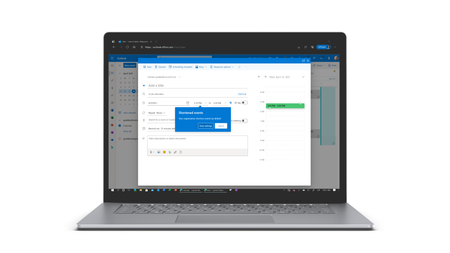
outlook for mac
360 Topics
No New Folder Creation?
I'm in Mac Outlook 16.112, using Legacy view. I'm trying to add a new sub folder and that option is disabled on every right click menu I can find, and doesn't appear in any ribbon menu. What is going on? I have quite a few subfolders, all created using the right-click option. Why is that suddenly unavailable? This is incredibly frustrating. -Monica Sandler Director of Customer Success EstateWorks Systems234Views0likes4Comments
Thousands of Sent Items moved to Deleted Items, no rules, no retention
Hello everyone, I'm investigating a very unusual Exchange Online mailbox issue and would appreciate any insights from anyone who has seen something similar. Environment Exchange Online (Microsoft 365) Mailbox: User mailbox Outlook for Mac Outlook for iOS Outlook Web (OWA) Incident Summary On August 13, 2026, approximately 4,997 messages were moved from: The activity occurred over roughly a 3-hour period. Mailbox audit logs show thousands of: Operation: MoveToDeletedItems events. Hourly breakdown: 01:00 - 2,046 events 02:00 - 1,540 events 03:00 - 1,408 events Audit Findings All sampled audit events show: LogonType = 0 (Owner) UserId = affected mailbox owner Result = Succeeded I sampled 5,000 records and all of them were: LogonType = 0 No events were recorded as: LogonType = 1 (Admin) LogonType = 2 (Delegate) Source and Destination Folders Examples from mailbox audit records: Folder : \Sent Items Destination : \Deleted Items Operation : MoveToDeletedItems Message Trace Findings Extended Message Trace was performed on one of the affected emails. The trace confirmed: CopiedToSentItems=True DeleteAfterSubmit=False which indicates: The email was successfully sent. The email was copied to Sent Items. Exchange did not delete the message during transport. So the message existed in Sent Items and was later moved to Deleted Items by a mailbox operation. Rules Investigation Checked: Get-InboxRule -Mailbox <mailbox> -IncludeHidden Findings: No Inbox Rules targeting Sent Items. No hidden Inbox Rules targeting Sent Items. Only two legitimate rules that delete messages from specific Jira/Confluence senders. Delegation Investigation Mailbox permissions reviewed. Known permissions exist, but mailbox audit logs show: 5000/5000 sampled events = LogonType 0 Therefore: No evidence of delegate activity. No evidence of administrative activity. Retention / Compliance Investigation Checked: Get-Mailbox Get-RetentionPolicy Get-RetentionPolicyTag Get-RetentionCompliancePolicy Get-RetentionComplianceRule Findings: No Sent Items retention tag. No retention policy targeting Sent Items. No Purview retention/compliance policy appears to explain this behavior. Activity pattern does not resemble normal retention processing. Add-ins Investigation Mailbox add-ins: Polls Share to Teams Send to OneNote Action Items Bing Maps My Templates Unsubscribe No third-party mailbox-management or archiving add-ins found. Client Information Seen During Investigation Examples observed in mailbox audit logs: Client=OutlookService;MacOutlook/16.112 a { text-decoration: none; color: #464feb; } tr th, tr td { border: 1px solid #e6e6e6; } tr th { background-color: #f5f5f5; } What Has Been Ruled Out ✅ Admin activity ✅ Delegate activity ✅ Inbox Rules ✅ Hidden Inbox Rules ✅ Outlook add-ins ✅ MRM retention policies ✅ Sent Items retention tags ✅ Purview compliance retention policies ✅ Exchange transport deleting the messages Question Has anyone encountered a similar case where: Thousands of messages were moved from Sent Items to Deleted Items Operation = MoveToDeletedItems LogonType = 0 (Owner) No rules No retention policy No delegate activity particularly involving: Outlook for iOS Outlook for Mac Client=OutlookService Any similar experiences, findings, or recommendations would be greatly appreciated. As we need to know the root cause for this issue. Thanks204Views0likes2Comments
Unable to drag cursor to select text in a draft.
For as long as I can remember, I have been unable to drag my cursor to select any text in a draft message. I can however drag the cursor to select text in a received message, as long as I'm not in the midst of drafting a response. I can use a combination of SHIFT+ arrow keys to select text. I also have no issue dragging the cursor to select text in Outlook on the Web. I have to assume this is intentional being that this bug has existed for so long. Is there any explanation as to why Microsoft feels Outlook for Mac users should not be permitted to drag their cursor to select text? I've just updated Outlook for Mac via the App Store to version 16.83 (24031120).1.5KViews0likes2Comments
Signature displayed wrong in New Outlook on Mac
When creating a new e-mail, my signature is displayed in Times New Roman (?) instead of the default font. In the Signature editor, the display is correct. In Sent, the mail is displayed correctly as well. Signature editor: New email: Outlook version: 16.110 Mac M4 Mac OS 26.5.1Solved490Views3likes7Comments
MAC - Importing Legacy POP On My Computer data
The end is nigh for Legacy thus I did the switch as a test knowing I could still revert. Background: I have long time POP account. In the UBF8T346G9.Office, Outlook, Outlook 15 Profiles, Main Profile: Data folder: 159 GB. Largest folders: Message Attachments: 90 GB Message Sources: 65 GB Messages: 5 GB Before I switching I tried: Export Data to OLM – don't have enough room Delete attachments from multiple emails – can only do one email at a time. Rules can't help After switch it began importing On My Computer data which was hopeful, but it held at 141498 items, and would take days I read. I reverted back to Legacy and will go another way about it when I have a few off days. My question: Apart from deleting years of emails, what's a better way to get the most data out of Legacy, and/or speeding up the import? Get another drive and Export Data to OLM, then manually import? Delete attachment folders directly from Message Attachments folder? Find something like Clean my Mac? ?? Perfect world I get all my in out mail with whatever attachments remain and Calendar data, but I'll take what I can get at this point. Appreciated!167Views0likes1CommentAttachments to calendar events
I have outlook version 16.106.1 and for some reason the attach file icon is not active. Can I get some advice on how I can activate this so I can add attachments to events I schedule in my calendar. I don't seem to be able to even copy over emails to scheduled events. Any advice appreciated.111Views0likes1CommentNew Outlook: Calendar view cannot open modal dialogs (e.g. new event/settings) – Mail view works
I've been troubleshooting the above new issue (to me) with Copilot to produce the below summary. Hope this is helpful and you can advise and/or resolve ASAP! Thanks. --- We are experiencing a consistent issue in New Outlook for Windows, with similar reports from Outlook for Mac, where Calendar view fails to display modal dialogs. This affects: Creating new calendar events Editing or duplicating events Opening Settings When triggered from Calendar view, no dialog appears and the UI becomes unresponsive for that action. Note: Once calendar view 'breaks' Outlook, even switching back to mail view doesn't always work (incl. inability to close via usual X top right). Key behaviour ✅ Issue occurs only in Calendar view ✅ Same functionality works correctly from Mail view: New → Event opens and works Settings opens normally ✅ Outlook Web (PWA) and Teams Calendar work without issue ✅ Switching from Calendar → Mail immediately restores functionality Impact Users cannot effectively manage calendars using the desktop app (only view) Disrupts scheduling workflows Requires switching views or using other apps to complete basic actions Scope Multiple users affected Reproduced across: Windows (New Outlook) Mac (similar behaviour reported) Not device-specific Not account-specific Troubleshooting already attempted App repair/reset Full reinstall Restarting WebView2 processes Clearing local app data No resolution (only temporary, same as killing task and restarting app). Observed pattern This appears to be isolated to the Calendar view UI layer, specifically: Modal/dialog rendering fails only when invoked from the Calendar canvas The same dialogs work when invoked from Mail context Suspected cause Likely a regression in the Calendar canvas/modal framework in New Outlook (Monarch) affecting dialog rendering. This is consistent with previously observed Calendar-specific rendering issues in New Outlook (UI-layer defects limited to Calendar view rather than Exchange Online service). Request Confirm whether this is a known or emerging issue Provide workaround or mitigation guidance Advise if this is linked to a recent feature rollout / flighting Share ETA for fix if available Workaround (confirmed) Use Mail view → New → Event Use Outlook Web (PWA) or Teams Calendar Additional notes (optional) Issue appears tied to Calendar view state rather than service/backend Switching views consistently resets behaviour (albeit not consistently/long term) Suggest investigating Calendar modal rendering lifecycle305Views1like6Comments
Outlook puts all my new emails in the Conversation History folder.
I fell victim to a phishing attack on my work email (someone hacked my account and sent fraudulent emails to my clients). That issue has been resolved, and I have reactivated my Outlook account, which had been blocked for sending fraudulent emails. Since then, despite trying to find a solution, my new emails aren't appearing in the inbox; instead, they all go straight to the conversation history. The settings are identical for both inboxes, and there are no specific configurations or blocks in place. I’m at a loss as to what to do—could you please help me?234Views0likes1CommentMy Outlook for Mac HTML email reply quoted body blank, only headers show
I've been using Legacy Outlook for Mac for years without issues, but since Wednesday afternoon (June 17, CET) something broke after the latest update rolled out. When I reply to any HTML email, the quoted original message is completely blank. Only the From, Date, To and Subject headers show up — the actual email body is gone. It makes it impossible to have a proper email thread because the recipient can't see the conversation history. This started right after Version 16.110 (Build 26061317) was released on June 16, 2026. The release notes only mention "Quality and performance improvements" for Outlook, so whatever changed in this build seems to have broken HTML reply quoting as an unintended side effect. My setup: MacBook Air M5, macOS (Legacy Outlook for Mac Exchange on-premises account (EWS), domain login What I'm experiencing: Replying in HTML mode → quoted body is completely blank, only headers show Switching to plain text → body comes back but with massive blank line gaps throughout (not professional to send) Outlook Web (OWA) → works perfectly fine What I've already tried: Cleared app data (Document Cache + Experimental Features) — no fix Cleared Outlook cache manually — no fix Toggled composing settings — no fix Checked settings in Preferences → Email → Composing — everything looks correct I've also tested Apple Mail as an alternative but it breaks embedded signature images (CID images show as placeholders), and it doesn't support Teams meeting integration — so going back to Legacy Outlook is really the only option for my daily work. Outlook Web App OWA is my current workaround but it's not sustainable long term. I really hope this can be looked at as a regression fix in the next update. Has anyone else experienced this since the June 16 build? Does anyone has this issue as well?2KViews13likes24Comments