mobile
546 Topics
Finding the recycling bin on Microsoft word
I have had to go on a wild goose chase, to be quite frank with you, for the recycling bin on word. I was about to lock in and have my “academic comeback”, as the bairns say on social media platforms such as TikTok and Instagram, and I was taken off my track to find this stupid recycling bin. I am still yet to find and it and I am very unhappy, not only was google no help but so was Microsoft. 1/ Micro out of 10. Very upset need I remind you. Those special documents are now swimming in the land of the meta, in the river of the Zuckerberg and I can’t do anything about it. Get with the programme Microsoft. sincerely, disappointed.50Views0likes2Comments
Help with Onedrive and Samsung Gallery
Hello. I am a Samsung user. I understand that the backup features between Onedrive and the Samsung Gallery are ending. The notice on my device says to download the original files before the connection between Samsung and Microsoft officially ends or they won't remain on my phone, but whenever I try to do this I only get very few items available to download and it says these available items are only items 'not already on your phone'...which I don't understand. I simply want to keep what is *already* on my phone that I have backed up with Onedrive so I don't lose it later, as instructed. I don't understand. I would greatly appreciate it if someone could help me out with this. I would like to keep photos and videos already on my device on my device so when the collaboration is over I'll still have them there. I think backing them up up on One Drive means that if I cut off the sync on the Gallery's end, it'll just remove the images synced to Onedrive already right out of my phone gallery and keep them on Onedrive. I am very confused. Help, please. Thank you! Someone suggested simply removing separating my Microsoft account from my Samsung account but I don't know if that's the answer either.234Views0likes2Comments
OneDrive storage bugged
My OneDrive is displaying that I have used 293% of my storage space but when I go to my plan, it says I should have 1Tb of storage. This recently changed so nothing backs up anymore because it thinks I'm over my limit. Does this have anything to with OneDrive not working with Samsung sync after this month or is there something else going on?257Views0likes1Comment
Trapped in an Authenticator Loop
Dear Community, please help! I am trapped in an Authenticator Loop. I've got a microsoft workplace account, but if I want to log in, I have to type in a code from the microsoft authenticator app. I downloaded the app, but in order to use it, I have to log into my account and in order to do so, I also have to type in a code from the authenticator app, which I don't get, because to get the code I would have to log into the authenticator app, what I would need a code for... No matter which link I click, I can't open anything before I enter the code, which I can't get. I am using teams on mac, either on a firefox browser or on the desktop app and the authenticator on an Iphone. Please don't just tell me "don't use teams on a mac", this wasn't my choice. Unfortunately, my emplyer's IT support also is chronically unavailable. So is here anyone who could help me? I've already gone through the usual deleting the app, using another browser etc. options. Best Lukas2.3KViews0likes6Comments
Feature request, OneDrive iOS app: Keep last capture mode (Document, Whiteboard, ...)
A minor feature request that can reduce the number of tapping. Please keep the last capture mode (Document, Whiteboard, ...) when starting the photo feature. I mainly use the app to take pictures of notes and whiteboards using the "Whiteboard" capture mode. Keeping it (or allowing to set a default) will save me hundreds of taps.477Views0likes2Comments
Recycle Bin and Site Content Hidden for Site Members and Site Visitors
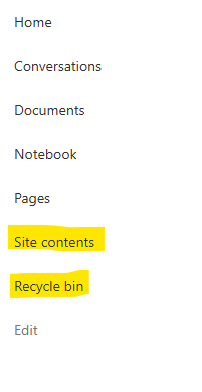
I posted this before but made a mistake with my write up, so I am reposting. I have a requirement that the Recycle bin and Site Contents should be be hidden from the Site Members and Site Visitors. Please how can I achieve this because the Server Infrastructure activation is not working for me. Any workarounds? Please help651Views0likes1Comment
The difference between backup/mirror and move
The terminology used by Microsoft to describe what OneDrive does is seriously flawed. To most people, the concept of backup means duplicating files to another location or archive file. That is a backup provides a mirror copy of files being backed up. OneDrive doesn't backup or mirror files, it moves them to the cloud. They are no longer available offline. You can of course disable syncing which is also wrong terminology because files are not synced, they're moved, which is a copy operation followed by a delete. No problem. You can turn off folder/file syncing and copy the relevant folders/files to your hard drive so they're accessible offline. I then uninstalled OneDrive to make certain. The trouble is, a few days ago my Outlook 365 broke because of a webview2 error which made editing drafts unusable. No problem, I did a repair which didn't fix it, and finally uninstalled office and reinstalled. When I reinstalled office, it also reinstalled OneDrive with the default settings, so OneDrive promptly reenabled folder redirection and the files/folders on the local drive disappeared. 12 months' worth of email, a bunch of documents, gone. No file date/time check to determine the direction of synchronization so that newer files replaced older files, no intelligence whatsoever. I won't quote what I said when I found out because there might be ladies present. Luckily my email service uses MAPI so some time in the future I'll have my emails back, I hope. But updated and new files are gone. Did I have a current backup? I did until someone borrowed my backup drive for something they thought was more important. It wouldn't have mattered if OneDrive had left the newer file copies alone, but the files on OneDrive had all the old date/time stamps from when I turned OneDrive off and that was it. Then there are the little things like if folder redirection was done properly so even the command prompt was appropriately redirected. Not so with OneDrive. Amateur. Backup should not mean my files are moved so there is only a single copy left, ditto with synchronization. So not only is the wrong terminology used, but the implementation of OneDrive also has major room for improvement which may never happen. I also have a MacBook Pro and while I'm much more conversant with Windows, Mark Russinivich's Sysinterbals tools etc, and have done extensive Windows application debugging. I would hope my experience is simply due to ignorance about OneDrive, but I that must be true for a lot of people. It's far from foolproof.474Views0likes1Comment"People section" turning on by itself and digging into my old photos without permission
I have used OneDrive on Android for years and just now I had a notification appear with an old picture of someone in my family asking me to type in her name and if other pictures of her are also her. I was shocked and irritated at this apparent privacy violation. I found out a "feature" called "People section" where "OneDrive uses AI to recognize faces in your photos" just turned itself on and decided to send me a notification. How utterly irritating. Microsoft should understand how unnerving it is to have your phone seem to just start digging into your photos without your permission. Why couldn't it just have a notification asking me if I want to turn on the feature and explain what it is? Why show my personal family pictures?268Views0likes0Comments
Android Webview not rendering the headers of SharePoint page
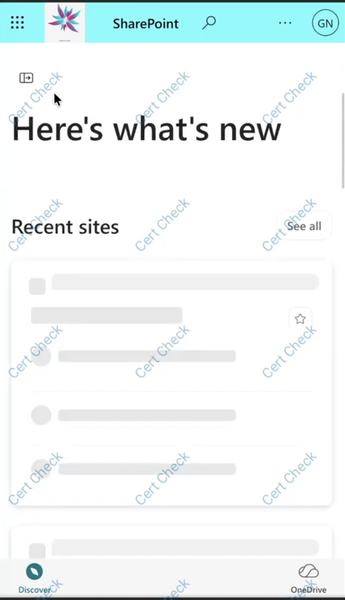
Workspace one Web Browser which is a secure enterprise browser app is built on Android System WebView, we have an Android WebView in which I am trying to load a SharePoint page. However, certain elements of the page are not being rendered or displayed correctly in the WebView. The same SharePoint page renders correctly in a Chrome browser, where all the expected elements are visible. Please refer to the attached image for comparison and reference. In Chrome In Android System Webview based Web Browser (for example Workspace ONE Web) We mainly wanted to know why is this behaviour specific to Android System WebView based browser.346Views0likes1CommentOneDrive Android stuck on "We need to update your account"
Hi, Since a few days ago, I can no longer use OneDrive on my Xiaomi phone. When I open the app, I get the following message: "We can't display this item. We need to update your account. This operation should only take a few moments." When I select OK, nothing happens. No sign-in window appears and I can't access any of my files. I've already tried: uninstalling and reinstalling OneDrive clearing the app cache and data restarting the phone checking my network connection The problem remains. What's strange is that OneDrive seems to remember my account because it opens directly on the "My files" screen instead of asking me to sign in again. Has anyone else seen this recently on Android? Thanks.350Views0likes1Comment