microsoft whiteboard
44 TopicsFeature Request: Language-Based Font Categorization (Word, PowerPoint, & Microsoft 365 Apps)
Dear Microsoft Office Team, I am a regular user of Microsoft 365 applications, and I truly appreciate the continuous improvements made to the software. I would like to suggest a feature enhancement that would significantly improve the workflow for users working with multi-language documents and presentations across all design-dependent Microsoft apps (such as Word and PowerPoint): Categorized and language-separated font drop-down menus. Currently, when dealing with a large library of installed fonts, the font list mixes all languages together (Latin, Arabic, and other scripts). This makes it extremely difficult to compare font styles quickly, As a graphic designer, this issue is incredibly frustrating; when comparing fonts in programs like Word or PowerPoint, users are forced to constantly scroll up and down, often losing track of the font they liked. Personally, this leads me to either write down the names of the fonts on a separate sheet of paper or repeatedly type out the same sentence—applying a different font to each version—just so I can compare them side by side. My suggestion is to: Provide a clean, structured view where users can easily browse and compare font styles within the same language family without scrolling through long mixed list. Group fonts by language/script categories (e.g., all Arabic fonts grouped together, all English/Latin fonts grouped together, and so on). Extend this feature across all Office apps that rely heavily on typography and design (Word, PowerPoint, etc.). This feature would save an immense amount of time, reduce friction in document/presentation design, and elevate the overall user experience—much like how professional design software handles typography. Thank you for your time, consideration, and dedication to making Microsoft 365 better for everyone. Best regards, MINA-eNjOy20Views0likes0Comments
Uploading PDFs into Whiteboard
With the retirement of the whiteboard app, my company now has to use the web and teams version exclusively. We like to make use of the app specifically because you can upload high quality PDFs on to the board. However, this feature isn’t available on the web and teams version. Are there any plans for the existing versions to have the option to upload locally saved PDFs?164Views0likes1Comment
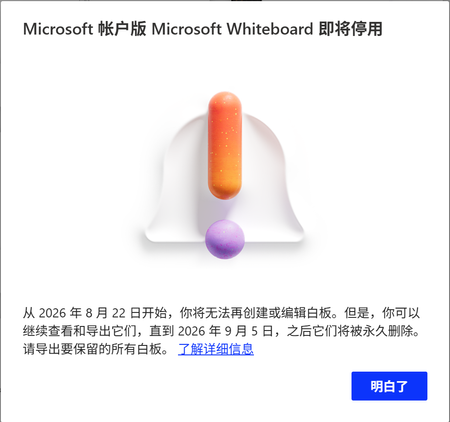
关于windows白板停止使用造成的问题
今天我打开Windows白板的时候,出现了提示即将停用,我目前可以导出为pdf或者图片还有压缩包,我想知道有没有办法在其他应用上继续进行编辑,最好可以用手写笔进行编辑 TRANSLATION When I opened Windows Whiteboard today, a message appeared saying it will be discontinued soon. For now, I can export as PDF, images, or a compressed file. I want to know if there's a way to continue editing in other apps, preferably with a stylus.287Views0likes2Comments
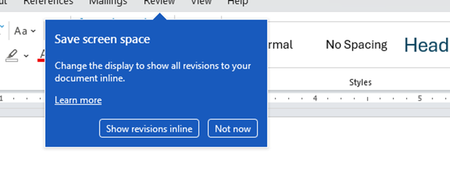
Disable incessant nagware popups
I don't know about everyone else, but I am sick and tired of the nagware pop ups in Word, Excel, PowerPoint, Outlook, etc. Every single product harasses me with pop ups trying to tell me "hey, did you know this feature was here?", "you can do this if you click that", "let me hold your hand through using products you've used for decades even though you don't want daddy Microslop to do that". This is a prime example. I keep getting the same ones again and again and again and everything I've read indicates they should only appear once. But they don't. They keep coming back like a psychotic stalker ex who wants alimony even though you were never married. How do I get this nagware to stop?!458Views1like2Comments
Can I restore my whiteboard created by Microsoft Whiteboard UWP?
I created several whiteboards by MS Whiteboard UWP in 2023. As I cannot transfer the data to new Whiteboard, I kept the old version ( Microsoft.Whiteboard_52.10201.5809.0). But days ago MS Store updated it automatically, and I lost my data. I didn't transfer it to OneDrive, so it should be stored on Azure. When I find the update (when it updated the local data should be already removed from my device) and recover the old version and login again today, I find nothing but a new created empty whiteboard, all of my data lost and I cannot access it from the cloud. How can I recover my data?373Views0likes1Comment
Whiteboard storage location?
Hi, According to this update MC1024395 the storage location for a Whiteboard created in a Teams channel should be the corresponding SharePoint site instead of the initiator's OneDrive. I have checked two tenants but the storage location is still OneDrive, even in new Teams channels. Is this update rolled out? I have checked the news center but I could not find anything usefull. Is there something I can do as an M365 admin? Kind regards, Juan392Views1like1CommentHow to find out WhiteBoard, PowerPoint, etc usage in Teams?
Hi, Anybody has thought about possibility to see how much your users are using Microsoft WhiteBoard, PowerPoint Live or Excel Live on the Teams meetings? M365 Admin center have a usage section, but that shows nothing about these apps. There is actually apps usage, but the App ID related to the Teams usage seems to be unknow. Teams Admin center have also some usage reports, but that speak also nothing about these apps.495Views0likes0CommentsMicrosoft Whiteboard Dashboard
Hi folks, It appears that there are some minor functionalities missing, in Microsoft Whiteboard. Dashboard Filters As a user, I would appreciate the ability to view some filters on my dashboard, including "My Whiteboards," "Whiteboards Shared with Me," and "My Favorite Whiteboards." Feel free to vote for the idea: https://feedbackportal.microsoft.com/feedback/idea/d688ef3c-66e7-ee11-a73d-6045bdbdc092 Identifying Whiteboard Owners from the Dashboard As a user, I would like to be able to identify the owner of a whiteboard directly from the main dashboard view, or at the very least, within the settings of the whiteboard. (Note: Currently, this information appears to be available in OneDrive). Feel free to vote for the idea: https://feedbackportal.microsoft.com/feedback/idea/9cc37313-66e7-ee11-a73d-6045bdbdc092 Hiding, Leaving, or Deleting a Whiteboard As a user, I would like to have the ability to hide or leave a whiteboard. (Note: Currently, only the owner of the whiteboard can perform these actions in OneDrive). Feel free to vote for the idea : https://feedbackportal.microsoft.com/feedback/idea/0ba32bb3-65e7-ee11-a73d-6045bdbdc092 Search for My Whiteboards As a user, I would like to be able to search through my whiteboards. Feel free to vote for the idea : https://feedbackportal.microsoft.com/feedback/idea/954d7d92-65e7-ee11-a73d-6045bdbdc092 I may add more ideas to this page over time. Thank you for your feedback, and feel free to join the conversation below. Dimitri LinkedIn | Medium | X | Microsoft | Web606Views0likes0Comments
family 365 or business for online tutoring?
Does anyone who tutors online have experience of family 365, and then moved to business 365? what are the benefits? I mainly use Teams and Microsoft whiteboard. I wish to know what I would be able to do with business 365 if I upgrade that I cannot already do with family 365. thank you427Views0likes0CommentsMS whiteboard guest sharing errors
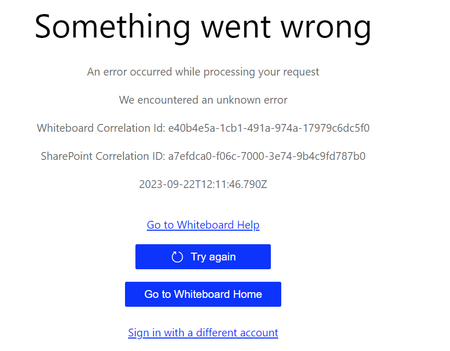
Hi! Trying to share with externals existing whiteboard. Everything seems to work, the external get email about access to a shared whiteboard but when the whiteboard is starting an error appear. Is this just because not completely launched yet? My OneDrive sharing settings with externals work, I can share folders and files with the same external and that works so it's "just" the whiteboard engine note able to connect to the whiteboard externally. ideas? The error appearing is - not a fun error message.770Views0likes0Comments