microsoft copilot admin
23 Topics
Copilot unavailable for other Outlook accounts and Defender won’t activate after Windows repair
Hello, I am posting here because Microsoft Chat Support directed me to the Tech Community after previously escalated support cases failed to resolve two issues with my Microsoft 365 subscription: Copilot works with my Microsoft account in New Outlook, but is unavailable when using other accounts within the same application. The Microsoft Defender app will not activate on my computer. To be clear, Copilot is not completely unavailable: it works with my Microsoft account. The unresolved issue concerns its availability for the other accounts added to New Outlook. Troubleshooting and support history I have already worked with Microsoft Support, including the Escalation Team. At their direction, I completed a repair installation of Windows 11. Both issues remain unchanged. In my latest chat, the support representative reviewed the case history and explicitly confirmed that all applicable troubleshooting steps had already been performed, including the Windows repair installation. Despite this, I was repeatedly directed to this forum. My requests to reconnect with the Escalation Team or continue the existing investigation were not accommodated. What I need clarified and investigated I suspect there may be an account-side subscription or entitlement issue, but this has not been confirmed. I need someone to establish the actual cause rather than repeat troubleshooting that has already failed. Specifically: Is Copilot supposed to be available for the additional accounts in New Outlook under my subscription? If there are restrictions, please identify exactly which subscription requirements or account limitations apply. Why will the Microsoft Defender app not activate, and can Microsoft verify whether the relevant subscription entitlement is correctly associated with my account? If an account-side investigation is required, how can my existing case be returned to the appropriate Microsoft support team? If these two symptoms have separate causes, please address them separately. I understand that community contributors cannot access my private account or internal support records. If the investigation requires that access, I need a clear route to a Microsoft team that can take ownership. I can provide my existing case reference through an appropriate private support channel. After completing an operating system repair at Microsoft’s request, I am understandably frustrated to be redirected to a public forum without a resolution or a clear escalation path. I am paying for this subscription and expect a concrete explanation of what should work, what is failing, and how it will be resolved. Please help me move this investigation forward without restarting the same troubleshooting cycle. Thank you, Christer F82Views0likes2Comments
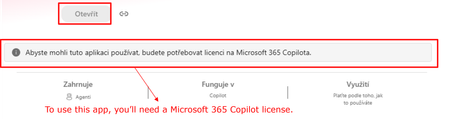
Agent Builder agents require Microsoft 365 Copilot license for users without a license?
Hi all, Has anyone noticed a recent change in how Copilot Agent Builder (in Copilot Chat) agents work for users without a Microsoft 365 Copilot license? Our setup is: Agent created by a user with a Microsoft 365 Copilot license Created directly in Agent Builder, not published through Copilot Studio The agent is published and available within our tenant Some consumers do not have a Microsoft 365 Copilot license Copilot Credits are available (also for the environment where the agent is) and have not been exhausted This setup was working normal ly just two days ago. Unlicensed users could use the shared agents and usage was covered by Copilot Credits. Now those same users are getting a message saying that a Microsoft 365 Copilot license is required. Has anyone else started seeing this? I’m trying to understand whether we are looking at a configuration issue in our tenant or whether something has recently changed in the service/licensing behavior. Thanks for experiences!224Views1like4Comments
Microsoft 365 Copilot, data from D365 Sales through Business Applications in Work IQ (Preview).
We're looking to enable Microsoft 365 Copilot to surface and ground responses using data from Dynamics 365 Sales through the new Business Applications in Work IQ (Preview). We've followed Microsoft's guidance and completed the configuration required to enable the integration. While the feature looks to be configured correctly, we're not seeing the expected Dynamics 365 Sales data being returned within Microsoft 365 Copilot. Has anyone seen this too?51Views0likes1Comment
Please Remove Daily Cap Usage for Free Copilot Text Chat
Dear Microsoft Copilot Team, I am writing to express my disappointment with the new daily usage caps on Microsoft Copilot, particularly for ordinary text-based conversations. In the past, I could use Copilot freely for everyday questions, learning, research, brainstorming, and general conversations without constantly worrying about reaching a daily limit. The newer restrictions have made the experience significantly more frustrating and less useful. I understand that running AI services requires computing resources and that Microsoft must manage operating costs. However, I believe ordinary text chat should remain uncapped, especially when it was previously possible to use Copilot much more freely. Text conversations are a fundamental part of the service, and users should not have to stop in the middle of a useful discussion because they have exhausted a daily allowance. The move toward a unified Copilot experience should make the product simpler, more consistent, and more useful—not make existing users feel that they have lost access to a service they have come to rely on. I am therefore asking Microsoft to: Remove daily usage caps entirely for ordinary text-based Copilot conversations, including for free users. Keep basic text chat freely accessible without arbitrary daily cutoffs or lengthy waiting periods. If stricter limits are necessary for resource-intensive features such as image generation or advanced research, apply those limits separately rather than restricting ordinary text conversations. Clearly communicate any usage policies and reconsider changes that negatively affect the experience of long-time users. Unlimited text chat would help preserve user trust, encourage continued engagement, and distinguish Copilot as an accessible AI assistant for everyone. Restricting basic conversations risks pushing loyal users toward competing services that offer a more suitable experience. I hope Microsoft will take this feedback seriously and reconsider the current daily cap policy. Please restore uncapped text chat so users can rely on Copilot whenever they need assistance, without worrying about running out of messages. People on Reddit and online have been criticizing these changes ever since Copilot was unified under one product between enterprise and personal, If you guys dont do anything now it might reduce user trust and might be bad business decisions so please fix Copilot Thank you for your time and consideration. I look forward to seeing Microsoft make Copilot more accessible and user-friendly again.327Views4likes2Comments
Copilot Premium License Not Being Recognized in Copilot Standalone App
I'm experiencing an issue where the standalone Copilot app is not recognizing my Copilot Premium license. I've already worked with Microsoft Support to troubleshoot the problem. During the session, we reset Copilot, confirmed that my web-based Copilot experience is correctly showing and using the Premium version, all other office 365 apps is using the Premium version as well, and performed several other troubleshooting steps. I've also uninstalled and reinstalled Microsoft 365 multiple times. Although the issue remains unresolved, the support representative was extremely helpful and assisted in thoroughly troubleshooting and isolating the problem. Based on our testing, it appears the issue is specific to the standalone Copilot app, as my Premium subscription functions correctly in the web version. Has anyone experienced this issue before, or can someone help identify a solution? Any assistance would be greatly appreciated. Thank you.145Views0likes2CommentsDifference between Copilot Agent settings and Microsoft Agent 365 Agent settings
Hello, I am trying to better understand the distinction between the agent governance settings available in the Microsoft 365 admin center. Currently, I can find seemingly similar agent access settings in two different locations: Copilot → Settings → Agents Agents → Settings → User Access (Microsoft Agent 365) For example, both locations appear to provide controls such as : Who can access agents Whether access is granted to all users or specific groups Agent usage permissions From an administrator perspective, it is not clear whether these are two different configuration scopes, two different management experiences, or simply two entry points to the same underlying policy. So : What is the intended difference between the Copilot settings experience and the Agent 365 settings experience ? Which interface should be considered the primary administration location going forward ? Are the settings synchronized and backed by the same configuration objects ? Is one of these experiences planned to replace the other in the future ? What governance scenarios should be managed in Copilot settings versus Agent 365 settings ? Thank you for your help.162Views0likes1Comment
How does ERP MCP determine F&O environment?
How does the Dynamics 365 ERP MCP Server determine the target Finance & Operations environment when multiple environments (SIT, UAT, and Production) have MCP enabled? In Copilot Studio, the MCP connection only shows the authenticated user and does not expose any environment selection or environment identifier. Is the target F&O environment determined by the underlying Power Platform connection, the MCP client registration, a connection reference, or another routing mechanism? How can administrators verify which F&O environment an MCP-enabled agent is actually connected to?164Views0likes2CommentsAccess Issue: Copilot Agent Kit for Makers, Users cant access through Microsoft security group
Copilot Agent Kit for Makers where users granted access through a Microsoft security group can access the application, but cannot see your organization's custom templates within the Agent Library. If i individually assign the user then they are able to see it. Few more things Both the security group and individually assigned users have the Basic User and CSK - Maker roles. The issue occurs when access is provided through the security group, while direct user assignment works. The same security group works as expected for access to the customer's Copilot Studio agents.69Views0likes0Comments
Copilot Access not working for only 1 user
Hello, I am facing an issue where I have 1 user that is unable to get answers out of the chatbot on teams. The user is opening the chatbot using the 'open with copilot' option like the rest of the team members, but when they ask a questions, the chatbot returns that it has not found information on the topic, even when the information is in the training documents the chatbot reads off of. Other users can ask the same questions and get valid answers, it is only not working for this specific user. Any suggestions on how to resolve this?256Views0likes1Comment