microsoft 365
5093 TopicsBoard and executive meeting management - Pervasent - SharePoint Partner Showcase
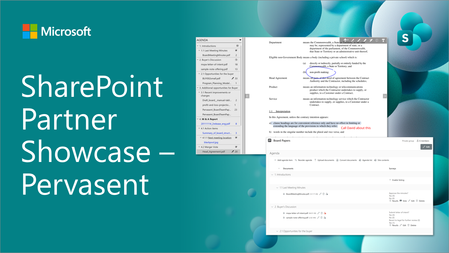
We are excited to share a new episode on our partner showcase series focused on SharePoint in Microsoft 365. In this post, we focus on Pervasent which is providing executive and board meeting targeted solution to plan, manage and distribute the covered content. Content management and planning features in this solution are built with SharePoint Framework (SPFx).52Views0likes0Comments
File-level archiving comes to Microsoft 365 Archive (public preview)
As content growth accelerates worldwide, organizations need better ways to manage inactive data without sacrificing security, compliance, retention, or discoverability. Today, we’re announcing a public preview of file‑level archiving in Microsoft 365 Archive. This new capability enables you to archive individual files moving them into a lower-cost, cold-storage tier in SharePoint. This means you can archive outdated and redundant files while keeping the rest of the site active, improving both your Copilot relevancy and your search results in the process.3.4KViews2likes3CommentsAnnouncing Office 365 for IT Pros (2026 Edition)
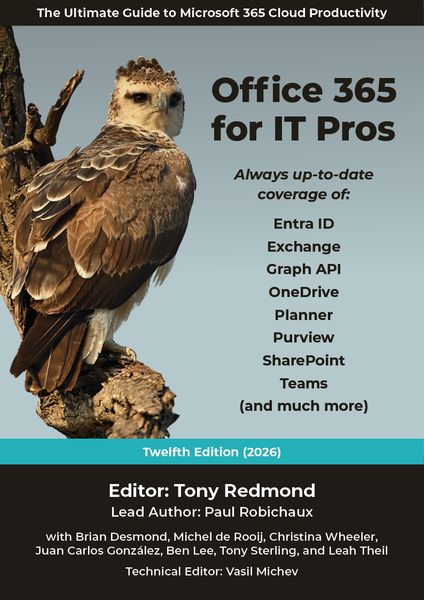
Office 365 for IT Pros (2026 edition), the 12th in an eBook series going back to May 2015, is now available. Covering all the essential aspects of Microsoft 365 tenant management from Entra ID to Exchange Online, SharePoint Online, OneDrive for Business, Teams, data lifecycle management, information protection, and more, Office 365 for IT Pros is an indispensable companion for tenant administrators who want to understand how Microsoft 365 really works. https://office365itpros.com/2025/07/01/office-365-for-it-pros-2026-edition/1.2KViews6likes9CommentsAuthorization and Identity Governance Inside AI Agents
Designing Authorization‑Aware AI Agents Enforcing Microsoft Entra ID RBAC in Copilot Studio As AI agents move from experimentation to enterprise execution, authorization becomes the defining line between innovation and risk. AI agents are rapidly evolving from experimental assistants into enterprise operators—retrieving user data, triggering workflows, and invoking protected APIs. While many early implementations rely on prompt‑level instructions to control access, regulated enterprise environments require authorization to be enforced by identity systems, not language models. This article presents a production‑ready, identity‑first architecture for building authorization‑aware AI agents using Copilot Studio, Power Automate, Microsoft Entra ID, and Microsoft Graph, ensuring every agent action executes strictly within the requesting user’s permissions. Why Prompt‑Level Security Is Not Enough Large Language Models interpret intent—they do not enforce policy. Even the most carefully written prompts cannot: Validate Microsoft Entra ID group or role membership Reliably distinguish delegated user identity from application identity Enforce deterministic access decisions Produce auditable authorization outcomes Relying on prompts for authorization introduces silent security failures, over‑privileged access, and compliance gaps—particularly in Financial Services, Healthcare, and other regulated industries. Authorization is not a reasoning problem. It is an identity enforcement problem. Common Authorization Anti‑Patterns in AI Agents The following patterns frequently appear in early AI agent implementations and should be avoided in enterprise environments: Hard‑coded role or group checks embedded in prompts Trusting group names passed as plain‑text parameters Using application permissions for user‑initiated actions Skipping verification of the user’s Entra ID identity Lacking an auditable authorization decision point These approaches may work in demos, but they do not survive security reviews, compliance audits, or real‑world misuse scenarios. Authorization‑Aware Agent Architecture In an authorization‑aware design, the agent never decides access. Authorization is enforced externally, by identity‑aware workflows that sit outside the language model’s reasoning boundary. High‑Level Flow The Copilot Studio agent receives a user request The agent passes the User Principal Name (UPN) and intended action A Power Automate flow validates permissions using Microsoft Entra ID via Microsoft Graph Only authorized requests are allowed to proceed Unauthorized requests fail fast with a deterministic outcome Authorization‑aware Copilot Studio architecture enforces Entra ID RBAC before executing any business action. The agent orchestrates intent. Identity systems enforce access. Enforcing Entra ID RBAC with Microsoft Graph Power Automate acts as the authorization enforcement layer: Resolve user identity from the supplied UPN Retrieve group or role memberships using Microsoft Graph Normalize and compare memberships against approved RBAC groups Explicitly deny execution when authorization fails This keeps authorization logic: Centralized Deterministic Auditable Independent of the AI model Reference Implementation: Power Automate RBAC Enforcement Flow The following import‑ready Power Automate cloud flow demonstrates a secure RBAC enforcement pattern for Copilot Studio agents. It validates Microsoft Entra ID group membership before allowing any business action. Scenario Trigger: User‑initiated agent action Identity model: Delegated user identity Input: userUPN, requestedAction Outcome: Authorized or denied based on Entra ID RBAC { "$schema": "https://schema.management.azure.com/providers/Microsoft.Logic/schemas/2016-06-01/workflowdefinition.json#", "contentVersion": "1.0.0.0", "triggers": { "Copilot_Request": { "type": "Request", "kind": "Http", "inputs": { "schema": { "type": "object", "properties": { "userUPN": { "type": "string" }, "requestedAction": { "type": "string" } }, "required": [ "userUPN" ] } } } }, "actions": { "Get_User_Groups": { "type": "Http", "inputs": { "method": "GET", "uri": "https://graph.microsoft.com/v1.0/users/@{triggerBody()?['userUPN']}/memberOf?$select=displayName", "authentication": { "type": "ManagedServiceIdentity" } } }, "Normalize_Group_Names": { "type": "Select", "inputs": { "from": "@body('Get_User_Groups')?['value']", "select": { "groupName": "@toLower(item()?['displayName'])" } }, "runAfter": { "Get_User_Groups": [ "Succeeded" ] } }, "Check_Authorization": { "type": "Condition", "expression": "@contains(body('Normalize_Group_Names'), 'ai-authorized-users')", "runAfter": { "Normalize_Group_Names": [ "Succeeded" ] }, "actions": { "Authorized_Action": { "type": "Compose", "inputs": "User authorized via Entra ID RBAC" } }, "else": { "actions": { "Access_Denied": { "type": "Terminate", "inputs": { "status": "Failed", "message": "Access denied. User not authorized via Entra ID RBAC." } } } } } } } This pattern enforces authorization outside the agent, aligns with Zero Trust principles, and creates a clear audit boundary suitable for enterprise and regulated environments. Flow Diagram: Agent Integrated with RBAC Authorization Flow and Sample Prompt Execution: Delegated vs Application Permissions Scenario Recommended Permission Model User‑initiated agent actions Delegated permissions Background or system automation Application permissions Using delegated permissions ensures agent execution remains strictly within the requesting user’s identity boundary. Auditing and Compliance Benefits Deterministic and explainable authorization decisions Centralized enforcement aligned with identity governance Clear audit trails for security and compliance reviews Readiness for SOC, ISO, PCI, and FSI assessments Enterprise Security Takeaways Authorization belongs in Microsoft Entra ID, not prompts AI agents must respect enterprise identity boundaries Copilot Studio + Power Automate + Microsoft Graph enable secure‑by‑design AI agents By treating AI agents as first‑class enterprise actors and enforcing authorization at the identity layer, organizations can scale AI adoption with confidence, trust, and compliance.
Pre-fill Responses in Your Microsoft Forms
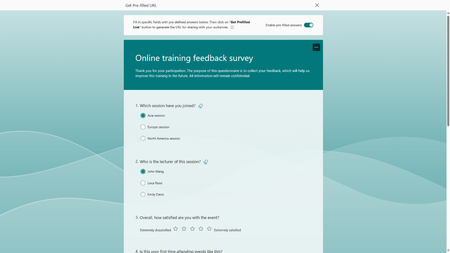
We are excited to share that Microsoft Forms now supports pre-filled links, making your data collection process more efficient and improving data accuracy. This feature not only allows you to set default answers for your questions, it empowers you to strategize how you would like the responses categorized. To help you better understand how to leverage this new feature, let's try it together with an online training feedback survey.73KViews10likes48CommentsLow code solutions at the Microsoft 365 Community Conference
With backlogs getting longer each day and teams that can’t wait for solutions, it’s never been more important to build—fast. AI provides low-code solutions that put innovation in anyone’s hands. If you’ve ever been interested in creating applications using visual building blocks like drag-and-drop interfaces, you’ll want to see what’s possible at Microsoft 365 Community Conference. Don’t miss the Day 1 keynote! Ryan Cunningham, Corporate Vice President of Microsoft Power Platform, will take the M365 Community Conference audience inside how work is being reimagined in the age of AI. His keynote, Business Apps and Agents, explores how Microsoft 365 Copilot, Copilot Studio, Power Apps, and agent experiences come together to help makers build powerful solutions while enabling IT teams to deploy and govern them at scale. Through real‑world demos and scenarios, Ryan will show how organizations can connect data, workflows, and systems into intelligent agents that don’t just respond, but take action, ushering in a new model for how people, processes, and technology work together to move work forward. Build your next app or AI agent with Power Platform and Copilot Studio Power Platform and Copilot Studio provide an intuitive and engaging way to build apps and agents that create a real business impact. You’re able to describe your business needs using plain language, and the services will generate an app and data model for you—no coding required. This capability can be groundbreaking for an organization. Learn more about Copilot in Power Platform. Agent orchestration and governance As technology allows you to start moving faster and faster, safety becomes even more important. Modern governance allows you to work quickly while staying secure. By connecting agents with orchestration tools, you can apply different privileges, knowledge, and governance or audit controls. That’s one of the great things about the Microsoft 365 Community Conference, you’ll be able to meet with Microsoft leaders and Product experts who can help you connect your agents or any other dots you might have. 16 low-code sessions Experience low-code solutions for yourself at the Microsoft 365 Community Conference. This conference is a great opportunity to connect with hundreds of Microsoft executives, subject matter experts, product makers, and colleagues to learn how to unlock solutions that will accelerate your AI transformation. Throughout the conference there will be plenty of opportunities to learn about Copilot Studio, Power Platform, and using AI to help you build faster. Session topics include: Dataverse: Everything, Everywhere, Here and There with Charles Lakes Advanced List Formatting with Chris Kent Battle of the Forms: Microsoft Forms vs. Power Apps vs. SharePoint Forms with Laura Rogers Copilot "Employee Agents" with Kyle Von Haden From Reactive to Proactive: Automating Work with Copilot and Workflows Agent with Heather Orta-Olmo Get Started with Adaptive Cards for Microsoft Teams Using Microsoft Lists and Power Automate with Norm Young Powerful Things: Defeating the Demogorgon of Power Apps Inconsistency with David Warner Prompt Builder Playbook with April Dunnam and Daniel Laskewitz From Chaos to Clarity: Hyperautomation That Actually Works with Danielle Moon The Power Apps Builder’s Guide for Choosing the Right Path with April Dunnam Supercharge Your Agents with Computer Use in Copilot Studio with Sravani Seethi and Phi-Lay Nguyen How Microsoft Actually Builds Copilot Agents with Kristina Marko and Clint Williams Seeking Your Approval: Mastering Approvals in Microsoft 365 with Lindsay Shelton Top Wins - Copilot and Agents for Non Profit with Karuana Gatimu Top Wins - Copilot and Agents for Retail with Karuana Gatimu and Danielle Moon MCP or not to MCP - that is THE question with April Dunnam and Daniel Laskewitz Explore all the low-code sessions in our session catalog. Register today! We hope to see you at the Microsoft 365 Community Conference!94Views0likes0Comments
M365 only admin locked out MFA error 53003
I am learning this the hard way....so here it goes. Currently I am locked out of as the only admin on the tenant with error 53003. I was updating some Microsoft MFA default policy settings in Entra and mistakenly deleted the admin user from the exclusions list, and got locked out. Thankfully I have another tenant, not as big the one locked out. Initiated several support tickets for which everyone calls, and despite of subline mentioning the issue says that they have to assign this ticket to Entra. Then the ticket gets updated and noone has been assigned every since. I have initiated severity A support tickets from Azure portal but no one has called in last 24 hours to help. We area business with Business Premium licenses with over 20 users, and now completely locked out. I have looked almost everywhere online. There is no phone number that takes you to a support agent - PLEASE HELP........3Views0likes0Comments