application management
1081 TopicsAll Windows Troubleshooters will not open
Hi........ HP Laptop 15-dy2048ca (2L7J7UA) Windows 11 Home 25H2 OS Build 26200.8117 Intel® Core™ i5 processor Installed RAM 8.00 Gb First time here in a long time. Anyways, my problem is that none of the Window Troubleshooters will open or run. When I click the "Run" button I get two quick brief flashes from the touchpad cursor, but nothing happens. The original reason I had to use the troubleshooters is that I had trouble getting update KB5086672 -26200.8117 to install. But I was able to get the update to install after I ran an In-place Upgrade. I've tried a lot of suggested solutions, but nothing. as of yet. has brought the troubleshooters back to life. So far., in almost two days I have tried the following suggested solutions: Check Path for Temp Folder Restart Cryptographic Service Run SFC and DISM Scan Run Disk Cleanup Check Group Policy Try to run Troubleshooters in Clean Boot State Enable or Restart Required Services Flush the DNS Cache and Reset the Winsock Catalog Disable Third-Party Security Software and Firewalls Rename the Catroot2 and SoftwareDistribution Folders Modify TEMP and TMP Environment Variables Enable Troubleshooters in Group Policy Editor Performed an In-place Upgrade. Used a System Restore Point. Surely there must be a solution to this that works. Isn't there a download or a program where I can wipe out / delete the whole troublesome troubleshooters section and replace it with a troubleshoot section that works?4Views0likes0Comments
Wifi not working after deleting capability access manager db
is there someone here with some computer windows know how - I was having a problem with the capability accessmanager database consuming all my hard drive space and so every bit of advice I found online from even windows forums was to simply delete the db file and windows will automatically recreate it but it will eliminate the enormous file upon next restart I did that and now though I don't have any wifi connection and I get an error message in services when I try to restart the capability access manager service - I don't know what to do now I have windows 11. All the advice I found online was saying that if you delete the database file that is okay because windows just recreates it when you restart as long as Capability Access manager service isn't disabled - well I didn't disable it, I just followed the directions to go into safe.mode and delete the db file But now after restarts the Capability access manager remains disabled and I can't start it in the services.msc444Views0likes4CommentsShould I Enable Kernel Stack Protection in Windows 11?
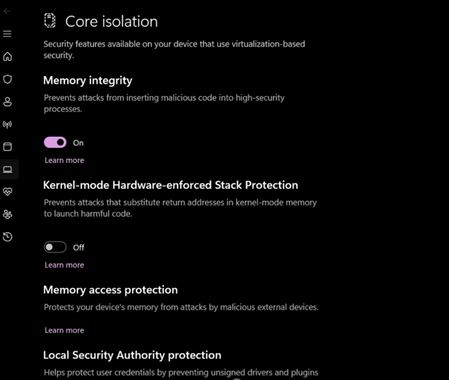
Kernel Stack Protection, a security feature in Windows 11, enhances system security but performs stricter checks, which may impact application compatibility and system performance to some extent. I’d like to understand how this feature works and whether it’s recommended to enable it for everyday use, particularly considering the trade-offs for general users or in gaming and productivity scenarios.52Views0likes3Comments
DESIGNER only mkes 1 design not 4
I use ms ai image designer to make images and i makew ai videos ,, but for a week now it only makes 1 image not 4,, and it doesnt follow the propsat as per usual,. and it makes images in 3:2 not 16:9. I updateed my subscription for this tool and depend onm it.. SO please help me fix this365Views1like9Comments
Windows 11 UI Rendering Failures, Freezing, and Shell Initialization Issues After Update
A senior Microsoft support technician at Microsoft headquarters asked me to post this publicly because the issues I’m experiencing are part of a known Windows backend problem affecting many users. Engineering is working on a fix, and they said posting here helps increase visibility. I’m sharing my details so Microsoft can keep us informed of progress and any upcoming patch. Issue Summary My Windows 11 system is experiencing persistent UI rendering and shell initialization failures across multiple apps. Symptoms include: After startup or restart, taskbar icons and desktop shortcuts won’t open until I open Task Manager, which instantly “unsticks” the system. Washington Post, Facebook, YouTube, and other apps intermittently freeze until Task Manager is opened. Audio fails to initialize until a video is fully opened or after several attempts. Washington Post featured videos do not play at all. Facebook feed auto‑cycles new posts every 1–2 seconds for several rounds, as if the entire page is being re-rendered repeatedly. Issues began shortly after a Windows update. Dell diagnostics found no hardware problems. Five Level‑1 Microsoft techs and one Level‑2 tech performed extensive remote troubleshooting (startup cleanup, service changes, repairs). No solution. The issues are progressively worsening. Why I’m Posting A senior Microsoft technician told me: This is a known backend issue, not a hardware or local software problem. Many customers are reporting similar symptoms. Engineering is actively working on a fix. Posting here helps raise the issue’s priority. Updates will be provided when progress is made. I’m requesting acknowledgment from Microsoft engineering and any available information on the status of the fix or upcoming patches.93Views0likes3Comments
HEIC converter to jpg that will retain creation/modification date
My fiancé passed away several months ago. His aunt was the Executor of his will so I had to send his iPhone to her so she would have access to his financial information. Before I sent it to her I copied all his pictures onto my computer. I'm not an iPhone user. I was trying to do some editing of some of the photos yesterday and realized they had some other extension .HEIC, not jpg. I had to do some research to even figure out what that was. The creation date is showing the date I uploaded them to my computer. The modification date is the date the photo was taken. All I really care about is maintaining the original date of the photos, the date modified. I have done research and tried several different options but none seem to retain the data I want. I did find one program that I downloaded, i Mazing Convertor, which is retaining the creation date but that is not the date modified, the date of the photo. And that date is the day I uploaded the photos to my computer. What can I do to retain the modification date (the date of the photo) and convert them to jpg? Reminder I do not have the phone, I'm not an iPhone user nor am I real technologically savvy. Maintaining the original date (modification date) is very important to me as this is the only copy of these photos I will ever have.75Views0likes2Comments