application management
1083 Topics
Cannot save new characters in EUDCEDIT
I am making new characters at EUDCEDIT, but after making about 20 characters, I am unable to save new ones. The system error message is that I don't have sufficient memory storage resources. But I am sure that my computer still has enough memory storage. May I know if anyone has encountered such situation and share a way to help.23Views0likes1Comment
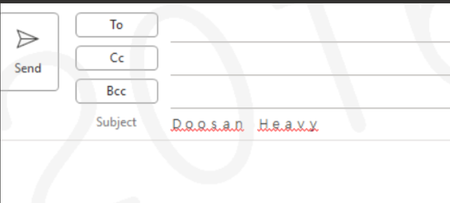
Automatic spacing occurs when typing in Windows 11 (Outlook and 3ry part Messenger + Edge)
* Issue -Issue with spacing when entering text (same for English and Korean) -This spacing issue occurs not only in Outlook but also in third-party messengers and the Edge browser when entering text. Action details - Full/Half (F) -> Half size (H) change -For keyboard layout, if Hancom IME is selected, change it to "Microsoft IME". * Issue Details The issue recurs even after performing the above settings It returns to normal after restarting Outlook *Additional measures -It appears that the ctfmon.exe process restart is not proceeding normally. -Disable Microsoft Input Method Deletion -There are cases where the problem is not resolved and recurs even after changing IME settings, removing Hancom Input Method, or switching between full-width and half-width input. -DISM /Online /Cleanup-Image /RestoreHealth sfc /scannow12Views0likes0CommentsAll Windows Troubleshooters will not open
Hi........ HP Laptop 15-dy2048ca (2L7J7UA) Windows 11 Home 25H2 OS Build 26200.8117 Intel® Core™ i5 processor Installed RAM 8.00 Gb First time here in a long time. Anyways, my problem is that none of the Window Troubleshooters will open or run. When I click the "Run" button I get two quick brief flashes from the touchpad cursor, but nothing happens. The original reason I had to use the troubleshooters is that I had trouble getting update KB5086672 -26200.8117 to install. But I was able to get the update to install after I ran an In-place Upgrade. I've tried a lot of suggested solutions, but nothing. as of yet. has brought the troubleshooters back to life. So far., in almost two days I have tried the following suggested solutions: Check Path for Temp Folder Restart Cryptographic Service Run SFC and DISM Scan Run Disk Cleanup Check Group Policy Try to run Troubleshooters in Clean Boot State Enable or Restart Required Services Flush the DNS Cache and Reset the Winsock Catalog Disable Third-Party Security Software and Firewalls Rename the Catroot2 and SoftwareDistribution Folders Modify TEMP and TMP Environment Variables Enable Troubleshooters in Group Policy Editor Performed an In-place Upgrade. Used a System Restore Point. Surely there must be a solution to this that works. Isn't there a download or a program where I can wipe out / delete the whole troublesome troubleshooters section and replace it with a troubleshoot section that works?66Views0likes3Comments
Reinstalling the Microsoft Gaming Overlay
Hi! Some time ago, I uninstalled the Microsoft Gaming Overlay - I think it was the overlay used by the Xbox Game Bar (win+G to bring it up). I am trying to reinstall it, but I can't figure it out. Is there a powershell command I can use to reinstall it? Every time I launch a game, I get the following popup a few times: Any ideas? Thanks!144KViews0likes33Comments
Wifi not working after deleting capability access manager db
is there someone here with some computer windows know how - I was having a problem with the capability accessmanager database consuming all my hard drive space and so every bit of advice I found online from even windows forums was to simply delete the db file and windows will automatically recreate it but it will eliminate the enormous file upon next restart I did that and now though I don't have any wifi connection and I get an error message in services when I try to restart the capability access manager service - I don't know what to do now I have windows 11. All the advice I found online was saying that if you delete the database file that is okay because windows just recreates it when you restart as long as Capability Access manager service isn't disabled - well I didn't disable it, I just followed the directions to go into safe.mode and delete the db file But now after restarts the Capability access manager remains disabled and I can't start it in the services.msc597Views0likes4CommentsShould I Enable Kernel Stack Protection in Windows 11?
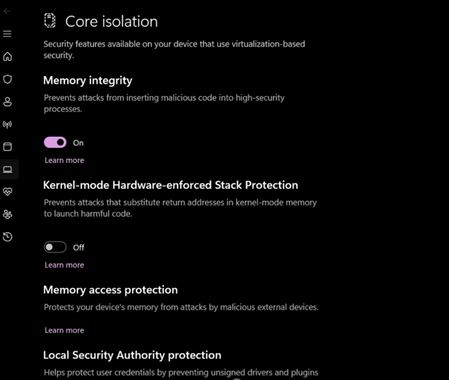
Kernel Stack Protection, a security feature in Windows 11, enhances system security but performs stricter checks, which may impact application compatibility and system performance to some extent. I’d like to understand how this feature works and whether it’s recommended to enable it for everyday use, particularly considering the trade-offs for general users or in gaming and productivity scenarios.62Views0likes3Comments