User Profile

Nick_DS
Copper Contributor
Joined Feb 17, 2021


User Widgets
Recent Discussions
Send a mail every month when a field is still empty
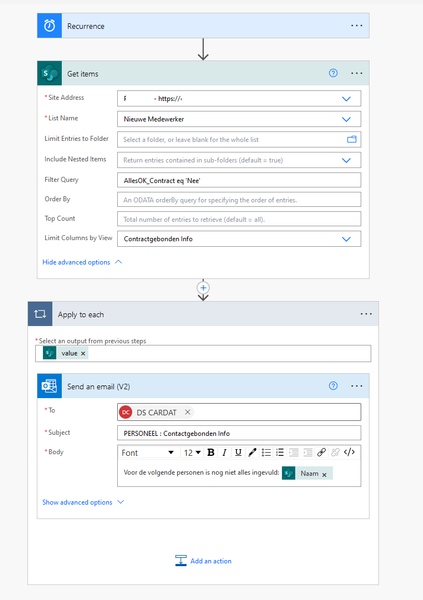
Hi, I have a list in Sharepoint with 30 fields (columns). This list needs to be filled in by multiple people and all fields need to be filled with data. I want to send a mail to 1 person at the end of each month when at least 1 field is still empty. How can I do this? Be aware, please don't be to cryptic, it has been years since I have created rules/flows in Sharepoint 🙂3.8KViews0likes12CommentsSharepoint / Teams not showing custom DL on a mobile device
Hi, I created a Document Library in a site. Next I opened the it in Teams and added the new DL as a new tab. All this works on my laptop. But when I open Teams on a tablet or smartphone I get an error when trying to open the tab. The error is: "This item might have been deleted, expired, or you might not have permission to view it. Contact the owner of this item for more information." I open Teams with the exact same user??? Any ideas?407Views0likes0CommentsHow to use MSgraph for different tenant
Hi, yesterday I managed to get result using this code: Install-Module Microsoft.Graph -AllowClobber -Force Import-Module Microsoft.Graph.Users Connect-MgGraph -Scopes "User.Read.All","AuditLog.Read.All" Select-MgProfile -Name "beta" Get-MgUser -Select UserPrincipalName, DisplayName, SignInActivity -Filter "UserType eq 'Member'" -All | Select DisplayName, @{label = "LastSignInDateTime"; Expression = { $_.signInActivity.LastSignInDateTime }} The thing is, still still works but it gives me the results of the tenant I logged in to. What do I need to add at the top to make it work, that when running the code it asks me the username and password (again) but that I can enter the credentials of another tenant??Solved5.5KViews0likes2CommentsRe: Map shared folder using endpoint manager (NO AD involved)
Hi, the laptops are Azure AD joined. The users are not admins Applocker? I don't think so I tried once with a powershell, but it kept complaining it was not signed. Plus if I have like 30 different users with different passwords, it would take 30 different scripts, no? They cannot access the mapped drive without a password, because if I would do that everyone without a user/passsword would be able to access it.8.7KViews0likes1CommentMap shared folder using endpoint manager (NO AD involved)
Hi, so I have a couple of dozen users using Microsoft365/Office365 with Premium accounts. So I have setup "Endpoint Manager" to control them, deploy apps... So the company does not have any kind of server, only laptops, using Office/Teams/Sharepoint. But they also have a little NAS on premise for some data with 2 shared folders on the NAS. On the NAS I created local users and gave them the correct rights. How can I map a drive eg M: to the NAS using the credentials I created on the NAS, using Endpoint Manager?8.9KViews0likes3CommentsRe: Error on Team Creation
Hi, I also noticed that when you enable the network location limitation so users can only access Sharepoint from certain locations, they cannot even create Teams.... The thing that people have issues creating teams from another team, seems to be a bug i nTeams (Microsoft support told me), so it creates more tabs than it should.8KViews0likes0CommentsRe: Error on Team Creation
HTS-Lydia Did you manage to solve this? I have the same, even with the tenant admin that I get a message : the team cannot be created because something went wrong. Try again later. But the team seems created, but some tabs are duplicated like 4 times , the members I added, are not added. It used to work, but suddenly this gives this error.8.3KViews0likes0Comments

Recent Blog Articles
No content to show