User Profile

Mabel_Gomes
 Microsoft
Joined Jan 14, 2021


User Widgets
Recent Discussions
Bookmark the Secure Boot playbook for Windows Server
Secure Boot is a long‑standing security capability that works in conjunction with the Unified Extensible Firmware Interface (UEFI) to confirm that firmware and boot components are trusted before they are allowed to run. Microsoft is updating the Secure Boot certificates originally issued in 2011 to ensure Windows devices continue to verify trusted boot software. These older certificates begin expiring in June 2026. While Windows Server 2025 certified server platforms already include the 2023 certificates in firmware. For servers that do not, you will need to manually update the certificates. Unlike Windows PCs, which may receive the 2023 Secure Boot certificates through Controlled Feature Rollout (CFR) as part of the monthly update process, Windows Server requires manual action. Luckily, there is a step=by-step guide to help! With the Secure Boot Playbook for Windows Server, you'll find information on the tools and options available to help you update Secure Boot certificates on Windows Server. Check it out today!119Views0likes0CommentsCrowdStrike Secure Boot Lifecycle Management Content Pack
CrowdStrike has recently released the Secure Boot Lifecycle Management Content Pack. This new feature helps Falcon for IT module users manage Windows Secure Boot certificate updates ahead of these certificates’ expiration beginning in late June 2026. The dashboard provides an at‑a‑glance view of Secure Boot–enabled devices, showing which systems are already compliant with the updated 2023 Secure Boot certificate, which are in progress, and which are blocked or require opt‑in to a managed rollout. It also highlights certificate update failures that may require investigation. In addition, overall readiness is summarized through a compliance gauge, while a 30‑day trend shows how pass and fail counts change as remediation progresses. Filters by operating system, server edition, hostname, and update status help administrators quickly identify devices that need action to help ensure systems remain secure after the certificates expire. The feature also provides management options to opt devices into Microsoft's managed rollout for gradual, tested deployment, and to block updates on hardware with known compatibility issues to prevent boot failures. Note that this feature is available as part of CrowdStrike's Falcon for IT module. CrowdStrike Endpoint Detection and Response (EDR) customers who are not licensed for this module can enable a free trial from the CrowdStrike Store. To learn more about this feature, please see the content pack tutorial video.CrowdStrike Secure Boot Lifecycle Management Content Pack
CrowdStrike has recently released the Secure Boot Lifecycle Management Content Pack. This new feature helps Falcon for IT module users manage Windows Secure Boot certificate updates ahead of these certificates’ expiration beginning in late June 2026. The dashboard provides an at‑a‑glance view of Secure Boot–enabled devices, showing which systems are already compliant with the updated 2023 Secure Boot certificate, which are in progress, and which are blocked or require opt‑in to a managed rollout. It also highlights certificate update failures that may require investigation. In addition, overall readiness is summarized through a compliance gauge, while a 30‑day trend shows how pass and fail counts change as remediation progresses. Filters by operating system, server edition, hostname, and update status help administrators quickly identify devices that need action to help ensure systems remain secure after the certificates expire. The feature also provides management options to opt devices into Microsoft's managed rollout for gradual, tested deployment, and to block updates on hardware with known compatibility issues to prevent boot failures. Note that this feature is available as part of CrowdStrike's Falcon for IT module. CrowdStrike Endpoint Detection and Response (EDR) customers who are not licensed for this module can enable a free trial from the CrowdStrike Store. To learn more about this feature, please see the content pack tutorial video.Windows known issues and product lifecycle in the Graph API
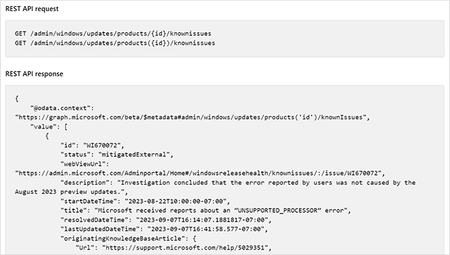
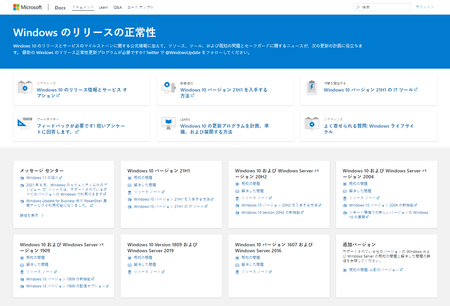
The Windows updates API in Microsoft Graph now offers easy access to data on Windows known issues and product lifecycle. Starting today, you will be able retrieve the data available on Microsoft Lifecycle Policy site, known issues, and Windows release information pages via this API. It’s the same information that’s part of the Windows release health dashboard or Microsoft 365 admin center. We plan to add more classes of data later this year. To learn more, see Windows known issues and product lifecycle in Graph API.447Views1like0CommentsWindows known issues and product lifecycle in Graph API
The Windows updates API in Microsoft Graph now offers easy access to data on Windows known issues and product lifecycle. Starting today, you will be able retrieve the data available on Microsoft Lifecycle Policy site, known issues, and Windows release information pages via this API. It’s the same information that’s part of the Windows release health dashboard or Microsoft 365 admin center. We plan to add more classes of data later this year. To learn more, see Windows known issues and product lifecycle in Graph API.346Views0likes0CommentsThe Windows release health experience is now available for GCC tenants in the admin center
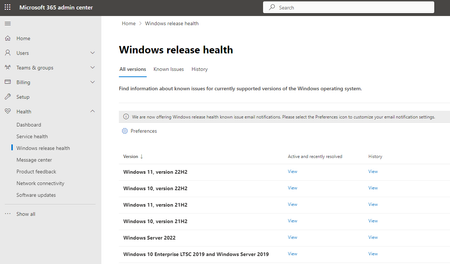
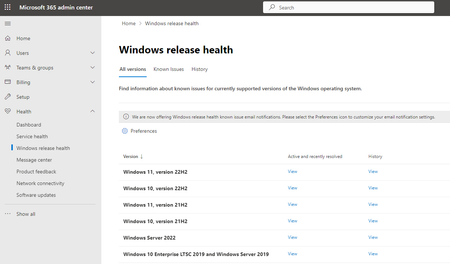
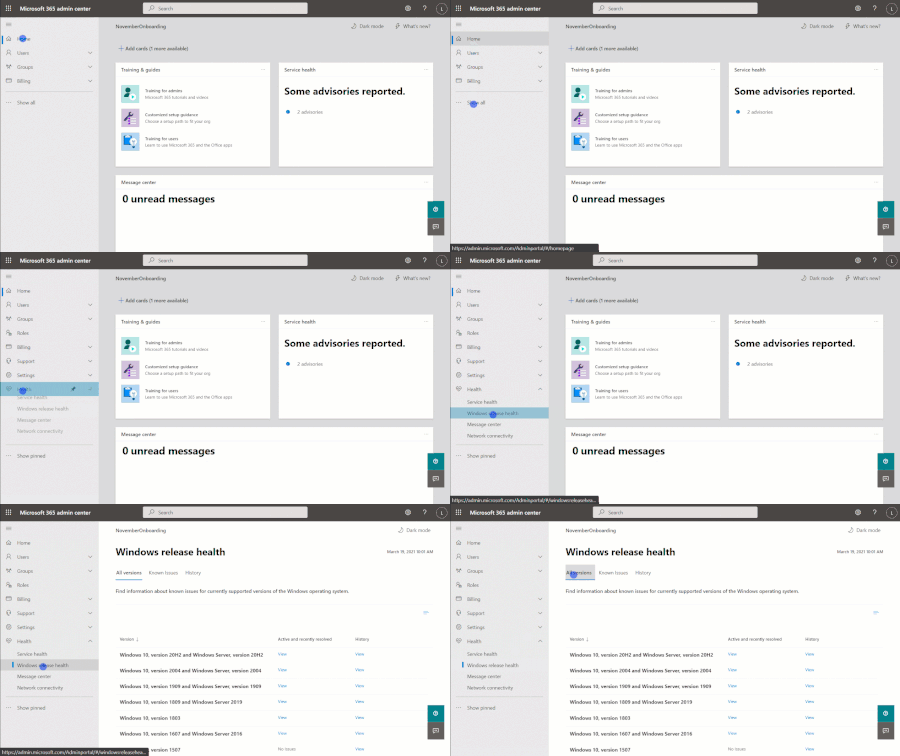
Now, eligible Government Community Cloud tenants can access essential information about Windows update known issues and announcements on the Microsoft 365 admin center. IT admins in the public sector can check prerequisites for access, learn about the available types of content and notifications, and follow steps to configure these preferences to stay informed. A new article shares details, instructions, links for further help, and guidance to provide feedback. Read it at The Windows release health experience is now available for GCC tenants.461Views0likes1CommentThe Windows release health experience is now available for GCC tenants in the admin center
Now, eligible Government Community Cloud tenants can access essential information about Windows update known issues and announcements in the Microsoft 365 admin center. IT admins in the public sector can check prerequisites for access, learn about the available types of content and notifications, and follow steps to configure these preferences to stay informed. A new article shares details, instructions, links for further help, and guidance to provide feedback. Read it at The Windows release health experience is now available for GCC tenants.351Views1like0CommentsHotpatching is now available for Windows Server VMs on Azure with Desktop Experience!
Microsoft is excited to announce the General Availability of Hotpatching on Windows Server 2022 Datacenter: Azure Edition VMs with Desktop Experience. This fulfills one of our biggest requests from customers: Hotpatching beyond Server Core. Hotpatch updates simplify securing Windows Server devices without needing a reboot. Learn more at Vishal Bajaj's new blog post: Hotpatching is now available for Windows Server VMs on Azure with Desktop Experience!.534Views1like0CommentsEnd of servicing: Windows 10, version 2004 and Windows Server, version 2004
On December 14, 2021, all editions of Windows 10, version 2004 and Windows Server, version 2004 will reach end of servicing. After that date, devices running these editions will no longer receive monthly security and quality updates containing protections from the latest security threats. We recommend that you update your devices to the latest version of Windows 10, or upgrade eligible devices to Windows 11. For information about servicing timelines and lifecycle, see Windows 10 release information, Windows 11 release information, and the Windows lifecycle FAQ.