User Profile

Abbyamante
Brass Contributor
Joined Sep 11, 2020


User Widgets
Recent Discussions
Re: Copy text to clipboard Button in Sharepoint Site Page
Hello! i was able to figure it out. I got the idea that was mentioned here https://stackoverflow.com/questions/77244826/copy-field-button-sharepoint-list and this is how i implement: on Sharepoint page i used a button web part on the button link i used this = https://sancarn.github.io/copy-to-clipboard/index.html?copy=addthevalueyouwanttocopy then save the and republish the page. when clicking the button to copy, this will open another tab and will close automatically after a few seconds2.4KViews0likes0CommentsCopy text to clipboard Button in Sharepoint Site Page
Hello Experts! I'm wondering if this is something that can be achieve in the Sharepoint site homepage. I wanted to create a button that can copy the button values to the clipboard. Im thinking of using the button or Call to action web part in sharepoint site then when the user click the button it will copy the button values to the clipboard and they can paste the value anywhere the user is required to. Is this possible to achieve?Solved1.4KViews1like2CommentsSPO Modified column
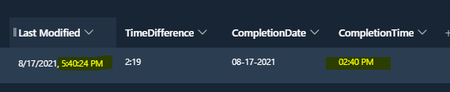
Need Help please.. i have an SPO with a calculated column to extract the time only from the modified column. im getting the the time value but for some reason the time that im getting is incorrect. can anyone please help me why is this happening? i have added a JSON syntax on my modified column to format the time and time to this 8/17/2021, 5:40:24 PM instead of showing just "5hours ago" or sometimes would show "Yesterday at 9:00 AM" here is my column example. im extracting the time from the "last modified" to the "Completion time" Column. the last modified time is 5:40PM but on my calculated column (Completion time) shows 02:40PM. here is my JSON syntax on the "last modified column" and here is my format on the completion time column please help!Solved938Views0likes1CommentJSON syntax clickable button to capture/record the time and date now
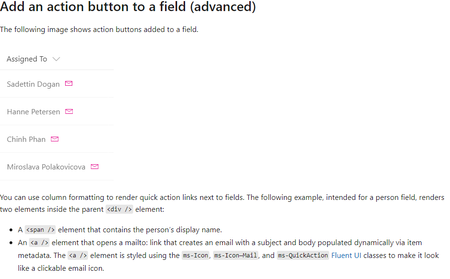
Looking for help please. i have a list that requires to capture the time after the task is complete. is there a way using json sysntax to create a clickable button then the action will be to capture the date and time now? i saw this i microsoft site, but instead of sending an email as an action i need to capture the date and time now.Solved5.1KViews1like6CommentsRe: get items from another sharepoint list using power automate
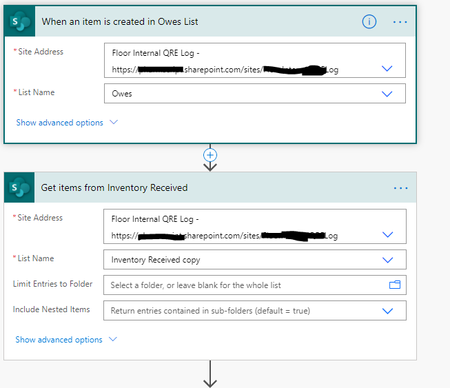
Sudharsan K hello! first, i would like to thank you for your response and help. I created the flow below. it looks like it is working but now my problem is whenever is an entry on the owes list with the same ndc value, only one entry gets updated and the other entry stays blank. any thoughts of any workaround for this scenario?get items from another sharepoint list using power automate
hello everyone, i have 2 different list inside my sharepoint site. one is where the users manually enter info and one is for look up purpose, i call it inventory received. what i wanted to happen is when the column 'NDC' value have a Match on 'inventory received list', the value will automatically populate on "purchased" column. is there a way to achieved this using Power automate (get items)? or is there a suggested workaround? thank you in advanced!sharepoint list item disappears when being edited
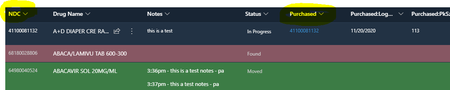
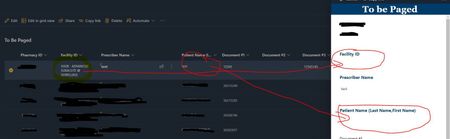
Hello, when the user click/open an item from the sharepoint list some content on the field disappears and when try to edit the content on the field is gone and has to be re-entered. it was not like before when i created the sharepoint list but all of a sudden this happens. does anybody had the same experience? see picture below.Solved7.9KViews0likes6Comments
Recent Blog Articles
No content to show