User Profile

Yehuda_Vansover
Copper Contributor
Joined Jul 07, 2019


User Widgets
Recent Discussions
Re: Microsoft List Calendar View Filter
This is so strange - I succeeded to connect a list with a calendar view with a another list via the "Dynamic filter". I have an holiday list and I want to filter it by country. When the view is flat (default) there is no problem. But if it's a calendar view, I can see results *only* if I choose *two* items to filter by. Any ideas?18KViews1like1CommentCannot use the "save for later" WP for more than 3 items in modern pages
Hi, from some reason I cannot use the "save for later" WP for more than 3 items in SP modern environment. I have to remove an item if I want to save a new one. Could you please help me with this? I can see https://support.microsoft.com/en-us/office/use-the-saved-for-later-web-part-7bf0682f-a273-4d81-9424-0d90972f8750?ns=spostandard&version=16&syslcid=1033&uilcid=1033&appver=spo160&helpid=spo_usesavedforlater&ui=en-us&rs=en-us&ad=us that 8 items can be saved. Thank you, Yehuda420Views0likes0CommentsLast Modified Date - Display on Modern and Classic site
Hi, I want to add the "Last Modified Date" as a refiner to my search page - on Classic site. Currently I get the option to filter as the following - Screenshot Classic. And I would like to show it as is in the modern search page - Screenshot Modern. Any option to configure the Last Modifies Time in the Classic site to be the same as it shown on modern? Thank you, Yehuda1.7KViews0likes0CommentsModified column on modern SharePoint item
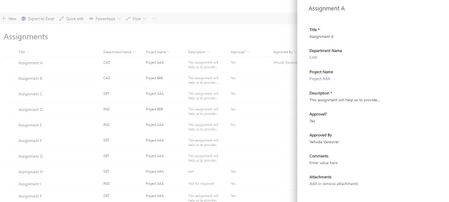
Hi experts, I would like to add the Modified date to the Item view on modern SP. When I click on an item, I can see only the manually filed and not the Modified/Modified By/Created By fields. There is a way to add that? *I know I can see that from the list itself (But I'm looking for the option to see that after I click on the item). Thanks! Yehuda VansoverSolved2.1KViews0likes1Comment
Recent Blog Articles
No content to show