User Profile

yname2480
Copper Contributor
Joined Dec 12, 2022


User Widgets
Recent Discussions
In SharePoint we have "Everyone except external users" AD Group but can't be synced by SCIM
We are using SharePoint online and SharePoint server 2016, 2019, subscription edition and we are seeing some issues and Azure AD. I have synced a customer's Azure AD using SCIM . Also synced SharePoint site in a SharePointCustomApp that we have using SharePoint APIs. Now for SharePoint we get pages with ACL for groups and one of the group's name is "Everyone except external users". All the pages have groups associated and they are federated from Azure AD and we found all groups. However "Everyone except external users" group cannot be synced via IDC SCIM protocol. Other groups we are able to sync properly(can get its members). Our other customers are also facing same issue for this "Everyone except external users" group. We need this group ("Everyone except external users") also to return proper members.63Views0likes0CommentsMS Teams graph API stopped working
In our project we were using Microsoft graph teams chat and channel APIs. It was working earlier but it stopped working before a month. Now throwing exception related to subscription. On investigating I found that these are metered APIs and require subscription to be added. Now my doubt is how it was working earlier since last 1.5 years? Is the subscription and payment actually required? Exception: com.microsoft.graph.http.GraphServiceException: Error code: PaymentRequired Error message: To call this API, the app must be associated with an Azure subscription, see https://aka.ms/teams-api-payment-requirements for details. GET https://graph.microsoft.com/v1.0/users/0dt1863-601e-3269-bf4b-0sc9eh63b665/chats/microsoft •graph.getAllMessages?model=B&%24top=200 SdkVersion : graph-java/v5.17.0 402 : Payment Required _[Some information was truncated for brevity, enable debug logging for more details]1.2KViews0likes1CommentMS Teams graph API stopped working
In our project we were using Microsoft graph teams chat and channel APIs. It was working earlier but it stopped working before a month. Now throwing exception related to subscription. On investigating I found that these are metered APIs and require subscription to be added. Now my doubt is how it was working earlier since last 1.5 years? Is the subscription and payment actually required? Exception: com.microsoft.graph.http.GraphServiceException: Error code: PaymentRequired Error message: To call this API, the app must be associated with an Azure subscription, see https://aka.ms/teams-api-payment-requirements for details. GET https://graph.microsoft.com/v1.0/users/0dt1863-601e-3269-bf4b-0sc9eh63b665/chats/microsoft •graph.getAllMessages?model=B&%24top=200 SdkVersion : graph-java/v5.17.0 402 : Payment Required _[Some information was truncated for brevity, enable debug logging for more details]493Views0likes0CommentsMinimum permissions required for API call for getting subsites and getting role assignments
Hi, I am working on SharePoint, and I was using two APIs with OAuth2 authentication: 1. https://kendra001.sharepoint.com/sites/swapcomsite_v1/_api/web/Webs 2. https://kendra001.sharepoint.com/sites/Ritika_Site/Child_subSite/_api/Web/Lists(guid%2777b646d2-d1d5-45fa-a976-d6cf31a5a59f%27)/Items(1)?$expand=RoleAssignments/Member,RoleAssignments/RoleDefinitionBindings Previously there was full control permissions given to my app on Azure AD portal. But now I cannot use those permissions. I have to work with Read Only permissions. So, I want only the bare minimum permissions required to use these two APIs.926Views0likes2CommentsRe: I am not able to see shared folder
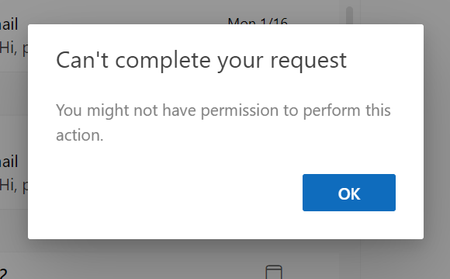
I have tried everything. Even given owner permission to User2. Also the folder is a root folder. But not able to see the folder in User2 mailbox. Is it controlled by administrator of the organization? I tried it with client's outlook and also with my company's outlook. But both of them are not working. I am getting this error1.3KViews0likes0CommentsI am not able to see shared folder
User1 is sharing a folder to User2 with owner permissions. But User2 didn't received any mail related to that. On adding the username of User1 there is the msg that User2 does not have access permissions. I am using the steps given in this article. https://finance.uw.edu/recmgt/resources/sharing-outlook-folders1.4KViews0likes3CommentsHow to apply pagination on expanded field
API1: /getfolderbyserverrelativepath('/site/site_name/Shared%20Documents')?$expand=Files,Folders I want to apply pagination on files and folders. I know, I can use API2:/getbytitle('Document')/items which by default provides pagination but I want to use API1. Is it possible to apply pagination on expanded item?358Views0likes0CommentsWhen does we get 429 rate limits in sharepoint online
We are working on sharepoint and we are making various api calls for online version. We have gone through the documentations, and we come to know that sharepoint throws a rate limiting 429 status code if we cross 1200 api calls per minute. Now we are working on multithreads, but we have made sure that we are not crossing this limit by giving enough amount of sleep. We have cross verified the number of api calls when we get 429 codes. That comes out to be 600 to 700. Now we are not sure why we are getting this. Does it have some rate limiting at a smaller scale like n calls per second or something other rate limit. We have tried running in single threaded environment and we do not get any 429 statuses. So I am pretty sure we are missing some limiting but don't know what3.3KViews0likes1Comment
Recent Blog Articles
No content to show