Forum Discussion

WINDOWS 11 UPGRADE
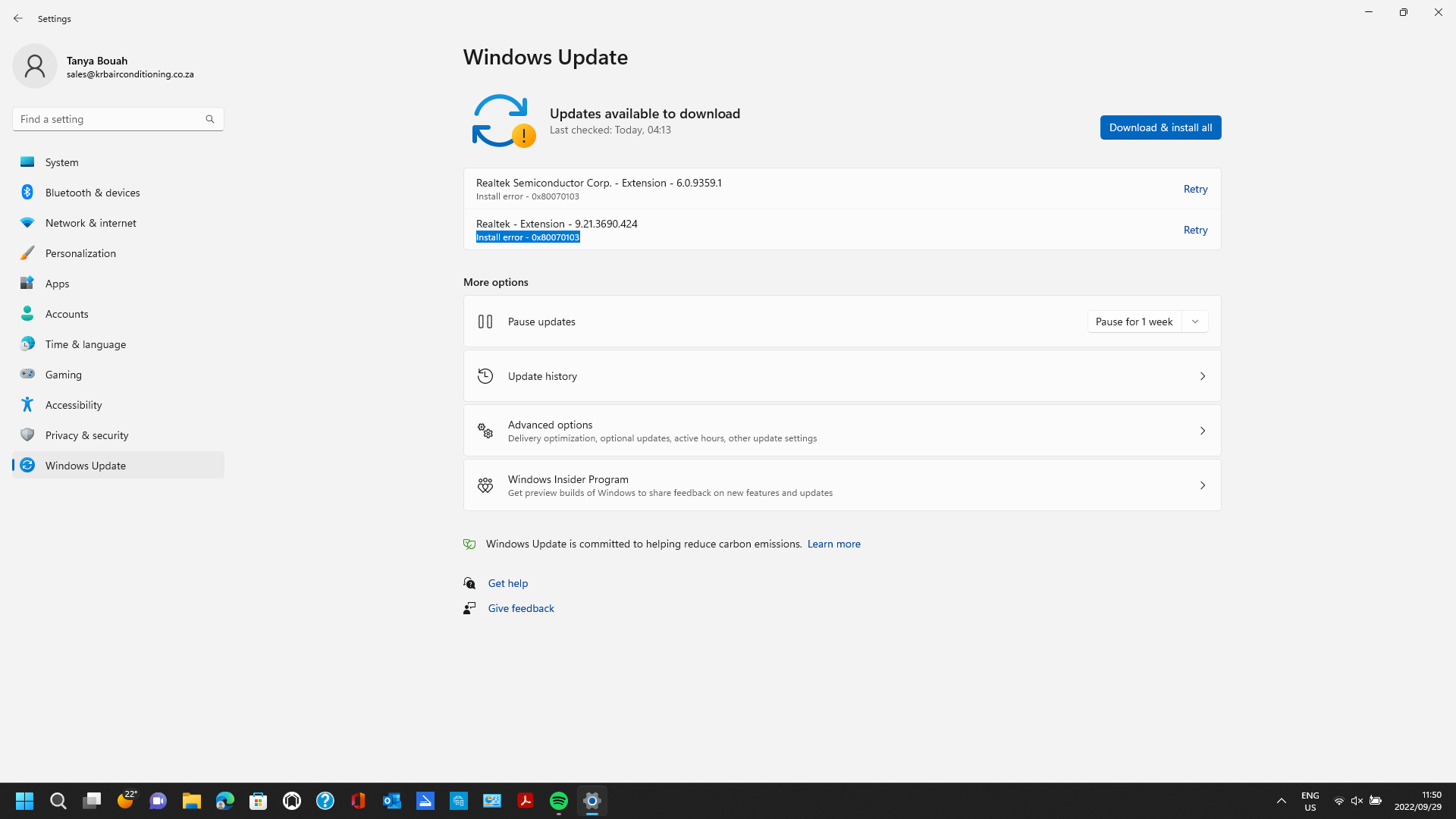
Why can my system not download the files shown in screen shot? The 3 x files are something to do are ''Realtek Extension''. This is after my Windows 11 has prompted me to upgrade my system? Please help...as my HP - PC is 6 months old. It has a 500GB hard Drive and 16GB RAM processor?
 AnonymousSep 29, 2022
https://www.microsoft.com/en-us/software-download/windows11
Hi, the easiest way will be to download the Windows11 Installation Assistant, it is safe and most often helps , but if there is still an error then write the error code.:)
9 Replies
 kevinbouahCopper ContributorI have EXACTLY the same issue with my wife's PC...but it wont accpet the solution you have sent me?...very strange?...the PC is also 6months old, but has an 8GB RAM processor?
- kevinbouahCopper Contributor
- Anonymous
https://support.microsoft.com/en-us/windows/windows-update-troubleshooter-19bc41ca-ad72-ae67-af3c-89ce169755dd#WindowsVersion=Windows_11
Please this is the next step, if it does not help please write.
In this link below there may be an explanation for this error:
https://answers.microsoft.com/en-us/windows/forum/all/windows-update-error-0x80070103/1ebb988d-608e-454d-a65a-fb9a47317ae5
https://support.hp.com/us-en/drivers
- Anonymous
https://www.microsoft.com/en-us/software-download/windows11
Hi, the easiest way will be to download the Windows11 Installation Assistant, it is safe and most often helps , but if there is still an error then write the error code.:)
- kevinbouahCopper ContributorYou are a Star!