Forum Discussion

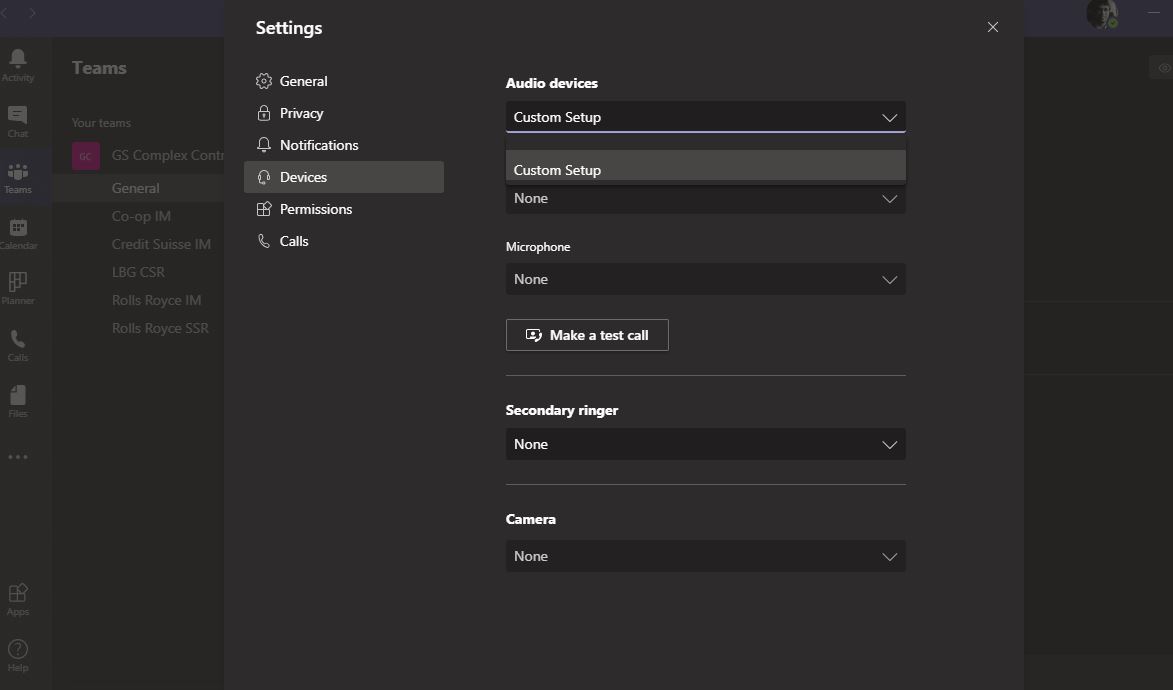
Issues with Teams - Unable to Call and the Audio Device details don't get picked up
Dear All,
I need your help. I have attached some screenshots for your reference.
I am unable to call/attend any teams calls because of this error.
I have tried sign-out, quit options, reinstall (deleting the cache, folders etc), but this error keeps cropping up. After uninstall, usually, the first attempt allows me to call others because the device is picked up but after sometime it simply goes back to the state as shown in the screenshots.
Please can you advise?
Regards,
Pavan
Pavan8785 : Did you checked your computer memory ,disk space and default Audio settings . Is your sound settings is properly configured in windows ?
Please find attached screenshot for quick check.



9 Replies
- Sanjiv_kumarBrass Contributor
Pavan8785 : Did you checked your computer memory ,disk space and default Audio settings . Is your sound settings is properly configured in windows ?
Please find attached screenshot for quick check.
 Pavan8785Copper Contributor
Thanks Sanjiv for responding.
Apologies, I couldn't respond yesterday. My Teams is running but I cant see the app in the Device details list. Please see attached.
I use an 8GB RAM laptop and my C drive has 107GB more.
I am still facing the same issue.
Any help will be appreciated.
- Sanjiv_kumarBrass Contributor
Hi Pavan8785 ,
Seems your windows 10 update is still pending , You have to check the update.
Steps is as below.
- Select Start > Settings > Update & Security > Windows Update > Check for updates.
- Do one of the following:
- If the status says "You're up to date, go to the next tip.
- If the status says "Updates are available," select Install now.
- Select the updates you want to install, then select Install.
- Restart your PC and see if your sound is working properly
Once done with the update , reset the app volume and device preferences. Screenshot attached.
- Pavan8785Copper Contributor
Willjmoo Thanks for responding. I use a company provided laptop. We have a (security) restriction that one user can access this from a laptop configured for that user. For instance, I cannot login to teams (using the org credentials) from my personal laptop.
So, before I uninstall, I sign out, quit Teams, uninstall, remove residual files within Appdata (Local, Roaming) and also remove the Teams detail in the registry editor. I then do a reinstall.
The first time after I install, it recognizes the audio device and for some reason thereafter, it disappears and doesnt let me call/join calls.
- Pavan8785Copper Contributor
Hi, I just wanted to add that there are no issues joining the teams calls from the brower. Thanks!


