Forum Discussion

Issues with Teams - Unable to Call and the Audio Device details don't get picked up
- Jul 20, 2020
Pavan8785 : Did you checked your computer memory ,disk space and default Audio settings . Is your sound settings is properly configured in windows ?
Please find attached screenshot for quick check.

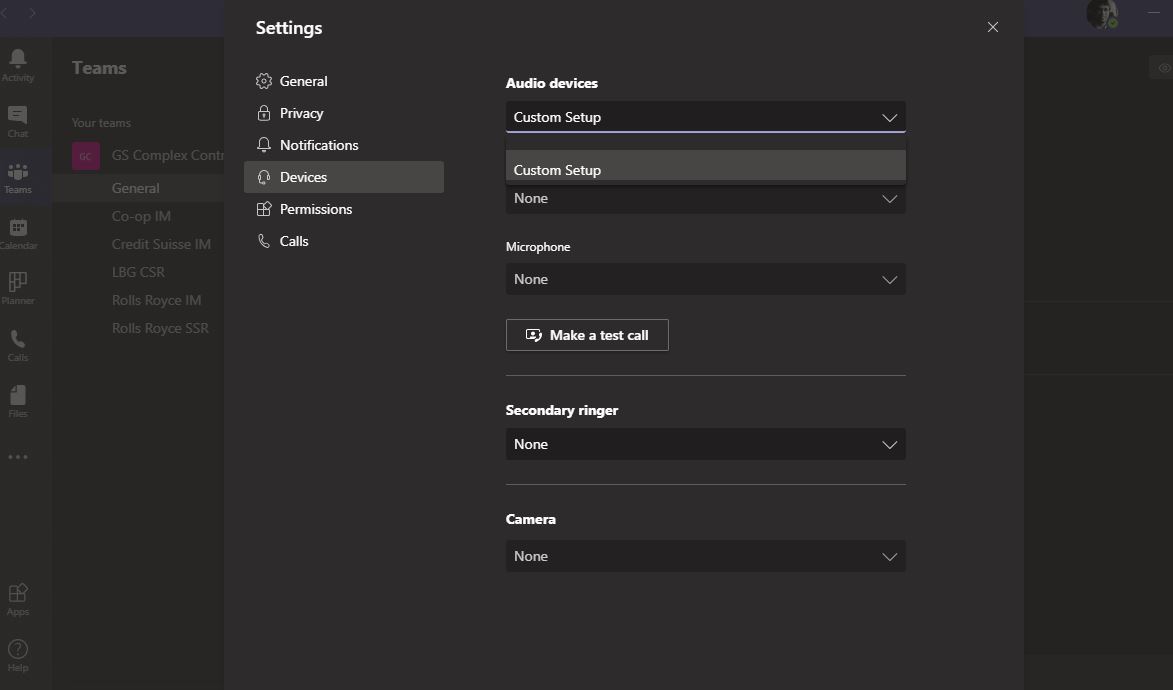


Pavan8785 have you tried from another PC with your username or had another user log in as you ? try and remove and reinstall the teams client as well
Willjmoo Thanks for responding. I use a company provided laptop. We have a (security) restriction that one user can access this from a laptop configured for that user. For instance, I cannot login to teams (using the org credentials) from my personal laptop.
So, before I uninstall, I sign out, quit Teams, uninstall, remove residual files within Appdata (Local, Roaming) and also remove the Teams detail in the registry editor. I then do a reinstall.
The first time after I install, it recognizes the audio device and for some reason thereafter, it disappears and doesnt let me call/join calls.