Forum Discussion

How to create an "alias" for chat contacts

PDostiyarbut, I don't see any of my contacts on my teams/chat section, on azure. On Azure, I only can see all my office colleagues and the "guest" users created in order to add on one of our teams/teams.
All contacts I've added on my teams/chat, doesn't appear on Azure.
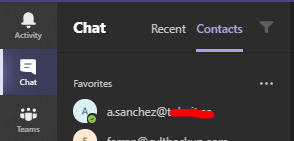
In order to show you, on the attached file chat_contact.png, you will see one of my contacts created on my teams/chat section. On the attached file Azure_view.png, you will see that a.sanchez doesn't appear and because of it, I can't edit it.


jordiullate Great so that is what I am saying all the contacts should come from your Azure and Admin center you should not be able to add anyone as contacts who are not in your Tenant as a guest or as a user.
See this is how I see it if that is a guest contact or a regular user
 Ivan_LatkoviMar 23, 2023Copper Contributor
PDostiyar Question on this, is it possible to have only one result for searching one person. Lets say I have a same person as a member, guest and external user in Azure. Is it possible to put them all under the same name when we are searching for them in Teams, so there is no any confusion to which person to send a message. Lets say you have Pervaiz as a member of organization and as a guest, and when you search him to just be one result.