Forum Discussion

kengab
Jul 20, 2021Copper Contributor
O365 DLP Policy Setup
I setup a custom DLP policy for US PII data that generates incident reports if a sensitive information was present in the email. Is there a configuration where if an email is encrypted as an exceptio...
 Nov 16, 2021

dgs6466
Nov 17, 2021Copper Contributor
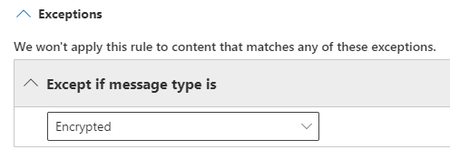
I tried that. Didn’t work. What did work is creating a blank rule at position zero which identifies encrypted messages and does nothing to them. The “except” for encrypted or protected messages doesn’t work.
jrodriguezAP
Nov 17, 2021Tin Contributor
Ah, gotcha. can't say i tested the except within a rule. I designed my policies similar to how you're describing: i have a first-order policy with however many rules in there as positive finds, bypassing any other DLP if triggered, then actual DLP handling in a separate policy afterwards.
Out of curiosity, are you using DLP controls via Labels or Outlook Message Encryption (say a Transport rule, for example)? I'm stuck with the latter until I can migrate us to Labels, and i suspect that's part of the issue with detecting protected messages.
Out of curiosity, are you using DLP controls via Labels or Outlook Message Encryption (say a Transport rule, for example)? I'm stuck with the latter until I can migrate us to Labels, and i suspect that's part of the issue with detecting protected messages.
 kengabMar 18, 2022Copper ContributorHi there,
With my current DLP setup,
I have separated and move my DLP policy for exchange in mail transport rule and I have DLP policy for Sharepoint/Teams/OneDrive in Security and Compliance.
The reason I move DLP for exchange in transport rule is that, I can move them in quarantine for review so I know what are being detected as false positives. The only problem with that is, emails that I released from quarantine were requarantined so I have to release the email twice every time. Anyone experience this?