Recent Discussions

EdgeUpdater Popup on Intune Managed Macs
A new popup occurs routinely throughout the day since last week, approximately May 6th. "EdgeUpdater" would like to access data from other apps. MacOS Tahoe26.4.1 & Edge 148.0.3967.54 It doesn't matter if I **allow** or **don't allow**, it keeps popping back up. Anyone else having this problem or know how to make it go away? I have checked with others, it doesn’t happen on non-managed Macs. Only seems to be those with Intune.605Views3likes4Comments
Add Secure DNS (DNS-over-HTTPS) Support to Edge Mobile
Hello Edge Team, I’ve noticed that while Edge desktop already supports Secure DNS (DNS-over-HTTPS), the mobile version currently lacks this option. Competing browsers like Chrome and Brave allow users to configure Secure DNS directly on mobile, which provides: Improved privacy by preventing ISP-level DNS snooping Consistency across platforms so Edge users enjoy the same protections on desktop and mobile User choice to select trusted DNS providers (Cloudflare, Google, Quad9, etc) Adding Secure DNS support in Edge mobile would strengthen Edge’s privacy posture and align it with modern browser standards. Could the team consider prioritizing this feature in upcoming Insider builds? I believe many users would welcome the option to configure Secure DNS directly within Edge mobile settings. Thank you for your continued work on making Edge a competitive and privacy‑friendly browser.1View0likes0Comments"Microsoft Edge rounded corners" flag
Hello The "Microsoft Edge rounded corners" flag in edge://flags/ disappeared in last Canary version The display is reduced on web pages and even more so on laptops with small screens The display is already a bit smaller with the wider title bar Please, bring back this option Especially since there's no other way to disable it, except by switching to Chrome Thanks193Views3likes6Comments
Propuesta para mejora de Microsoft Edge
Propuesta de mejora para Microsoft Edge: Configuración de carpeta predeterminada por sitio web Asunto: Solicitud de función: Carpeta predeterminada por sitio para cargas y descargas de archivos en Microsoft Edge Estimado equipo de Microsoft Edge: Quisiera proponer una mejora que sería de gran utilidad para profesionales que trabajamos con múltiples plataformas web que requieren la carga y descarga constante de documentos. Actualmente, Edge permite controlar permisos de acceso a archivos por sitio, pero no ofrece la posibilidad de asignar una carpeta predeterminada específica para cada página o dominio. Esta función sería especialmente valiosa en entornos legales, administrativos y gubernamentales, donde distintos portales requieren manejar documentos en rutas separadas para mantener orden, trazabilidad y eficiencia. Beneficios de la función solicitada Reducir tiempos de navegación al seleccionar carpetas en cada carga de archivo. Evitar errores al subir documentos desde carpetas equivocadas. Facilitar flujos de trabajo donde cada plataforma requiere carpetas distintas (por ejemplo: "Acceso" y "Firma"). Mejorar la productividad en sectores que dependen de múltiples portales judiciales, administrativos o corporativos. Propuesta técnica Agregar en la configuración de permisos por sitio una opción como: "Asignar carpeta predeterminada para cargas/descargas en este sitio" Esto permitiría que Edge recuerde automáticamente la carpeta seleccionada cada vez que el sitio solicite subir o guardar un archivo. Estoy seguro de que esta mejora beneficiaría a miles de usuarios que trabajamos diariamente con plataformas que requieren manejo intensivo de documentos. Agradezco su atención y quedo a disposición para aportar más detalles si son necesarios. Atentamente, Víctor Hugo Escobedo Barajas No soy programador, soy abogado y este modificación directo desde configuración por sitio ayudaría bastante a reducir el tiempo de revisión de mis actividades diarias.25Views0likes0CommentsNext Update for Edge not compatible with my mac
Hi, so I'm so sorry if this isn't the right place or if I'm doing this wrong, but I'm kind of freaking out. So I use Edge on an older mac that cannot be updated as mac no longer supports updates for it. I was previously using Edge Dev and after an update got a message saying that the next update won't be compatible with my mac and I tried not to update but at some point Edge Dev restarted and thus updated and then it wouldn't open on my mac, so I switched back to regular Edge. After the last update on regular Edge, I got the same pop up saying that the next update won't be compatible with my mac and now I'm terrified that when that update comes out at some point Edge will restart and update and then I will lose my ability to use Edge. I love Edge as a browser and have so much stored in it. I have exported my passwords just in case, but am still super scared that I'll lose all the work I've put into Edge and that I'll just lose Edge as it's such a superior browser that I've come to rely on. Does anyone have any suggestions on what I should do? I can't afford to get a new computer right now and as I mentioned my Mac doesn't support updates. Any help would be unbelievably appreciated. Thanks in advance.42Views0likes0Comments
Extensions
I haven't really been paying attention to what does or does not work in Edge Dev and Canary recently. But today I had issues again with Canary. I completely cleaned out all the stored data and reinstalled it. I noticed that all the extensions disappeared. I went looking for them to replace the few I actually used and got a message telling me that they are no longer available for this version of Edge. I get the same message on Dev. But production Edge allows them to be turned on and added to. Has anyone else run into this or am I missing something in the setting that change and I have totally overlooked.38Views0likes0Comments
Microsoft Edge "Save as" function not working for pdfs
Good day. Since the last Edge update, I have not been able to save pdf files(editable pdf). Before when you click save as, and enter a new name, the page referred to the new name. but now, the page refreshes, the content is the new content but the file name remains the same Please, does anyone know how to solve the issue?21KViews4likes16CommentsPassword autofill broken in Edge Dev 149.0.4009.0
It looks as if the Password Autofill is broken in Edge Dev build 149.0.4009.0. Toggling autofill on and off again doesn't resolve the problem. All saved passwords are still searchable and can be manually copied/pasted, but autofill appears to not be working. Tested on both 64-bit and arm64 versions of this Edge Dev build. Anyone else seeing the same?Solved19Views0likes1Comment
Web Speech API stopped working on Edge starting with v.134
Starting with version 134 of the Edge Browser (Windows 10, Edge Stable Version 134.0.3124.51, released March 6, 2025), the functionality of speech recognition (WebSpeechAPI) has been broken. This issue potentially impacts millions of users. Requests to Microsoft servers return a "Network error." For more details, please refer to this ticket: https://github.com/speech-translator-ext/speech-translator-readme/issues/50 An easy way to test speech recognition: https://www.google.com/intl/en/chrome/demos/speech.html About Web Speech API: https://developer.mozilla.org/en-US/docs/Web/API/Web_Speech_API#browser_compatibility PS: It’s also unfortunate that, as a web browser extension developer, the "App Assure" functionality is not available. (App Assure: Facing issues with your business apps or websites on the latest version of Microsoft Edge? Microsoft will help you resolve them at no additional cost.) And in general it's very unclear where to report such issues.Solved16KViews3likes8CommentsWebView2 - Roll back to previous version
Hello. We have enterprise applications that a re sensitive to WebView2 updates and have blocked this from automatically updating with MS Edge. On occasion, we will manually update WebView2 from Evergreen Standalone Installer from developer.microsoft.com. We have discovered that we need to roll back WebView2 from 144.x.x.x to 143.0.3650.97. The Microsoft Update Catalog for WebView2 appears to be EDGE and not the WebView2 cab files to install WebView2 only! How am I suppose to replace 144.x with 143.x? Where can I locate the WebView2 archives?15Views0likes0Comments
Export tool for Edge Collections before deprecation
Microsoft is deprecating the 'Collections' feature in Edge, but there is currently no export option available for personal Microsoft accounts. This creates a serious problem for users who rely heavily on Collections for research, organization, and long‑term workflows. In my case, I have 166 main Collections, each containing dozens of items. Migrating this manually is simply impossible/undoable. ‼️ Please Microsoft: provide an official export tool (HTML, JSON, or migration to Favorites/Bing Saves) before removing the feature. Without this, users risk losing years of structured work and saved content. This is essential for anyone who has used Collections as a core part of their workflow.176Views1like3CommentsMS Edge use of file:// protocol in script and link tags
I'm trying to view an html file that exists on my hard drive. I have <SCRIPT> and<LINK> tags with relative addresses to files (stylesheets and scripts) in the folder (and subfolders) that contains the html file. OOTB Edge errors in the console attempting a GET for these files. Is there a way, perhaps via Internet Options, to override this behavior and access the additional files from my hard drive? I'm not interested in a webpage self-hosting solution. Thanks in advance for any insight you can provide.Solved41Views0likes1CommentNew Tab Homepage Layout Glitch
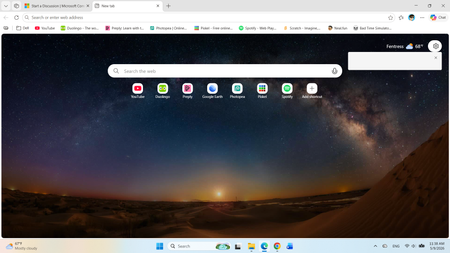
I've been using the Edge browser like normal until randomly on April 16th (this was after an update relating to the browser I think), it was a while after that my homepage flashed, and then features like the MSN feed disappeared, the search query predictions for typing specifically on the homepage were gone, and the page settings gear icon became somewhat glitched as well. I think this issue may be related to the new Copilot browser rollout having a sync conflict with my browser during that update, but I'm not sure. There also seems to be a bunch of active variations on my Edge version as well.24Views0likes0CommentsPWA shortcuts don't keep asociated with window - Linux
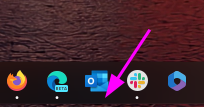
I recently upgraded to version140.0.3485.14 (Official build) beta (64-bit) and noticed that my PWA, even if they open correctly in a independent window, don't show the "running window counter" on the taskbar. So, for example, if a open Outlook, the window open and loads the app, but if a I click the icon again, it opens another window, wich is a little annoying. I tried removing the PWA from Edge, rebooting, and installing again, but didn't work. Because the only change I made is updating Edge, I think is related to this build. (too lazy to go back or install the stable release)2.3KViews9likes9CommentsLight - Lite version of Edge
Is there a light-lite version of MS Edge? if not, could one be made as it takes some time/forever to load, with that annoying "wait/leave" notice that keeps popping up. Cut out most of the add ones like PDF reader etc., and let the user add his/her own choice. Keep it small and faster then at present. Win22KViews0likes5CommentsEdge Canary not auto updating?
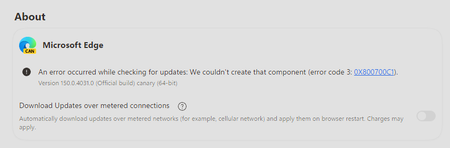
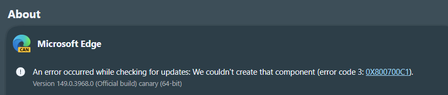
Has anyone else noticed that Edge Canary is not auto updating? At least not on any regular basis. I can go to Settings ---> About and do a reload and have it update, but since I reinstalled Canary and cleaned up all the stored browsing data it won't auto update.43Views0likes0Comments







Events
Recent Blogs
- 8 MIN READMicrosoft Edge for Business, the new, dedicated work experience for the Microsoft Edge browser, is now available in Microsoft Edge stable version 116. All customers who sign into Edge using Microsoft...Aug 04, 2023301KViews2likes73Comments
- Microsoft Edge for Business, the new, dedicated work experience for Microsoft Edge, is in preview today! Microsoft Edge for Business is planned to be the standard browser experience for organi...Jul 11, 202310KViews3likes2Comments