Recent Discussions

Favicons for bookmarks broken since Edge v149 update
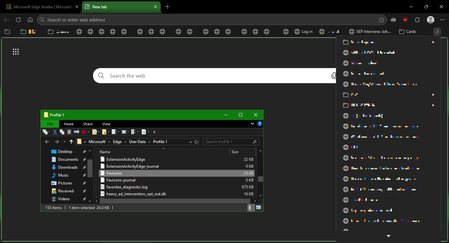
I've recently had Edge update to the v149.0.4022.52 stable-channel releases, and ALL my bookmarks now have no favicons. When I visit any webpage, Edge successfully loads the favicon for the tab of that website. But when I visit a bookmark, the favicon doesn't get updated after it has loaded for the site. And new bookmarks I add also don't show a favicon. If I go into my Edge profile-folder (which can found via edge://profile-internals/ , clicking the heading, then looking next to "Profile Path"), then it is still creating the "Favicon" and "Favicons-journal" files, but I assume isn't populating them with anything? I've tried deleting both files, restarting my PC, but even after Edge recreates them, no bookmarks are gaining any favicons. Is anyone else getting this issue...? OS: Windows 10 Home 22H2 x64 (OS Build: 19045.7291 : May 2026 ESU)22Views0likes1Comment
Kiosk Mode
Hi, We are running Edge in Kiosk mode and I am trying to find information how to configure it for our specific requirements in an Enterprise environment. Requirements: URLAllowlist: "domainA.com", "domainB.com" URLBlocklist: "*" User must be able to access downloads from Edge User must be able to right click to save an image for example from a website User must be able to print Edge configuration: msedge.exe --kiosk https://domainA.com --edge-kiosk-type=public-browsing Is this specific configuration even possible with the latest version? I am running: Version 148.0.3967.83 (Official build) (64-bit)44Views0likes1CommentEdgeUpdater Popup on Intune Managed Macs
A new popup occurs routinely throughout the day since last week, approximately May 6th. "EdgeUpdater" would like to access data from other apps. MacOS Tahoe26.4.1 & Edge 148.0.3967.54 It doesn't matter if I **allow** or **don't allow**, it keeps popping back up. Anyone else having this problem or know how to make it go away? I have checked with others, it doesn’t happen on non-managed Macs. Only seems to be those with Intune.1.3KViews4likes9Comments
Persistent issues with Read Aloud in Edge
I have Windows 11. Today I began having an issue wherein the Read Aloud feature built into Edge doesn't work. I was initially trying to use a similar function on Internet Archive, and noticed that while all the Microsoft voices seemed to be available in the onsite dropdown, the only voices that made any sound were David, Mark, and Zira---none of the "Online (Natural)" voices. I tried to use Read Aloud as a workaround, and found all the buttons greyed out completely. Mind you, everything worked fine yesterday, and I made no changes to my computer in the intervening time. I've opened up two support tickets, but neither live chat agent was able to resolve the issue. Here are the things I've tried with their help: trying the feature on different websites updating & restarting Edge resetting Edge settings to defaults updating & restarting computer switching wifi networks connecting to a hotspot using InPrivate mode using a new Edge profile (rule out interference from extensions) checking that English tts is downloaded in Time & language > Language & region turning Online speech recognition off and back on again resetting experimental features checking sound systems (they work, but just in case) doing a system reset (?) to 24 hours ago, which took about an hour and undid all the updates I just mentioned maybe something else I don't remember? The next thing I am going to try is give my computer a long nap. It's been a while, so maybe it just needs some shut eye. Otherwise, help????1.2KViews0likes1Comment
Web Speech API stopped working on Edge starting with v.134
Starting with version 134 of the Edge Browser (Windows 10, Edge Stable Version 134.0.3124.51, released March 6, 2025), the functionality of speech recognition (WebSpeechAPI) has been broken. This issue potentially impacts millions of users. Requests to Microsoft servers return a "Network error." For more details, please refer to this ticket: https://github.com/speech-translator-ext/speech-translator-readme/issues/50 An easy way to test speech recognition: https://www.google.com/intl/en/chrome/demos/speech.html About Web Speech API: https://developer.mozilla.org/en-US/docs/Web/API/Web_Speech_API#browser_compatibility PS: It’s also unfortunate that, as a web browser extension developer, the "App Assure" functionality is not available. (App Assure: Facing issues with your business apps or websites on the latest version of Microsoft Edge? Microsoft will help you resolve them at no additional cost.) And in general it's very unclear where to report such issues.Solved16KViews3likes18Comments
3rd Party Web Application won't run in Edge Beta
Having just returned from Ignite, I was excited to learn about the new Edge beta and installed it. We were told that every site would work at least in "internet explorer mode" but one of our 3rd party vendor web-apps does not. It is from BST Global (bstglobal.com/). I runs fine in Internet Explorer but does not load in the new Edge and I don't see any indication that it's trying to run in IE mode (or if that is something I need to force it to do). I'm pretty certain it uses Active X controls. Is there some process I can work through to try and get it to run correctly?1.9KViews0likes12Comments
[SOLVED] Can't login on Edge anymore! (Login and Sync issue)
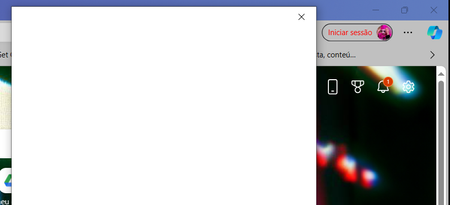
UPDATE 10 APRIL: Finally got a hold on https://support.microsoft.com/, initiated a live chat with support, and they had to install Install Quick Assist (Install Quick Assist - Microsoft Support) and they had to enter my PC and check what was wrong. They had no idea what was happening at the time (this all happened a few weeks ago - sorry for the late reply ut I had a lot of work delayed due to this error) and reinstalled Windows = issue solved. The following day however, windows asked me to update again and the issue returned ahahahaha but I removed it, and then the following system updates didn't carry that sign in issue anymore. Thank you all for your help and support during these VERY STRESSFUL DAYS! Hope the issue got solved for everyone! ____________________________________________________________ UPDATE 25TH - 4:52 GMT: - Run every possible workaround thanks to comments on my Microsoft Community thread and here (Tech) (Thank you everyone!) - Can't get pass the edge login pop-up => can't sync and have access to workspaces; - Already reported twice on Alt + Shift + I (with screen recording video and photos); - No 3rd party antivirus issue; - Some people on the Community post were able to surpass this by uninstalling KB5035853 - but I don't have it; - Using Windows 10 Home version 22H2, with Edge version: 123.0.2420.53 (64 bits) [also tried on Edge Beta version: 123.0.2420.53, but uninstalled it for now] ____________________________________________________________ UPDATE: 22nd OF MARCH: There was already some suggestions left here (https://answers.microsoft.com/en-us/microsoftedge/forum/all/cant-login-on-edge-anymore-sync-issue/6433b1dc-0f99-401f-86e6-90b36c7f2d34but it didn't work. Anyone? Please? _______ original message posted on 20th March _______ Already hit restore on windows' applications and restarted my pc, but every time I open Microsoft Edge now, on the top right corner it says my account is not logged in. And when I try to do it, the pop-up window says it's loading and then just turns to all white. Anyone can help me please? Don't want to lose my favourites, passwords and workspaces ;_; 1) already deleted all cookies 2) already confirmed if it was an issue with the Wi-Fi 3) already hit «repair» twice on the program 4) already tried to add a new account (didn't work cause the issue with the popup to login is the same) 5) already disabled all extensions and tried to login again after that 6) my account is not blocked - in fact I can login on Microsoft with it on my phone and website (otherwise I wouldn't be able to post this question). The issue is only with logging in on the Edge browser. 7) already deleted and reinstalled Edge. And yes, I restarted my pc every time I tried something. What else can I do? I need to access my Edge Workspaces!37KViews2likes29Comments
Microsoft Edge.. When viewing a PDF, I hope the table of contents does not disappear.
When viewing a PDF, Microsoft Edge I hope the table of contents doesn't disappear. When you click on a PDF or perform other actions, the table of contents disappears. I have to click every time to open the table of contents, but I wish there was a setting to always have the table of contents open.14KViews5likes10CommentsWindows Edge not forgetting email address.
On one of my Windows 10 computers, I no longer want my email address associated with it. I did the following: 1- I signed out of the Microsoft account on my PC and logged in as a local account. 2- Under Email and Accounts, I deleted my email account shown in control panel. None show any longer. 3- All windows and credentials for windows and web were removed. 4- Signed out of edge. 5- Repaired and edge. (Microsoft does not allow an uninstall.) 6- Told control panel to stop automatically sign in. Now when I start edge, a welcome screen shows. Edge wants you to sign in. It still shows the email address that I want my PC to forget. The profile won't delete. I created a second profile and switched to it hoping to delete the old, suggested email profile but my old, suggested email keeps showing up. To proceed, you do need credentials, but I just assume the PC does not show anything at all and that it forgets my email address. I do not want someone that I may let someone use my computer to even know my outlook email address. Microsoft Edge offers other way to credential the machine (SMS, emails etc.) I do not want anyone who is lent the machine sees any of this either. Why is Microsoft being so "helpful" when I don't want them to be. This is all a terrible security breach. I can't safely let someone use nor sell my computer without stripping down to the bare bones. And who know, will Microsoft tell the PC the email address since it has the serial number from the motherboard. (For those of you old enough do you remember when Intel put serial numbers in 80386 CPU? Deja vu?) Simply, how do I completely expunge my email from the computer altogether and stop this email stickiness?15Views0likes0Comments
Edge Password Manager keeps passwords cleartext at runtime — misaligned with Chromium (CWE-316)
Microsoft Edge is a strong Chromium‑based browser, and its Password Manager is promoted as a secure, integrated solution. However, its current runtime behavior prevents adoption: saved passwords remain available in cleartext during the entire Edge session, even when they are not actively used. This differs from the Chromium / Chrome model, where credentials are decrypted only on demand and cleared afterward. Importantly, the device does not need to be “fully compromised”: a standard user‑mode process, using common Windows APIs and tooling that often bypass traditional antivirus detection, can extract all stored credentials from the running Edge process. Chromium / Chrome already addresses this by combining DPAPI (user scope), App‑Bound Encryption, and process‑to‑process protections, ensuring passwords are decrypted only on demand and not kept continuously available at runtime. Request: please align Edge Password Manager runtime behavior with the Chromium model: decrypt passwords only when needed avoid keeping unused credentials available in cleartext This would close a significant gap with Chromium and remove an important blocker to real‑world adoption, without impacting user experience.758Views5likes1CommentPicture-in-Picture seek controls bypass MediaSession ad restrictions on YouTube
In Microsoft Edge, the Picture-in-Picture overlay exposes functional +10s/-10s seek controls during YouTube ad playback. The seek action advances the ad playhead even when YouTube has declared the seekforward action as unavailable via the Media Session API. Repro: InPrivate window, logged out of YouTube Play any video on youtube.com When pre-roll ad starts, click the in-player PiP icon Press +10s seek-forward on the PiP overlay Observed: a non-skippable NPCI ad followed by a Maggi ad were both bypassed in ~10 seconds of wall-clock time. The main <video> element briefly buffers during seek, consistent with HTMLMediaElement.currentTime being mutated directly rather than dispatched through the page's registered MediaSession action handlers. Cross-browser: verified the same flow in Google Chrome on the same Windows install. Seek-forward during ad playback does NOT advance the playhead, confirming YouTube's MediaSession setup is correct and isolating the issue to Edge's PiP implementation. Impact: affects any site using the Media Session API to restrict seek — live streams, DRM-protected content, ad-bound playback. Not YouTube-specific. Environment: Edge version: latest stable channel OS: Windows 11 - Chrome compared: latest stable channel42Views0likes0Comments
Edge on Wayland flickering when navigate
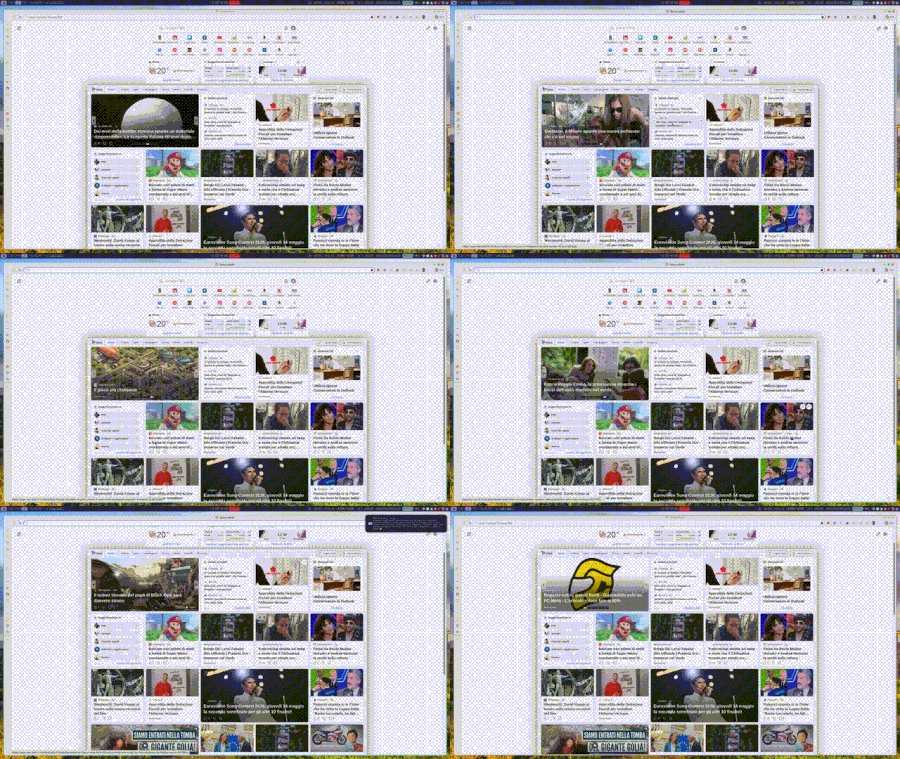
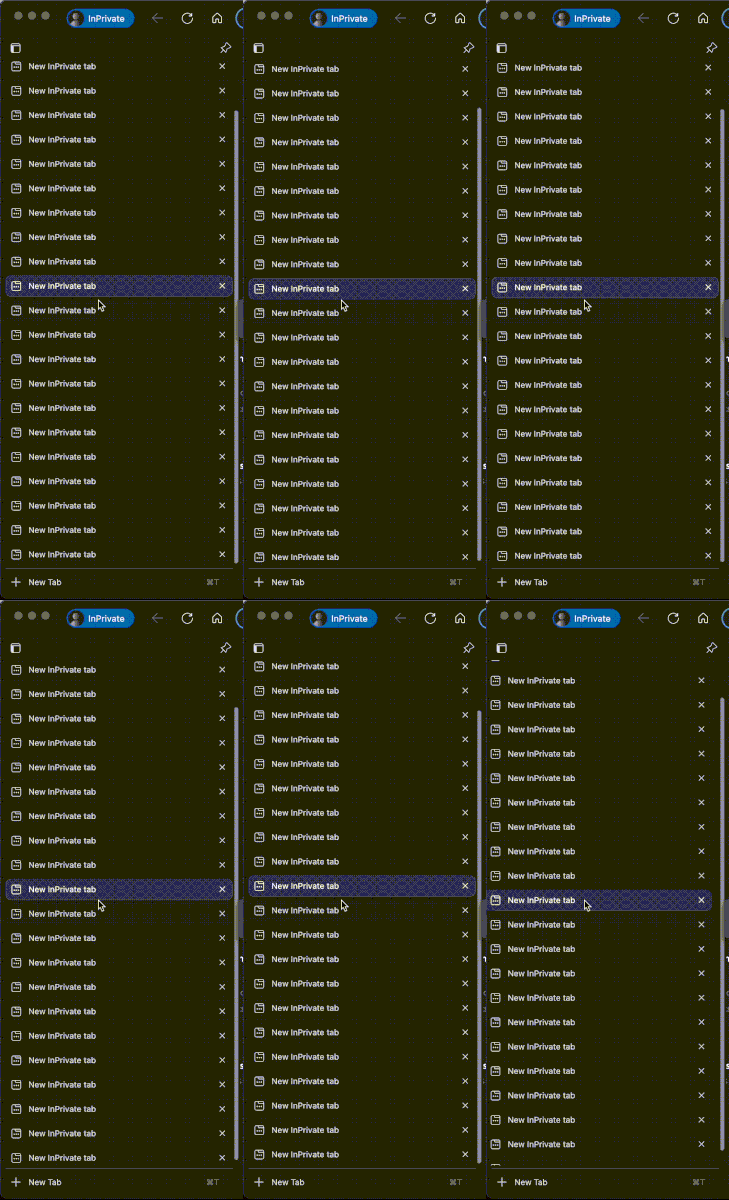
When I browse, in this example within the MSN page, and I hover over any link, I get that very ugly effect, as if the sidebar opens and closes. At times it can give you a headache because it never stops. Has anyone encountered the same problem?31Views0likes0CommentsAllow removal of "Connected to Windows" accounts from Edge profiles
I love being able to create multiple profiles for the various accounts and services I have to use, I am now up to 7. It's great to be able to separate them and just utilize sso to do what I need without constantly having to login to each admin console. The problem is that every once in a while, my "Connected to Windows" account get associated with a profile and it becomes a royal nuisance. The only way I have seen to fix it is to delete the profile and start over and that hasn't always worked. On any profile, you can "Sign-Out" or "Sign-Out and Forget" a non-Connected to Windows account. I would like to see the option to "Remove from this Profile" option for the Connected to Windows account. It would also be great if when setting up a new profile there was a more streamlined process to add a work account that won't let the company manage the pc and is only for this application. Perhaps after adding one work account to Edge, the default should be reversed?Solved60KViews11likes34CommentsAdd Secure DNS (DNS-over-HTTPS) Support to Edge Mobile
Hello Edge Team, I’ve noticed that while Edge desktop already supports Secure DNS (DNS-over-HTTPS), the mobile version currently lacks this option. Competing browsers like Chrome and Brave allow users to configure Secure DNS directly on mobile, which provides: Improved privacy by preventing ISP-level DNS snooping Consistency across platforms so Edge users enjoy the same protections on desktop and mobile User choice to select trusted DNS providers (Cloudflare, Google, Quad9, etc) Adding Secure DNS support in Edge mobile would strengthen Edge’s privacy posture and align it with modern browser standards. Could the team consider prioritizing this feature in upcoming Insider builds? I believe many users would welcome the option to configure Secure DNS directly within Edge mobile settings. Thank you for your continued work on making Edge a competitive and privacy‑friendly browser.24Views0likes0Comments"Microsoft Edge rounded corners" flag
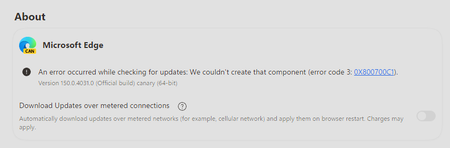
Hello The "Microsoft Edge rounded corners" flag in edge://flags/ disappeared in last Canary version The display is reduced on web pages and even more so on laptops with small screens The display is already a bit smaller with the wider title bar Please, bring back this option Especially since there's no other way to disable it, except by switching to Chrome Thanks277Views3likes6Comments


Events
Recent Blogs
- 8 MIN READMicrosoft Edge for Business, the new, dedicated work experience for the Microsoft Edge browser, is now available in Microsoft Edge stable version 116. All customers who sign into Edge using Microsoft...Aug 04, 2023302KViews2likes73Comments
- Microsoft Edge for Business, the new, dedicated work experience for Microsoft Edge, is in preview today! Microsoft Edge for Business is planned to be the standard browser experience for organi...Jul 11, 202310KViews3likes2Comments