Recent Discussions

Copilot in Word can't read chat attachments; Word for web file picker shows “no token obtained”
Summary of the issue I am seeing a persistent failure with Copilot attachments specifically inside Microsoft Word. Copilot in Word desktop and Word for the web can recognize an uploaded chat attachment by filename or OneDrive URL, but it cannot read the file contents. It reports the uploaded file as empty, corrupted, or in a format it cannot process. The same files are successfully read by standalone Microsoft 365 Copilot Chat using the same Microsoft account, and file uploads also work in Excel Copilot and PowerPoint Copilot. Failure started 10 days ago, with no obvious changes in settings on my end. The most useful diagnostic clue so far is that Word for the web’s Copilot attachment/file-picker path has also failed before any file was selected, showing “Something went wrong, please try again or refresh the page, no token obtained.” In Chrome, Word for the web produced a SharePoint-style error page with a correlation ID. This makes the issue look less like a bad file or local Word installation problem and more like a Word Copilot attachment-picker, OneDrive/SharePoint authorization-token, or file-handoff problem. Environment and scope Windows 11, Pro. Microsoft Word desktop: issue reproduced after updating Office and Windows. Word for the web: issue reproduced in Edge, Edge InPrivate, and Chrome. Standalone Microsoft 365 Copilot Chat / copilot.microsoft.com / m365.cloud.microsoft/chat: uploaded files can be read successfully with the same Microsoft account. Excel Copilot and PowerPoint Copilot: uploaded files work. OneDrive in Chrome: upload/download and file access work normally with the same account. Same Microsoft account used throughout. File types tested include tiny TXT files, PDFs, and DOCX files, including a complex DOCX. Copilot in Word can read the active Word document normally; the failure is limited to files uploaded as Copilot chat attachments inside Word. Observed behavior In Word desktop, Copilot chat accepts or recognizes the attachment metadata, including filename and sometimes a OneDrive URL, but when asked to read or summarize the file it says the file appears to be empty, corrupted, or in a format it cannot process. This happens even with a very small TXT test file. In Word for the web, the same general failure occurs. In one clean test, I created a brand-new blank Word document in Word for the web, opened Copilot, attached a tiny TXT file, and asked what the uploaded TXT file said. Copilot responded: “The uploaded file ingestion_test_731_1915.txt appears to be empty, corrupted, or in a format I can’t process, so I can’t read any text from it.” In another Word for the web test, clicking Copilot’s “+” attachment button and choosing either “My Files” or “Recent” opened a mostly blank window saying: “Something went wrong, please try again or refresh the page, no token obtained.” This occurred before any file was selected. In Chrome, Word for the web produced this error when trying to use the Copilot attachment flow: “Sorry, something went wrong. An unexpected error has occurred. Technical Details: Troubleshoot issues with Microsoft SharePoint Foundation.” The error included Correlation ID 64062ea2-3083-8000-a0f7-fbf4f6bb617d and Date/Time 8/4/2026 12:21:38 PM. Evidence matrix Test Result Standalone Microsoft 365 Copilot Chat / copilot.microsoft.com DOCX, PDF, and TXT uploads can be read successfully with the same account. OneDrive in Chrome Upload, download, and file access work normally. Excel Copilot Uploaded files work. PowerPoint Copilot Uploaded files work. Word desktop Copilot Attachments are recognized but reported as empty, corrupted, or unprocessable. Word for the web in Edge/InPrivate Tiny TXT attachment reported as empty, corrupted, or unprocessable. Word for the web attachment picker “No token obtained” message before file selection. Word for the web in Chrome SharePoint Foundation-style error with correlation ID 64062ea2-3083-8000-a0f7-fbf4f6bb617d. Word Copilot reading the active document Works normally. Troubleshooting already tried Updated Microsoft Office / Microsoft 365 desktop apps. Updated Windows. Restarted Word multiple times. Restarted the computer multiple times. Signed out and signed back in. Confirmed that the same Microsoft account is being used; there is only one Microsoft account involved. Toggled connected experiences off and back on, including restarts between changes. Started Word in Safe Mode. In Safe Mode, Copilot chat opened but did not activate properly; the Copilot pane appeared to cycle in the background and sub-windows were blank/unusable. Tested with a brand-new blank Word document in Word for the web. Tested in Edge, Edge InPrivate, and Chrome. Tested with very small TXT files as well as PDF and DOCX files. Confirmed OneDrive itself works normally in Chrome by uploading and accessing files successfully. Confirmed standalone Copilot and Excel/PowerPoint Copilot can process uploaded files successfully. Why this does not look like a local file or browser problem The same uploaded files work in standalone Microsoft 365 Copilot Chat, and OneDrive upload/download works normally. The issue also reproduces across Word desktop and Word for the web, across multiple browsers, and with a brand-new blank Word document. Because Word Copilot can read the active document but cannot acquire or process uploaded chat attachments, the failure appears isolated to the Word-integrated Copilot attachment picker, authorization-token acquisition, or OneDrive/SharePoint file-handoff path. Most likely failure area My current working theory is that Word-integrated Copilot is failing to obtain or pass the required SharePoint/OneDrive authorization token for Copilot chat attachments. The “no token obtained” message and the SharePoint Foundation correlation ID point toward the file-picker or backend handoff path rather than file contents. It may be account-specific, feature-flight/routing-specific, or a Microsoft-side regression affecting Word Copilot attachment handling. Request for help Has anyone seen Word Copilot attachments fail in this way while standalone Copilot, OneDrive, Excel Copilot, and PowerPoint Copilot all still work? Are there known Word Copilot attachment-picker, OneDrive/SharePoint token, or feature-routing issues that can affect only Word-integrated Copilot? If Microsoft support or engineering can trace backend logs, the most relevant correlation ID I have is 64062ea2-3083-8000-a0f7-fbf4f6bb617d from 8/4/2026 at 12:21:38 PM in Word for the web in Chrome. I would especially appreciate suggestions for anything beyond the standard local troubleshooting already tried. At this point, the pattern suggests the next useful step is probably backend investigation of the Word Copilot attachment/file-picker authorization flow rather than more file-format testing or local repair.17Views0likes0Comments
Co-Pilot in Outlook
Hello Microsoft Support, I have an active Microsoft 365 subscription with Copilot. Copilot is working successfully in Word and PowerPoint on my Mac using the same Microsoft account. However, in Outlook for Mac (version 16.110.2), Copilot displays the message: "Copilot is not supported for the account <email address>" My BTInternet email account is configured in Outlook as an IMAP account. This is also the email address associated with the Microsoft account I use to sign in to Microsoft 365. I have verified that Word and Outlook show the same signed-in Microsoft account. I reviewed Microsoft documentation indicating that Copilot access in Outlook can be be shared across connected email accounts, including certain third-party providers, when using an eligible Copilot subscription. Because of this, I would like clarification on why Copilot is unavailable for my BTInternet account and whether there is a configuration, licensing, or provisioning issue affecting my account. Could you please investigate and advise on the steps required to enable Copilot in Outlook for this account? Thank you for your assistance. Kind regards, Steve Bowen7Views0likes0Comments
Problem that copilot is unable to see all my emails in outlook
Copilot returns incomplete http://outlook.com/ email search results while Outlook Desktop and Outlook Web return complete results Product Microsoft Copilot (Windows App) Microsoft Copilot (Web) http://outlook.com/ Outlook Desktop Outlook on the Web Issue Summary Copilot is returning incomplete email search results from my http://outlook.com/ mailbox. The same mailbox searched directly in Outlook Desktop and Outlook on the Web returns complete and accurate results, but Copilot only returns a subset of the matching emails. The issue occurs in both the Copilot Windows application and Copilot on the web, suggesting the problem is not device-specific. Environment Microsoft Account Personal Microsoft account http://outlook.com/ mailbox Microsoft 365 Personal trial currently active Devices Windows laptop Completely rebuilt from scratch to troubleshoot this issue Internal storage wiped Fresh Windows installation performed All current Windows updates installed All current Microsoft 365 / Office updates installed Applications Tested Outlook Desktop (latest version) Outlook on the Web Microsoft Copilot for Windows Microsoft Copilot on the Web Account Status Same Microsoft account used for Outlook and Copilot Mailbox accessible and functioning normally Mail synchronization appears healthy Outlook search functioning correctly Problem Description On Monday 3 August 2026, my Inbox contained 12 messages. Examples included: Tesco http://amazon.co.uk/ eBay Yahoo Microsoft Account Team Microsoft 365 When I asked Copilot to list emails received on 3 August 2026, Copilot returned only a subset of those emails. Copilot was able to locate: Tesco order confirmation Tesco order amendment Microsoft 365 trial activation Microsoft account password change However, Copilot did not return several emails that were visibly present in the Inbox, including Amazon, eBay, Yahoo and other Microsoft account notifications. Expected Result Copilot should return all emails matching the requested date range, consistent with Outlook Desktop Search and Outlook Web Search. Actual Result Copilot returns only a partial subset of the matching emails despite the emails being clearly present in the mailbox. Diagnostic Testing Performed Outlook Desktop Search Result: ✅ Returns all expected emails. Outlook Web Search Result: ✅ Returns all expected emails. Copilot for Windows Result: ❌ Returns only a subset of emails. Copilot Web Result: ❌ Returns the same subset of emails. Operating System Result: ✅ Fresh Windows installation completed. Office Installation Result: ✅ Fully updated. Mailbox Access Result: ✅ Mailbox functioning normally. Why I Believe This Is a Copilot Search Service Issue The issue reproduces: Across multiple Copilot clients On a freshly rebuilt device While Outlook Desktop Search works correctly While Outlook Web Search works correctly Since both Outlook clients return complete results and both Copilot clients return incomplete results, the evidence suggests a discrepancy in the mailbox search/indexing layer used by Copilot rather than a problem with Windows, Office, Outlook indexing, or the local device. Request Please investigate: Whether Copilot is using a different mailbox index from Outlook Search. Whether my mailbox has been only partially ingested into the Copilot search service. Whether there are known issues affecting http://outlook.com/ personal accounts and Copilot email retrieval. Whether Microsoft can trigger a reindex, resynchronization, or repair of the mailbox content used by Copilot. Whether there are any diagnostic tools available to compare Outlook Search results versus Copilot Search results. Evidence Available I can provide: Screenshots showing 12 emails present in Outlook Inbox on 3 August 2026. Screenshots of Outlook Desktop search results. Screenshots of Outlook Web search results. Screenshots showing Copilot returning only a subset of those emails.6Views0likes0Comments
Copilot Studio consistent System Error issue
I have built an agent that invokes a Power Automate flow as a tool. Inside the flow, I'm using the Execute Agent and Wait activity, which calls another agent. This execution takes around 10–15 minutes to complete, after which the flow returns the result using Respond to Agent (asynchronous response). Although the flow completes successfully and the downstream agent finishes its execution, the calling agent still receives a System Error instead of the expected response. Why I'm using a Flow instead of directly connecting the agent Normally, I would connect the agent directly. However, the agent being invoked is already connected to another agent. Since agent → agent → agent chaining is not supported in Classic mode, I used a Power Automate flow as an orchestration layer to work around this limitation. Looking for someone who have faced this issue and has any solution to this.4Views0likes0CommentsMicrosoft Copilot for Project Management: A Complete Guide to Smarter Planning
Project management has always been about balancing priorities, managing deadlines, coordinating teams, and making informed decisions. As projects become increasingly complex, project managers are expected to do more with less—less time, fewer resources, and tighter budgets. Fortunately, artificial intelligence is transforming the way teams work, and Microsoft Copilot is leading that transformation. https://dellenny.com/microsoft-copilot-for-project-management-a-complete-guide-to-smarter-planning-faster-decisions-and-better-team-collaboration/19Views0likes0CommentsCopilot Studio Agent for Excel Macro Modernization — Anyone Tried This?
Anyone built a Copilot Studio agent to analyze macro-enabled Excel workbooks (.xlsm) and recommend a modernization path — e.g., migrating logic to Power Automate or rebuilding as Power BI dashboards? Curious about real-world attempts: what worked, what didn’t, and where the ROI actually showed up. Would love to compare notes before diving in myself. #CopilotStudio #Excel #PowerAutomate #PowerBI #PowerPlatform8Views0likes0CommentsIs Copilot Notebook Replacing OneNote? What I Tell Concerned Users
Copilot Notebook and OneNote both use the word notebook, so it is easy to assume that one is replacing the other. That is not what is happening. OneNote remains a useful place to capture notes, organize information, and develop content over time. Copilot Notebook serves a different purpose. It brings selected sources together so Copilot can help you work toward a specific project, topic, or outcome. You may use both tools within the same workflow. However, there are also times when Copilot Chat or SharePoint may be all you need. In my full article, I compare Copilot Notebook and OneNote, explain the licensing considerations, share workplace examples, and provide a simple way to choose the right Microsoft 365 tool for the work. https://traccreations4e.com/copilot-notebook-vs-onenote/ #MSFTOneNotePartner #traccreations4e-p26 8/3/2026Looking for ideas: Reducing "Allow" prompts when using SharePoint Knowledge
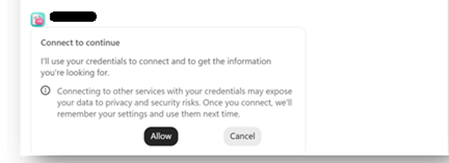
Hello community members! I'm hoping to get some advice from people who may have come across a similar challenge with their Copilot Studio "SharePoint knowledge retrieval" agents 🤞 Current setup Agent set up in Copilot Studio and published to channels - M365 Copilot and Teams Agent is connected to 4 SharePoint folders (I'm using Method#1 - see below screenshot for reference). This is essential because the documents inside the folders contain both text and image-based content. This is the only method that brings results Users have permissions to access the content in these folders Problem We are currently preparing to roll out this agent but we've hit a user experience issue that is becoming a blocker for moving forward. When a user interacts with the agent for the first time, they are asked to click "Allow" ... 4 times .. one for each of the folder that the agent is connected to This experience feels heavy for users (based on our pilot feedback) and people give up after the first or second time because they think it is not working. In spite of comms and a video about having to repeat this action until done. We want the first time experience to be as smooth as possible to drive adoption. Also, we are going to expand the solution to include more folders soon - so there is also a concern that number of consent prompts could grow further. What I've tried Used Method#2 to connect to SharePoint folders. While this didn't pop up the "Allow" prompts, as indicated earlier, this approach doesn't work because it doesn't return any results from documents as they contain both text and image content. Tried Method#1 to connect to the library (and use instructions to indicate necessary folders) - this didn't work because the method doesn't allow to connect to libraries. Note - I cannot restructure the library and put all the documents into one folder because that's the way the documents have been maintained for a long time & direct links to the folders are being used across the organization via. emails, decks etc. Looking for advice Has anyone found a way to reduce or eliminate these consent prompts? Are there any other recommendations on using SharePoint as a knowledge source that respects user permissions without these consent prompts? Does anyone know why Method#1 and Method#2 have different user experiences where the first one prompts for consent and the second doesn't?24Views1like0Comments
Deterministic way to mark generative answer output as AI-generated - AI Act
Hi all, We have a text-based RAG agent in Copilot Studio using the Azure AI Search connector as the knowledge source. It's customer-facing. We need every generated turn to carry a machine-readable marker identifying it as AI-generated, not just a visible disclaimer line. Instructing the model to append something isn't acceptable for us, because it's non-deterministic and can be prompt-injected away. Has anyone found a cleaner pattern? Like how to do it?14Views0likes0CommentsIs My Code Safe with GitHub Copilot? A Practical Guide for Developers and Businesses
Artificial intelligence has transformed software development, and one of the biggest names leading this change is GitHub Copilot. It helps developers write code faster, generate functions, explain unfamiliar code, and even suggest complete implementations based on natural language prompts. While the productivity gains are impressive, one question continues to surface among developers, engineering managers, startups, and enterprise organizations: https://dellenny.com/is-my-code-safe-with-github-copilot-a-practical-guide-for-developers-and-businesses15Views0likes0CommentsScout Not Working After Upgrade from 0.23.331 to 0.23.578
I have been using Scout actively and after upgrading to 0.23.578 the device registration with GitHub has stopped working. I get to the point where it asks me for the device ID, GitHub accepts it then shows "sign-in could not be completed". I'm wondering if anybody else has experienced this. I'm inclined to think it is a new bug since the added the Enterprise host in this version.11Views0likes0Comments
365 on iPhone cannot access work data
Microsoft 365 Copilot on iPhone recognizes that work data is connected. Enterprise Search can access my work content, and grounding works in Safari and on my other devices. However, Copilot Chat on this 1 phone does not return grounded results and behaves as if enterprise grounding is unavailable. Reinstalling, signing out/in, and resetting network settings did not resolve the issue.12Views0likes0CommentsCustom Skills in Copilot Cowork
Skills are specialized instruction sets that tell Copilot Cowork exactly how to think, act, and respond for a specific task. There are two types: Out-of-the-box skills – built and maintained by Microsoft and Anthropic, automatically invoked based on conversation context (~13 available currently) Custom skills – instruction sets you write yourself, defining a specific process, format, and set of standards for Cowork to follow every time the skill is triggered Custom skills are really where Cowork starts to feel less like a generic assistant and more like a tool built around how you actually work. Once a skill is defined, Cowork applies the same process, format, and standards every time it's triggered, so you're not re-explaining your requirements in every conversation. For an in-depth tutorial on how to leverage skills in Copilot Cowork, check out the video below 👇 https://youtu.be/MnJmzZvqjJA27Views0likes0Comments
Microsoft AI Agent Creator Associate Certificate
Hello everyone, I have a question about the Microsoft AI Agent Creator Associate certification. I’m passionate about artificial intelligence and Microsoft Copilot Studio. I’m currently taking the training course and working toward earning the Microsoft AI Agent Creator Associate certification. My question is: Will earning this certification improve my chances of getting a job at Microsoft? If anyone in this community has earned this certification or has experience with it, I’d really appreciate your feedback. Has it helped you get hired by Microsoft or one of its partners? Thank you in advance for your advice and insights!34Views0likes0CommentsFeedback: Loop, To Do, and Copilot/Work IQ Have Fundamental Data-Discoverability Gaps
**Category:** Microsoft Loop / Microsoft To Do / Microsoft 365 Copilot (Work IQ) **Summary:** A day-long, hands-on investigation (creating, sharing, and re-locating the same task list through multiple M365 surfaces) surfaced several structural issues that prevent Copilot from reliably grounding on a user's own daily task content — even when using Microsoft's own recommended tools. Posting this as consolidated feedback rather than separate one-off tickets because the issues share a common root cause: **fragmented storage architecture that isn't transparent to end users, and inconsistent Copilot/Work IQ coverage across first-party productivity apps.** --- ## 1. Loop "My workspace" content is invisible to Copilot/Search — and there's no UI signal telling users this When a Loop page/component is created directly in the Loop app (loop.cloud.microsoft), specifically in **My workspace**, it is stored in a user-owned **SharePoint Embedded container** (internally referenced as `CSP_...` in URLs). This container: - Has no site interface and is **not surfaced in standard SharePoint/Graph search** by default (confirmed via Microsoft's own SharePoint Embedded dev docs: *"SPE content is in the SharePoint index but not surfaced in standard SharePoint searching"*). - Is **not listed** in Work IQ's documented "Supported functionality" (Email, Meetings, OneDrive/SharePoint documents, Teams messages, Planner plans, Enterprise search — no mention of this container type). - Cannot be opened/read via Microsoft Graph search or Copilot grounding, regardless of how many times the content is re-shared via email or Teams link. **Reproduction:** Create a Loop page in My workspace → copy the page's share link → paste into an email or Teams message → send to yourself. The email/message is indexed and searchable, but the **linked Loop content is not** — Copilot can see that a link was shared, but cannot read what's on the other end. **Why this matters:** Users have no way to know, from the UI, whether the Loop content they just created lives in an indexable location or a hidden one. The same "Loop Components" button behaves completely differently depending on entry point (see #2). --- ## 2. The exact same UI action ("Loop Components" button / sharing a component) produces content in *different, non-obvious storage backends* depending on where it's triggered Through direct testing, the following was observed: | Creation path | Resulting storage | Discoverable by Copilot/Search? | | Loop app → My workspace → new page | SharePoint Embedded (`CSP_...` container) | ❌ No | | Loop app → page → convert element to "Component" → copy link → paste in email | Still the same `CSP_...` container | ❌ No | | **Teams chat** → Loop Components button → new component → send | OneDrive ("Microsoft Teams Chat Files" folder) | ✅ Yes | | Loop component shared as `-my.sharepoint.com/personal/...` link | Personal OneDrive | ✅ Yes | There is **no visual indicator** in the Loop or Teams UI that distinguishes these two families of storage. A user cannot tell, by looking at a component, whether it will ever be indexed. This makes "where should I put my recurring task tracker" an genuinely difficult, undocumented question for end users — we had to reverse-engineer the answer by inspecting URL domains across multiple test messages. **Ask:** Either (a) unify storage so all Loop content is indexable by default, or (b) add a visible badge/tooltip in the Loop UI indicating "this content is stored in your personal workspace and won't be searchable/Copilot-discoverable outside this page" vs. "this content is in a shared, indexable location." --- ## 3. Loop "add to workspace" appears to create a shortcut, not a true move — ownership stays with the original creator/location Adding an existing Loop component to a different (e.g., team) workspace generated a `.url` shortcut file rather than relocating the actual `.loop` file. The original file's location (and therefore its retention/discoverability characteristics) did not change. This isn't clearly communicated in the product — "add to workspace" reads like the content now *belongs* to that workspace. --- ## 4. Retention/discoverability interplay between Teams chat cleanup policies and Loop files needs clearer documentation Per Microsoft's own retention docs, Teams message retention policies explicitly **exclude** files ("Emails and files that you use with Teams aren't included in retention policies for Teams"), and Loop files created in Teams chat land in the auto-generated "Microsoft Teams Chat Files" OneDrive folder, which does **not** appear on the list of folders with built-in expiration (unlike "Microsoft Copilot Chat Files," which auto-deletes after 30 days). This is good news for users worried about losing content when chats are periodically cleared — but it is **not documented anywhere user-facing**, and users are left to guess (or ask a forum) whether their task tracker will survive a chat retention sweep. **Ask:** Add a plain-language note to Loop/Teams documentation clarifying that Loop files persist independently of chat message retention, unless a tenant admin has separately applied a retention label to that specific OneDrive folder. --- ## 5. Microsoft To Do is officially recommended for "individual tasks" but is **not included in Work IQ's supported data sources** Microsoft's own guidance says: *"To work on individual tasks... start with To Do."* However, Work IQ's documented supported functionality list (Email, Meetings/calendar, OneDrive/SharePoint docs, Teams messages, People, **Microsoft Planner plans**, Enterprise search) explicitly names Planner but **omits To Do entirely**. This means: - Copilot Chat cannot answer "what's on my To Do list today" — it has no grounding access to To Do task data at all. - The only path to integrate To Do with an agent is a custom-built Graph API plugin (`/me/todo/lists`), which requires developer effort most end users can't do themselves. - Multiple community threads (Tech Community, 2025–2026) confirm this gap has been raised repeatedly with no resolution: *"Doesn't look like Co-Pilot can natively interact with To Do just yet."* **Ask:** Add Microsoft To Do to Work IQ's supported data sources. This is the most basic, universally-needed personal productivity data source in the entire suite, and it's currently a blind spot for the product Microsoft itself recommends as the default answer for personal task tracking. --- ## 6. To Do's flagged-email task preview truncates mid-sentence with no way to see the rest without leaving the app When an email is flagged and appears in To Do's "Flagged email" list, the task detail pane shows a **truncated preview** of the email body — often cutting off mid-sentence at exactly the point where the actionable instruction is (e.g., "...we'll be looking for the item from" — no continuation). The only way to read the rest is to click "Open in Outlook" and leave the app entirely, defeating the purpose of a quick task-review pane. There is unused whitespace below the preview in the current UI, suggesting this is a low-effort truncation limit rather than a real space constraint. This has been raised in the Microsoft Community forum since **January 2024** with zero replies/action: *"Having to open each email in a separate window is highly inefficient... Ideally, the email preview should take up whatever space remains in that righthand column."* **Ask:** Either expand the preview pane to show full email body (space is clearly available), or make it resizable/scrollable so users aren't forced to leave the app to read one more sentence. --- ## 7. Overall: four overlapping personal/team task tools (To Do, Planner, Loop task lists, Teams Tasks app) with unclear, undocumented boundaries and uneven Copilot support Each tool markets itself as suitable for slightly different scenarios, but: - Sync between Loop task components and Planner reportedly creates a **new Plan per Loop component** rather than linking to an existing one — a bug/limitation raised on Tech Community since at least Oct 2025, still unresolved as of mid-2026, and explicitly called out by a commenter as something that "should have been a release blocker." - "Add to Microsoft To Do" from Teams Copilot meeting recap action items has been intermittently available/unavailable, per community reports, with no clear roadmap status. - None of this is explained in a single, current, authoritative "which tool for which scenario, and what's the Copilot support level for each" reference. **Ask:** Publish (and keep updated) a single official comparison page that includes not just feature differences between To Do/Planner/Loop/Teams Tasks, but explicitly states **Copilot/Work IQ grounding support level** for each, so users can make an informed choice up front instead of discovering gaps through trial and error. --- ## Why this matters Individually, each of these is a minor rough edge. Together, they mean that a fairly universal, basic task — "let Copilot help me track and recall my daily to-do list" — currently has **no reliable, fully-supported path** using only first-party Microsoft tools, despite Microsoft actively promoting an "AI-native," Copilot-everywhere vision across the 450M-seat M365 install base. A technically proficient user (myself) needed roughly a full day of trial-and-error, URL-inspection, and cross-referencing public docs to arrive at a partial workaround. That is not a reasonable bar for the average user, and it undercuts trust in Copilot's promise of "ask me anything about your work." Happy to provide full repro steps, screenshots, or file/URL samples (redacted) if useful for triage.28Views0likes0CommentsWhen to Choose Agent Builder Instead of Power Apps: A Practical Guide for Modern Businesses
The Microsoft Power Platform has transformed how organizations build business solutions without extensive coding. Two of the most talked-about technologies in this ecosystem are Power Apps and Agent Builder. While both help organizations automate work and improve productivity, they serve very different purposes. https://dellenny.com/when-to-choose-agent-builder-instead-of-power-apps-a-practical-guide-for-modern-businesses/41Views0likes0Comments10 Best Practices for Designing Effective Microsoft 365 Agents
Artificial Intelligence is rapidly changing how businesses operate, and Microsoft 365 Agents are becoming one of the most valuable tools for improving productivity, automating repetitive work, and helping employees make better decisions. Whether you’re building an agent for customer support, HR, sales, finance, or internal knowledge management, success depends on more than just connecting AI to your data. https://dellenny.com/10-best-practices-for-designing-effective-microsoft-365-agents/45Views0likes0CommentsMicrosoft Copilot Tips and Tricks: 20 Smart Ways to Work Faster and Get Better Results
Artificial intelligence is no longer just a futuristic concept—it’s becoming a daily productivity partner. Among the leading AI assistants, Microsoft Copilot has quickly become one of the most valuable tools for professionals, students, developers, marketers, and business teams. Built into Microsoft 365, Windows, Edge, and GitHub, Copilot helps users write, analyze, summarize, create presentations, automate repetitive tasks, and make informed decisions in less time. https://dellenny.com/microsoft-copilot-tips-and-tricks-20-smart-ways-to-work-faster-and-get-better-results/65Views0likes0CommentsCool Things to Do with Microsoft Copilot: 15 Practical Ways to Work Smarter Every Day
Artificial intelligence is no longer just a futuristic concept it’s becoming an essential part of how we work. One of the most exciting AI assistants available today is Microsoft Copilot, a productivity companion built into Microsoft 365, Windows, GitHub, Edge, and other Microsoft products. https://dellenny.com/cool-things-to-do-with-microsoft-copilot-15-practical-ways-to-work-smarter-every-day/52Views0likes0Comments





Events
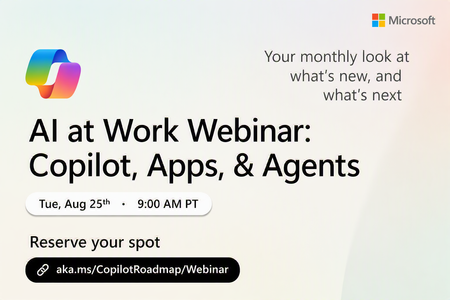
Register Here: https://aka.ms/MTC/CopilotRoadmapEvent
Keep up with the latest in Microsoft 365 Copilot, all in one place. This Roadmap webinar series is your central hub for the latest Copilot inno...
Tuesday, Aug 25, 2026, 09:00 AM PDTOnline
1like
43Attendees
0Comments
Recent Blogs
- We want to inform the community that the Domain Exclusion for Microsoft 365 Copilot feature described in this post, More control over web grounding with Domain Exclusion for Microsoft 365 Copilot, ha...Aug 04, 2026170Views0likes0Comments
- Over the past two months, we’ve been previewing a new capability within Copilot Studio that lets you build agents capable of taking on more complex business processes. Today, we’re excited to share t...Aug 03, 202620KViews6likes4Comments