Recent Discussions

Passkey Sign‑In Fails in Entra Free Tenants (AADSTS135016 – FIDO Sign‑In Disabled via Policy)
Hello everyone, I’m documenting an issue which seems to be appearing across multiple tenants and multiple threads, but the root cause has never been clearly stated. If I’m mistaken in any part of this analysis, my apologies and I welcome correction. This post is intended to consolidate the symptoms, the misleading error message, and the actual underlying cause so other admins don’t waste time troubleshooting a problem that cannot be fixed through configuration. Summary of the Issue In Microsoft Entra ID Free tenants: Passkeys can be enabled Passkeys can be registered Passkeys appear correctly in Security Info Passkeys work for MFA Passkeys work for self‑service setup But passkey sign‑in fails, consistently, with: AADSTS135016: FIDO sign‑in is disabled via policy This occurs even when: FIDO2 is fully enabled AAGUIDs are correct “Allow self‑service setup” is enabled No Conditional Access policies exist Security defaults are disabled User‑level MFA settings are off Passkey profiles are correctly targeted Browser/device combinations are clean Multiple admins have reported this exact behavior. Why This Error Is Misleading The error suggests that a policy is blocking FIDO sign‑in. However, in Entra Free tenants, the real issue is that the required policy objects do not exist at all. Specifically, Entra Free tenants do not include: Authentication Strengths Passwordless Strength Phishing‑Resistant MFA Strength FIDO2 Strength Conditional Access enforcement Strength‑based sign‑in policies Passkey sign‑in requires these backend objects to bind the FIDO2 credential to the primary authentication flow. Without them, the sign‑in pipeline rejects the passkey and throws error 135016, even though registration succeeds. This is why: Some tenants work (licensed) Some tenants fail (Entra Free) “Fixes” like waiting, renaming profiles, or toggling settings only work in licensed tenants where the backend policy objects exist No amount of configuration resolves the issue in Entra Free This is a licensing limitation, not a configuration problem. Why This Needs Attention Microsoft is actively promoting: Passkeys Passwordless authentication Phishing‑resistant MFA Modern identity security But Entra Free tenants — including personal tenants, small labs, students, developers, and home environments — cannot use passkey sign‑in at all, despite documentation implying otherwise. This creates: Confusion Wasted time Misleading error messages Failed deployments Frustration for users who purchased physical passkeys A contradiction between Microsoft’s marketing and actual product behavior Passkeys are a security feature, not an enterprise feature. Basic passkey sign‑in should not be locked behind Entra ID P1. Request to Microsoft Please consider enabling basic passkey sign‑in for Entra Free tenants. At minimum: Update documentation to clearly state that passkey sign‑in requires Authentication Strengths (P1+) Update the error message to reflect the real cause Provide guidance for admins deploying passkeys in small or personal tenants This would reduce confusion and align the product with Microsoft’s own passwordless security goals. Closing If anyone has additional data points, please add them here. This issue is affecting multiple tenants and deserves a clear, authoritative answer from Microsoft. Thanks.41Views0likes0Comments
Need Microsoft support to resolve a historical tenant association with a domain I recently acquired
Hello, I recently became the legitimate and independent registrant of a domain that had previously been owned or used by an unrelated organization. I have no affiliation whatsoever with the previous domain holder or that organization. I have now received a Microsoft Power Platform notification at an email address under my domain concerning a Default environment belonging to the previous organization. The notification includes a Tenant ID and Environment ID, and the environment name corresponds to that organization. I do not own, administer, or have access to this tenant or Power Platform environment, and I am not seeking access to or control over it. My main concern is that there may still be a historical association between my domain or its email addresses and the previous organization's Microsoft tenant or related services. I would like Microsoft to investigate this and, where necessary, properly separate my domain and its email addresses from any unrelated historical Microsoft accounts, tenants, directories, or services. Most importantly, I want to ensure that this historical association will not adversely affect my ability in the future to use my domain and its business email addresses to create, verify, and use my own Microsoft 365, Microsoft Entra, Power Platform, or other Microsoft business services. At present, I do not have a Microsoft business account, Microsoft 365 tenant, or Power Platform tenant of my own. As a result, I appear to be unable to use some of the normal business support channels that require an existing tenant or administrator account. Could someone please advise me on the appropriate way to get this matter reviewed by Microsoft Support? If a Microsoft employee or official support representative can assist or direct me to the appropriate private support channel, I would greatly appreciate it. For privacy and security reasons, I have intentionally not posted the actual domain name, email address, Tenant ID, or Environment ID publicly. I am happy to provide all of the relevant details privately to an authorized Microsoft support representative if required. Thank you for any guidance.49Views0likes1CommentDisabled account OU
Hello We have a scenario for which I need help User account was disabled and was in Disabled account OU when she joined back it was enabled and moved to proper user account OU.This is synched from onpremise in O365 The earlier mailbox is converted from user mailbox to a cloud mailbox.This is a incloud object How do we proceed here We want the shared mailbox to be linked to the user account which was disabled earlier. Regards,46Views0likes2Comments
Expected exactly one role management policy assignment but 0 were found
I am getting the following error in Entra when I try to assign a custom role to a user: Expected exactly one role management policy assignment but 0 were found What I have done: entra.microsoft.com → Entra ID: Roles & admins → New custom role Basics * Role name: User Directory Reader * Description: Provides read-only access to user directory information. Intended for security analysts and auditors who require visibility into user identities without modification permissions. Permissions * microsoft.directory/users/standard/read *microsoft.directory/users/memberOf/read *microsoft.directory/users/manager/read When I click + Add assignment I get the error "Expected exactly one role management policy assignment but 0 were found". I have trial license for Privileged Identity Management (Entra ID P2).114Views0likes2CommentsUnexpected button behaviour when using the prompt=create parameter in Entra External ID user flows
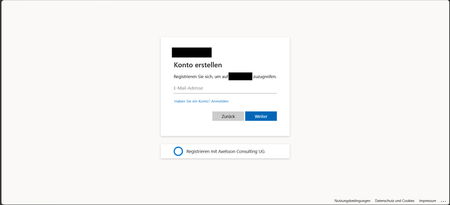
Hi, In a recent workload, I'm assisting a client to implement Entra External ID for streamlined authorization as well as single sign-on for associated registered external facing third-party applications for external customer users through their Entra External ID identity, as well as assisting the client with auth branding and other UI customizations, and preparing Entra ID federation custom OIDC providers and configuration for enabling SSO with organizational internal and remote work- and school accounts etc. The sign-up / create account experience is of importance to the client, as a rather substantial amount of users are expected to sign-up via self-service sign-up following having received an invite via another app. To ensure that the user lands on the create account view, in order to minimize the number of steps and actions the users need to take to get there, the prompt=create parameter is used to pre-select the sign-up/register experience in the user flows UI. Having stress-tested the user flows and experience recently, we noticed that in a specific scenario, some UI elements behave in a manner that could be described as unexpected, and even though a workaround has mitigated it to some extent, the behaviour of some elements could probably be improved a bit to ensure an even more consistent user experience in the built-in user flows. Specifically, if the user flow is invoked with the prompt parameter set, the user lands on the create account screen as expected, however, unless custom CSS modification is applied, the Back button that would typically be there, as if having arrived there from the initial sign-in screen where it’s also displayed. If pressing the Back button displayed on the Create account view when having navigated there with the prompt=create set in the /authorize request, pressing the button seemingly doesn’t have any impact or result in any action, one can click it, but nothing happens. I'd suspect it's perhaps a "remnant" from if the flow is invoked without any prompt parameter set, or with prompt=login set, but when prompt=create is set, there is no state/page history in the UI to navigate back to, as no previous page has been displayed or rendered yet and added to the history, and the Back button click thus doesn’t have any effect. In general, I think buttons that don't have any tangible action should not be displayed, also, if prompt=login is set, the Back button isn't shown then either on the very initial user flow view shown then, so it would seem the built-in user flows actually already follow such approach in fact, but not when the prompt=create has been set, thus causing some inconsistency in the UI that users could notice unless custom CSS styling is applied. The expected behaviour for our business case would be that if prompt=create is set, then, similar to the prompt=login, no Back button should be displayed, or, if shown, it should result in some navigation (perhaps something like javascript.go(-1), but that could/would be dependent on from where the user arrived, e.g., going back a step in the browser history won't work if the user clicked a link from an invite email ) and preferably not be non-actionable. Furthermore, on the topic of the Back button and its behaviour when the prompt=create parameter is set, there is another case at which we observed some unexpected button behaviour as well, that could probably benefit from some attention. At a specific second scenario, it seems that the Continue button is displayed without providing any action, and when clicking the Back button then, clicking it seemingly resets the "create account", state likely set by the prompt=create initially, and instead switches the flow back to the sign-in state, which can at least affect the display text of some subsequent buttons shown in later steps in the UI. The user arrives at a built-in Entra External ID user flow /authorize endpoint, with the prompt=create query parameter set The user triggers the OTP challenge by entering an email address to verify the email address The user receives the OTP code but enters it incorrectly, i.e., doesn't copy the full code length of eight digits, and instead enters/pastes six of the eight code digits. The UI then shows an error message that the code could not be used/validated, and the email address field is displayed again with the email address that was used for the verification attempt prefilled. If the user clicks the Continue button at this stage, nothing happens. If the user clicks the Back button instead (given that it’s not hidden), it shows the same view one more time, with the Back and Continue buttons at the bottom. However, if the user clicks the Continue button this time, it works and a new code is sent. On the next screen, where the newly sent code can be entered, instead of a button named "Continue", it will now instead show a button with the text "Sign-in" (it would seem like the create account state has gotten lost somewhere along the way at this point, perhaps when the back button in the step 5 above was pressed). If one omits the prompt=create parameter, or when using prompt=login, things seem to work fine, the above occurs when the prompt=create is set. The reason why is the prompt=create is used is due to a business requirement to try to minimize the steps, especially in conjunction with the registration/sign-up, as far a possible when signing up. We have opted for the built-in user flows, not the self-hosted native authentication UI pages, for this project, and then as I understand it, it is the prompt=create parameter that can/should be used to enable the user to land directly on the registration page without having to navigate there manually via the sign-up link, that is otherwise shown on the initial sign-in page. It would thus be great if the prompt=create parameter could have some attention (or perhaps if a dedicated sign-up user flow type could be added potentially, even though that would perhaps warrant some update to the user flow app linking as well, as my understanding is that one user flow can be linked to one app registration at a time currently) to avoid that some buttons become unresponsive when the parameter is used, or falls back to sign-in, to improve the built-in user flows further, as the prompt=create fulfils the business requirement well otherwise. If there would be any further/follow-up questions on the above, e.g., to clarify the requirement, or further explain the reproduction steps and behaviour observed, or anything else, please tell, and I'll ensure to get back as soon as possible. Also, would someone have some input on potential other/additional ways to pre-select the create account/sign-up experience, that would naturally be much appreciated as well, thanks! Regards Kristoffer55Views0likes0Comments
Verifying domain name issue
We're trying to verify our custom domain in Entra ID, but it turns out the domain is already claimed on another tenant that we have no access to (unknown account, no admin credentials). Because of that, verification on our own tenant fails. Normally the fix for a claimed-domain conflict is to open a support request so Microsoft can help release it. The problem: doing that requires a support plan, and purchasing one doesn't work for us. "payment" always succeeds and we dont get an error, but we don't get charged and the account status doesn't change, we have nothing more to go on. So we're stuck in a loop: we need support to release the domain, but we can't buy the support plan needed to reach support. Has anyone dealt with a domain claimed on an inaccessible tenant? And is there another route to Microsoft support when the support plan purchase itself fails?70Views0likes1CommentBest practices: Open OneDrive/SharePoint sharing but restrict Teams guest access by domain
Hi all, Since SharePoint Online and OneDrive moved fully to Microsoft Entra B2B for external sharing, we've run into a policy conflict and would like to hear how others are handling it. Our requirements Enable OneDrive and SharePoint file sharing with external users, regardless of their email domain. Restrict Microsoft Teams guest access to a predefined list of approved partner domains. Continue allowing Teams external access (federated chat and meetings) for all domains. The problem: Teams guests, SharePoint guests, and OneDrive guests are now governed by the same Microsoft Entra B2B invitation framework and the single Collaboration restrictions allow/deny list under: External Identities → External collaboration settings As a result, restricting guest invitations by domain also restricts OneDrive and SharePoint sharing for domains not on the allowlist. According to Microsoft's response in the following Q&A, this behavior is currently by design: https://learn.microsoft.com/en-us/answers/questions/5954975/onedrive-external-sharing-no-longer-working-with-a Questions to the community Has anyone implemented a solution where OneDrive/SharePoint sharing remains open to all domains while Teams guest access is restricted to approved domains only? Are there recommended approaches using Entitlement Management, Access Packages, Connected Organizations, or other Entra capabilities? Is there any roadmap item for workload-specific collaboration restrictions (e.g., separate policies for Teams guest invitations and SharePoint/OneDrive sharing)? Any real-world experience or best practices would be greatly appreciated. Thanks, Bejhan152Views0likes6CommentsIs system-preferred first factor overriding Single Sign-On?
My colleagues and I have noticed that we've started being prompted to perform a Windows Hello for Business authentication when we use Edge to access web resources that are authenticated with Entra. Previously, this authentication occurred silently through Single Sign-On with the PRT, per Understanding Primary Refresh Token (PRT) in Microsoft Entra ID - Microsoft Entra ID | Microsoft Learn. While investigating what might have caused this change in behavior, I found MC1411574 in the M365 Message Center, which talks about a change to system-preferred authentication that started rolling out in late June 2026, whereby it now applies to the first factor as well as multi-factor authentication. I excluded myself from system-preferred authentication and sure enough, that seems to have restored the previous behavior. Is it intended that this change to system-preferred authentication will disable SSO, or do we have something misconfigured?Solved91Views0likes3CommentsLooking for an on-prem MFA solution for Active Directory and RDP
Hi everyone, We're reviewing options for adding MFA to our on-premises Active Directory environment. Most of our users authenticate with Active Directory, while administrators also use RDP for managing Windows servers. Because part of our infrastructure is isolated from the Internet, we'd prefer an on-premises MFA solution instead of relying on a cloud-only service. Has anyone implemented something similar recently? I'm interested in hearing: Which solution did you choose? How difficult was the deployment? Did you run into any compatibility or performance issues? Is there anything you'd do differently if you were deploying it again? Any real-world experience or recommendations would be greatly appreciated. Thanks!143Views1like6CommentsCan the built-in "No account? Create one" link redirect to a custom sign-up page?
I'm using Microsoft Entra External ID with a built-in sign-in/sign-up user flow. On the Microsoft-hosted sign-in page, the "No account? Create one" link always redirects users to the default Entra sign-up page. I already have a custom registration page and would like this built-in link to redirect to my custom URL instead. Is there any supported way to customize the destination of this link in a built-in user flow? If not, could someone confirm whether this behavior is fixed by design? Thanks!60Views0likes2Comments
Using Cloud sync to sync AD to existing Entra Accounts
I want to sync in premise AD accounts with existing Entra accounts. The email on both accounts is the same, and I added the Entra/o365 suffix to the domain and set the UPN to that suffix, making both UPN(s) the same. It did not sync. It created a NEW Entra account. I thought I covered all my bases. How can I get on premise AD and existing Entra accounts to sync? thank youSolved105Views0likes5Comments
Group-Based Licensing (E3 → Business Premium): MutuallyExclusiveViolation – Months Unresolved
We operate a Microsoft 365 environment with Entra ID, Intune, and Exchange Online. For months, we have been dealing with a critical issue that remains unresolved to this day — despite an active Microsoft Support ticket. The Technical Problem: During the migration of approximately 87 user accounts from Microsoft 365 E3 to Business Premium (SPB) via group-based licensing in Entra ID, all affected accounts receive a MutuallyExclusiveViolation error. Microsoft's backend treats E3 and Business Premium as mutually exclusive, blocking the SPB assignment — despite sufficient licenses being available. A sequential approach (removing E3 first, then assigning Business Premium) is not an acceptable solution: a test run proved that this causes a complete loss of Exchange Online access. For a rollout across 87 productive user accounts, this is not viable. What is required is a seamless, atomic license swap at the backend level — exclusively via group-based licensing. The Support Problem: Two support engineers assigned — zero technical progress. Instead of a substantive solution, we received standard documentation steps that do not address the actual problem. A false resolution notice was issued — the issue had demonstrably not been resolved. Our own PowerShell tests (Get-MgUser, Get-MgSubscribedSku) and CSV exports from the Entra ID portal disproved this conclusively. Committed updates from the Engineering Team were not delivered. Instead, automatically generated follow-up emails were sent with no substantive relation to the ongoing case. An additional unexplained behavior: a test user appears in the error report of a license group they were never added to — a further backend inconsistency that has not been investigated. Current Status: The ticket has been open for months. 87 user accounts cannot be migrated to Business Premium. An escalation to the Team Manager has been initiated. No resolution is in sight. My Question to the Community: Has anyone experienced a similar issue with MutuallyExclusiveViolation in group-based licensing (E3 → Business Premium)? Is there a known workaround or an official Microsoft statement on this? Ticket Reference: #260424141000066994Views0likes3Comments
Made a self-hosted Entra ID governance portal for app/identity sprawl (open source)
Our tenant ended up with hundreds of app registrations and enterprise apps, and the native portal makes you dig through a separate blade for every basic question. Who owns this app? Which secrets die next month? What hasn't been signed into in a year? Which ones have scary Graph permissions? There's no single view for any of it, and half the ownership info was missing anyway. Entra ID Governance, access reviews, PIM all exist, but they felt heavy (and licensed) for what I actually wanted, which was just a fast list I could scan for routine cleanup. So I built one. Lightweight portal that runs entirely in your own subscription: One grid for App Registrations, Enterprise Apps, Managed Identities and Privileged Users Risk flags per identity: expiring/expired creds, high-risk permissions, no owner, stale sign-in, no CA coverage Ownership tracking, review and owner-change workflow, CSV export Tenant health score and a consent posture dashboard Optional expiry email notifications (needs a SendGrid key) Reads Graph through a managed identity, so no app secrets for data access and nothing leaves your tenant Runs about $26-30/month (one B2 App Service plan). B1 is also supported, but it's noticeably slower. It's not a replacement for Entra ID Governance or PIM, more of a cheap everyday hygiene thing. Full disclosure, I used AI building this and writing this up. I designed the architecture and functionality, tested it and ran it against my own tenant. It's open source and deployable with Azure DevOps or an Azure CLI script. Data never leaves your own tenant. Repo (screenshots + setup): https://github.com/nicolaibaralmueller/entra-identity-governance-portal Would love feedback, especially what you'd want it to flag that it doesn't, or where the risk scoring feels off. Been building it on and off for a few months with a lot of iteration. Hopefully this could be useful for others as well.117Views0likes2CommentsBest approach to detect multiple user accounts signing in from the same physical device
Hi Everyone, Working on environment: D365 Finance & Operations (cloud). Goal: I need to detect when more than one Dynamics user account is being used from the same physical device, and ideally count how many distinct users are active on that device. The business reason is this is not permissible to login with more than one account in the same device. For example: User X has device D1, User Y has device D2. User X logged in with his account using Device D2 (which is user's Y device). I want to know if this happened, cause it's not permissible behavior in the organization. For more illustration some users have blank devices id when I see Microsoft Entra. Or if I could find out when a user logs in and integrate it with D365 F&O to store the device the user logged into in a custom log table or anything that tells me that this user account is opened on more than one device or this device has more than one logged-in user account. .96Views0likes1CommentRegistering user becomes local admin on Joined Devices
This setting works exactly as named, but the confusion is understandable because the privilege is invisible in the places people normally look. Per Microsoft's official docs (assign-local-admin): at the moment of Microsoft Entra join, two principals get added to the local administrators group — the Microsoft Entra Joined Device Local Administrator role and the user performing the join. This happens only during the join operation itself. It's not a directory role assignment, so it won't show up in role assignments, audit logs, or under "Device Administrators" — that's by design. Critically: users aren't directly listed in the local admin group; the privilege is delivered through the Primary Refresh Token (PRT) at sign-in. So: To validate on the device itself, sign in as the user and run whoami /groups — you should see the device-local Administrators SID. If you just changed the setting and want to force re-evaluation, run dsregcmd /refreshprt, then sign out and back in (lock/unlock won't trigger it — you need a fresh PRT, which can take up to ~4 hours to propagate otherwise). This setting only applies to joined devices, not registered (workplace-joined) ones — so your distinction there is correct. The "Manage Additional local administrators on all Microsoft Entra joined devices" link is a separate, tenant-wide mechanism (the same Device Administrator role) — it can't be scoped to specific devices, which is also worth knowing if you're trying to limit blast radius. If you want to stop this going forward for new joins without ripping out existing admins, set "Registering user is added as local administrator" to None, and consider a Windows Autopilot profile or Intune Local Users and Groups policy to manage membership going forward — existing devices won't be retroactively changed.142Views0likes1CommentPHS staged rollout works for existing users but not new synced users
We are troubleshooting an Entra ID PHS staged rollout issue with a federated domain using a third-party WS-Fed IdP. The intended behavior is that normal federated users redirect to the IdP, while users in the PHS staged rollout group receive the Microsoft/Entra password prompt instead. Existing users in the staged rollout group continue to work correctly. They enter their UPN and receive the Microsoft password prompt. One known-good test user is not provisioned in the third-party IdP and still signs in successfully through the Entra password prompt, so the working path does not require the user to exist in the IdP. The issue is only with newly created AD-synced users. Newly synced users in the same staged rollout group are still being routed to the federated IdP at HRD instead of receiving the Entra password prompt. We’ve verified the staged rollout policy and group membership from Graph, confirmed the affected users are properly AD-synced with clean immutableID/sourceAnchor, and confirmed PHS is working. Federation metadata and HRD policies also look clean. Seamless SSO/AZUREADSSOACC was checked and remediated, but the behavior did not change. For failed attempts, there is no Entra sign-in log entry, including tenant-wide interactive and non-interactive logs. However, the federated IdP logs show a WS-Fed inbound request from login.microsoftonline.com for the affected user. That makes it look like Entra HRD is routing the user to federation before sign-in logging or token issuance. The issue started around an Entra Connect AD connector/DC-path change. We have since reverted the connector to the previous known-good configuration. After reverting, we created a clean-room test user with the correct UPN set before first sync, confirmed sync/PHS/sourceAnchor, added the user directly to the staged rollout group, and waited 60+ minutes. The clean-room user still redirected to the federated IdP instead of getting the Entra password prompt. So the current behavior is that established staged-rollout users still get the Entra password prompt, but newly created synced staged-rollout users are sent to the federated IdP by HRD. Has anyone seen staged rollout get into this state, where existing users work but new synced users remain on the federated HRD path despite valid rollout policy, group membership, synced password hash, and clean immutableID/sourceAnchor? Is there any known backend cache/state reset or escalation path for HRD/staged rollout routing?422Views1like5Commentsmysignins.microsoft.com failing to save passkeys
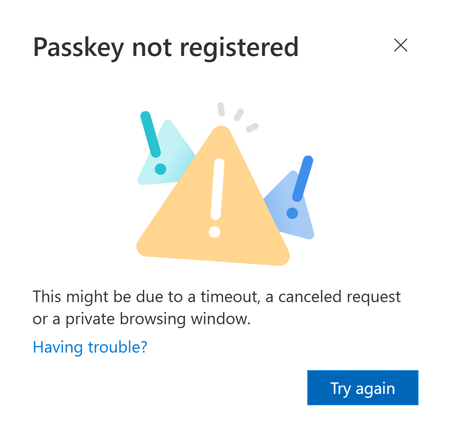
Morning. Trying to add passkeys to accounts via mysignins.microsoft.com, it almost universally fails. The failing step is when I go to name it - it just never completes. Same result using BitWarden, Yubikeys, etc. Doing this in Edge, because in Firefox - my existing security methods don't even show up. If I check the audit logs, it will give me two entries - one stating that I failed to register security info, and another about a group management query. NO idea what this is, the only identifier within the logs is my own object ID. Possibly it's related to the group I have assigned to the Passkeys Authentication Methods policy. (which doesn't have any restrictions, but does enforce attestation) CoPilot suggested it may be that the token is expiring, or something with my Edge profile - and to try in private browsing. No change. Doing a review of our conditional access policies to see if Registering Security info is locked down - it WAS locked down to only my region (Canada). This has since been made Report-Only, just in case. Looking at the audit log entry for the failure, there's a correlation ID 9c269291-737f-4c17-b178-b1040834fb3f and performedBy {"AppId":"19db86c3-b2b9-44cc-b339-36da233a3be2","AgentType":0,"BlueprintId":null}. If I try to filter non-int sign-ins based on that Correlation ID, I get nothing. If I use AppId as the RESOURCEId, I get a FAILURE entry with the following error - yet no conditional access policies are applied. The authentication details shows this, which is weird - per=user MFA shouldn't be applied. We don't use this. But there are sign-ins at the exact same moment to the same resource, WITH MFA successful. I can register other methods wiithout issue. I tried creating an explicit CA policy GRANTING access to register sec info, with a TAP. That is the above sign-in. TAP worked.. just NOT for passkey registration. Other weird behaviours: 1. This portal times out so quick. Like... constantly. I have not configured anything to do this, as far as I know. 2. Opening the same portal in Firefox returns no MFA methods. None. No error, of course - it's just blank.328Views1like2CommentsTAP requires step-up MFA when user already has a passkey registered — expected behavior?
Environment Microsoft 365 Business Premium (Entra ID P1) Cloud-only tenant Authentication methods enabled: FIDO2/Passkey only + TAP All other methods disabled (no Authenticator push, no TOTP, no SMS) CA Policy configuration CA001 — Protect Security Info Registration Target: User action — Register security information Grant: Custom authentication strength "Bootstrap and Recovery" (TAP one-time + TAP multi-use + Passkey/FIDO2 + WHfB/Platform credential) Status: On CA002 — Require Phishing-Resistant Authentication Target: All cloud apps (excluding Azure Credential Configuration Endpoint and tested also excluding Microsoft App Access Panel) Grant: Built-in Phishing-resistant MFA Status: On What was tested Scenario 1 — User with no registered methods (only with Platform credential): Admin issues TAP (multi-use, 4 hours) User navigates to aka.ms/mysecurityinfo User authenticates with TAP Result: Access granted — user can register passkey without any step-up, even in a flow authenticating directly to a resource (such as Microsoft Teams in browser) Scenario 2 — User with an existing portable passkey already registered (in MS Authenticator): Admin issues TAP (multi-use, 4 hours) User navigates to aka.ms/mysecurityinfo User authenticates with TAP Result: Entra requests a second factor — specifically the existing passkey — before allowing access to My Security Info. Seems the system enforces CA002 or a platform-level step-up requirement. The TAP is accepted as a first factor, but the platform then requires the existing passkey as a second factor before proceeding. Sign-in log analysis: The behavior does not appear in the Conditional Access tab of the sign-in logs as a CA policy failure — it appears to be enforced at the platform level, not by any configured CA policy. Questions Is it by design that when a user already has a registered MFA-capable method (passkey), the platform enforces step-up authentication before allowing access to My Security Info — even when the user authenticates with a valid TAP? If so, does the correct recovery procedure require the admin to first remove all existing authentication methods before issuing a TAP — so the user has no registered methods and the TAP is accepted without step-up? Is there any way to allow TAP to bypass this step-up requirement for recovery scenarios, without removing existing methods first? Any pointers to official documentation or confirmed behavior would be appreciated.138Views1like4Comments
Entra ID Governance vs Saviynt for SAP IGA Use Cases
Hi everyone, We are currently evaluating Microsoft Entra ID Governance as a potential replacement for Saviynt for SAP-focused IGA requirements across a mixed SAP landscape, including: SAP SuccessFactors SAP Concur SAP S/4HANA Private Cloud Other SAP SaaS and enterprise applications I wanted to get insights from anyone who has implemented or worked extensively with Entra Governance in SAP-centric environments, specifically around the following areas: 1. Birthright RBAC Provisioning Can Entra Governance provision a single composite/business role (similar to Saviynt Enterprise Roles) through HR-driven JML events? For example: HR event triggers provisioning User automatically receives bundled SAP access/business roles Role assignment follows birthright/access package logic How mature/scalable is this approach in Entra compared to Saviynt? 2. SoD (Segregation of Duties) Capabilities Saviynt supports preventative SoD checks directly during request submission, including SAP-specific SoD analysis. Questions: Does Entra Governance support preventative SoD evaluation at request time? Can conflicts be surfaced before approval/provisioning? Is there native SAP SoD support or dependency on external tooling (for example SAP GRC/IAG)? Additionally, Saviynt supports granular SAP authorization object analysis down to field-level min/max values within SAP Private Cloud environments. Does Entra provide similar depth for SAP authorization analysis? 3. SAP Integrations / Connectors While Entra provides OOTB Enterprise Applications and provisioning connectors for SAP applications: What differences or limitations have you observed compared to Saviynt’s SAP connectors? How well does Entra handle SAP role imports, entitlement hierarchy, and provisioning workflows? Any known gaps for SAP Private Cloud integrations? Would appreciate any implementation experiences, architecture guidance, lessons learned, or recommendations from teams who have evaluated or deployed Entra Governance in SAP-heavy environments. Thanks in advance.331Views1like5Comments



Events
Recent Blogs
- Five signs your organization has outgrown Active Directory, and four practical steps to reduce dependency and modernize identity.Aug 13, 20269.8KViews2likes1Comment
- Discover the latest Microsoft Entra Internet Access and Private Access innovations to secure AI interactions, local agents, web traffic, and private applications.Aug 12, 20263.4KViews1like0Comments