webdav
6 Topics
Microsoft Word ignores WebDAV LOCK timeout value since version 2509 (2024)
We're experiencing an issue where Microsoft Word (version 2509+) is ignoring the server-specified timeout value in WebDAV LOCK responses. EXPECTED BEHAVIOR (per RFC 4918): Our WebDAV server returns a LOCK response with a 5-minute timeout. Word should send LOCK refresh requests before this timeout expires to maintain the lock. ACTUAL BEHAVIOR (Word 2509+): Word is using its own internal timing (approximately 43 minutes) regardless of the server-specified timeout. Sessions expire on the server after 5 minutes without refresh, causing data loss and "session expired" errors for users. EVIDENCE: - Server LOCK response includes: Second-300 (5 minutes) - Server logs show no LOCK refresh requests from Word until approximately 43 minutes after initial lock - Previous Word versions (pre-2509) correctly respected the server timeout - Issue affects multiple customers who upgraded to Word 2509+ IMPACT: Users lose work when editing documents in Word via WebDAV because sessions expire without Word refreshing the lock. QUESTIONS: 1. Is this an intentional change in Word's WebDAV client behavior? 2. If so, where is this documented? 3. Is there a registry setting or policy to restore the previous behavior? REPRO STEPS: 1. Set up a WebDAV server that returns Second-300 in LOCK responses 2. Open a document in Word 2509+ via WebDAV 3. Monitor server logs for LOCK refresh requests 4. Observe that Word does not send LOCK refresh until approximately 43 minutes (far exceeding the 300s timeout) Thank you for any guidance.46Views0likes0Comments
WebDAV authentication issues (DAVx5) - HTTP 401
Hello Techcommunity, I'm trying to mount my OneDrive-storage via WebDAV in the DAVx5 Android App. I've followed the description given by https://winscp.net/eng/docs/guide_microsoft_onedrive to get the necessary WebDAV URL, User ID and app password. The login window in DAVx5 has the following fields: Display Name (arbitrary) WebDAV URL User Name Password I've entered the information/credentials in the following format: OneDrive https://d.docs.live.net/USERIDABCDEFGHIJ [email address] apppassword Of course I used the actual ID, username/email and app password, that I checked multiple times and am certain are accurate. When I try to Add Mount, DavX5 displays the error HTTP 401, which apparently points to an authentication issue. Please let me know if there is a mistake in the way I enter my credentials. If there is nothing wrong with the information, perhaps it is a problem with the app, and I'll have to open an issue on GitHub. Thank you for your help! J.B.1.9KViews1like2Comments
Connect to Sharepoint Online usin CMD/'net use'/'Add a network location' (without Internet explorer)
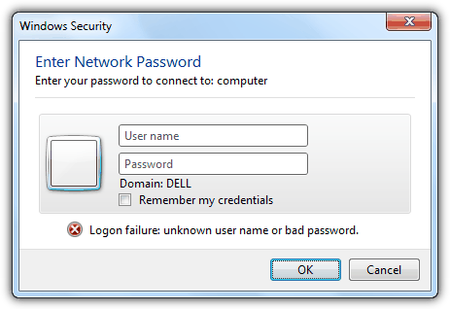
Hi, I would like to be able to add Sharepoint Online (SPO) locations to my computer and users's computers by simply using the 'net use' command in command prompt or 'Add a network location' in Windows Explorer without having to go on Internet Explorer (IE). How can this be done? I understand that they'll have to enter their username and password in a 'Windows Security' prompt, like below: Thanks, Notes: Cannot use IE as: https://www.microsoft.com/en-gb/windowsforbusiness/end-of-ie-support and has issues with crashing. Need to add multiple network locations in different SPO tenants. Want to use CMD/'net use'/'Add a network location' as: it is easier for the users Can give them a batch file (.bat) or ask them to follow GUI prompts in Windows explorer.31KViews0likes5Comments
How to trigger in Office Read-only yellow ribbon message?
Hi, Is there a way how i can show/trigger in Office (Word, Excel) a yellow ribbon message "Read-only This document was opened in read-only mode..."? I have my custom WebDAV server where i serve my files (Word, Excel files) Already tried: - To return 403 Forbidden on LOCK. (didnt worked) - Removed MS-Author-Via Header (Didnt worked) Also is there a way how i can show that Session is expired?1.9KViews0likes2Comments
SharePoint Online and WebDAV issue
Wondering if anyone has experienced issues with WebDAV connections to SharePoint in the past few weeks. User intermittently get these messages "A device attached to the system is not functioning" or "Can't read from the source file or disk". Thank you2.5KViews0likes1Comment
SharePoint 2019 Document Library IRM Upload Error
Hi, We are currently using SharePoint 2019 on-premise. We are encountering the following error when uploading files on an IRM-enabled document library. "Error=Value=IrmDocLibrarysOnlySupportWebDav, Tag=0x0121d3da" This only happened on modern document library theme, if i shift to classic experience, IRM works properly. Thank you for helping 🙂1.7KViews0likes0Comments