translation
104 TopicsMicrosoft Teams Consecutive Interpretation Explained (NEW Copilot Feature for Multilingual Meetings)
🚀 New in Microsoft Teams: Consecutive Interpretation (powered by Copilot) Microsoft Teams just introduced consecutive interpretation, a new way to run multilingual meetings that feels far more natural than real-time translation. 🎧 Instead of translating while someone is speaking, Teams now: Lets one person speak Translates after they finish Enables real, turn‑by‑turn conversation In my latest video, I explain: • What consecutive interpretation is How it differs from real-time (simultaneous) interpretation When to use one vs the other Why this matters for international teams 👉 Watch the video here: https://youtu.be/u-fH_00nFuU #MicrosoftTeams #Microsoft365 #Copilot #AIatWork #MultilingualMeetings #FutureOfWork318Views0likes0Comments
Multi-Language Closed Captions in Webinars?
Hi community! Here is an interesting one. We are planning to use Microsoft Teams' webinar functionality for our upcoming events. Are translated captions a thing? Can we hold a webinar in English and have Teams generate closed captions in Spanish, for example? The latest interpreter features really have my hopes up for this one59Views1like0Comments
Enable mic option in custom teams app
I have a copilot studio agent created using copilot studio. I want to upload this app and use in teams. How ever i need the mic button feature which is by default available in microsoft teams copilot app. So when user clicks this mic button the audio user speaks is automatically converted to text in message box. Is this possible to have a similar feature in custom app pointing to a copilot studio agent?130Views0likes0Comments
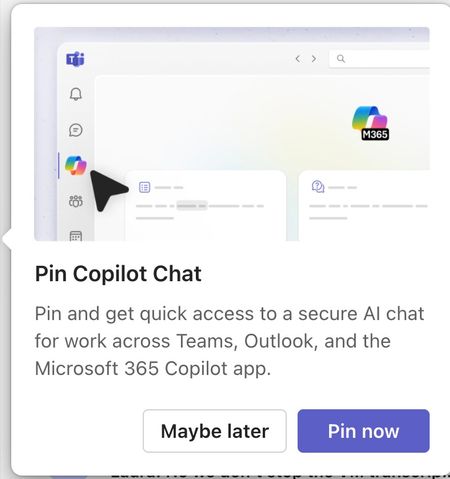
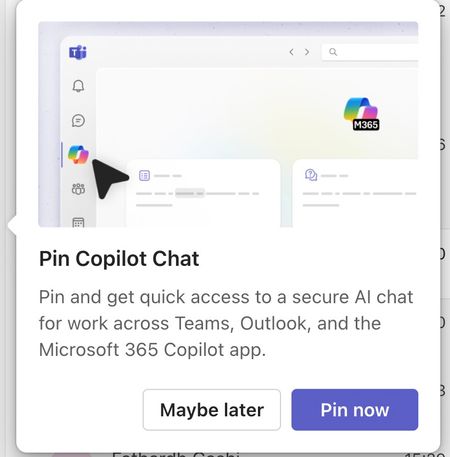
Please tell me how to disable the Pin Copilot message
Morning! I wrote a message yesterday but nobody replied, so here's another one so it doesn't get lost Can somebody tell me how to disable the annoying "Pin Copilot Chat" popup? every morning I have to say "Maybe Later" when I really mean to say NEVER IN A THOUSAND YEARS285Views0likes1CommentMicrosoft Teams Just Got Smarter: Real-Time Bidirectional Translation!
🗣️ Microsoft Teams Just Got a Major Upgrade! Microsoft has officially introduced bidirectional translation support for language interpretation in Teams meetings — and it's a game-changer for international communication. In this video, I’ll show you: ✅ What bidirectional translation is ✅ How the new interpretation flow works in Teams ✅ Why this matters for multilingual teams, schools, and events 💡 Whether you're a meeting host, interpreter, or attendee — this new feature could simplify your multilingual meetings more than ever before. 👇 Have you tried this feature yet? Let me know in the comments! 🔔 Don’t forget to LIKE, SUBSCRIBE, and hit the bell icon so you don’t miss the next update! #Productivity #MicrosoftTeams #LanguageInterpretation #TeamsUpdate #BidirectionalTranslation #Microsoft365386Views0likes0Comments
MTRoW devices set in Catalan language show some screens in Arabic
On Microsoft Teams Rooms on Windows devices setup in Catalan language, all setup, and settings screens are showing up in Arabic, while user-facing screens are showing up in Catalan, as they should. I have tried relaunching the Powershell commands to set MTR's language according to Windows' language as described here: https://support.lenovo.com/us/en/solutions/ht513022-how-to-change-the-language-displayed-in-microsoft-teams-rooms-mtr , but nothing changes. I have seen this problem in several machines in several organizations, mostly Lenovo's ThinkSmart Cores, but I have also seen it with Yealink's MCores. Has anyone encountered anything like this? It seems like a bug in the MTR app's translation. How can I report it?87Views0likes1Comment
Need help- Replacing Teams audio with realtime translated audio
About Us: Our AI-powered technology provides real-time speech-speech translation (Simultaneous Interpretation) across 47 languages. We need help in achieving the following: User Language Selection – Each participant should be able to choose their preferred language for both speaking and listening in real time. (We assume this can be achieved using your SDKs and integrated into Teams through the Marketplace app – please confirm). Audio Stream Access – We need to access each participant’s audio stream and send their selected “From” and “To” language parameters to our API. Audio Replacement – Instead of the default Teams audio, we require programmatic access to the default audio OUTPUT to replace it with our AI-translated audio stream. This ensures a seamless experience for each participant. Interpretation functionality (currently designed for human interpreters) is already present in Teams currently. I came across the following API on the community portal, which appears to describe how to access independent audio streams: https://answers.microsoft.com/en-us/msteams/forum/all/connecting-to-a-teams-meeting-via-sdk-and-read-raw/dcccb7c1-9cb8-41c2-a342-c9da0a06daff%22answers.microsoft.com%22. Is this available and will it fit the first part of our requirement mentioned above? Additionally, we need a method to play back the translated audio for each participant individually. Since multilingual Teams calls may involve 20–30 spoken languages, a combined audio stream/output won’t work. We require independent input and output audio streams to be processed separately within the call for each participant. We do not want to use bots or embed Teams within an application wrapper. Since similar functionality already exists for human interpreters, we are looking to enable the same for AI-powered translation. Need help with this at the earliest. Thanks so much! Arun130Views0likes0Comments