todo
33 Topics
error when sharing list
Hi all, MS support was not helpful, so hope you can support me in how to fix. My wife and I we are using private @outlook.com accounts. We are heavy users of todo and we have some shared lists between our accounts. So far all good, all fine. Now if i create a new list, no matter if in browser, ios app, .... i have to switch to another list and to switch back to see the share button. If i click it, there is the error that a problem has occured and link can't get created. Please try again. If i do so, it works and a link is created. If my wife then tries to open such link, she gets the question if she wants to access list XYZ like it should be and it always was. If she does it, there is an error "the list was not found, please contact the person who shared with you. We have the exact behaviour if she tries to share with me. The exisitng, already shared lists, are running well. Any idea or thoughts, how to overcome this issue? Greetings, DennisSolved943Views9likes22Comments
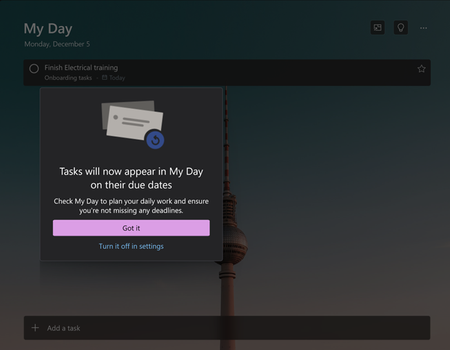
Announcing: To Do is now rolling out to Outlook for Windows
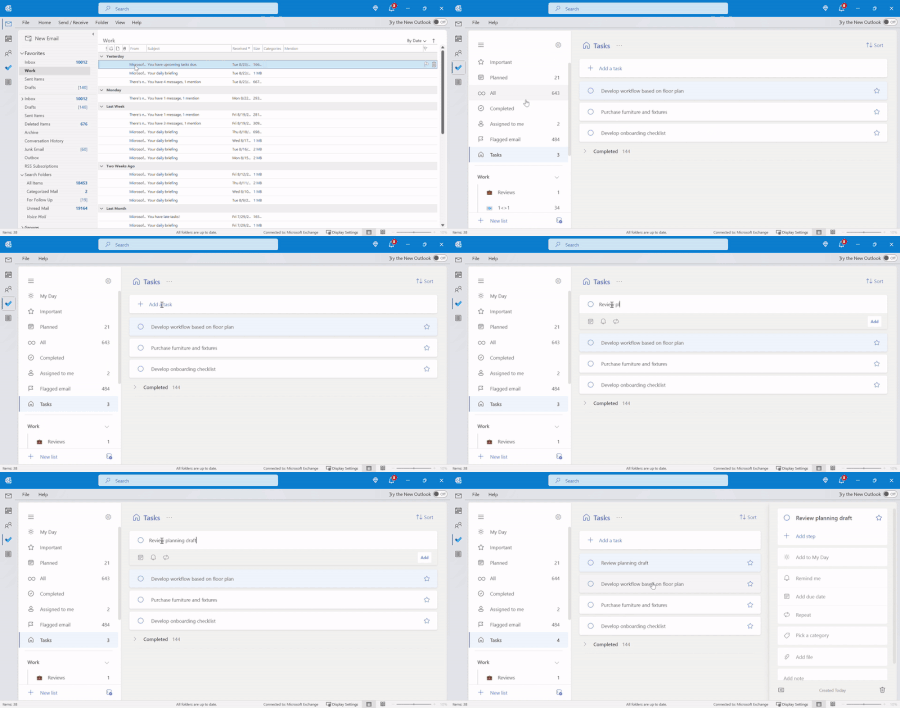
We’re excited to announce that To Do is rolling out to Outlook for Windows for the Current Channel users (starting with Current Channel version 2207). With this release, you can use the To Do app right from Outlook for Windows to plan your work and commitments effectively and stay focused on the tasks at hand.42KViews5likes30Comments
My Tasks in Planner - Assigned to Me. Not Showing in Outlook ToDo Sidebar
Within the new Outlook, I leverage the functionality to drag a task from the ToDo sidebar and place it in my Calendar as a way to block time for completing that task. However, not all tasks show up in the Outlook ToDo sidebar. The category "Assigned to Me" does not show up meaning any task that was assigned to me in a plan I cannot place in my calendar. Struggling to find a uniform way to manage my tasks when there isn't complete visibility and uniformity in Microsoft's tools. And when will there be an updated mobile solution to Planner? The current outdated (and not supported) app does not include any premium plans, just basic.401Views3likes3Comments[Feature Request] Let us make hourly reminders or for every few minutes
I want to be able to make hourly reminders or for every few minutes, like 20 minutes. this is really important for me, but the minimum time i can set for repeating tasks is 1 day. please upvote this suggestion on UserVoice too: https://todo.uservoice.com/forums/597175-feature-suggestions/suggestions/42699266-let-us-make-hourly-reminders-or-for-every-few-minu3.5KViews3likes2Comments
Microsoft To Do login issue and missing tasks across platforms
Hello, I'm currently experiencing a serious issue with the Microsoft To Do app on Android. Suddenly, it started prompting me to log in again. After logging in, it goes into an endless loading loop and keeps asking me to log in repeatedly. I tried logging out and back in, but the issue persists. I then checked the PC version of the app, and strangely, none of my To Do lists were visible. When I accessed the web version, it just says “Preparing your lists...” but nothing ever loads. Has anyone else experienced this issue or found a solution? For context, I did recently make some changes to my account’s security settings—wondering if that might be related. Thanks in advance for any help!162Views2likes1Comment
Using ToDo in new Outlook Desktop version
Hello, I would really like to use the MS To Do app in outlook, but I can't seem to find it. I have the app on my desktop. I have it online on outlook.com. (I have a PC, Windows 11) When I look on the navigation bar on the left it is not there. When I click on the square for more apps the only app that shows up is OneNote and Powerpoint. I have repaired MS 365, outlook and the ToDo app. Nothing has worked. Any suggestions would be really helpful. Georgina151Views1like0CommentsTo Do Analytics
I receive support requests from my colleagues via email and chat (Teams). IMO, the best way to centralize all the request is Microsoft To Do, because you can flag email messages u wanna register as a ticket and convert chat message as well. But the thing is that I need some insights too. For this reason I've connected Power BI to the Tasks section of Microsoft Exchange Online. However, the table that I get is missing of some important fields such as: Creation date of the task Outlook category use to label the task Required by (the person I can select in order to remeber you rise the task)1.3KViews1like0CommentsTo Do app and web frozen on Mac
On my work Mac running Catalina, the To Do app fails to launch (bouncing icon in dock) and the web app freezes my browser (Edge Chromium, Safari). The only view that works is the sidebar in Outlook web app. I have uninstalled and reinstalled from the App Store and it doesn’t make a difference. Any other ideas to make the app work?1.6KViews1like1Comment