to do
54 TopicsA new way to check off your to-dos—Tasks in Teams are coming soon!
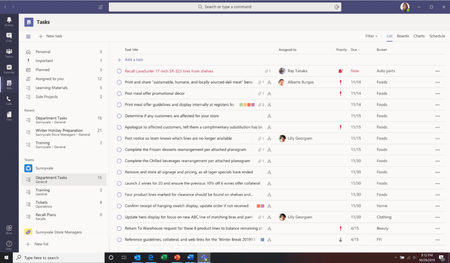
At Microsoft Ignite this year? Then you’ll have already heard the big news about Microsoft To Do and Microsoft Teams. Missed the announcement? We’ve got you covered. Today, we announced that you’ll soon be able to see your tasks from Planner and To Do in Teams. That’s right, one of your most requested integrations is on its way! We’ll now bring in your personal tasks from To Do and your team tasks from Planner into a single, comprehensive view in Teams. This will be coming very soon for Teams Technology Adoption Program (TAP) IT admins and will become generally available for all Microsoft customers at the beginning of 2020.169KViews65likes88Comments
error when sharing list
Hi all, MS support was not helpful, so hope you can support me in how to fix. My wife and I we are using private @outlook.com accounts. We are heavy users of todo and we have some shared lists between our accounts. So far all good, all fine. Now if i create a new list, no matter if in browser, ios app, .... i have to switch to another list and to switch back to see the share button. If i click it, there is the error that a problem has occured and link can't get created. Please try again. If i do so, it works and a link is created. If my wife then tries to open such link, she gets the question if she wants to access list XYZ like it should be and it always was. If she does it, there is an error "the list was not found, please contact the person who shared with you. We have the exact behaviour if she tries to share with me. The exisitng, already shared lists, are running well. Any idea or thoughts, how to overcome this issue? Greetings, DennisSolved1.5KViews9likes22Comments
Announcing: To Do is now rolling out to Outlook for Windows
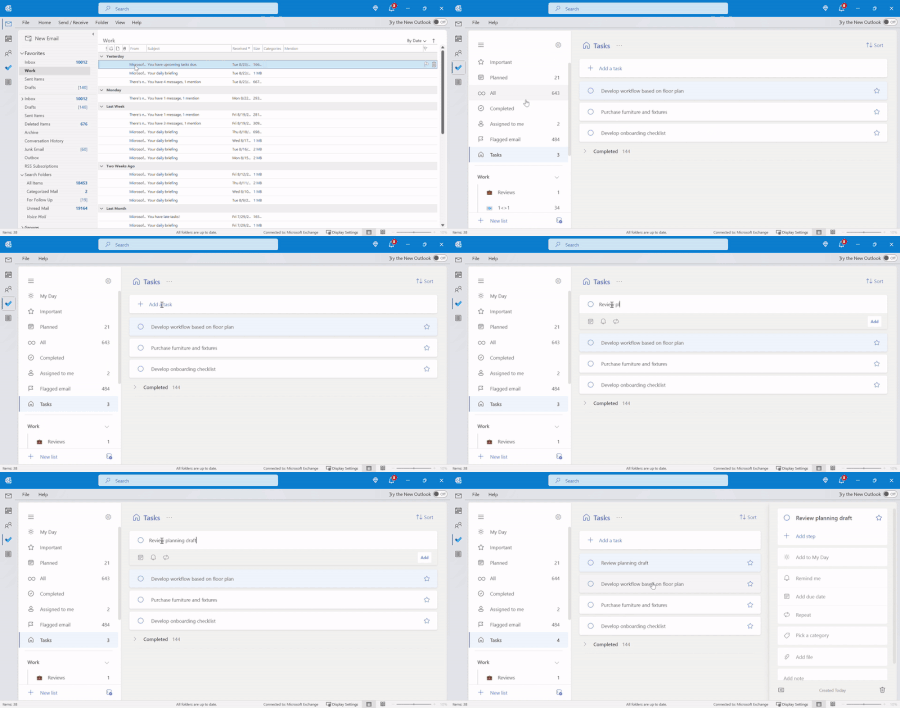
We’re excited to announce that To Do is rolling out to Outlook for Windows for the Current Channel users (starting with Current Channel version 2207). With this release, you can use the To Do app right from Outlook for Windows to plan your work and commitments effectively and stay focused on the tasks at hand.42KViews5likes30Comments
Teilen von Listen Microsoft To Do nicht mehr möglich
Hi everyone, I've been using Microsoft To Do for years and have always been able to share lists with my family. Now, when I send my wife or son an invitation link, they get an error message saying the list isn't available and they can't join. Here's what I've tried so far: I created a new invitation link and confirmed they're signed in with their Microsoft accounts. I tried using the app on their iPad or iPhone, and also on my MacBook. I checked if the list still exists. Despite all this, sharing still doesn't work. Has something changed with To Do sharing? Is there a new requirement or setting I need to enable? The error message attached. Translated: Any help would be greatly appreciated! Thank you in advance. Best regards Martin565Views4likes5CommentsIntroducing the all-new 'My Day' view in 'Tasks by Planner and To Do' App for Microsoft Teams!
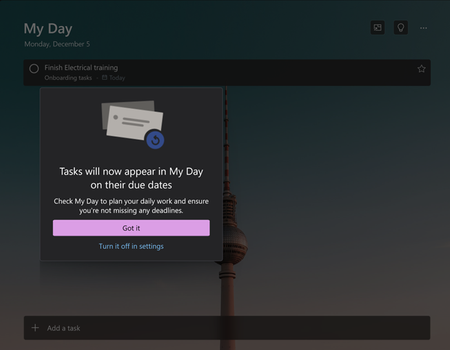
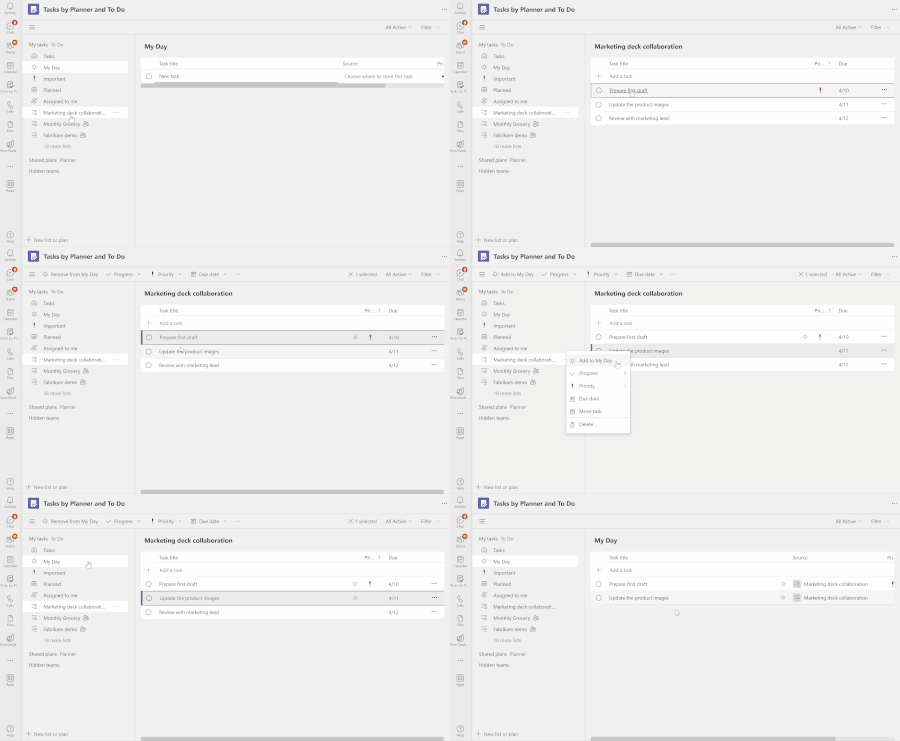
Feeling overwhelmed by tasks from multiple sources and struggling to stay organized? We have great news for you! We are thrilled to introduce the 'My Day' view in the 'Tasks by Planner and To Do' app for Microsoft Teams. This feature aims to help you effectively organize and prioritize your tasks, consolidate your task lists, and declutter your workspace.38KViews4likes37Comments
Planner tasks in To-Do - Folders organisation
Hello! I'm new to using both ToDo and Planner and I'm quite keen to use ToDo to manage all my actions from my own personal projects AND from team projects (based in Planner). When a Planner task is assigned to me, it appears in the "Assigned to you" list. Is there a way to move the tasks from the "Assigned to you" list into one of my own ToDo lists? For example: I have a list in ToDo called "Waiting for" - i.e. any tasks in which I'm waiting for someone else to complete an action before I can progress. In "Assigned to me" I have 16 tasks from 3 different project. Several of those tasks require someone else to do something before I can progress (e.g. I'm waiting for an external company to get back to me with a quote). I'd like to move those tasks to my "Waiting for" folder so that I can review as part of my weekly review. Is there any way to make something work here? Thanks, AK3.6KViews4likes4Comments