sync
967 Topics
Local OneDrive does not seem to be syncing
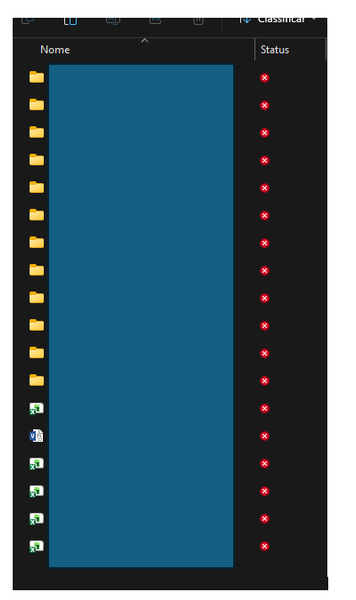
Good morning, We have a user who is having an issue when she launches OneDrive locally, she is asked to login and where to create the folder, but then it will error out. What she sees in OneDrive on the web is not syncing with what she sees in the her current OneDrive folder. There is an existing folder in C:\Users\UserLogin, and it was renamed to old and we did a complete rename to see if it would create a new one, and it did not. Windows stating Sorry, OneDrive can't add your folder right now. Please contact support. We have had someone run through the steps contained in this article: https://support.microsoft.com/en-us/onedrive/reset-onedrive He reports the issue is still occurring. Looking to see if there is anything else we can try. She can access her OneDrive data on the web with no issues. Thank You101Views0likes3CommentsUsing OneDrive as the central hub between computers
Since the beginning of OneDrive, I've used it as the central point where my files are saved and accessed. I have 3 main computers. I've always used it as if it were another drive on my computer. Sometime in Windows 10, OneDrive started demanding to back up my files and a few times it tried only to run out of space. I keep turning that off and refusing it because my files are already on OneDrive. With Windows 11, the problems with the files syncing have started. When I save a file on one computer, it doesn't sync on OneDrive. I really don't know how to fix it or why Microsoft broke it in the first place. I've tried everything. I can't use the files as backups because there is too much lag time downloading them and some of my programs won't work. I just want my files to sync immediately when there's a change on one computer like it used to do.149Views0likes3Comments
How can I enable local deletion
In order to use co-pilot, it is required to store my files in OneDrive. However, when I want to get rid of some files, I am getting a warning message: "Deleting an online-only file permanently removes it from your PC without sending it to the Recycle Bin. Are you sure you want to continue?" When right-clicking on the file, there is no "View this file online/on Sharepoint" button anymore. So Microsoft makes it very difficult to declutter my file explorer - which is the reason I did not use it much in the first place. Is there any workaround to this, i.e. to delete files permanently without having to click through Sharepoint? And to the OneDrive developers: Do you plan on improving this - or at least re-adding the "View online" button? Thank you!146Views0likes2Comments
OneDrive Basics
I'm wondering if someone could help me determine what went wrong. I have a new laptop ("New Laptop") and the goal was to migrate all my files (documents, pictures, etc) from the old laptop ("Old Laptop") to New Laptop. So I created a Microsoft OneDrive account and called it [olduserlaptop]@hotmail.com. I then uploaded everything from Old Laptop onto Onedrive, then logged into New Laptop, signed in under the same account, and downloaded everything. I came as a Zip file onto New Laptop and I extracted it. So far so good, right? Well when I look at the new laptop and the extracted files, the only thing that was there was the folders and directories - NO ACTUAL FILES. Does this make sense to anyone? If so, can someone explain? While I don't Old Laptop immediately available, I can get to it and access the old files but to me I shouldn't have to do this. Thanks in advance for any help.251Views1like2Comments
Help with Onedrive and Samsung Gallery
Hello. I am a Samsung user. I understand that the backup features between Onedrive and the Samsung Gallery are ending. The notice on my device says to download the original files before the connection between Samsung and Microsoft officially ends or they won't remain on my phone, but whenever I try to do this I only get very few items available to download and it says these available items are only items 'not already on your phone'...which I don't understand. I simply want to keep what is *already* on my phone that I have backed up with Onedrive so I don't lose it later, as instructed. I don't understand. I would greatly appreciate it if someone could help me out with this. I would like to keep photos and videos already on my device on my device so when the collaboration is over I'll still have them there. I think backing them up up on One Drive means that if I cut off the sync on the Gallery's end, it'll just remove the images synced to Onedrive already right out of my phone gallery and keep them on Onedrive. I am very confused. Help, please. Thank you! Someone suggested simply removing separating my Microsoft account from my Samsung account but I don't know if that's the answer either.328Views0likes2Comments
OneDrive for macOS - SharePoint synced folders in Finder lose AutoSave functionality
Hi, We're experiencing a recurring issue across multiple customers using OneDrive on macOS and would like to know if anyone else has seen similar behavior. Issue description Users sync SharePoint document libraries to Finder using the OneDrive sync client for macOS. Initially everything works as expected, including AutoSave in Microsoft 365 desktop apps such as: Excel Word PowerPoint However, after a few days, AutoSave stops working for files located in the synced SharePoint folders. Users may receive synchronization-related messages, version conflicts, or notice that changes are no longer saved seamlessly to SharePoint. Troubleshooting already performed We have tested the following multiple times: Reset OneDrive (using resetonedriveapp.command) Clear OneDrive credentials from Keychain Access Unlink OneDrive Remove all locally synced OneDrive/SharePoint content Re-sync SharePoint libraries from scratch Uninstall OneDrive and reinstalling OneDrive (Standalone version) After doing this, the issue is typically resolved temporarily, but it returns again after a few days. Additional observations The issue has been observed across several different customers and environments (some just using security defaults and some with custom configurations). We have not identified any common denominator regarding SharePoint libraries, tenant configuration, or Microsoft 365 apps. OneDrive synchronization generally continues to work, but AutoSave integration with Office applications eventually breaks down. The problem appears specific to macOS. Questions Has anyone else experienced this issue? Is there a known bug affecting OneDrive for macOS and SharePoint-synced libraries? Have you found a permanent solution or root cause? Is Microsoft currently investigating similar reports? Any insights, workarounds, or references to known issues would be greatly appreciated.115Views0likes0Comments
OneDrive from Windows Server 2025 for remote users
I have a client that, when I started working with them, had a small staff that kept regular business hours. I set them up with a Windows Server with Active Directory and File and Print Services as well as secure internet access. Over the years, the staff has gotten smaller, and currently consists of the two partners who split their time between working in the office on workstations on their domain and from remote locations on laptop computers connected via WiFi or their cellular provider to the internet. Previously, I had their workstations using OneDrive to store the contents of the server's shared volumes in the cloud so they could be accessed from their laptops. Unfortunately, this didn't work very well presumably because the workstations in the office had to be on in order to update the contents in OneDrive. I upgraded their server to Windows Server 2025 and created an account for the server to directly use OneDrive to store the contents of its shared volumes, and shared those resources in OneDrive with the partners' laptops. Since the server is always on, I presumed that OneDrive would stay up to date. Unfortunately, the shared volumes in OneDrive are still not up to date with the contents of those volumes on the server. What am I missing? Can someone explain the nuts and bolts to me so I can compare them with what I've already done, so I can fix this lag?367Views0likes3CommentsOneDrive storage bugged
My OneDrive is displaying that I have used 293% of my storage space but when I go to my plan, it says I should have 1Tb of storage. This recently changed so nothing backs up anymore because it thinks I'm over my limit. Does this have anything to with OneDrive not working with Samsung sync after this month or is there something else going on?302Views0likes1Comment