sign-in
74 Topics
"Network Unavailable"
I seem to have a strange issue. Really hard to search for this because the error being stated doesn't match what is going on. When I try to use Skype for business on my work computer it states "Network Unavailable". This is the only computer on the network that has this issue and the problem started after a power outage in the building. The computer has all network functionality except with Skype for Business. Things I've tried with no results: Restarted workstation Tried running the fix on Microsoft office (since Skype for Business is part of the package) Made sure the computer had all Group Policy Restarted the Skype for business server on local network. Made sure firewall settings were set properly and all services running. Not sure what could be causing the Skype for Business to say "Network Unavailable". Any and all help is appreciated.25KViews0likes6Comments
signing in to Skype for business from Polycom RealPresence Trio 8800
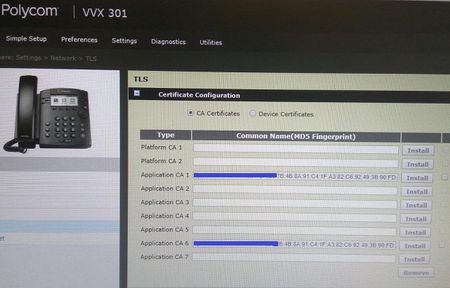
I can sign-in to my O365 account on Polycom RealPresence Trio 8800 from public Internet, however, on corporate network (behind the firewall) sign-in process never ends (waited like for 20 minutes). At the same time, all users in the office can sign in to their SfB on their desktops and laptops which are also behind the firewall, so I don't think this is firewall issue. What could be wrong with my corporate network that doesn't allow me to sign in to SfB?18KViews0likes7CommentsSkype Room System shows calendar info but can't sign in
We have 2 Logitech SRS systems that we are testing before a wider rollout (over 70 in total) We have one kit working perfectly, but the other gives an error saying: "We can't sign you in because the server couldn't be reached" However, it does pick up the meeting info for anything the room account has been invited to To me, both room accounts, hardware, network and build (1703/3.0.16.0) are identical so I can't see why this one device is failing? I've tried using both the working room account and a normal user on the device but it has the same issue. I can also sign in to the Windows Skype for Business 2016 client using the room account Any pointers as to where I should look? I've sent myself the logs using the "Give Feedback" feature but not sure what I should be looking forSolved14KViews0likes13Comments
SRS Skype Room - cannot fetch calendar
morning, all of a sudden our skype rooms all say "cannot fetch calendar", they have been working fine previously until about 2 days ago. current setup: SRS version 3.0.15.0 skype for business on premise exchange hybrid we have resource mailboxes set up for each room (hosted in exchange online) The mailboxes have been there for months so I've no idea why they suddenly can't fetch the calendar we can login as the rooms on desktop computers and access owa or outlook with no issues and calendar displays with meetings. the skype account signs in fine just seems to be it cant get the EWS info for the skype room? any ideas would be appreciated13KViews0likes17CommentsSign-in pop-up while already logged in Microsoft Teams
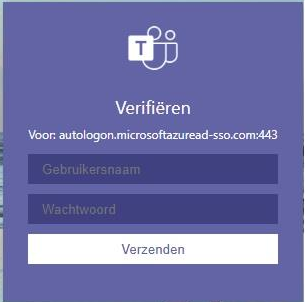
We are facing the following issue. While working with Microsoft Teams (and being logged in successfully), the following sign in box popups suddenly. When closing this box without entering the credentials, everything keeps working fine. Multiple users are facing this issue. It feels like it's happening randomly. Can anyone help us with a hint where to find the cause of this issue?Solved13KViews0likes6CommentsAdding DHCP Option 43 for IP Phones in Switch(es)
Recently I had a situation where there is no OS-based (Windows/Linux) DHCP server, however DHCP service is running only in Switch(es). IP Phones require DHCP Option 43 in order for them to be able to locate Lync/SFB server's Certificate Provisioning Service, download and install the Root CA's certificate automatically. I have had to provide DHCP Option 43 Hex value to network engineers so that they can configure it in Switch(es). The easiest way to retrieve it is: Go to the folder path where DHCPUtil.exe is and run the following command; PS C:\Program Files\Common Files\Microsoft Lync Server 2013> .\DHCPUtil.exe -sipserver lyncserver.thetnaing.com Output SIP Server FQDN : lyncserver.thetnaing.com Certificate Provisioning Service URL : https://lyncserver.thetnaing.com:443/CertProv/CertProvisioningService.svc Option 120: 00096570736C796E63303109657073696C6F6E6871056C6F63616C00 Vendor Class Identifier: MS-UC-Client Option 43 (for vendor=MS-UC-Client): Full Option 43 value (Length: 184) : 010C4D532D55432D436C69656E740205687474707303196570736C796E6330312E657073696 C6F6E68712E6C6F63616C040334343305252F4365727450726F762F4365727450726F766973696F6E696E67536572766963652E737663 sub-option 1 <UC Identifier>: 4D532D55432D436C69656E74 sub-option 2 <URL Scheme>: 6874747073 sub-option 3 <Web Server FQDN>: 6570736C796E6330312E657073696C6F6E68712E6C6F63616C sub-option 4 <Port>: 343433 sub-option 5 <Relative Path for Cert Prov>: 2F4365727450726F762F4365727450726F766973696F6E696E67536572766963652E 737663 2. Provide your DHCP Option 43 Hex value you got it from output above to network engineers. 010C4D532D55432D436C69656E740205687474707303196570736C796E6330312E657073696 C6F6E68712E6C6F63616C040334343305252F4365727450726F762F4365727450726F766973696F6E696E67536572766963652E737663 Now the IP Phones are able to locate, download and install the root certificate automatically and successfully. It's worth to take note that "PIN Authentication" menu appears only after you configured DHCP Option 43.10KViews0likes1Comment
Polycom VVX 411 Signing out Users at Random
Hello, We are about to roll out Polycom VVX411 phones using SfB but in our testing users are getting logged out seemingly randomly between 7-30 days. They do get an error "Exchange authentication failed. Sign out and sign in again." on their Polycom phones about 1-2 hours before the phone actually logs them out. We are running Polycom UC Software version 5.9.3.2857 We have MFA enabled for our end users also. We are using SfB and Exchange online, nothing on-prem. Has anyone seen or fixed this issue in their environment? Thanks!10KViews0likes15CommentsSkype Room System - Troubleshooting
Hi all, May I ask how do you troubleshoot the SRS devices? I have an issue where device suddenly (in a new location) lost the connection to calendar (on premises). On the event logs there is SRS log category, but that does not enlight anything. I was hoping to find plase where it really says in which situation the connection fails. But also, can we somehow troubleshoot if the apps does not work? One simple is e.g. the network trace, has anybody success to take locally the network trace on SRS?9.7KViews0likes1Comment
Recent Edge update attempts to sign-in to a profile every time a link is pressed from Outlook
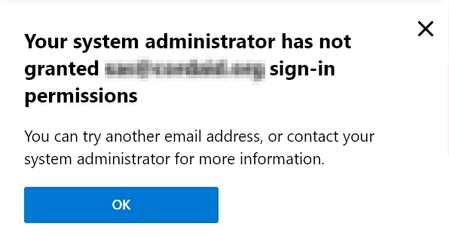
Hi. In our set-up we only use local profiles for Edge. If a user attempts to sign-in anyway, they're met with a "Your system administrator has not granted xxx@xxx sign-in permissions", which is fine and has been fine for at least a year now. However, the recent 8/8 update has 'caused the popup to appear every time a link is clicked in Outlook(and opened in Edge) which has caused our helpdesk to get multiple tickets from annoyed users. I cannot for the life of me find the setting which triggers this. I assumed it was the outlook context from the sidebar, but a GPO that completely disables the sidebar still causes this pop-up to appear. I am aware we can use the "RestrictSigninToPattern" GPO to allow the users to sign-in, but we are not interested in allowing the users to sign-in at all. We simply want Edge to stop trying to sign-in every time a link from Outlook is clicked on, just like it was before the .200/.203 update. Does anyone know what can be done about this? Is there a GPO that stops this behavior? Is it an Outlook setting? A Windows setting? Can we stop Edge from even trying to sign-in? tl;dr how do we stop Edge from trying to sign-in when a link is clicked in Outlook?Solved9KViews0likes3Comments
SFB SRS we can't sign you in because the server couldn't be reached or the server version is incompa
Hi, We have a demo for the logitec smartdock. We have a hybrid env with ADFS. This is what we did. Create user onprem. (pw never expires) synced to the cloud create mailbox onprem migrated mailbox to cloud changed mailbox to room Set-Mailbox mail@domain.com -Type Room Then we added the proper license E1 Then i logged in to sfbonline powershell and did the following command. First found out what our registrarpool was. Enable-CsMeetingRoom -Identity mail@domain.com -RegistrarPool 'ourdomain.com' -SipAddressType MailAddress When this was ok i tryed to logon to sfb on my phone with new user this is no problem. However when we add the credendtials to the logitech smartdock we get following error. we can't sign you in because the server couldn't be reached or the server version is incompatible. Device is not joined to the domain. Any ideas ? Kind Regards, David8.9KViews0likes3Comments