sharing
77 Topics
User Profiles
I thought the whole idea behind user profiles is to let users know a little bit about the person responding to their question/issue (i.e. background, qualifications, experience, etc.). That's what a dictionary defines as a "profile". Now I find my profile is only accessible to myself. I was told a change was made "to simplify privacy and security, so profiles now mainly serve as a personal space for managing your own activity and preferences." That just doesn't fit with the definition. If the information contained in a profile is to sensitive or personal for public viewing then it doesn't belong in a profile anyway. Please re-instate public viewing of user profiles.432Views0likes6Comments
Sharing a Video from Stream using Anonymous links doesn't allow users to download video
Hi, Download button disappeared again from the Stream view of the video when it is shared via Anonymous link using Can view Setting. Can view setting also wrongly presents the description as: Anyone with the link can view but can't download which in essence is true but it shouldn't be true for the Can view setting. When I switch to Can't download and Apply it and then go back to the link settings and choose Can view, I get the correct description: Anyone with the link can view. However, when opened, the video still doesn't have the Download button. Marc Mroz is this planned shift in regard to Stream revamp or just a unintended side effect - bug? Thank you for the effort.
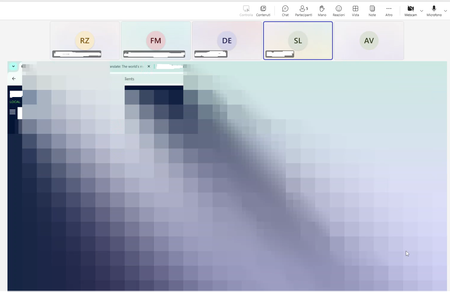
For sharing screen
Hi to all, during metting (on desktop app) when sharing the screen, the shared scrceen slowly pixelate to gray to participants. At the end all screen is gray. This happen also with my desktop app (version 25017.203.3370.1174.) Anyone else has thi problem? Thanks Andrea999Views0likes10Comments
Sharing Files but Email Notification Not Received
For the past week whenever we share a file the recipient is not receiving the email notification that a file has been shared with them. We're manually having to copy the shared link and send an additional email to let them know we've shared a file. Can someone share some insight? Thanks!5.4KViews0likes1Comment
OneDrive Sharing Links - Does the "Guest Access Expiry policy" Apply to "Specific People" Links?
I'm having an issue with a OneDrive integration in an application I'm developing. The integration allows creating "Specific People" sharing links, which are emailed to external users and require them to authenticate their email before accessing the shared file/folder. I have seen in many places that "Specific People" sharing links do not expire. There is no expiry field available when creating the link, and I can't find any expiry settings in the https://go.microsoft.com/fwlink/?linkid=2185222 that seem to apply to "Specific People" links. However, some of my clients using my OneDrive integration have noticed that many of their "Specific People" links get dropped unexpectedly after a period of one or two months. I have also been able to reproduce this issue in my developer account. There is one setting in the Sharepoint Admin Center that seems like it might apply: Guest Access to a site or OneDrive will expire automatically after this many days Since I've seen many references to the fact that "Specific People" links never expire, I thought this setting was not relevant. I also interpreted "Guest Access" as referring to "Guest Users", which can be added in the M365 Admin Center. My integration does not make any use of Guest Users, so I felt fairly confident that this setting did not apply to my use case. However, I can't seem to find definite confirmation that this "Guest Access Expiry" setting does not apply to "Specific People" links. Since my clients links keep getting dropped, and I've now been able to reproduce this on my own account, I have to assume this is either a bug in OneDrive, or that this setting - or another setting I've not yet found - is causing the links to disappear. I've noticed on my own account that some emails get dropped off of the "Specific People" link after a certain period of time, while others do not. Even though I added all the emails to the link at the same time. This inconsistency makes it seem more like a big than something that is being controlled by an admin setting. Can someone please confirm whether the setting I referenced affects "Specific People" links, and/or if there is another OneDrive/Sharepoint/M365 setting that can cause "Specific People" links to be dropped after a certain period of time? Has anyone else noticed "Specific People" links getting dropped over time, or just one or two of the emails on a multi-person link getting dropped?1.1KViews0likes3CommentsCalender Sharing Outlook 365 wrong permissions
Hi, my users are sharing their calenders by using "Can view titles and locations". When the recipient of the shared calender clicks on an appointment, he/she can see the details including Attachments. We are using Microsoft Exchange on Prem with hybrid MS365, all users are migrated to the cloud and using the latest version of the classic outlook.404Views0likes0CommentsI thought we'd be able to use Stream for playing videos on Teams meetings without lag but we can't?
From everything I've read, we should be able to host a video on SharePoint or OneDrive in order to share it in a teams meeting. It doesn't seem like this feature works. Stream isn't an app available in the apps list unless I use the one available in the chat window. If I select Microsoft Stream from the chat apps, it asks me to post a link to share with the meeting. When I input my video link from sharepoint, it gives the error "Please enter a valid Stream URL." It should be a valid URL. We've tested this numerous time with numerous settings, but even if we set it so that anyone with the link can view the video, it won't let us use the sharepoint link (from mysharepoint.com) to Stream on a Teams meeting. We can't watch videos by sharing our screens or windows because it lags too much. The only current solution we have is to use the YouTube app which seems to work better than the Microsoft ones. Is there a solution for this?3.3KViews0likes4CommentsCollaborating with Team on Reading Materials
Hi there, We are looking at the best way to collaborate with our group to share books they would recommend to read and then for the rest of the groups to 'like' the recommendation and it to appear in order of most likes. We would share this in a Microsoft Teams Groups - is there anything in teams that could help with this or something we can link outside of teams? Many thanks, Vicky1.2KViews0likes1Comment
Accès sharepoint externe
Bonjour, je souhaite partager un site sharepoint pour des utilisateurs externe à mon organisation. Cependant je souhaiterais qu'ils puissent s'identifier sans forcément avoir à saisir systématiquement un code qui leur est envoyé par microsoft dans leur boite mail. Est-ce possible de définir un mot de passe pour chaque utilisateur ? D'avance merci.822Views0likes1Comment