settings
2523 Topics
Not receiving any notifications in my Samsung S26 Ultra
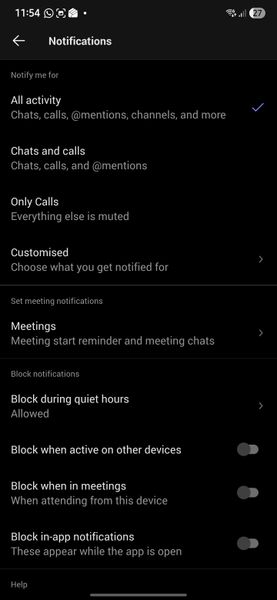
Hello, Since I moved to Samsung S26 Ultra, I am not getting any notifications. Following are my settings. Please help to fix the issue. Following are settings in Samsung phone Following are settings in my Teams app in deskop Following is the settings set for all my channels Thanks16Views0likes0Comments
Sharing sound
Teams screen sharing does not show “Include sound” option for multiple users I’m having an issue with Microsoft Teams screen sharing that I haven’t been able to resolve. I work in a call center, and we use Teams for peer coaching and training. When an agent shares their screen, I need to be able to hear both the agent and the customer they are speaking with through our call-center application (Amazon Connect). The problem is that most of our agents do not have the “Include sound” / “Include computer sound” option when they click Share in Teams. They can share their screen normally, and I can hear the agent speaking, but I cannot hear the audio from the call they are handling. What makes this especially strange is that the option does appear for me when I share my screen. Or if it doesn't show I can simply re-download the desktop version and it will fix itself.... but that doesn't work for anyone else. We have already tried: Reinstalling Teams Using the Teams desktop application Using Teams in a web browser Trying different browsers Restarting the computers Having multiple affected agents repeat the same troubleshooting Nothing has brought the audio-sharing option back for them Any suggestions for what we should check would be greatly appreciated.140Views0likes2Comments
Has anyone successfully used "Hide attendee names" in Teams Meetings or Webinars with Teams Premium?
Hello, I'm trying to understand the current status of the**"Hide attendee names"** feature in Microsoft Teams. Our organization has Teams Premium, and according to Microsoft's documentation, the feature should be available for both Meetings and Webinars. The documentation even provides separate instructions for each scenario. However, during a recent Microsoft Support call, I was told that the feature is actually available only for Town Hall events and not for standard Teams Meetings or Webinars. This appears to contradict the current Microsoft documentation, so I'm looking for real-world feedback from other administrators. Questions: Has anyone successfully enabled Hide attendee names in a standard Teams Meeting? Has anyone used it in a Webinar? We have Teams Premium. If it works for you, what licenses are assigned to the organizer? Do you actually see the Hide attendee names option in Meeting Options? Is there any specific policy, rollout, or configuration required? Has Microsoft Support ever told you that the feature is Town Hall only? Microsoft documentation: https://support.microsoft.com/en-us/teams/meetings/hide-attendee-names-in-microsoft-teams-meetings-and-webinars At this point I'm trying to determine whether: The documentation is incorrect or outdated. The feature is being rolled out gradually. There is an undisclosed licensing or policy requirement. Microsoft Support provided incorrect information. The feature has been silently restricted to Town Hall events. Any feedback from tenants where this is actually working would be very helpful. Thanks! Giuseppe245Views0likes2Comments
Meet compared to the new Events app
Am I the only one not impressed by the "Events" app that replaced "Meet"? Meet was easy to use and was great to find recent items. Now with the Events app, that app is just empty - no content at all. Now I have to instruct users to go dig around their chats for recorded meetings. Is there way to have that old Meet functionality somewhere?133Views0likes1Comment
Change meeting category default options
When creating a new meeting in Teams and clicking the drop down button to select a category, a list of about six options appears that appear to be randomly selected. These don't bear any relation to the most commonly used categories I use, meaning I then have to click through to the list of all categories to find them. Is there a way to change what categories appear in that initial short list to save me a click each time?299Views0likes1Comment
Create event sometimes returns 201 but no Teams meeting link
Hello, I am creating calendar events through Microsoft Graph and setting them as Teams online meetings. Most of the time it works correctly, but very rarely the API returns 201 Created and the event is created without the Teams join link in the response. I have already checked the following: isOnlineMeeting is always set to true. The correct online meeting provider is being used. The issue is intermittent, not consistent. The same integration normally creates Teams meetings successfully. What I need to understand is: Why can Graph return 201 Created but still omit the Teams meeting link? Is this a known intermittent issue with event creation or Teams meeting provisioning? Is there anything I should check in the response, headers, permissions, or follow-up GET call to verify the meeting link was actually created146Views0likes1CommentExternal Teams federation broken after Dunloe Dataplane Service provisioning failure
Repost without tenantID Since June 26, all external Teams chat/federation is broken for our organization. Messages to all external users fail with "Send failed". In our Entra audit log we found the root cause: on June 26 at 05:57 UTC, Microsoft Azure AD Internal - Jit Provisioning failed to provision "Dunloe Dataplane Service" in our tenant (multiple SpnValidationException errors, only 1 of 6 succeeded). We have verified all settings are correct: Get-CsTenantFederationConfiguration → AllowFederatedUsers: True, AllowedDomains: AllowAllKnownDomains Get-CsExternalAccessPolicy → EnableFederationAccess: True Entra Cross-tenant access settings → All B2B inbound/outbound: All allowed This appears to be a Microsoft-side provisioning issue. We need Microsoft to re-provision the Dunloe Dataplane Service for our tenant.Solved102Views0likes2CommentsExternal Teams federation broken after Dunloe Dataplane Service provisioning failure
Since June 26, all external Teams chat/federation is broken for our organization. Messages to all external users fail with "Send failed". In our Entra audit log we found the root cause: on June 26 at 05:57 UTC, Microsoft Azure AD Internal - Jit Provisioning failed to provision "Dunloe Dataplane Service" in our tenant (multiple SpnValidationException errors, only 1 of 6 succeeded). We have verified all settings are correct: Get-CsTenantFederationConfiguration → AllowFederatedUsers: True, AllowedDomains: AllowAllKnownDomains Get-CsExternalAccessPolicy → EnableFederationAccess: True Entra Cross-tenant access settings → All B2B inbound/outbound: All allowed This appears to be a Microsoft-side provisioning issue. We need Microsoft to re-provision the Dunloe Dataplane Service for our tenant. Tenant ID: 58b3fa8e-4226-40ec-9424-7e3267c62187Solved61Views0likes1CommentMirror My Video Apparently Means Mirror Everything?
Most users expect Mirror My Video to mirror only their camera video, while leaving the virtual background exactly as they uploaded it. However, when Mirror My Video is enabled, Microsoft Teams also mirrors uploaded background image. So someone on MS Teams Team really thought: "The user will anticipate this and manually reverse their background images, then upload the backwards image so Teams can reverse it again!" We wait in earnest to find out if the next Teams patch will drop all pretenses and just mirror the entire display, including on screen text, menus, and the Windows Start bar.164Views0likes1Comment