powerpoint
704 Topics
Microsoft Sign In Loop
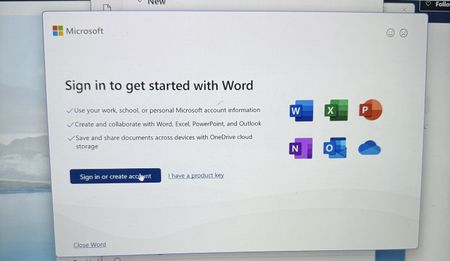
I am trying to sing into Microsoft 365, but every time I do, it takes me back to the login screen. I sing in with my outlook account, but I can't reach the applications. I can sign in on the browser, but not the applications on my computer. I have tried uninstalling and reinstalling M365, but the issue still persists147Views0likes1CommentOctober 2026 Microsoft 365 Champion community call | PM
Join our next community call on October 27, 2026, to dive into Copilot in PowerPoint: Brand kits and Skills. Host: Tiffany Lee Guest: Tiffany Neiman, Rolly Seth, Eleanor Huynh Moderator: Jessie Hwang 📢 NOTE: our community call formats are Teams webinars so you must register at https://aka.ms/M365ChampionCallPM to receive the link to join. The join link will be sent to you in email with your webinar registration confirmation. 🗨️ Each call includes an open Q&A discussion section at the end, where you'll have a chance to ask your questions about Microsoft 365. 👋 Was this forwarded to you? Join the Microsoft 365 Champion program today! Champions combine technical acumen with people skills to drive meaningful change. Our community calls are open to everyone, but only Champion program members have access to the presentation resources (access link is in the initial welcome email and in the monthly newsletters). Join now: https://aka.ms/M365Champions. 🎥 The recording will be available on demand on the Driving Adoption community and our YouTube Community Learning channel later in the week.128Views0likes0CommentsOctober 2026 Microsoft 365 Champion community call | AM
Join our next community call on October 27, 2026, to dive into Copilot in PowerPoint: Brand kits and Skills. Host: Tiffany Lee Guest: Tiffany Neiman, Rolly Seth, Eleanor Huynh Moderator: Jessie Hwang 📢 NOTE: our community call formats are Teams webinars so you must register at https://aka.ms/M365ChampionCallAM to receive the link to join. The join link will be sent to you in email with your webinar registration confirmation. 🗨️ Each call includes an open Q&A discussion section at the end, where you'll have a chance to ask your questions about Microsoft 365. 👋 Was this forwarded to you? Join the Microsoft 365 Champion program today! Champions combine technical acumen with people skills to drive meaningful change. Our community calls are open to everyone, but only Champion program members have access to the presentation resources (access link is in the initial welcome email and in the monthly newsletters). Join now: https://aka.ms/M365Champions. 🎥 The recording will be available on demand on the Driving Adoption community and our YouTube Community Learning channel later in the week.194Views0likes0Comments[Community tool] Find the GPO, registry value and Intune setting for any Office ribbon button
Hi everyone, as a technical service owner for Microsoft 365 Apps, one question comes up for me again and again: which policy actually controls this button or option? The information is all there – in the Office ADMX/ADML templates, the Office Fluent UI control ID lists, the Intune Settings Catalog and many Learn articles. But I never found it in one place, so every answer meant connecting several sources by hand. Especially when onboarding new colleagues, this costs a lot of time. So I built a free community tool for it: Office Admin Explorer https://tools.pascal-donath.de/office-admin-explorer/ How it works It's a clickable mock of Word, Excel, PowerPoint and Outlook (ribbon, File menu, Options, Trust Center). Click any element and you get: idMso and Policy ID (for customUI and the "Disable commands" policy) the ADMX policy with its exact path in Group Policy Management the registry value it writes, with ready-to-copy PowerShell or .reg the matching Intune Settings Catalog entry Cloud Policy notes, step-by-step guides and Microsoft Learn links The search covers all Office ADMX policies (2,400+) and command IDs (8,000+), including elements that aren't part of the mock. Also included Ribbon builder – hide or disable buttons, groups or tabs and export the result as customUI XML, a macro-free add-in (.dotx / .xlam / .ppam) or the "Disable commands" policy for Group Policy and Intune Deployment view – configuration.xml generator for the Office Deployment Tool User Support view – typical user problems: symptom → cause → fix Policy names and registry values are checked against Microsoft's ADMX/ADML files, and the Intune mapping against the Graph settings catalog. It runs in the browser without sign-in and is available in English and German. Please test any configuration on a lab device or pilot group first. I'd like your input How do you handle this today – ADMX search, Group Policy Search, the Intune catalog, your own documentation? Which Office settings do you get asked about most often? I'd like to add the most requested ones next. If you find a wrong or outdated entry, every entry has a "Report it on GitHub" link – corrections are very welcome. Thanks! Pascal --- *Transparency note: The tool was developed with the help of AI. The content is based on my own admin experience, and policy names, registry values and Intune mappings are validated automatically against Microsoft's official sources (ADMX/ADML templates, Fluent UI control lists, Microsoft Graph settings catalog). This is a community project and not affiliated with Microsoft.*
Free Mac app: fixes PowerPoint images that look sharp on Mac but pixelated on Windows
If you paste figures or tables from PDFs into PowerPoint for Mac, they may look pixelated when the deck is shown on a Windows PC (conference rooms, classrooms). This has been reported for years without a fix. Cause: PowerPoint for Mac stores the pasted PDF plus a small low-res backup image. Windows can't read the PDF, so it shows the backup. I made a small, free, open-source menu bar app that uses the sharp PDF already in the file to create a Windows-safe copy (name_windows.pptx). Your original is never changed. Drop files on the icon, or let it watch a folder so it happens automatically. https://github.com/Filhgd/pptx-mactowindows-fix Signed and notarized, macOS 13+. Feedback welcome, especially files where it doesn't work.55Views0likes0Comments