powerpoint
705 TopicsFeature Request: Language-Based Font Categorization (Word, PowerPoint, & Microsoft 365 Apps)
Dear Microsoft Office Team, I am a regular user of Microsoft 365 applications, and I truly appreciate the continuous improvements made to the software. I would like to suggest a feature enhancement that would significantly improve the workflow for users working with multi-language documents and presentations across all design-dependent Microsoft apps (such as Word and PowerPoint): Categorized and language-separated font drop-down menus. Currently, when dealing with a large library of installed fonts, the font list mixes all languages together (Latin, Arabic, and other scripts). This makes it extremely difficult to compare font styles quickly, As a graphic designer, this issue is incredibly frustrating; when comparing fonts in programs like Word or PowerPoint, users are forced to constantly scroll up and down, often losing track of the font they liked. Personally, this leads me to either write down the names of the fonts on a separate sheet of paper or repeatedly type out the same sentence—applying a different font to each version—just so I can compare them side by side. My suggestion is to: Provide a clean, structured view where users can easily browse and compare font styles within the same language family without scrolling through long mixed list. Group fonts by language/script categories (e.g., all Arabic fonts grouped together, all English/Latin fonts grouped together, and so on). Extend this feature across all Office apps that rely heavily on typography and design (Word, PowerPoint, etc.). This feature would save an immense amount of time, reduce friction in document/presentation design, and elevate the overall user experience—much like how professional design software handles typography. Thank you for your time, consideration, and dedication to making Microsoft 365 better for everyone. Best regards, MINA-eNjOy17Views0likes0Comments
Microsoft Sign In Loop
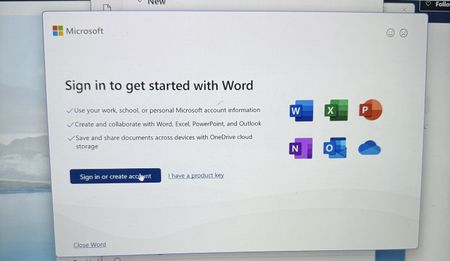
I am trying to sing into Microsoft 365, but every time I do, it takes me back to the login screen. I sing in with my outlook account, but I can't reach the applications. I can sign in on the browser, but not the applications on my computer. I have tried uninstalling and reinstalling M365, but the issue still persists228Views0likes1CommentOctober 2026 Microsoft 365 Champion community call | PM
Join our next community call on October 27, 2026, to dive into Copilot in PowerPoint: Brand kits and Skills. Host: Tiffany Lee Guest: Tiffany Neiman, Rolly Seth, Eleanor Huynh Moderator: Jessie Hwang 📢 NOTE: our community call formats are Teams webinars so you must register at https://aka.ms/M365ChampionCallPM to receive the link to join. The join link will be sent to you in email with your webinar registration confirmation. 🗨️ Each call includes an open Q&A discussion section at the end, where you'll have a chance to ask your questions about Microsoft 365. 👋 Was this forwarded to you? Join the Microsoft 365 Champion program today! Champions combine technical acumen with people skills to drive meaningful change. Our community calls are open to everyone, but only Champion program members have access to the presentation resources (access link is in the initial welcome email and in the monthly newsletters). Join now: https://aka.ms/M365Champions. 🎥 The recording will be available on demand on the Driving Adoption community and our YouTube Community Learning channel later in the week.352Views1like0CommentsOctober 2026 Microsoft 365 Champion community call | AM
Join our next community call on October 27, 2026, to dive into Copilot in PowerPoint: Brand kits and Skills. Host: Tiffany Lee Guest: Tiffany Neiman, Rolly Seth, Eleanor Huynh Moderator: Jessie Hwang 📢 NOTE: our community call formats are Teams webinars so you must register at https://aka.ms/M365ChampionCallAM to receive the link to join. The join link will be sent to you in email with your webinar registration confirmation. 🗨️ Each call includes an open Q&A discussion section at the end, where you'll have a chance to ask your questions about Microsoft 365. 👋 Was this forwarded to you? Join the Microsoft 365 Champion program today! Champions combine technical acumen with people skills to drive meaningful change. Our community calls are open to everyone, but only Champion program members have access to the presentation resources (access link is in the initial welcome email and in the monthly newsletters). Join now: https://aka.ms/M365Champions. 🎥 The recording will be available on demand on the Driving Adoption community and our YouTube Community Learning channel later in the week.758Views0likes0Comments[Community tool] Find the GPO, registry value and Intune setting for any Office ribbon button
Hi everyone, as a technical service owner for Microsoft 365 Apps, one question comes up for me again and again: which policy actually controls this button or option? The information is all there – in the Office ADMX/ADML templates, the Office Fluent UI control ID lists, the Intune Settings Catalog and many Learn articles. But I never found it in one place, so every answer meant connecting several sources by hand. Especially when onboarding new colleagues, this costs a lot of time. So I built a free community tool for it: Office Admin Explorer https://tools.pascal-donath.de/office-admin-explorer/ How it works It's a clickable mock of Word, Excel, PowerPoint and Outlook (ribbon, File menu, Options, Trust Center). Click any element and you get: idMso and Policy ID (for customUI and the "Disable commands" policy) the ADMX policy with its exact path in Group Policy Management the registry value it writes, with ready-to-copy PowerShell or .reg the matching Intune Settings Catalog entry Cloud Policy notes, step-by-step guides and Microsoft Learn links The search covers all Office ADMX policies (2,400+) and command IDs (8,000+), including elements that aren't part of the mock. Also included Ribbon builder – hide or disable buttons, groups or tabs and export the result as customUI XML, a macro-free add-in (.dotx / .xlam / .ppam) or the "Disable commands" policy for Group Policy and Intune Deployment view – configuration.xml generator for the Office Deployment Tool User Support view – typical user problems: symptom → cause → fix Policy names and registry values are checked against Microsoft's ADMX/ADML files, and the Intune mapping against the Graph settings catalog. It runs in the browser without sign-in and is available in English and German. Please test any configuration on a lab device or pilot group first. I'd like your input How do you handle this today – ADMX search, Group Policy Search, the Intune catalog, your own documentation? Which Office settings do you get asked about most often? I'd like to add the most requested ones next. If you find a wrong or outdated entry, every entry has a "Report it on GitHub" link – corrections are very welcome. Thanks! Pascal --- *Transparency note: The tool was developed with the help of AI. The content is based on my own admin experience, and policy names, registry values and Intune mappings are validated automatically against Microsoft's official sources (ADMX/ADML templates, Fluent UI control lists, Microsoft Graph settings catalog). This is a community project and not affiliated with Microsoft.*
Free Mac app: fixes PowerPoint images that look sharp on Mac but pixelated on Windows
If you paste figures or tables from PDFs into PowerPoint for Mac, they may look pixelated when the deck is shown on a Windows PC (conference rooms, classrooms). This has been reported for years without a fix. Cause: PowerPoint for Mac stores the pasted PDF plus a small low-res backup image. Windows can't read the PDF, so it shows the backup. I made a small, free, open-source menu bar app that uses the sharp PDF already in the file to create a Windows-safe copy (name_windows.pptx). Your original is never changed. Drop files on the icon, or let it watch a folder so it happens automatically. https://github.com/Filhgd/pptx-mactowindows-fix Signed and notarized, macOS 13+. Feedback welcome, especially files where it doesn't work.72Views0likes0CommentsClaude for PowerPoint – administrator permission on Microsoft 365 Personal
Hi, I’m using Microsoft 365 Personal on a Mac and installed Claude for PowerPoint directly from the Office Add-ins Store. The add-in installs successfully and appears in PowerPoint. However, when I open it, before reaching the Claude sign-in screen, Office displays: “You don’t have permission to use this add-in. Contact your system administrator to request access.” My Microsoft account is personal and is not connected to a work/school organization, so I don’t have a Microsoft 365 administrator. Microsoft Support confirmed that the add-in is installing correctly, but we were unable to identify why administrator permission is being requested. Does Microsoft 365 Personal have any Office Add-ins permission, privacy setting, or account-level restriction that could cause this message? Thanks!210Views0likes1CommentError loading add-ins. One or more add-ins failed to load. See your add-ins.
No matter which Office applications I use (Excel, Word, PowerPoint, etc.), if a try to install an add-in. I get the above error message. This happens with any add-in. Does anybody have a solution for this? Thank you.372Views1like2Comments
iSring Narrator "Reset Project" Pop-up
I took over the Power Point project from my boss. I've completed the project but when I go to manage the narration, a pop up shows up asking me to load the audio file (its non-existant). And asks if I want to Reset the project. What happens if I do that?71Views0likes0Comments