microsoft planner
122 TopicsWhy Don't Tasks Assigned To Me in Microsoft Planner Don't Show Up in To Do?
I have two plans set up in Microsoft Planner. When I assign tasks to myself in one of the plans they show up as assigned to me in Microsoft To-Do, however in the other plan which is in a different group that I'm a member of, the tasks assigned to me do not show up in Microsoft To-Do. Why is it they show up from a plan in one group but not from plan in another group?74Views0likes2CommentsCleaning Up Old Planner Tasks with PowerShell
Microsoft Purview supports retention policies for Planner tasks and that’s the supported way to remove old tasks from plans. But you can also remove old Planner tasks with PowerShell. Just for fun, we show how to find and delete old tasks using the Microsoft Graph PowerShell SDK. Cleaning out obsolete tasks that have been hanging around plans for years speeds up client access. It’s a form of colonic irrigation for plans! https://office365itpros.com/2026/08/19/clean-up-planner-tasks/83Views0likes0CommentsData Lifecycle Management Adds Support for Planner Retention Policies
From August 2026, Microsoft 365 tenants can apply retention policies to Planner Tasks. We began our preparation to create a retention policy for Planner tasks by writing some PowerShell to test the likely effect of retention. The code scans Microsoft 365 Groups for groups with plans and checks each plan for tasks that would be removed by a retention policy. It’s amazing what some PowerShell can do… https://office365itpros.com/2026/07/28/planner-tasks-retention/134Views0likes0Comments
Msn partner hub program Invitation code inquiry
Hi , I don't have access to any publisher of msn partner hub program. But I just wanted to join it at any cost. This is very important for me join it. Please send me an invite code for it. So, I can join it. Or send me the link of any publisher so I can contact him. Please help me out to join this program. It is very essential for life fulfill my life purpose. I will thankful to you. With my best Regards831Views0likes2CommentsCreating a Planner Weekly Notification Email for Incomplete Tasks
A reader wanted a weekly incomplete task report to send details of Planner tasks to people with outstanding work to do. We used PowerShell to scan for incomplete tasks for people who are members of a group, perform some analysis on the data, and create and send email. Despite some deficiencies in the Planner Graph API, the code is pretty straightforward. https://office365itpros.com/2026/04/15/weekly-incomplete-task-report/92Views0likes0Comments
Disable incessant nagware popups
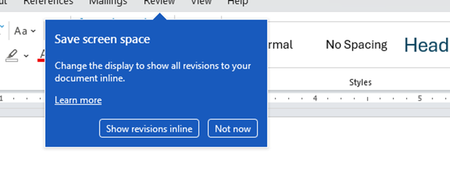
I don't know about everyone else, but I am sick and tired of the nagware pop ups in Word, Excel, PowerPoint, Outlook, etc. Every single product harasses me with pop ups trying to tell me "hey, did you know this feature was here?", "you can do this if you click that", "let me hold your hand through using products you've used for decades even though you don't want daddy Microslop to do that". This is a prime example. I keep getting the same ones again and again and again and everything I've read indicates they should only appear once. But they don't. They keep coming back like a psychotic stalker ex who wants alimony even though you were never married. How do I get this nagware to stop?!364Views1like1CommentEffortless Time Tracking in Teams, Outlook and M365 Copilot
How do you stay in the flow of work when tasks move across Teams, Outlook and now M365 Copilot? Many of us already collaborate and manage our day in these Microsoft 365 tools, but logging time often feels like something separate that interrupts our focus. With https://www.klynke.com/ time tracking stays right where your work happens. It runs inside Teams, Outlook and M365 Copilot, creating one consistent and natural experience for logging hours without leaving your workflow. We shared more in our blog: https://www.klynke.com/post/log-time-in-teams-outlook-copilot, and were grateful that Microsoft featured our story in a Tech Community interview: Building Secure SaaS on Microsoft Cloud. A quick look under the hood Microsoft 365 SSO (Entra ID) – Employees sign in with their existing credentials Tenant-based storage and security – Data stays within your Microsoft 365 tenant, under IT control Native experience – Same workflow in Teams, Outlook and M365 Copilot Simple reporting – Export to Excel, Power BI or dashboards How do you currently manage time tracking in Microsoft 365? Would having it built directly into Teams, Outlook and M365 Copilot make a difference in your day? CTO at Klynke709Views0likes2Comments