microsoft 365
65 TopicsPut multiple values in one cell with lists and arrays in Excel
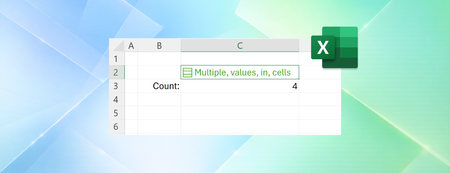
Throughout Excel's 40-year history, you've only been able to put one value per cell. In this announcement, we're excited to share how that's changing with the release of lists, arrays in cells, and nested arrays, initially to Microsoft Excel for Windows and Mac Beta Channels. Many workbooks already try to pack multiple values into one cell. A project might list "Carlos, Henrietta, Jacob" as three owners, or a Forms survey might return "2:00 PM; 2:30 PM; 3:00 PM" as one response. With lists, you can keep those values in one cell, while also keeping them separate for filtering, calculation and more. Later in this post, we'll explore arrays in cells and nested arrays in more depth. NOTE: These are preview features. Their behavior may change before general release based on your feedback. We don't recommend using them in important workbooks until they're generally available. Lists Lists let you put multiple values into one cell. You can create a list by selecting Insert > List or pressing Ctrl+J, then typing or pasting items separated by commas or semicolons, depending on your regional settings. Selecting the icon in the cell shows the individual values. You can add, remove, or edit list items by double-clicking the cell or pressing F2, just like other values. With lists, you can filter by one or more individual items instead of whole text entries. Referencing a list returns all its values for calculations. For example, =B2 spills those values into separate cells. Arrays in cells Lists are useful on their own, but they're part of a much broader change to Excel. For the first time in Excel, arrays can exist natively in cells as values or as formula results. They can be any size or shape and can even contain other arrays. You can now keep the result of any spilling formula in a single cell by "wrapping" the formula body with braces { }. Since the introduction of dynamic arrays, array results have spilled across cells – for example ={1;2;3}. Wrapping the original array with braces creates a 1x1 array around it, so instead of spilling to multiple cells, the array stays in a single cell. Braces have long been used to describe arrays in Excel and this extends that behavior by allowing multiple layers of braces. This gives you more flexibility when building spreadsheets. Instead of leaving room for a formula to spill, you can keep the result in one cell. Arrays inside arrays, or nested arrays Arrays can now also "nest" inside other arrays. For example: ={{1,2,3};{4,5,6}} Previously, a formula that produced an array of arrays would return a truncated result or #CALC! error. Now, supported formulas return the complete nested result. In the example below, you can see how TEXTSPLIT behaves with and without nested arrays. Without nested arrays, Excel only returns the first item for each row. With nested arrays, the result spills, one array per row. The arrays in each row can then be used in further calculations. Four new functions: FLATTEN, HAS, HASANY, HASALL To help you work with arrays more easily, we've added four functions. FLATTEN(array, [pad_value], [levels]) simplifies nested arrays by removing one or more levels of nesting. Continuing from the prior example, FLATTEN lets you simplify the nested array output, spilling the individual results into the grid. We used an empty string ("") for pad_value so rows with fewer items show blanks in the remaining columns. Three HAS functions check whether values are in an array: HAS(array, value) returns TRUE if value appears anywhere in array, and FALSE otherwise. HASANY(array, values) returns TRUE if any of the values appear anywhere in array, and FALSE otherwise. HASALL(array, values) returns TRUE if all of the values appear anywhere in array, and FALSE otherwise. Do more with spreadsheets using arrays in cells and nested arrays Arrays in cells open up spreadsheet designs that weren't practical before. The run tracker below captures split times (how long it takes to run each kilometer) in a table with one run per row. The number of splits depends on the length of the run. Stats for each run are calculated right in the same table. For more examples, I recommend looking to your favorite Excel communities on LinkedIn, YouTube, Reddit, or elsewhere. Enabling nested array calculations in a workbook Compatibility Version 3 will be released alongside arrays in cells and is required for most calculations involving nested arrays. You can set Compatibility Version for each workbook in by selecting Formula > Calculation Options. See compatibility versions for more information. Some existing formulas return different results in Compatibility Version 3. If your workbook doesn't behave as expected, you can keep it set to Compatibility Version 1 or 2. Known limitations As this feature rolls out to Beta Channel, the following limitations apply: Conditional formatting doesn't inspect array contents unless you use a formula Data validation can't use a list or array as dropdown items Charts don't expand an array into data points PivotTables don't read array values as source data Power Query doesn't load or emit array-valued columns Find & Replace can't replace list/array items Availability These improvements are rolling out to Beta Channel users running: Windows: Version 2610 (Build 20520.20000) or later Mac: Version 16.114 (Build 26092111) or later Features covered on this blog roll out over time to enable us to monitor quality and performance, so some preview features may not be available to you right away. Also note that features may be paused, adjusted, or removed as part of that process. Feedback Click Help > Feedback in Excel to tell us what you think.41KViews14likes62Comments