microsoft 365 apps
1247 TopicsAutoSave disabled when opening SharePoint-synced files from Finder after macOS Tahoe 26.6 update
Files stored in SharePoint Online and synchronized locally through OneDrive are opened as local documents when launched from Finder. Office applications display "Saved to my Mac" and AutoSave is turned off by default. However, opening the exact same files through Word/Excel > Open > Sites, or via SharePoint "Open in Desktop App", correctly identifies them as cloud documents. In that scenario, AutoSave is enabled and collaboration/version history features work as expected. Troubleshooting already performed: OneDrive reset and re-linked SharePoint library re-synced Signed out and back into both Office and OneDrive Removed Microsoft credentials from macOS Keychain and re-authenticated Recreated local OneDrive sync relationships Verified OneDrive File Provider extensions are enabled Verified Office applications and OneDrive are fully up to date Tested with newly created files and existing files Tested "Always Keep on This Device" with no change in behavior The issue appears to be specific to the Finder-to-Office launch path after upgrading to macOS Tahoe 26.6. Before upgrading to macOS Tahoe 26.6, opening the same SharePoint-synchronized files directly from Finder correctly preserved cloud document identity and AutoSave was enabled as expected. I discussed this issue in detail with Apple Support, but they quickly dismissed it, saying that the problem is not on Apple's side and that I should contact Microsoft instead.2.5KViews11likes26Comments
Publisher replacement ideas
Hey All, Looks like Microsoft won't be supporting Publisher after Oct. I have many hundreds of pages documenting the restoration of our land that I created in Publisher. I know I'll need to convert them to another publishing app. I'm wondering what others in this situation are choosing to do especially since Publisher doesn't convert to Designer. My needs are for an easy to use app as Publisher was and not something complicated. Any thoughts or ideas would be most welcomed! MarciSolved20KViews4likes44CommentsPowerPoint NEW Image Editing Tools Explained — Remove Background, Upscale & Edit Images Instantly!
🚀 PowerPoint just received one of its most powerful updates ever! Microsoft has introduced a brand‑new built‑in image editing experience, allowing you to enhance visuals without leaving PowerPoint. In my latest YouTube video, I walk through all the new capabilities now rolling out in Microsoft 365, including: ✨ Remove background 🧽 Erase unwanted objects 🔄 Move elements inside an image 🔍 Upscale low‑resolution pictures ⚡ Auto‑enhance lighting & contrast 📝 Add or edit text directly on images All of this happens directly inside PowerPoint, making slide creation faster and more intuitive than ever. These features are now available on: 💻 Windows 🍎 Mac 🌐 PowerPoint for the Web If you work with presentations daily, this update is a real productivity boost. 📹 Watch the full breakdown and demo here ➡️ https://youtu.be/OZzfFi2qpAk Let me know what feature you find the most useful! 👇 #Microsoft365 #PowerPoint #Productivity #AI #Presentations #Microsoft365Insider #Creators1.9KViews0likes17Comments
OneDrive files opened from Finder not recognized as cloud files on Mac
Office for Mac: OneDrive files opened from Finder no longer recognized as cloud files – AutoSave disabled Hi everyone, I am experiencing a persistent issue with Microsoft 365 for Mac and OneDrive that started suddenly around August 10, 2026. The same setup and workflow had worked without problems for more than two years before that. Problem My Office files are stored in OneDrive and synchronized to my Mac via the standard macOS File Provider. When I open an Excel or Word file by double-clicking it in Finder, the Office application opens the file, but it apparently does not recognize it correctly as a OneDrive/cloud file. For example: AutoSave is disabled real-time co-authoring does not work as expected when I try to enable AutoSave manually, Office behaves as if the file were local and asks me to upload/save it to OneDrive – even though the file is already stored and synchronized in OneDrive However, if I open the exact same file from within Excel or Word via the OneDrive/Online Locations option, everything works correctly: AutoSave is enabled immediately co-authoring works changes made by another user appear in real time This behavior is reproducible with multiple files and affects both Excel and Word, so it does not appear to be an issue with one particular workbook or application. Environment MacBook Air M2 current macOS version current Microsoft 365 version current OneDrive version OneDrive Personal files synchronized through the standard macOS File Provider I have also tested opening files directly from: ~/Library/CloudStorage/OneDrive/... The result is the same: when opened from Finder, Office does not appear to recognize the file correctly as a cloud file and AutoSave remains disabled. Troubleshooting already performed I have already: completely reset and reconfigured OneDrive allowed OneDrive to fully resynchronize verified the files and folders in OneDrive on the web confirmed that OneDrive reports everything as synchronized restarted Finder and macOS removed and recreated Finder shortcuts/favorites tested without Finder favorites or aliases tested directly from ~/Library/CloudStorage/OneDrive updated macOS updated all Microsoft 365 applications updated OneDrive None of these steps changed the behavior. Key diagnostic result The following comparison is consistently reproducible: Finder → OneDrive file → double-click → Excel/Word → AutoSave OFF → file appears not to be recognized as an active OneDrive cloud document → co-authoring does not work correctly Excel/Word → Open → OneDrive/Online Locations → same file → AutoSave ON immediately → cloud functionality works → co-authoring works correctly This suggests that OneDrive synchronization itself is functioning correctly. The issue seems specifically related to the handoff between macOS Finder / Apple File Provider / OneDrive and Microsoft 365 for Mac when a OneDrive file is opened from Finder. Important detail This is not a workflow that has never worked on macOS. For more than two years, we routinely opened our synchronized OneDrive Word and Excel files directly from Finder. Office recognized them as cloud files, AutoSave was available, and collaborative editing worked normally. The behavior changed suddenly around August 10, 2026, without us intentionally changing the OneDrive folder structure or our workflow. Question Has anyone else encountered this recently? In particular: Is this a known regression in Microsoft 365 for Mac, OneDrive for Mac, or their integration with Apple's File Provider? Why would Office recognize a file as a OneDrive cloud document when opened through the application's Online Locations, but not when the exact same synchronized file is opened from Finder? Is there a way to reset or repair the Microsoft 365/OneDrive cloud-file recognition or File Provider integration without resetting the entire OneDrive again? Are there any relevant logs, caches or diagnostics that could show why Office considers a Finder-opened OneDrive file to be local? Opening every document through the Office application's Online Locations is a possible workaround, but it is not a practical long-term solution when working with a larger shared folder structure in Finder. I have already contacted both Apple Support and Microsoft Support. Apple referred me to Microsoft, and Microsoft Support subsequently recommended that I raise the issue here in the Tech Community. Any insight from Microsoft staff, MVPs or others familiar with Microsoft 365 for Mac, OneDrive and the macOS File Provider would be greatly appreciated.925Views5likes6Comments
iSring Narrator "Reset Project" Pop-up
I took over the Power Point project from my boss. I've completed the project but when I go to manage the narration, a pop up shows up asking me to load the audio file (its non-existant). And asks if I want to Reset the project. What happens if I do that?37Views0likes0Comments
Word and Excel stuck in Read and Print mode only
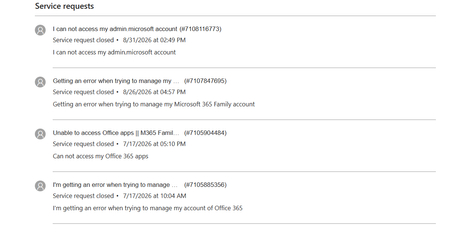
I have M365 Family Plan and one of my devices can't use Word or Excel. App tells me they are in Read and Print mode only. I have attempted multiple times to get support to resolve this via chat sessions, but they are unable to help. They have escalated this to Tier 3 Support and still no help. They recommended I go here for support. Here are some of the details. Case Number: 7108165505 (current one) Microsoft 365 Family subscription Word and Excel opening in Read Only / Print mode on one Windows 11 desktop Error when accessing the subscription management page Previous escalation to Tier 2 and Tier 3 Case marked as Resolved despite the issue remaining unresolved Note that extensive troubleshooting has already been completed and that you believe the issue may be related to subscription validation or account provisioning rather than the local Office installation.228Views0likes2CommentsTracking whether managers actually complete their review cycles on time
Every quarter our HR team has to chase managers who havent finished their performance reviews. Right now they literally track it in an Excel spreadsheet and send reminder emails manually. Its embarrassing honestly. We're an M365 shop and I feel like there should be a way to automate this or at least get some visibility into completion rates without it being a manual process. Whats everyone else doing?231Views0likes3Comments
Office 365 issues
We have an end user that started with us approximately a year ago. Shortly after he started he began noticing that his status would go away on a fairly regular basis on MS Teams. We tried uninstall/reinstall, resetting, repairing and the problem persisted. Since he was a relatively new hire we were thinking it was something with his laptop so we replaced and the issue returned. Turned in a ticket with our Office 365 vendor who in turn opened a ticket with Microsoft. After some initial testing they sent a Teams install file that seemed to fix the issue. Since that time he has regularly had issues with Teams disconnecting, Outlook just stop receiving emails, while showing connected. Typically the only fix was a restart and on some occasions that did not work. Sometimes a reset or repair might fix this issue. Throughout this we did clear credential manager, caches, etc...This got a point yesterday where I created a new user profile for him, basically like a new laptop and it temporarily fixed the Teams and Outlook issue, however when attempting to sign into MS Edge it would just spin and had to use task manager to close the app. Tried a repair on the app as you cannot uninstall and same result it would hang up and have to forcibly closed. Just wondering if someone else has encountered something like this and possible fixes. Thanks295Views1like2Comments
My printers don't work after I reinstalled Microsoft 365
I recently had to reinstall Microsoft 365. The software now works quite well, but I can't print a document in Microsoft Word or from anywhere in Windows 11. I have two printers: an HP Envy Inspire 7900e AIO and a Brother HL-L2420DW. Both printers worked before the reinstall, and both printers work without any problems on the Mac side of my laptop. (I use a Mac with Parallels to run Windows 11.) When I try to print from MS-Word in Windows 11, I select a printer from the list in the Print dialog. Then I have to wait for a printer connection. A few seconds later, I get a notice that the printer is "in an error state." My first thought was that I'll have to reinstall my printers in Windows 11, but I went looking for help. An AI helper I've consulted a few times walked me through a labyrinth of steps to fix the problem. The steps involved using the Command prompt or PowerShell (Administrator), but so far I've not had any luck. Seems to me I'll do as well by simply removing and reinstalling the printers. But that thought brings up more questions. I installed both printers using the manufacturer's instructions. For example, the HP AIO I installed with the full-feature software. My question: Do I need to do anything special before I reinstall the printers? Do I simply go to Printers & Scanners and delete my printers and then reinstall them? Also, will any of this affect these same printers on the Mac side?162Views0likes2Comments