log
12 Topics
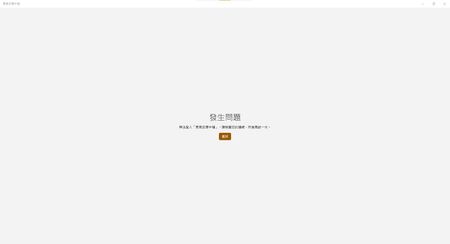
Feedback hub cannot log in. Please check your connection.
I'm clearly connected and my Microsoft account is working correctly, but I can't log in to Feedback Hub. It says the connection was checked before I logged out, and then it says there was a problem with my feedback. Have I been reported? Or is there some other reason?76Views0likes0Comments
Identifying the Presenter Who Removed a Guest in a Meeting Recording
Hi , I would like to know if it is possible to identify which presenter removed a guest from a Microsoft Teams meeting by reviewing the meeting recording or any associated logs. Does the platform record such actions, and if so, where can this information be accessed? Thank you for your assistance!75Views0likes0CommentsNo Metrics in Application Insights
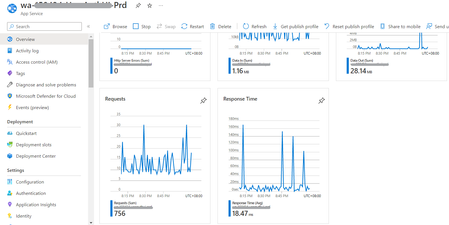
I have a web app hosted in Azure. I created function apps and app service with application insights enabled on each resource. As you can see from the screenshot of my app service, there is a metric data: But when I checked its application insights, there are no data in the metrics: I also checked traces from the logs and there are data being logged. I would like to know why data is not reflected on the application insights. The instrumentation key are matched with the app settings of function app/app service. Hope you can help me on this issue. Thanks!1.2KViews0likes0Comments
Any logs about the changes of the assignments of the Teams user policies?
Is there any place where I can find log files about changes of the teams policies and assignments of these? From time to time there are assignment changes of policies to users and we'd like to find out who or which app initiates them. I don't see anything within the audit log / azure logs. I found this thread about using CASB?! (which unfortunately is not licensed in our company).1.7KViews0likes1CommentWindows 11 wevtutil cannot render (system) messages
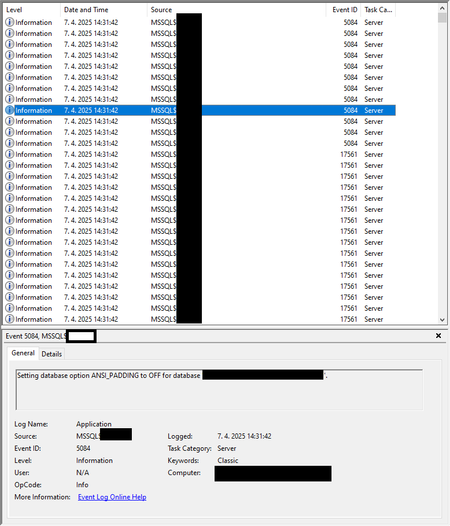
Our application reads from the Windows Event log and formats/renders events with the "EvtFormatMessage" function (flags argument is "EvtFormatMessageXml", hPublisher is set with a handle received from EvtOpenPublisherMetadata()). We tried out our application on the new Windows 11 OS, and for some events in the Application log our application sees the following error: error='The system cannot find message text for message number 0x%1 in the message file for %2.\x0d\x0a' The event were created from command line with "eventcreate" program, but most event sources cause this error: eventcreate /T SUCCESS /L APPLICATION /ID 1 /D "eventcreate okay" We checked with Event Viewer and it doesn't print any error, however the command line utility "wevtutil" cannot format any events from the Application log: wevtutil qe Application /f:renderedxml /rd Failed to render events. Error=317 Failed to render events. Error=13 Wevtutil command can read the events from the given log, if the flag /f:text is used. Can you help us determine the root cause of the wevtutil issue? Both our application and wevtutil with renderedxml flag works on windows 10 version. Used Windows version: Windows 11 Pro, Version: 21H2, OS build: 220000.100 We checked wevtutil with elevated prompt (run as administrator) as well.2.1KViews0likes1CommentHow to get change logs for list items in SharePoint Online
The user creates and updates items for the list created in SharePoint Online, but wants to record the time, user, target list item name, etc. as a log. Currently, I am creating a flow that records changes to the list in Excel with PowerAutomate as a trigger, but I am looking for another method because the trigger activation interval is limited and it is inconvenient. Please note that you do not have administrator privileges for Office 365. Power Automate too It is a free license. (Is it possible to achieve this by having administrator privileges for Office 365 in the first place?)3.2KViews0likes0Comments
Participant was removed from the conversation by another participant
Hi All, we are supporting the Teams in several educational environment. It often occurs, that a student removes an other from the meeting. As on the page Dashboard\Users\username\Meeting\Session\Debug seen in this situation: Skype_ResultDetail=Participant was removed from the conversation by another participant. OK. But who is this "another participant"? Is it a log anywhere to find it? Another game is to muting others. Is it logged anywhere, who muted the other? Thanks!2.4KViews0likes4CommentsHow to investigate Teams errors or analyse the log file
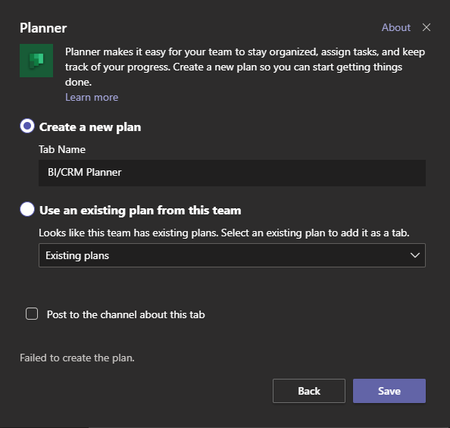
From time to time errors happen within Teams. One current example of that is that users cannot create a new planner plan and add it as a tab within Teams. There is just this error message "Failed to create the plan" but no hint where to look. Is there any place within the logs I could take a look for errors like these?Solved3.5KViews0likes1Comment
Combine Log parser from, to, ip, dns name and hits, order by hits I can't make it
Hello, I don't know if it's possible, but I need combine in Log Parser : FROM, TO, IP, DNS NAME, HITS x x x x 10000 x x x x 9999 x (if more with the same sender and receiver) I try it this codes. ./logparser.exe "SELECT EXTRACT_PREFIX(remote-endpoint,0,':') as IP,REVERSEDNS(EXTRACT_PREFIX(remote-endpoint,0,':')) as Name,Count(*) as Hits from 'C:\Program Files\Microsoft\Exchange Server\V14\TransportRoles\Logs\ProtocolLog\SmtpSend\*.log' WHERE data LIKE '%EHLO%' GROUP BY IP ORDER BY Hits DESC" -i:CSV -nSkipLines:4 -rtp:-1 >> C:\Temp\ES-DSS-SMTPSend_MAILFLOW07032020_01.csv and ./logparser.exe "SELECT data,Count(*) as Hits from 'C:\Program Files\Microsoft\Exchange Server\V14\TransportRoles\Logs\ProtocolLog\SmtpSend\*.log' WHERE data LIKE '%MAIL FROM%' or data LIKE '%RCPT TO%' GROUP BY data ORDER BY Hits DESC" -i:CSV -nSkipLines:4 -rtp:-1 >> C:\temp\ES-DSS-SMTPSend_MAILFLOW07032020.csv I don't know how combine or make a Select into another select. Thanks and regards, Tomás Esteban Corey1.4KViews0likes2Comments