immersive meetings
23 TopicsTeams Events App / Plug-in, targeting events vs registration
Hi all, We would like to leverage Teams Events app in our organization, but find it is less than ideal due to a key function in choosing whether to use a registration form with an event. There is an audience targeting function, which we would like to leverage, that is disabled once a registration form is configured. In turn, that opens the event for people who may not find it relevant in the Events view (i.e. wrong language, wrong timezone). On the other hand, if no form is configured, we can elect to turn off notifications and not add an event automatically to a calendar. That's great, but then there is no option at all to add an event from the Events view. Is there a way to subdivide the teams Events app into organizations behind the scenes, without subdividing the entire M365 tenant? Is there a chance that further development on this resource will allow for audience targeting AND registration?360Views0likes1Comment
Mirror My Video Apparently Means Mirror Everything?
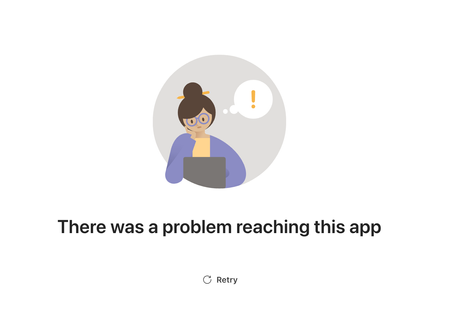
Most users expect Mirror My Video to mirror only their camera video, while leaving the virtual background exactly as they uploaded it. However, when Mirror My Video is enabled, Microsoft Teams also mirrors uploaded background image. So someone on MS Teams Team really thought: "The user will anticipate this and manually reverse their background images, then upload the backwards image so Teams can reverse it again!" We wait in earnest to find out if the next Teams patch will drop all pretenses and just mirror the entire display, including on screen text, menus, and the Windows Start bar.294Views0likes1CommentTeams App Error After 60 Seconds: "There was a problem reaching this app"
Problem My Teams tab app loads and works perfectly fine, but after exactly ~60 seconds, it shows this error screen: "There was a problem reaching this app" with a Retry button (Screenshot attached) Setup Teams Personal & Meeting tabs Node.js backend on Azure Azure AD authentication Multi-tenant app What I've Checked ✅ No errors in browser console ✅ No errors in server logs ✅ All API calls complete successfully ✅ Teams SDK initializes without errors ✅ Authentication tokens are valid ✅ App works fine locally - only happens in production The Strange Part The app functions normally during those 60 seconds. Everything loads, authentication works, API calls succeed. Then suddenly this error appears. The 60-second timing seems too consistent to be coincidental - suggests some kind of timeout. Question Has anyone seen this before? Is there a Teams SDK timeout or callback I'm missing? Should I be calling some kind of notifySuccess() or similar after initialization? Any suggestions on what could cause a delayed error like this would be appreciated!263Views0likes0Comments
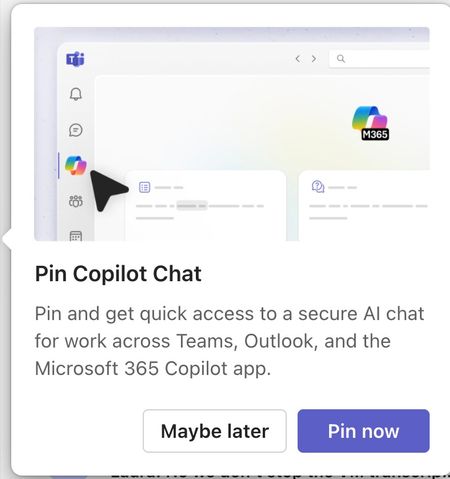
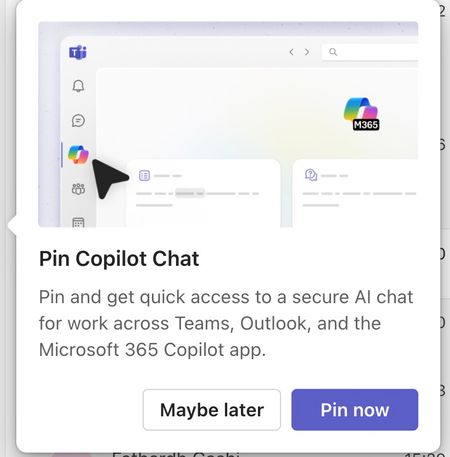
Please tell me how to disable the Pin Copilot message
Morning! I wrote a message yesterday but nobody replied, so here's another one so it doesn't get lost Can somebody tell me how to disable the annoying "Pin Copilot Chat" popup? every morning I have to say "Maybe Later" when I really mean to say NEVER IN A THOUSAND YEARS505Views0likes1Comment
Any meeting extensions suggestions for Microsoft Teams?
Hey everyone. Which software can you recommend to enhance your Microsoft Teams meetings? There are plenty of apps in the store and I did go through a bunch of reviews but I would love some use-cases and input from the actual community. Any good apps for tracking goals and tasks? A solid whiteboard app? Fun trivia and engagement tools? Thank you all so much in advance!Solved227Views0likes1CommentCan I save all the meetings recordings to a local server
I have a client who wishes to have all their meeting recordings saved to a local server for offline backups and also their policy requires them to have these files locally available. Is there a way that this can be done by automating since it's possible to download the files and trasnfer manually. Was trying to look at the Microsoft Graph but no luck yet. Any help on this will appreciate3.2KViews0likes5Comments
Enabling Microsoft Teams Room for Meeting Forwarding and Adding External Parties
Hello Microsoft Community, I hope you are all doing well! I'm reaching out with a query related to Microsoft Teams Rooms and some specific functionalities we are trying to enable. We are looking for guidance on how to allow all users to forward meetings and add external parties to our Microsoft Teams Rooms. Our organization has recently adopted Microsoft Teams Rooms to enhance collaboration and communication, but we've encountered some challenges in configuring these rooms to meet our specific needs. We have two primary requirements: 1. Meeting Forwarding: We want all users to have the capability to forward meetings scheduled in our Microsoft Teams Rooms to other team members. This feature is important for flexibility and ensuring that meetings are effectively managed. 2. Adding External Parties: Additionally, we want to enable the ability to add external parties (e.g., clients, partners) to our Microsoft Teams Room meetings via forwarding the email. This is crucial for our external collaborations and ensuring seamless communication. We've been exploring the Teams admin settings and documentation, but we haven't been able to find clear instructions on how to achieve these objectives. Has anyone successfully configured their Microsoft Teams Rooms to enable these features? If so, could you please share your insights, guidance, or any steps that worked for you? We would greatly appreciate any assistance or advice you can offer. Your experience and expertise would be invaluable in helping us make the most of Microsoft Teams Rooms for our organization. Thank you in advance for your contributions and support! Best regards, UtsavP9.5KViews0likes3Comments