copilot studio
12 TopicsIntroducing the customer conversation harness in Microsoft Copilot Studio
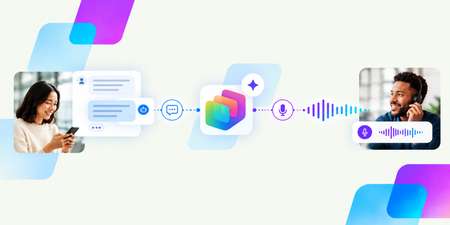
By Omar Aftab, Vice President, Conversational AI The way customers interact with brands is fundamentally changing. More and more interactions are driven by conversational AI, and customers increasingly expect every interaction to be deeply personalized and contextual. With millions of people interacting with sophisticated AI systems every day, consumers are no longer willing to put up with legacy IVRs, restrictive menus, and loss of context. Engaging with customers has been central to Microsoft Copilot Studio from the very start. Copilot Studio customers have created thousands of agents that engage with their customers, whether those customers are chatting on a website, speaking with a voice agent on the phone, or using an AI agent embedded in an app or kiosk. Today we’re announcing the public preview of our new customer conversation harness in Copilot Studio. This is a purpose-built harness and builder specifically designed to create powerful conversational agents for customer engagement. It supports the full arc of a customer interaction in a modern world: connecting to customers across channels, understanding what they need, drawing on the right knowledge and tools, interacting with human representatives as needed, and providing a swift resolution – whether the customer is speaking or typing. To enable this, the harness introduces a set of core new conversational capabilities. These range from teams of agents that work together, more seamless interactions between generative skills and deterministic topics, powerful omnichannel conversations across chat and voice, to better human-agent interactions. The harness also enables integration with third-party contact centers through our new Microsoft Contact Center Intelligence product that we also announced today. Build intelligent conversational agents that work together At the center of the new harness is the new conversational agent builder. Makers can now build state-of-the-art experiences for voice and chat within a single agent. Every agent is omnichannel out of the box and has the skills you’d expect any versatile customer-facing representative to have. They speak conversationally. They understand multiple languages. They are channel-aware. You can move between digital and voice channels without losing context, and the agents maintain memory across them. Connect a team of specialized agents to business knowledge and tools The customer conversation harness makes it easy to orchestrate multiple agents to work together as a team of specialists. Each sub-agent can have its own knowledge and its own tools to hand its own specialized tasks. At GA, each agent will also be able use its own model. This means makers can choose which model is best suited to the kinds of jobs and intents each specialist agent handles. Some tasks call for deep reasoning, while others benefit from models optimized for cost and latency. The harness is designed to orchestrate and combine these agents seamlessly into one customer engagement system. What's more: Microsoft Foundry extensibility is built in. You can create a custom agent with code in Foundry and add it to the team of agents with just a few clicks. The harness handles the complexity and does the heavy lifting, allowing you to build on your existing assets or more easily leverage pro-code capabilities. Finally, Microsoft IQ, which helps ground AI experiences in your organization's work context and business data, is also backed into the harness and available to each agent. With Work IQ, agents can draw on information from the Microsoft 365 apps your team uses every day. For example, an agent helping resolve a billing dispute could reference a refund policy stored in SharePoint and also reference an exception that was agreed to in a Teams thread. The agent accesses this information with its own identity, respecting existing enterprise data access and security policies. Agents can also connect to Foundry IQ for large-scale knowledge sources, such as product manuals, warranty terms, and documents indexed in Azure AI Search; Fabric IQ for reasoning over business data; and more. Combine generative skills with topics Each agent in the team handles multiple jobs - whether it's recommending a credit card, looking up a balance, or taking a payment. And just like when giving a task to an employee, you can provide general instructions for some tasks, and provide specific turn-by-turn directions for others. In the new harness, each agent skill can either be fully generative - you simply provide a prompt and let the model use its own judgment (e.g. “Go and gather the credit card information from the user”) - or fully deterministic, using a topic (commonly used, for example, in IVRs or voice trees where exact, step-by-step instructions are desired). This flexibility is key for large customer engagement systems and has been a recurring customer ask. In the past, an agent could do one or the other. Now, each agent in your team can seamlessly handle a mix of both, depending on the job to be done. Deliver natural experiences across voice and chat Because the harness is natively omnichannel, voice is a first-class experience for both makers and customers. You can choose among speech models and configure rich voice capabilities. These include voice fonts for more natural and customized interactions, speech instructions to guide the agent’s tone and speaking style, DTMF behavior, speech sensitivity settings, and more. When you're ready to publish, you can even acquire phone numbers and deploy your agent to them, making the agent accessible to customers over the phone. And you can test and evaluate all of this right within the experience. Make customer verification easier with voice biometrics Authentication can be one of the most frustrating parts of a customer service call. Traditional verification methods, from security questions to one-time passcodes, can add time and friction before customers can even explain why they're calling. Verifying a customer's identity is essential, but it shouldn't get in the way of a great service experience. The new harness, together with Contact Center Intelligence, supports enterprise grade state-of-the-art voice biometrics that help authenticate customers in real time. Rather than ask a rigid set of questions to validate identity, customers can continue to speak about why they’re calling in while the system validates the caller's identity with a unique voiceprint designed to meet the precision level required by the organization. This also means that if a call drops and the customer calls back, the conversation can seamlessly resume. Connect customer conversations to the enterprise Conversational agents and human representatives work best when they can collaborate to resolve customer needs, and the customer conversation harness in Copilot Studio provides built-in handoff capabilities for different kinds of escalation paths to live representatives. Partner with your human agents in Teams Out of the box, the new harness has better support for partnering with your internal employees in Teams. You can escalate incoming calls to a Teams queue, and very soon directly to Teams chats. Think of a scenario: Oh, that’s an invoice coding issue, it should go to…Sally in accounting. And you can send that call to Sally with just a few clicks, right from within the UX. Or connect to your existing contact center When a full-fledged contact center is needed, connecting to one is simple. The new harness is designed to integrate seamlessly with our new Microsoft Contact Center Intelligence product and is also accessible within it. You can connect to your existing contact center, modernize your existing IVR systems and chat bots, partner with your existing human agents, configure advanced biometrics, score your calls, get insights on how your human-AI partnerships are working, and more - while retaining your existing telephony, routing, and queues. All with a few simple clicks. Govern agents with Microsoft Agent 365 Finally, like all Copilot Studio agents, these conversational agents are fully part of Microsoft’s Agent 365 governance story. Every agent built on the customer conversation harness will show up in Agent 365 upon creation. Admins should immediately see the details of the agent, including owner, channels, Entra agent ID, knowledge, tools, permissions, usage, etc. Centralized governance helps admins apply and update existing policies comprehensively across the enterprise. And, like the rest of Copilot Studio, the customer conversation harness uses Copilot Credits with usage-based billing, so it's easy to get started. Get started with the customer conversation harness With the new customer conversation harness in Copilot Studio, we're helping organizations build more natural, intelligent, and effective customer experiences - wherever they engage with customers. Many of these capabilities are available now in public preview, with more rolling out over the coming weeks. Together with the launch of our new Contact Center Intelligence offering, this is the first step in a journey to transform how everyone on the planet interacts with a brand. Head over to Copilot Studio, click "more ways to build" to try out our new customer conversation harness, and start changing how you engage with your customers today. For more information as you get started, explore the resources below: Learn how to build with the customer conversation harness Read about Microsoft Contact Center Intelligence1.8KViews1like0CommentsManaging apps built in Copilot Studio
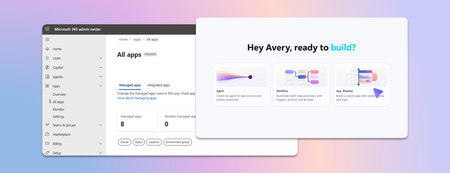
Last week we announced app building in Copilot Studio and Copilot Cowork. Makers can now describe business outcomes and produce full-stack apps with built-in source control, deployment stages, and version isolation—all on Microsoft-hosted infrastructure that requires no infrastructure provisioning, hosting configuration, or deployment pipeline. With those capabilities built in, your administrative scope is narrower and more familiar. Apps are created in the maker's personal developer environment following the environment routing policies you already have. That means things like connector permissions and data policies apply to an app both while it is being built and after it is published. Apps also access connected data on behalf of the signed-in user, which means publishing or sharing an app never grants anyone access to data they could not already reach. With these new capabilities, there are three things that every admin should be thinking about: Review your app estate Control cost with credit caps Choose where makers can build apps Review your app estate Published apps are inventoried in the Microsoft 365 admin center. Each app shows: Who built it Its lifecycle state Which data sources and connectors it uses Which policies apply to it Usage and operational metrics From the same experience, you can also block or disable a published app, remove a connector, bring an app back within policy, control whether it can be shared, and retire apps that are no longer used. Control cost with credit caps Building and running apps are both charged through Copilot Credits usage-based billing, and are metered as two separate services. This distinction lets you manage maker cost and app runtime cost independently. Build consumption varies with the language model used, the complexity of the app, and how much iteration is involved. Runtime consumption, on the other hand, varies with the volume and complexity of the tasks the app processes. At runtime, if the user holds a Power Apps Premium license, usage is included within existing request limits. Beyond those limits, or without a license, usage bills through Copilot Credits. You can learn more by reviewing the Copilot Credits licensing guide. As an admin, you can define credit cap policies to manage your costs. For both maker and runtime usage, caps are set per user, and the controls are managed through usage-based billing. For makers, think of a cap as a per-user budget: you can set the same budget for everyone, or different budgets for groups of users, such as departments that carry separate budgets of their own. Choose where makers can build apps By default, app creation is available to all users in both Copilot Studio and Copilot Cowork. However, you may want to limit where people can build apps. To do so: In the Microsoft 365 admin center, navigate to Apps, then Overview, and find ‘Choose where people can make apps’. Two paths appear: Copilot Studio, where makers build directly, which is on by default and recommended Copilot Cowork, where people create apps through chat, with availability managed by your organization's participation in the Frontier program Note that turning a path off prevents new apps being created that way. However, apps that are already published through that path will continue to run. Key takeaways for managing apps built in Copilot Studio The Microsoft 365 admin center is the one place to review the app estate, adjust app policies, and decide which creation paths stay open. Set credit caps as per-user budgets today, uniformly or by group, and plan for environment-level caps as project budgets when they arrive. Decide who is accountable for overseeing published apps before makers start publishing, as you would for any other application estate. Go to the Microsoft 365 admin center2.3KViews1like2CommentsAre bigger agents better? How to design agents that scale
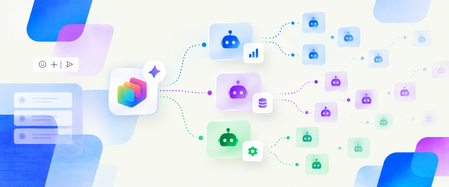
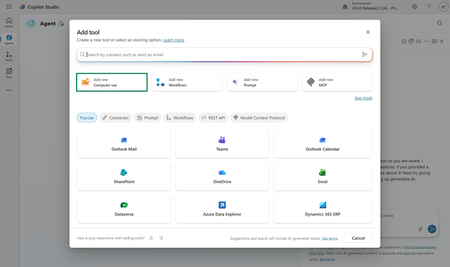
There is a moment every maker hits. An agent works, so you add another tool. Then another knowledge source. Then instructions for an exception that appeared last week or an entirely new use case you want your agent to be able to tackle. Each addition is useful on its own, and the agent can now do more. But "can do more" and "reliably does the right thing" are different properties. As an agent’s scope increases, the model has more choices to distinguish, more context to process, and more possible execution paths to manage. That doesn’t mean large agents are bad. It means that as capability grows, the challenge increasingly becomes a design problem. The key to scaling an agent isn't giving it more. It's being deliberate about what it sees, what it decides, and what it delegates. What changes as an agent grows The agent scaling challenge Consider a supplier-onboarding agent. The first version collects supplier details, checks that the request is complete, and starts an approval. Over time, makers add tools for ERP records, tax validation, sanctions screening, bank verification, contract storage, service tickets, email, and reporting. They add knowledge for regional policies and instructions for exceptions. Eventually, a request such as "Onboard our newest supplier" might present the agent with several supplier-search tools, multiple ways to create or update a record, and overlapping policy sources. The agent still has all the required capabilities, but choosing the right path is harder. The agent scaling challenge tends to show up in four places: Selection: Similar tool names and descriptions make the correct action harder to identify. Context: Tool definitions, instructions, knowledge, conversation history, and tool outputs all compete for a finite context window. Execution: More possible paths create more opportunities for unnecessary calls, retries, and inconsistent outcomes. Operations: A larger capability surface is harder to evaluate, secure, govern, and maintain. A recent post from Microsoft Research discusses one part of this problem: Tools that work well independently can reduce end-to-end performance when they compete in a large or overlapping set. Often, the problem isn’t one bad tool. It is the ambiguity between several reasonable ones. Figure 1: As a supplier-onboarding agent grows, overlapping tools, instructions, and knowledge compete for attention before the agent begins the task. More context comes with a cost There is also a direct cost associated with an expanding toolset. A tool consumes tokens even when it is never called because its name, description, and parameter schema are included in the context presented to the model. When it is called, its output becomes part of the agent's ongoing context. More context can mean more spend, as well as less reliable selection. The goal isn’t a smaller agent. It is a system where each decision sees only the context, authority, and capabilities it needs. Success is measured by business outcomes, reliability, cost, and control. What our harness can handle for you Good agent architecture doesn't mean solving every scaling challenge yourself. The GitHub Copilot harness in Copilot Studio is built to manage some of the complexity as an agent grows. Model improvements that don’t require agent redesign New models are made available through the GitHub Copilot harness as they release. As more advanced frontier models become available, teams can evaluate them against their scenarios and adopt improvements without redesigning the overall solution architecture. Model choice can also be an important factor in agent cost optimization, helping makers balance the number of tokens used against the capability needed to achieve a goal. Manage complexity natively with tool search The GitHub Copilot harness includes runtime capabilities designed for reasoning-heavy, multistep work. One example is tool search. When the available tool set becomes large, tool search can hold external tool definitions back and load the relevant ones on demand instead of placing every full schema in the model's context. For the supplier-onboarding request, this can narrow a large catalog to the tools associated with finding a supplier, validating its details, and starting onboarding. The model works with a smaller, better-matched set of choices while unrelated tool definitions remain out of the way. The harness can also plan across tools, skills, workflows, MCP servers, files, and connected agents, and adjust its path as work progresses. This all makes large, reasoning-heavy automations more practical. But runtime capabilities only solve part of the scaling challenge. How you divide responsibilities across tools, workflows, skills, and connected agents still matters. How to design agents that scale in Copilot Studio A scalable design starts by deciding which part of the system should own each responsibility. For instance: Use a tool for a bounded action or lookup with a clear input and output. Use a workflow when a sequence, approval, or business rule should execute consistently. Use a skill for specialized instructions that are only needed for a particular task. Use a connected agent when a domain has distinct context, ownership, or requirements. Use the main agent to coordinate outcomes, gather information, make judgments, and handle exceptions. These are not interchangeable building blocks. Each introduces different tradeoffs in context, flexibility, latency, cost, security, and maintenance. The goal is to use the simplest component that gives each responsibility a clear owner. 1. Make choices distinct Start with the choices already available to the agent. Give tools, knowledge sources, and connected agents specific names and descriptions that explain both what they do and when they should be used. Merge or remove duplicate capabilities. Avoid several general-purpose tools that all appear to answer the same intent. In the supplier example, "Search suppliers in ERP by legal name or tax ID" is easier to select correctly than a generic tool named "Search." If two tools search the same supplier records, expose one clear route rather than asking the model to choose between implementations. Tool search itself relies on names, descriptions, and parameter metadata to find relevant tools, so good metadata improves both discovery and final selection. 2. Load specialist guidance only when it is needed Some instructions are only relevant when an agent performs a particular task. Keeping all of them in the main agent instructions means they occupy context on every turn, even when they do not apply. Skills let makers package specialized instructions separately so the agent can load them when the task requires them. For example, regional supplier due-diligence guidance can be packaged as a skill and loaded for suppliers in that region, rather than remaining in the main instructions for every supplier request. The principle is the same as tool search: keep relevant context close and leave unrelated context out of the current decision. 3. Split on real boundaries When one agent contains several distinct domains, consider separating them. To clarify: Don't split an agent simply because it has grown large. Split where there is a meaningful boundary in context, ownership, security, or requirements. In the GitHub Copilot harness, connected agents let a primary agent delegate a bounded task to another Copilot Studio agent with its own instructions, knowledge, tools, and orchestration context. The supplier-onboarding agent could remain the front door while delegating: Compliance assessment to a compliance agent owned by the risk team. Supplier record creation to a finance operations agent with access to the ERP. Contract preparation to a legal operations agent with its own templates and policies. The primary agent now chooses between a few clearly described business capabilities instead of dozens of lower-level tools. Each specialist can be evaluated, secured, deployed, and improved independently. Copilot Studio also supports open agent architectures. Depending on the runtime and scenario, solutions can compose Copilot Studio agents or connect supported external agents through the Agent2Agent protocol. In the supplier scenario, a specialist due-diligence agent hosted outside Copilot Studio could sit behind the same clear boundary, rather than being rebuilt as a collection of tools. 4. Put fixed sequences in workflows Use the agent where the next step requires judgment. Use a workflow where the sequence, approval, or control must remain consistent. This helps preserve adaptability without making every part of the process probabilistic. For example, supplier onboarding might always require the same core sequence: validate required fields, check for an existing supplier, run mandated compliance checks, create the record, and route it for approval. A workflow can own that sequence. The agent can still decide when to start it, gather missing information, and handle exceptions. This reduces the number of low-level decisions the model must make and gives makers one place to enforce approvals, retries, and audit requirements. The supplier-onboarding agent, redesigned So let’s go back to the original agent in our example. It had one long instruction set, several knowledge sources, and dozens of tools. The redesigned system doesn’t eliminate that agent. It gives it a clearer job: coordinating the overall outcome while other components take on more specialized responsibilities. That gives us a system: The main supplier-onboarding agent understands the request, collects any needed details, delegates as needed, handles exceptions, and responds. Tool search limits the external tools loaded for the current request. Clear metadata separates supplier lookup, compliance, finance operations, and contract tasks. A workflow owns the fixed onboarding and approval sequence. Skills provide regional guidance only when the supplier's location requires it. Connected agents own compliance, ERP, and legal domains where those boundaries justify separate agents. The result is the same overall capability, but as a composed system with clearer responsibilities and less for any one decision to reason over. Evaluate for the outcome Each approach discussed above has limits. A stronger model cannot compensate for unclear instructions or overlapping tools. Tool search reduces what the model sees, but it does not create boundaries that have not been designed. Workflows and skills reduce what the main agent must reason over, but they add components to maintain. And connected agents can provide clearer ownership and security boundaries, but each handoff adds token use, another failure point, and more to govern. Designing agents that scale means managing all four components of the agent scaling challenge together: making selection easier with distinct choices and clear boundaries, controlling context with tool search and skills, making execution more predictable with workflows and deliberate delegation, and strengthening operations through components that can be evaluated, secured, governed, and improved independently. Agent scale is not a tool-count contest. Models, requirements, and available tools will keep changing, but these principles give you a more durable way to evolve an agent without letting added capability become added confusion. The goal is not the biggest agent; it is a composed system that reliably does the right work, at the right cost, with clear ownership.771Views0likes0Comments
Governance is becoming agentic, too: How enterprises can operate AI at scale
Organizations have spent the past few years trying to get people building with AI. That effort is working: Agents are moving beyond experimentation and into real business processes. For IT teams, this kind of successful adoption creates a new set of questions. What agents exist across the organization? Who owns them and what systems and data can they access? How are they being used, and what do they cost to operate? Are they healthy? And how do you know when an agent’s risk profile or behavior changes? These questions get harder as the agent estate of an organization grows. Agents may be built by different teams or on different platforms. Some may operate outside the Microsoft ecosystem entirely. Their capabilities can also change as they connect to new data and tools. We’ve been thinking a lot about this challenge as we prepare for the Microsoft Power Platform Conference (PPCC) in October 2026. One idea comes up again and again: Scaling agents doesn’t just mean governing more things. It requires changing how governance itself works. Inventories, reviews, and administrator controls remain important. But they need to become part of a more continuous operating model. I see that evolution in three parts: observe continuously, respond proportionately, and automate where appropriate. Observe continuously You can’t govern what you can’t see. And when it comes to agents, visibility means more than maintaining an inventory. It means understanding each agent in context: its ownership, identity, access, usage, health, and behavior. It is important to note that that context isn’t static. A maker or admin could give an agent access to a new tool or data source. They could change the agent's owner. The way people use it in production may reveal something about the build that wasn’t apparent during development. And, of course, usage of that agent (hopefully) will grow over time. That makes observability, defined as visibility into agent activity and behavior through telemetry, an ongoing requirement. Then, at enterprise scale, there’s the question of coverage. In my experience, many enterprises plan to build agents in multiple places. They may be built with Microsoft platforms like Copilot Studio, third-party platforms, and/or custom development. This is where cross-platform management layers like Microsoft Agent 365 become especially important. A shared agent control plane—that is, a common layer for managing and governing agents across platforms—makes observability actionable across the agent estate, rather than leaving signals isolated within individual platforms. IT can use those signals to detect changes such as risk, usage, cost, and health over time. isualize how agents fit into the broader ecosystem, connect with other agents, and perform over time to simplify monitoring and resolve issues quickly. At PPCC, the Agent 365: Securely Managing and Governing Agents at Scale workshop will go deeper into the controls and operating practices behind this model. If these are questions you’re working through in your organization, I hope you’ll join us there. Respond proportionately Once you have signals, the next question is what you do with them. Not every agent represents the same level of risk. An agent that answers employee questions from approved internal documentation is very different from one that can access sensitive data and take actions in a production system. They shouldn’t necessarily go through the same governance process. At enterprise scale, treating every agent identically creates problems in both directions. Too little oversight introduces unnecessary risk. Too much can create bottlenecks for scenarios that fit established policies. A more scalable approach is to align the response with the risk. Identity, permissions, data access, autonomy, and available actions all provide useful context. Organizations can use that content to determine which policies apply and where additional review is appropriate. For example, imagine an agent gains access to a new data source. That change is a signal. What’s the appropriate response? If the new access falls within established policies and risk boundaries, the agent may not need additional intervention. If it introduces a higher level of risk—such as access to sensitive data—it could trigger stronger controls or human review. This type of program might look something like this: The important shift seen with this approach is that governance becomes less dependent on applying the same manual process to every agent. Instead, organizations can establish patterns for different levels and types of risk. That makes governance more predictable for builders, too. Teams know the boundaries they’re working within, while higher-risk agents can receive additional scrutiny. We’re applying this principle inside Microsoft as well. At PPCC, How Microsoft Does IT: Managing and Governing Agents with Risk-Aligned Oversight will share how we’re approaching risk-aligned agent governance across Copilot Studio, Agent 365, Microsoft Defender, and Microsoft Purview. Automate where appropriate Once you can observe changes and determine the appropriate response, the next question is: Does a person need to execute that response every time? At enterprise scale, the answer increasingly needs to be no. Many governance decisions are repeatable. Organizations already know the policies they want to enforce, the boundaries agents should operate within, and the conditions that require additional review. This is where I think governance starts to become agentic, too. One useful way I’ve found to think about it is as a continuous loop: Observe → assess → act → escalate At a high level, this loop represents how a more automated governance framework can work. Basically, in such a framework: The governance system detects a relevant signal and evaluates it against the context and policies the organization has established. When the appropriate response is clear, an automated control can act. When the situation falls outside those boundaries or requires judgment, it can be escalated to a person. The goal isn’t to automate every governance decision, but rather to automate the decisions we already know how to make. People will continue to be responsible for setting policies, defining risk tolerances, and deciding where human judgment is required. The objective here is to let automation handle more of the repeatable work inside those boundaries. In practice, that changes the job of IT teams and Centers of Excellence (CoEs). Instead of inspecting and configuring agents one at a time, they can spend more of their effort designing how governance operates: defining trusted patterns, establishing risk thresholds, and deciding when human intervention is required. You can see some of this shift from visibility toward action at PPCC. The Agentic Governance: Secure, Govern, and Operate Your Power Platform at Scale session will explore real-time inventory and telemetry alongside automated controls and security, using the Power Platform API as an extensibility layer for enterprise governance. Governance must evolve with the agent estate The goal isn’t a future where people disappear from agent governance. It’s one where their attention is used more deliberately. As agents become more capable, the systems around them need to become better at sensing change. As the estate grows, oversight needs to reflect actual risk. And as routine governance work increases, organizations need to decide what can be handled through established policy and what needs human judgment and accountability. That is the shift I mean when I say governance is becoming agentic, too. And we’re only beginning to explore what that operating model can look like at enterprise scale. If you’re working through these questions in your own organization, we’ll be digging into them throughout PPCC. Here are a few sessions and workshops I recommend: Sessions Governance of All Your Agents at Scale How Microsoft Does IT: Managing and Governing Agents with Risk-Aligned Oversight Observability and Governance for Your Third-Party Agents with Minimal Configuration and Maximum Control Secure by Design: Preparing Agents for Production and Scale Governance First, Agents at Scale: How Wells Fargo Built Copilot Studio Agents in a Regulated Bank Workshops Agent 365: Securely Managing and Governing Agents at Scale Mastering Governance at Scale: Unlock the Full Potential of Your Power Platform and Agent Estate Nobody Knows How Many Agents You Have847Views0likes0CommentsMore powerful agents and workflows for autonomous business processes: Introducing a new harness for Copilot Studio
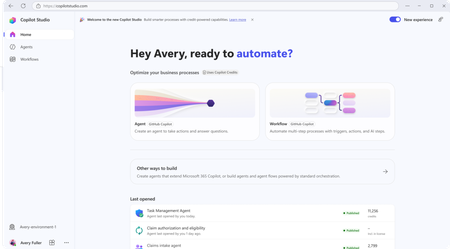
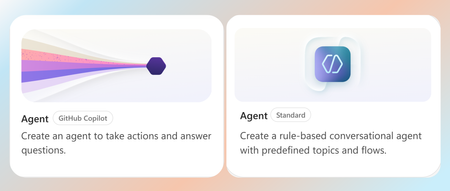
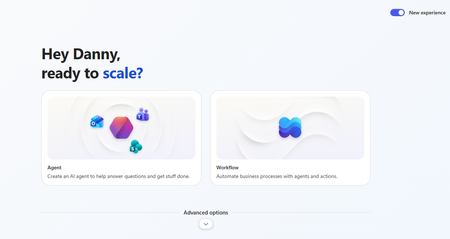
Over the past two months, we’ve been previewing a new capability within Copilot Studio that lets you build agents capable of taking on more complex business processes. Today, we’re excited to share that this capability is now generally available for production use and to introduce its new name: the GitHub Copilot harness in Copilot Studio. Meet the GitHub Copilot harness The GitHub Copilot harness gives Copilot Studio the coding and reasoning capabilities behind our most advanced agent experiences (like Copilot Cowork and the GitHub Copilot coding agent). This means your agents can now handle work that used to be out of reach, including processes that have many steps, many sources, and ambiguous decision points. The new harness is built for complex, long-horizon work using the latest frontier reasoning models like Opus 5, GPT-5.6 Sol, and Fable 5. It can plan, reason through dynamic problems, run an agentic loop, use skills, integrate workflows, connect to tools and agents in other platforms, and produce rich, multi-part outputs. In our own testing with real world business process evals, Copilot Studio shows significant performance and quality gains when using the GitHub Copilot harness. Improvements in multi-tool use, file analysis, code analysis, and knowledge quality mean these agents are more capable of taking on your most complex business processes. To help you build these more capable agents, we’re also delivering new experiences for makers building agents with the GitHub Copilot harness. The agent designer is more intuitive for authoring, putting the most important tools right within reach to make authoring faster, while retaining full agent lifecycle management features. Then, the workflow designer gives a visual canvas to understand and edit workflows, including adding agent nodes and running workflow evals. And soon, natural language authoring will let you describe your business goal and assemble the right combination of agents and workflows through a multi-turn conversation. Agents running on the GitHub Copilot harness use usage-based billing for all work, regardless of Microsoft 365 Copilot licensing. You pay for your agent’s usage based on the models you choose, the organizational context and tools you add, and runtime used. Certain AI-driven maker experiences, like natural language authoring, evaluations, and testing, will also fall under usage-based billing if building with the GitHub Copilot harness. You can learn more about Copilot Studio usage-based billing here. Continued Support for Copilot Chat and Standard harnesses Adding a new harness does not change the ones you already rely on. Different harnesses can be optimized for different outcomes, so rather than relying on a single one-size-fits-all approach, Copilot Studio now lets you choose the harness that best fits your scenario. This means Copilot Studio supports three harnesses today: The Copilot Chat harness, which uses the same harness as Microsoft 365 Copilot Chat and is ideal for customizing Copilot Chat experiences. The Standard harness, which most agents built in Copilot Studio use today and is great for conversational agents with rules-based topics. The new GitHub Copilot harness, which uses the power of GitHub Copilot SDK to automate complex, agentic business processes. We will continue to support the Copilot Chat and Standard harnesses in Copilot Studio for both existing agents and authoring of new agents. Microsoft 365 Copilot licensed users continue to benefit from fair use of Copilot Chat or Standard harness agents included in their Microsoft 365 Copilot license. For all other usage, the Copilot Chat and Standard harnesses will continue to be billed using the existing fixed rate card. Get started today The GitHub Copilot harness is generally available now, and you can start creating these agents directly from the Copilot Studio homepage. We can’t wait to see what you build. Share your thoughts using the feedback control in the top right corner of the product. Your input directly shapes what we build—and how you build—next. Try Copilot Studio today!48KViews10likes12Comments
White paper: Choosing between the GitHub Copilot and Standard harnesses in Copilot Studio
The Standard harness and GitHub Copilot harness are two authoring and runtime options within Microsoft Copilot Studio. A harness is the operating layer between the model and the agent’s configuration. It determines how the model receives context, uses instructions and tools, interprets results, and moves through a task toward completion. Put simply, the model provides the reasoning capability, while the harness equips and directs it. Both harnesses are built for task-based, multi-step agents that create real business value, but they are suited to different scenarios. The Standard harness supports consistent, reliable execution of bounded business processes, while the GitHub Copilot harness extends these capabilities to longer-running, coordination-heavy, and reasoning-intensive work at a larger scale. This paper explains the key differences, tradeoffs, and scenarios to help you choose which harness is right for your business process. Read the full paper by clicking the PDF attachment below.7.9KViews0likes2Comments