community
3465 Topics
Thirteen localized Dutch (nl-NL) issues in the latest Windows 11
Subject: Thirteen localized Dutch (nl-NL) issues in the latest Windows 11 (Insider) Beta/Dev/Canary and Stable builds Hello, I have submitted several times Feedback to the Windows Feedback Hub regarding to localization textual issues in Windows 11. The Dutch (nl-NL) related language textual issues hasn't been resolved through the Feedback Hub and there is no response from the Feedback Team in the Feedback Hub. These issues have existed since Windows 10 and still exists in the latest Windows 11 (Insider) Beta/Dev/Canary and Stable builds. The issues don't occur in the en-US versions, but only in the Dutch (nl-NL) localized Windows 11 versions: https://aka.ms/AAxtmr0 A Dutch sentence in a warning message got currently a grammar error https://aka.ms/AAxumnr "Verwijderen" in the Dutch Contextmenu isn't correctly aligned https://aka.ms/AAxumnw Typo in Dutch device drivers https://aka.ms/AAwfasx Typo in "Scanner" Windows Feedback App https://aka.ms/AAuycw7 Six tooltips in the Dutch (nl-NL) region Control Panel in Windows 11 doesn't have a point at the end of the sentence https://aka.ms/AAuy57o Renaming a folder or file isn't possible through the Windows Explorer right click context menu on a FTP site in Windows Explorer https://aka.ms/AAuxxi6 'System Product Name' and 'System manufacturer' aren't translated into Dutch https://aka.ms/AAuxxi8 "weergev" in the tooltip in the Dutch Control Panel is truncated https://aka.ms/AAuycwa Truncated Dutch words in Windows Explorer at the network infrastructure area https://aka.ms/AAuycwb The word "read" in the error message is not translated into Dutch as "gelezen" https://aka.ms/AA11195c Truncated Run dialog box https://aka.ms/AA11195d Text truncated when printing image file to PDF https://aka.ms/AA112m6k Background harddisk icons in properties form sometimes has a different color on first initialization Please submit this to the Dutch (nl-NL) localized team to fix these localization issues.21Views0likes2Comments
Your account has been suspended for violating our Code of Conduct
I don't know where to turn. Microsoft support is here. My account was suspended at the server level at https://learn.microsoft.com/en-us/answers/. I was careless enough to post the link. I admit my guilt. I won't do it again. How can I unblock it so I can respond to users? I can't create threads or reply; it says: "You cannot take this action because your account has been suspended due to a violation of our Code of Conduct. Your account was manually reported or identified through automated detection before this action was taken. Please refer to our Code of Conduct for more information."21Views0likes0CommentsYour account has been suspended for violating our Code of Conduct
I don't know where to turn. Microsoft support is here. My account was suspended at the server level at https://learn.microsoft.com/en-us/answers/. I was careless enough to post the link. I admit my guilt. I won't do it again. How can I unblock it so I can respond to users? I can't create threads or reply; it says: "You cannot take this action because your account has been suspended due to a violation of our Code of Conduct. Your account was manually reported or identified through automated detection before this action was taken. Please refer to our Code of Conduct for more information."28Views0likes0Comments
Microsoft 365 w małym warsztacie samochodowym: cyfrowa transformacja
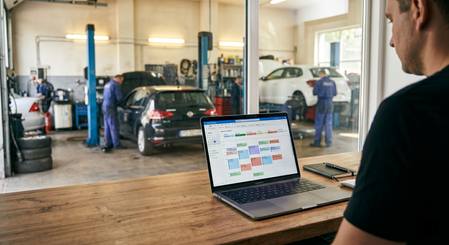
W ostatnich latach świat napraw samochodowych uległ ogromnym zmianom, i nie chodzi tu tylko o silniki hybrydowe czy zaawansowaną elektronikę pokładową. Kluczowa rewolucja dokonała się w obszarze zarządzania procesami operacyjnymi. Minęły czasy, gdy „papierowy zeszyt" i dobra pamięć mistrza wystarczały do sprawnego prowadzenia spraw. Dziś nawet niewielki, niezależny warsztat https://orlovautoservice.com/ musi sprawnie przetwarzać ogromne zbiory danych: od harmonogramów dostaw części po szczegółową historię napraw setek unikalnych pojazdów. Jako ekspert wielokrotnie widzę, jak zdolni mechanicy tracą realne zyski wyłącznie przez chaos w dokumentacji. W tym artykule wyjaśnimy, jak ekosystem Microsoft 365 potrafi przekształcić rozproszone czynności w spójny, przejrzysty system, który oszczędza czas warsztatu i pieniądze klienta. Problem próżni informacyjnej: dlaczego „stare metody" już nie działają Głównym wyzwaniem w zarządzaniu małym warsztatem w Poznaniu lub Swarzędzu jest problem wielozadaniowości. Ta sama osoba często pełni rolę mechanika, managera ds. zakupów oraz doradcy klienta. Gdy termin na wymianę oleju zapisany jest w jednym notesie, lista filtrów znajduje się w komunikatorze na prywatnym telefonie, a historia błędów po usłudze diagnostyki komputerowej istnieje jedynie w głowie pracownika, pojawia się niebezpieczny efekt „wąskiego gardła". Błędy stają się wówczas nieuniknione: części nie zostają zamówione na czas, klienci zapominają o wizytach, a istotne uwagi o stanie zawieszenia giną przy przekazywaniu zmiany między mechanikami. Konsekwencje takiego podejścia mają charakter kumulatywny i uderzają w fundamenty biznesu. Początkowo są to drobne nieporozumienia, które z czasem przeradzają się w realne straty finansowe i wizerunkowe. Bez rzetelnej bazy danych właściciel nie jest w stanie prognozować obciążenia serwisu. Pusty podnośnik generuje bezpośrednie straty, natomiast przeładowana zmiana prowadzi do pośpiechu i drastycznego spadku jakości. Wykorzystanie Microsoft 365 pozwala wyeliminować te ryzyka, tworząc jednolite środowisko cyfrowe, gdzie każda informacja trafia do właściwej osoby we właściwym czasie. Brak synchronizacji między biurem a halą naprawczą skutkuje znacznymi opóźnieniami w akceptacji kosztorysów przez klientów. Spadek lojalności kontrahentów wynika z braku możliwości szybkiego wglądu w historię poprzednich napraw lub braku przypomnień o konieczności wykonania przeglądu okresowego. Efektywność ekonomiczna: transformacja zarządzania poprzez rozwiązania chmurowe Wielu właścicieli mniejszych warsztatów obawia się wdrażania zaawansowanych systemów CRM ze względu na ich wysoką cenę i stopień skomplikowania konfiguracji. W tym kontekście Microsoft 365 stanowi idealny „most" technologiczny. Jest to zestaw narzędzi, które większość użytkowników już zna, ale przy odpowiednim podejściu działają one jak potężna platforma biznesowa. Cyfryzacja bezpośrednio koreluje z efektywnością ekonomiczną. Przykładowo, jeśli naprawa zawieszenia jest zorganizowana poprzez Microsoft Planner, właściciel widzi każdy etap: od zamówienia wahaczy po moment, gdy samochód trafia na stanowisko regulacji geometrii kół. Eliminuje to sytuację, w której auto zajmuje miejsce w boksie, czekając na część, o której zapomniano przy składaniu zamówienia w hurtowni. Rozwiązanie: krok po kroku wdrażanie cyfrowego ekosystemu w procesy robocze Poprawa efektywności warsztatu musi zacząć się od ustalenia właściwych priorytetów. Nie należy próbować wdrażać wszystkich funkcji jednocześnie. Najlepiej zacząć od tego, co przynosi natychmiastową korzyść: komunikacji i dokumentowania pracy. Microsoft Teams w warunkach warsztatowych to znacznie więcej niż zwykły czat. To centrum operacyjne, gdzie tworzy się kanały dla konkretnych projektów lub stałych klientów. Mechanik wykonujący oględziny może za pomocą smartfona nagrać wideo z luzem na sworzniu lub wyciekiem oleju i wysłać je bezpośrednio na kanał. Doradca natychmiast widzi usterkę, dobiera części w Excelu i przesyła klientowi link do wideo. Taka transparentność drastycznie podnosi zaufanie do serwisu. Kolejnym krokiem jest automatyzacja ścieżki klienta. Dzięki Microsoft Bookings można zintegrować formularz zapisu bezpośrednio ze stroną internetową lub profilem w mediach społecznościowych. Klient sam wybiera wolny termin, otrzymuje potwierdzenie oraz przypomnienie w Outlooku. Całkowicie zdejmuje to ciężar odbierania telefonów z barków mistrza, pozwalając mu skupić się na kontroli technicznej, a nie na logistyce terminów. Budowa bazy wiedzy w SharePoint pozwala przechowywać raporty z najtrudniejszych przypadków technicznych i unikać „odkrywania koła na nowo" przy podobnych awariach. Wykorzystanie Microsoft Forms do badania satysfakcji po wizycie umożliwia szybką reakcję na ewentualne uwagi i ciągłe doskonalenie standardów obsługi. Niuanse techniczne i bezpieczeństwo danych: dlaczego chmura jest niezawodna Krytycznym aspektem cyfryzacji jest trwałość i bezpieczeństwo informacji. W małych serwisach często zdarza się, że baza klientów znajduje się na starym laptopie, który może ulec awarii w dowolnym momencie. Przejście do chmury Microsoft 365 gwarantuje, że dane są chronione standardami przemysłowymi. Nawet jeśli w warsztacie zabraknie prądu lub zepsuje się komputer, cała historia operacji pozostaje dostępna z poziomu każdego smartfona. Synchronizacja między urządzeniami pozwala właścicielowi kontrolować warsztat z dowolnego miejsca. W czasie rzeczywistym widać, ile aut jest aktualnie w naprawie, które faktury zostały opłacone i jaki jest stan magazynowy materiałów eksploatacyjnych. To daje wolność i precyzyjną kontrolę niezbędną do skalowania biznesu. Nowoczesny mechanik to już nie tylko człowiek w ubrudzonym kombinezonie, ale specjalista biegły w technologiach na każdym poziomie eksploatacji pojazdu. Podsumowując, narzędzia Microsoft 365 nie są luksusem zarezerwowanym dla korporacji, lecz palącą potrzebą dla małego biznesu, który chce przetrwać na konkurencyjnym rynku. Inwestując czas w konfigurację tych procesów dzisiaj, tworzysz fundament, na którym oprze się reputacja Twojego serwisu jako nowoczesnego i wysoko wyspecjalizowanego przedsiębiorstwa. Porządek w danych bezpośrednio przekłada się na jakość wykonania — i to jest fundament każdego profesjonalnego warsztatu.17Views0likes0CommentsFrom Showing Up to Lifting Others: Diego Domingos da Silva's MVP Journey
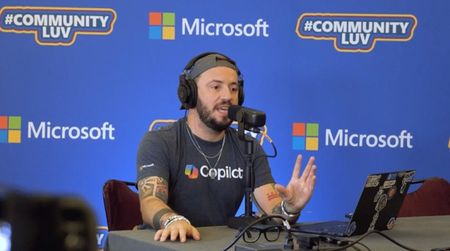
For MVP Diego Domingos da Silva, the journey to becoming a Microsoft MVP was never about collecting credentials. It was about showing up, learning in public, and finding people who made the tech world feel more human. A newer MVP in the program, Diego has built his reputation by helping others make sense of Microsoft 365 with honesty, humor, and heart. Along the way, the community became more than a professional network. It became a place of growth, connection, and support—and ultimately helped shape both his career and his life. The spark that started it all Diego’s path into the community started with a challenge from a manager: build a personal brand. At the time, he was working in Washington, D.C. and began experimenting with a blog that would eventually grow into his recognizable voice in the Microsoft 365 space. He attended his first Microsoft 365 Community Conference in Las Vegas shortly after the pandemic, where one session about making community part of your career shifted his perspective. Instead of watching from the back, he moved to the front of the room - curious, observant, and determined to understand how people built careers through sharing what they knew. “I had zero of the knowledge, but I had the curiosity. I went to the front of the room because I wanted to see how it was done.” That curiosity turned into action. After encouragement from community leaders, Diego submitted sessions, spoke at events, and kept returning - not because he was chasing a title, but because he loved the energy of helping others and learning alongside them. He discovered that community work is not only what happens on stage. It is also the invisible work: moving chairs, carrying pizza boxes, welcoming newcomers, and creating spaces where people feel they belong. Over time, mentors encouraged him to keep going, build meaningful contributions, and trust that impact matters more than perfection. Behind the scenes, Diego was also navigating profound personal loss. In that season, the M365 community became far more than a place to talk about technology. It gave him a sense of safety, connection, and stability when he needed it most. That experience shaped the way he shows up today: candid, welcoming, and committed to making space for other people’s stories as well as their technical growth. “Community wasn’t just my escape. Community was my lifeline. It was my safe space.” and the Microsoft sign in Redmond, Washington at MVP Summit What impact really looks like One of Diego’s biggest lessons is that community impact is rarely about knowing everything. It is about listening well, staying humble, and helping people connect to the knowledge they need. That mindset has shaped how he contributes today as a Microsoft MVP in the M365 category, with a focus on SharePoint and M365 Copilot. On his Microsoft MVP profile, Diego describes his work as “flipping the script in M365 with SharePoint, Copilot, and the power of community,” a phrase that reflects both his technical focus and his people-first approach. He also believes belonging grows when people bring their full selves into the room. That is part of what motivates his work to foster visibility and connection for underrepresented groups in tech spaces. Whether he is mentoring, speaking, blogging, or simply starting conversations that help people feel less intimidated, Diego keeps coming back to the same idea: meaningful community is built one generous interaction at a time. “I do not know everything, but I know everyone who knows something—and I can help you get the information you need.” Alongside his work in mentorship and storytelling, Diego is also actively creating new spaces for connection. Inspired by an LGBTQIA+ meetup at the Microsoft 365 Community Conference - organized with very little notice but still drawing a meaningful group - he recognized a deeper need within the ecosystem. That moment sparked the creation of Pride in M365, a community for LGBTQIA+ individuals and allies across Microsoft 365, Power Platform, AI, and the broader Microsoft ecosystem. The group focuses on building connection, visibility, mentorship, and support through shared experiences and community conversations - with a clear message that everyone is welcome. For Diego, the goal is simple but powerful: carry the energy of those in-person moments forward so that connection doesn’t start from scratch at every event. By creating a consistent space between conferences, Pride in M365 helps people show up already knowing they belong - and already recognizing a few familiar faces. “If we can keep those conversations going between events, then by the time we show up at the next conference, we already know each other. That’s the goal - to make the community easier to find, easier to join, and a little more welcoming for everyone.” LGBTQIA+ meetup at the Microsoft 365 Community Conference. Keep showing up If you are thinking about becoming a Microsoft MVP, Diego’s advice is refreshingly practical: pick something you genuinely enjoy, stay curious, and keep showing up. Expertise grows over time, but authenticity, empathy, and consistency are what help build trust. To learn more about Diego’s work, visit his Microsoft MVP profile and LinkedIn page, and explore the Microsoft MVP Program to see how community contributions can open doors - not just professionally, but personally too. Connect with the Microsoft 365 & Power Platform Community and Microsoft 365 Community Hub. “Every day will be happier than the day before.” (Left to right) MVPs Jeremy Sinclair,Diego Domingos da Silva,Sucheta Gawade, andAgnieszka Maria Mietz-Blijleven on a Mentoring Ring panel at MVP Summit Want to Learn More About the MVP Program? To find an MVP and learn more about the MVP Program visit the MVP Communities website and follow our updates on LinkedIn or #mvpbuzz. Join us for a future live session through the Microsoft Reactor where we walk through what the MVP program is about, what we look for, and how nominations work. These sessions are designed to help you connect the dots between the work you’re already doing and the impact the MVP Program recognizes - with time for questions, examples, and real conversations.48Views1like0CommentsHow to access my web mail to outlook
Hi, I'm looking for a way to access my webmail through Outlook. although I appreciate Gmail's functionality and I'm previously using that, but I find the interface and overall experience of Outlook more appealing. So looking for a solution that allows me to manage my emails from my website page using my outlook account. With Gmail, I know that this is possible, but I would prefer to utilize outlook's because of better experience. I will appreciate yor I'd appreciate any guidance or information on how to achieve this integration between my webmail and Outlook. Thank you!Solved59KViews0likes7CommentsModel Mondays S2E13: Open Source Models (Hugging Face)
1. Weekly Highlights 1. Weekly Highlights Here are the key updates we covered in the Season 2 finale: O1 Mini Reinforcement Fine-Tuning (GA): Fine-tune models with as few as ~100 samples using built-in Python code graders. Azure Live Interpreter API (Preview): Real-time speech-to-speech translation supporting 76 input languages and 143 locales with near human-level latency. Agent Factory – Part 5: Connecting agents using open standards like MCP (Model Context Protocol) and A2A (Agent-to-Agent protocol). Ask Ralph by Ralph Lauren: A retail example of agentic AI for conversational styling assistance, built on Azure OpenAI and Foundry’s agentic toolset. VS Code August Release: Brings auto-model selection, stronger safety guards for sensitive edits, and improved agent workflows through new agents.md support. 2. Spotlight – Open Source Models in Azure AI Foundry Guest: Jeff Boudier, VP of Product at Hugging Face Jeff showcased the deep integration between the Hugging Face community and Azure AI Foundry, where developers can access over 10 000 open-source models across multiple modalities—LLMs, speech recognition, computer vision, and even specialized domains like protein modeling and robotics. Demo Highlights Discover models through Azure AI Foundry’s task-based catalog filters. Deploy directly from Hugging Face Hub to Azure with one-click deployment. Explore Use Cases such as multilingual speech recognition and vision-language-action models for robotics. Jeff also highlighted notable models, including: SmoLM3 – a 3 B-parameter model with hybrid reasoning capabilities Qwen 3 Coder – a mixture-of-experts model optimized for coding tasks Parakeet ASR – multilingual speech recognition Microsoft Research protein-modeling collection MAGMA – a vision-language-action model for robotics Integration extends beyond deployment to programmatic access through the Azure CLI and Python SDKs, plus local development via new VS Code extensions. 3. Customer Story – DraftWise (BUILD 2025 Segment) The finale featured a customer spotlight on DraftWise, where CEO James Ding shared how the company accelerates contract drafting with Azure AI Foundry. Problem Legal contract drafting is time-consuming and error-prone. Solution DraftWise uses Azure AI Foundry to fine-tune Hugging Face language models on legal data, generating contract drafts and redline suggestions. Impact Faster drafting cycles and higher consistency Easy model management and deployment with Foundry’s secure workflows Transparent evaluation for legal compliance 4. Community Story – Hugging Face & Microsoft The episode also celebrated the ongoing collaboration between Hugging Face and Microsoft and the impact of open-source AI on the global developer ecosystem. Community Benefits Access to State-of-the-Art Models without licensing barriers Transparent Performance through public leaderboards and benchmarks Rapid Innovation as improvements and bug fixes spread quickly Education & Empowerment via tutorials, docs, and active forums Responsible AI Practices encouraged through community oversight 5. Key Takeaways Open Source AI Is Here to Stay Azure AI Foundry and Hugging Face make deploying, fine-tuning, and benchmarking open models easier than ever. Community Drives Innovation: Collaboration accelerates progress, improves transparency, and makes AI accessible to everyone. Responsible AI and Transparency: Open-source models come with clear documentation, licensing, and community-driven best practices. Easy Deployment & Customization: Azure AI Foundry lets you deploy, automate, and customize open models from a single, unified platform. Learn, Build, Share: The open-model ecosystem is a great place for students, developers, and researchers to learn, build, and share their work. Sharda's Tips: How I Wrote This Blog For this final recap, I focused on capturing the energy of the open source AI movement and the practical impact of Hugging Face and Azure AI Foundry collaboration. I watched the livestream, took notes on the demos and interviews, and linked directly to official resources for models, docs, and community sites. Here’s my Copilot prompt for this episode: "Generate a technical blog post for Model Mondays S2E13 based on the transcript and episode details. Focus on open source models, Hugging Face, Azure AI Foundry, and community workflows. Include practical links and actionable insights for developers and students! Learn & Connect Explore Open Models in Azure AI Foundry Hugging Face Leaderboard Responsible AI in Azure Machine Learning Llama-3 by Meta Hugging Face Community Azure AI Documentation About Model Mondays Model Mondays is your weekly Azure AI learning series: 5-Minute Highlights: Latest AI news and product updates 15-Minute Spotlight: Demos and deep dives with product teams 30-Minute AMA Fridays: Ask anything in Discord or the forum Start building: Watch Past Replays Register For AMA Recap Past AMAs Join The Community Don’t build alone! The Azure AI Developer Community is here for real-time chats, events, and support: Join the Discord Explore the Forum About Me I'm Sharda, a Gold Microsoft Learn Student Ambassador focused on cloud and AI. Find me on GitHub, Dev.to, Tech Community, and LinkedIn. In this blog series, I share takeaways from each week’s Model Mondays livestream.354Views0likes0Comments