community
3306 TopicsWhere Microsoft MVP Impact Meets Innovation: Microsoft 365 Community Conference 2026
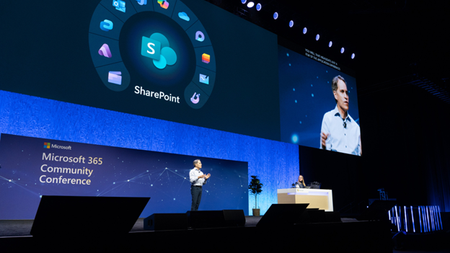
Microsoft Most Valuable Professionals (MVPs) are the heartbeat of the Microsoft ecosystem—and at Microsoft 365 Community Conference 2026, your impact takes center stage. Imagine connecting face-to-face with the engineers behind the products you use every day. Picture conversations with Microsoft leaders shaping the future of collaboration and AI. Now add in deep, practical insight from the world’s most respected Microsoft practitioners—your fellow MVPs. Join us April 21–23 in Orlando, Florida for the Microsoft 365 Community Conference, where innovation, community, and real-world expertise come together. 👉 Exclusive MVP registration perk: Use discount code MVPS to save $200 on your conference pass. This code is reserved exclusively for Microsoft MVPs. MVPs: The People Attendees Come to Learn From—and Hang Out With Microsoft MVPs play a central role in shaping the conference experience. As trusted experts and recognized leaders in the community, MVPs bring hands on, scenario driven guidance directly to the stage—sharing what works in the real world of Microsoft 365. Throughout the event, MVPs are also the people attendees are most excited to meet, learn from, and spend time with—especially in the Microsoft Innovation Hub, where conversations go deeper, demos get hands on, and ideas turn into action. Whether you’re speaking, hosting conversations, or simply connecting between sessions, MVPs are the voices attendees seek out. Learn From the Leaders Defining What’s Next Kick off the event with an innovative keynote experience featuring some of the brightest minds at Microsoft, including: Jeff Teper, President, Microsoft 365 Collaborative Apps and Platforms Charles Lamanna, President, Business Apps & Agents Rohan Kumar, Corporate Vice President, Microsoft Security, Purview & Trust Vasu Jakkal, Corporate Vice President, Microsoft Security Business Together with MVPs and community leaders, these sessions explore how organizations can move forward with confidence in an AI powered world. Connect, Celebrate, and Be Part of the Community In addition to sessions and keynotes, MVPs are invited to moments designed to bring the community together: Unwind with great food, drinks, and conversation in the expo hall receptions, then continue the celebration at the attendee party—complete with rides inside Universal Orlando. Pick up MVP event swag and take home something memorable. And of course, take part in the annual Microsoft MVP photo, a tradition that celebrates the people who make this community exceptional. Build the Skills for the AI Era Develop the skills needed to thrive as a Frontier Firm through sessions led by innovators, builders, designers, Microsoft product teams, and MVPs shaping collaboration today. Highlights include: A fireside chat with Karuana Gatimu, Director, Customer Advocacy for AI & Collaboration, on how AI can elevate leadership. A deep look at how Teams is driving engagement across global communities with Murali Sitaram, Corporate Vice President, Viva Engage. The premiere of More Than Code, a short film celebrating SharePoint’s 25th birthday. These are just a few of the experiences planned, with more being added all the time. Explore the full session catalog to see where MVPs are speaking, connecting, and leading conversations across the conference—including in the Innovation Hub. We hope you’ll join us in Orlando to celebrate the community, share your expertise, and shape what’s next—together. 👉 Visit the Microsoft 365 Community Conference website to explore the full schedule and register using code MVPS to save $200.55Views0likes0Comments
How do I get repeating part numbers (data) to auto fill data.
Sorry I am not very Excel savy but I was tasked with filling a spreadsheet with data of our part numbers, their description, the supplier we get them from, our assigned supplier numbers, and our suppliers part number for kits we make in our company, there are over 9000 but I have noticed that there are a lot of repeating part numbers so I was hoping there was a way so that I could have that data auto fill. I can post a link to the document it does not have any proprietary data that I can see. https://gpcompinc-my.sharepoint.com/:x:/g/personal/zachv_gpcompanies_com/IQAYSdPfHYQvRp6TRW4hg_xjAYh_4Jjl2Z_aCXX_64zMf50?e=MKDtrR41Views0likes1Comment
Windows Spotlight no longer working on Lock Screen
Hi there, This is a recurring issue that I used to be able to fix. I have tried every hack available online. Toggled on and off, cleared cache files, reregistered in Powershell, fix via command prompt, checked for Windows updates and restarted computer a thousand times. Spotlight works perfectly on the background, but NOT on the lock screen. It defaults to the blue flower thingy. Windows 11, Asus VivoBook. What else is there to fix this? Thanks!!!6Views0likes0CommentsNeed help autofilling.
Good morning all, Thought I posted this but I am not seeing it anywhere so I apologize if this is a repeat. I was tasked with filling in a spreadsheet with data including; Our part number, our description, supplier name, supplier number assigned by us, and supplier part number. I noticed that a lot of the part numbers repeat so I am trying to find a way so that when the column with our part number repeats it will auto fill the columns with the supplier name, supplier number and supplier part number automatically when I enter a repeating part number if possible. I am very much not excel savvy but I am pretty computer literate. I have attached the document I am working on, there is no customer data what so ever and all part numbers are internal so are not proprietary. https://gpcompinc-my.sharepoint.com/:x:/g/personal/zachv_gpcompanies_com/IQCj4grl62sHQYohshZJ9Mb2AX7_MknXYW1QiMk8wv2sdfQ?e=duyOxLSolved66Views0likes2Comments
Internal RDP vs Self-Hosted RustDesk
Hi everyone, I am looking for some guidance and real-world experiences around choosing the best approach for remote access in a Windows environment. Right now, we are considering two main options: - Continue using Microsoft Remote Desktop Protocol (RDP), but strictly for internal use only (no direct exposure to the public internet). - Deploy a self-hosted instance of RustDesk as an alternative or complement to RDP for remote access and remote support. Our main concern is security. RDP has historically been a common attack vector, especially when exposed externally or misconfigured, and we want to avoid introducing unnecessary risk to our endpoints. Even if we restrict RDP to internal networks or VPN-only access, we are still cautious about potential vulnerabilities, credential theft, lateral movement, and abuse of remote access. What we are trying to understand better is: 1. In environments where RDP is used only inside the LAN or over VPN (no open RDP from the internet), what are the recommended hardening practices and controls you would consider mandatory today? Examples might include: Network Level Authentication (NLA), strong account policies, just-in-time access, firewall restrictions, RDP Gateway, MFA, monitoring/logging, etc. 2. From a security and operational perspective, is it generally considered acceptable to keep RDP enabled only for internal administrative tasks, while avoiding using RDP for end-user remote support scenarios? 3. For those who have deployed self-hosted RustDesk (or similar remote support tools) in a Windows/Active Directory environment, how has it compared to RDP in terms of: - Security model (encryption, authentication, access control, exposure to the internet) - Ease of deployment and maintenance - User experience and performance - Logging, auditing, and integration with existing security monitoring 4. Are there any best practices or architectural patterns you would recommend when combining these approaches? For example: - Keeping RDP only on jump servers / bastion hosts inside the network - Using RustDesk (self-hosted) for remote support and helpdesk use cases - Enforcing least privilege, MFA, and strong authentication for all remote access paths - Segmentation and limiting which machines are even allowed to receive RDP connections 5. Have you encountered any specific security pitfalls, misconfigurations, or "gotchas" when relying on RDP internally or when rolling out RustDesk self-hosted that we should be aware of before committing to a design? Our goal is to design a remote access strategy that: - Minimizes attack surface and reduces the likelihood of compromise via remote access. - Separates administrative access from end-user remote support where it makes sense. - Remains manageable for a small IT/security team in terms of configuration, patching, and monitoring. If you have any references to Microsoft documentation, hardening guides, or community best practices for RDP (especially internal-only scenarios), as well as any detailed write-ups or lessons learned from using RustDesk self-hosted in production, those would be extremely helpful. Thank you in advance for any guidance, recommendations, or examples you can share. Best regards, Juan127Views0likes3Comments
Seeming memory leak in Win 11
Hello, For the past couple months I have been experiencing a weird issue on my windows machine. Usually around 8 or so hours after a clean reboot, task manager will start reporting 170+GB of 190GB of RAM is in use when the system is basically idle. However, when I tally the entire list of processes I can only account for 4GB in use. When I use RAMMap its the same story, I can account for 4GB and it appears windows has simply misplaced a 150GB of memory. The only other symptom I notice is when I shutdown, the shutdown process will take 40+ minutes sometimes as if some process is refusing to die. This does not occur when I shutdown while memory usage appears normal. So far I have tried: Using different web browsers and uninstalling the one I had been using. Removing pretty much every piece of software I have been using while the issue occurred. Ensured windows, firmware and drivers were properly updated.180Views0likes5Comments
Windows 11 24H2/25H2 System Freeze After January 2026 Updates – Lenovo ThinkPad G2
Dear Microsoft Support Team, We would like to raise a high-priority technical support case regarding a stability issue observed after installing the January 2026 cumulative updates on our Windows 11 devices. Environment Details: Device Model: Lenovo ThinkPad G2 (multiple units) OS Versions: Windows 11 24H2 and 25H2 Update Installed: January 2026 Patch Tuesday cumulative update (KB number can be provided) Deployment Method: WSUS / Intune / Windows Update (specify accordingly) BIOS Version: (Installed Latest available from Lenovo) Issue Description: After installing the January 2026 cumulative updates, devices intermittently experience a complete system freeze. The system becomes fully unresponsive: Mouse and keyboard input stop responding No BSOD is displayed Task Manager cannot be opened System recovery is only possible via hard reboot (power button) Frequency: The issue occurs randomly, both during active use and idle state. Multiple users across our environment are impacted. Troubleshooting Performed: Reinstalled OEM-certified Lenovo display drivers Disabled Fast Startup Ran SFC and DISM health checks (no integrity violations) Updated BIOS to latest version Setting power idle mode, then work normally Request: - Please confirm whether this is a known global issue under investigation. - Advise if any hotfix, Known Issue Rollback (KIR), or registry-based mitigation is available. - Provide guidance on additional diagnostic logging required at kernel or driver level. - Confirm whether crash dump analysis is recommended for this scenario. We are prepared to provide additional diagnostic logs, memory dumps, or reproduction steps upon request. Kindly treat this as a priority case due to multi-user impact in a production environment. Thank you for your support. #Windows11, #Windows 11 24H2, Windows Update, Cumulative Update, System Freeze, Lenovo ThinkPad, Display Driver, Enterprise2.1KViews9likes21CommentsVBAF v2.1.0 Complete - Full Machine Learning Framework in Pure PowerShell 5.1
Hello PowerShell Community, I'm pleased to announce that VBAF (Visual Business Automation Framework) is now complete. What started as a roadmap post in this community has grown into a full machine learning framework — 8 phases, 20+ modules, built entirely in PowerShell 5.1 with no external dependencies. **What is VBAF?** VBAF implements machine learning algorithms from scratch in pure PowerShell 5.1. No Python. No pip install. No Jupyter notebooks. Just dot-source one file and you're training models: . .\VBAF.LoadAll.ps1 $data = Get-VBAFDataset -Name "HousePrice" $model = [LinearRegression]::new() $model.Fit($data.X, $data.y) $model.PrintSummary() Every algorithm is readable PowerShell code — making VBAF a genuine teaching tool for IT professionals who want to understand how ML works under the hood. **What's included in v2.1.0:** Phase 1-3: Core Foundation & Reinforcement Learning - Neural networks with backpropagation - Q-Learning, DQN, PPO, A3C algorithms - Multi-agent business simulations - Real-time WinForms visualization dashboards Phase 4-5: Supervised Learning & Data Pipeline - Linear, Ridge, Lasso, Logistic Regression - Decision Trees, Random Forest, Naive Bayes - Full data preprocessing: imputation, scaling, encoding - Feature engineering: polynomial features, PCA, selectors - CSV, JSON, Excel, SQL data I/O Phase 6: Deep Learning - Convolutional Neural Networks (CNN) with image datasets - Recurrent Neural Networks: LSTM, GRU, Bidirectional, Attention - Seq2Seq models Phase 7: Production Features (MLOps) - Model Registry: save, load, version, compare models - Model Server: REST API via HttpListener, batch prediction, A/B testing - MLOps: experiment tracking, data drift detection (PSI), automated retraining triggers, CI/CD pipeline scripts - AutoML: Grid, Random and Bayesian hyperparameter optimization, algorithm selection, feature selection, full pipeline automation - Explainability: permutation importance, SHAP-style analysis Phase 8: Community & Ecosystem - Tutorial series: beginner to advanced - Real-world project examples (House Price MLOps, Anomaly Detection) - Templates & Recipes cookbook with quick reference card - Troubleshooting guide and PS 5.1 best practices **Why PowerShell?** Most ML tutorials assume Python. But many IT professionals live in PowerShell every day — managing infrastructure, automating workflows, writing scripts. VBAF meets them where they are. It's also a teaching project. Every algorithm is implemented from scratch with teaching comments explaining the math and concepts. Reading the source is part of the learning. **Project Resources:** - GitHub Repository : https://github.com/JupyterPS/VBAF - Public Roadmap : https://github.com/users/JupyterPS/projects/2 - PowerShell Gallery: https://www.powershellgallery.com/packages/VBAF - Installation : Install-Module VBAF -Scope CurrentUser **What's next?** Community feedback, issues, and contributions are welcome on GitHub. Best regards, Henning31Views0likes0Comments
Excel - Conditional formatting
Hi all, I am new to this and i am creating or trying to create a bespoke Excel programme (Gant) that i need for work. i wanted to know if some could assist me with making a simple user tool as i need to share with colleagues i just cannot get the document to Make it so anyone can simply change the task cell colour from the standard Excel pallet options Make it so when the task cell colour is selected, the Gant cell changes to the same automatically Be able to edit the text in any tsk cell and automatically save to drop down choices with all its text and colour inputted Within the assigned to column cells, create individual drop down options when in the cell itself as apposed to t the top line probably easy for some of you that are well versed in Excel formatting and Data validation but certainly not me any help would be appreciated thanks in advance Mike mailto:email address removed for privacy reasons12Views0likes0Comments