community
3450 Topics
Managing Outlook Signatures Across Microsoft 365 Devices
We recently faced an issue with Outlook signatures displaying differently across Outlook desktop, OWA, and mobile clients in Microsoft 365. Desktop signatures looked fine, but mobile devices showed inconsistent image scaling and font formatting. A few things that helped improve consistency: Using simpler HTML formatting Reducing logo/image sizes Keeping fonts and colors minimal Testing signatures across desktop, web, and mobile clients We’re currently comparing native Microsoft 365 options with third-party signature management tools. How are others handling signature management across different Outlook clients?46Views0likes1Comment
BitLocker recovery still occurring after KB5089549 installation on HP EliteBook
Hi all, We are experiencing ongoing BitLocker recovery prompts on a Windows 11 enterprise device even after successfully installing KB5089549, which Microsoft states fixes the recent Secure Boot / PCR7 BitLocker recovery issue. Environment: HP EliteBook G10 Windows 11 25H2 OS Build 26200.8457 Hybrid Azure AD Joined BitLocker TPM protector enabled Secure Boot enabled VBS / Secure Launch enabled What we already confirmed: KB5089549 installed successfully TPM healthy (Get-Tpm) Secure Boot healthy (Confirm-SecureBootUEFI = True) PCR7 Configuration = Bound TPM protector recreated successfully No pending HP BIOS/firmware updates via HP Image Assistant BitLocker protection status healthy Current issue: The device still requests the BitLocker recovery key after every reboot. We already tested: Suspend BitLocker Remove/re-add TPM protector Multiple reboots KB5089549 installation No custom BitLocker PCR GPOs found Hypervisor disabled using: bcdedit /set hypervisorlaunchtype off The issue still persists. Interesting observations: System has Secure Launch, SMM Firmware Measurement, and VBS enabled USB4 / DisplayLink / dock-related drivers present TPM protector uses PCR profile 7,11 Has anyone else seen: continued BitLocker recovery after KB5089549, especially on HP enterprise devices, even when PCR7 shows “Bound” and Secure Boot/TPM health appear normal?84Views0likes4Comments
25h2 Update forcing GPU to not be recognised by apps/games
As per title, this only recently happened with the up to date update from 5 days ago (I believe it was 5 days ago) and after this I noticed while trying to load up Subnautica 2 like I had done normally it was laggy and crashed, strange.. other games did the same (except some older DX9 titles), so I load up 3D Mark and noticed some of the test said I am not running compatible hardware not seeing my 4070 Ti Super. I reinstalled windows to a 23h2 state, and for 2 days no problems, then I thought ok maybe it was a silly glitch and then updated to 25h2 yesterday and everything was fine, until tonight it happened again, while playing I notice a sudden drop in fps and there it was again the same problem 3D Mark not recognising hardware but the day before it did, and Furmark doesn't even load.. and I noticed in Event Viewer some dll files are not loading either. The NVMe drive is fine no errors. This only happens in 25h2 and I am at a loss, because for a few months I was running 25h2 fine. Any insights or if people have experienced this and had fixes that would be great.21Views0likes0CommentsFabCon and SQLCon: MVP voices on community, connection, and showing up
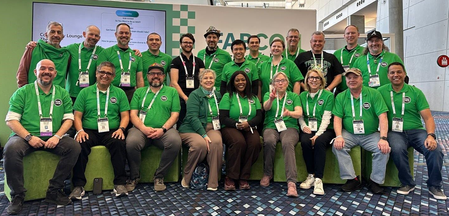
FabCon and SQLCon bring together technical learning, product insight, and something just as important: community. Microsoft MVPs describe what stayed with them most - from hallway conversations and first-time introductions to practical sessions and friendships that keep growing long after the event ends. Their reflections show why these events matter: they create space to learn in public, share generously, and help more people find their place in the Fabric and SQL community. Community that starts between sessions Again and again, MVPs described FabCon and SQLCon as more than a place to attend sessions. MVP Jason Romans captured that perfectly: “Those unplanned conversations ended up being just as valuable as anything I learned on a stage.” For him, community showed up in the in-between moments - a shuttle ride, a coffee line, a badge that made it easier to start talking. That same feeling of connection came through in his reflection on finally meeting the Saturday Morning Learning (SML) crew in person after gathering virtually every week to talk Fabric, Power BI, and life. As Jason put it, “The community grows stronger every time someone decides their perspective is worth sharing,” a reminder that contribution often starts with simply showing up and sharing what you know. “The community grows stronger every time someone decides their perspective is worth sharing.” - MVP Jason Romans Connections that last beyond the event That generosity was a recurring theme. MVP Treb Gatte remembered a hallway conversation at a prior FabCon that turned into an impromptu troubleshooting session for a Caribbean team’s real-time election dashboard in Power BI- and learned a year later that it had been the breakthrough they needed. “The connections you make here outlast the event,” he said. His advice for newer community members was equally practical: “Stay curious, stay humble, and let other people teach you.” MVP Heidi Hasting said that one of the most meaningful parts of FabCon and SQLCon is “the feeling that you're not alone in this,” especially when you can connect with data professionals from around the world and turn those introductions into lifelong friendships. She also pointed to the live energy of major announcements and the surprise of seeing how many people are still discovering Microsoft Fabric for the first time. MVP Ginger Grant added another dimension to that experience, describing FabCon and SQLCon as her favorite conference because she gets to “engage with so many different people and learn a lot,” including reconnecting with friends from Australia and New Zealand and meeting new people from Finland, the Netherlands and around the world. She also shared how meaningful it was to be recognized in person by someone who only knew her from an online event. MVP Denny Cherry brought it down to basics with the kind of advice only a longtime community member can give: do not eat dinner alone in your hotel room, meet people, get to know them, and take advantage of being surrounded by thousands of peers from all over the world in one place. “In under a week you can go from feeling like you're working in isolation to realising you're part of a global community of people who care about the same things you do.” - MVP Heidi Hasting bring Power Platform and SQL Server 2025 together in a session focused on building secure, scalable next-generation apps. Learning in public and sharing what works The speaker experience was just as central to the story. MVP Gaston Cruz said he and MVP Alex Rostan designed their session to help people connect business applications, data, and AI without adding complexity - sharing patterns attendees could apply right away with Microsoft Fabric, Power Platform, and real-time data experiences. For Gaston, that practical value is what makes these events worth the trip: direct access to product teams, real customer stories, deep technical conversations, and packed rooms full of people genuinely excited to learn and build the future of data and AI together. MVP Paul Stork focused on helping people extend Power BI through the Power Platform, especially for teams trying to act on insights without needing third-party tools. He also described one of his contributions beyond the session itself as talking with attendees and helping them choose sessions that matched their interests. MVP Greg Nash called FabCon “the biggest and best conference on Fabric and SQL in the world” and highlighted Rui Romano’s session on modern Power BI development using AI and GitHub Copilot as a standout moment that made him even more excited about AI-powered DevOps and DataOps patterns. MVP Pragati Jain added that growth often starts with simple, consistent participation - answering questions in forums or community channels, giving proper credit, volunteering for community initiatives, and making space for introverted or first-time attendees through small, welcoming circles. “The connections you make here outlast the event.” - MVP Treb Gatte Arun Ulag. President, Azure Data, Microsoft Why more people should join in Together, these reflections point to what makes FabCon and SQLCon distinctive. Yes, the events offer deep technical content, hands-on learning, and direct access to product teams across Microsoft Fabric and SQL. But the lasting impact comes from what MVPs model so well: learn publicly, share what you know, ask better questions, and invite someone new into the conversation. Whether that looks like submitting your first session, answering a question in a community channel, helping another attendee choose where to spend an hour, or simply starting a conversation in the Community Lounge, the momentum of this community is built one generous interaction at a time. More than anything, these MVP stories show that you do not need to know everything to belong here. You just need curiosity, a willingness to connect, and the confidence to believe your perspective can help someone else. “FabCon and SQLCon are worth the time and energy for me because they offer long-term friendships and a community that is hard to find anywhere else.” - MVP Denny Cherry Why your voice belongs here If these MVP stories sparked an idea for you, follow it. Join a local Fabric or Data Platform user group, engage in the Fabric and Data Platformcommunity online, volunteer, answer a question, or submit a session even if it feels a little early. If you attend FabCon and SQLCon in the future, take Denny Cherry’s advice and talk to people who are not from your home area. Spend time in the Community Lounge or Ask the Experts area, as Pragati Jain suggested. And if you have ever wondered whether you could speak at an event like this, Greg Nash offers the right mindset: "just go and try it." His first presentation on real-time data at the Microsoft Fabric & Power BI Melbourne meetup did not go the way he hoped and "failed miserably,”, but it still inspired others to pick up Power BI. That is the point: your perspective is valuable, community audiences are incredibly forgiving, and FabCon and SQLCon may be exactly the place to find your voice. Want to learn more about the MVP Program? To find an MVP and learn more about the MVP Program visit the MVP Communities website and follow our updates on LinkedIn. Join us for a future live session through the Microsoft Reactor where we walk through what the MVP program is about, what we look for, and how nominations work. These sessions are designed to help you connect the dots between the work you’re already doing and the impact the MVP Program recognizes - with time for questions, examples, and real conversations.83Views1like0CommentsI want to reinstall Windows 11 on my HP compute
I have an HP laptop with a U9 275HX processor and an RTX 5070 Ti graphics card, and I want to reinstall Windows 11. I’ll be using it mainly for gaming. Could you recommend a stable, smooth, and gaming-friendly version of Windows 11?17Views0likes0Comments
I have this very very odd issue when running a steam game on my pc
So, this started happening randomly. whenever i click my mouse the game glitches out, it happens in every game, doesnt matter if it's windowed or full screen. i've tried updating my graphic drivers, checking for corrupted files in windows, disabled game mode on windows. I have never seen this issue before so i have no idea what's causing it or how to fix it, if anyone has any ideas i'd love to hear them.7Views0likes0Comments
Another unwanted automatic reboot!
Unfortunately, it happened again. Despite the registry hacks and YouTube research (a LOT of hits!), I still got rebooted last night and I had applications running that update disk files. As these were cached, now I'm left with corrupted files and a recovery procedure. This event has caused lost time and much, much frustration. C'mon Microsoft!!! Do us a favor and stop automatically rebooting the system. I suspect this action is for the benefit of the casual user, who probably doesn't know better, but give us advanced users a break. At least provide an option to NOT AUTOMATICALLY REBOOT!! A reminder that update were applied and a reboot is needed (which we receive) is fine but DON'T AUTOMATICALLY REBOOT!!34Views0likes3CommentsSynchronization issue in New Outlook for Mac – ״Failed to refresh subscriptions.״
Hello, I am using Microsoft 365 (Exchange Online) on Mac, running macOS 26.1 (Tahoe). My Outlook client is: Outlook for Mac Version 16.103.3 (25113013), with a Microsoft 365 Subscription license. Since yesterday morning, in the New Outlook interface, my inbox has suddenly appeared empty, and I constantly receive the following error message: “Failed to refresh subscriptions.” It’s important to note: In Legacy Outlook, everything works perfectly. The web version and the Outlook app on my mobile phone also work well. The issue persists regardless of the network I am on (home, office, cellular, etc.). Troubleshooting steps I already tried: • Updating Outlook to the latest version • Removing and re‑adding the account • Clearing cache and preferences • Formatting my Mac and reinstalling everything from scratch Unfortunately, none of these steps has resolved the issue. Is this a known bug, and is there a recommended workaround or an upcoming fix? Appreciate assistance on that issue.1.1KViews1like6CommentsHow do I enable a 6GHz hotspot on Windows 11 with a Qualcomm 865 network adapter?
I saw online that Windows 11 now supports 6GHz hotspots, but my device (which has a Qualcomm 865 network card) currently only supports up to 5GHz. Are there any specific settings, drivers, or system version requirements needed to enable the 6GHz hotspot feature?93Views1like3Comments