add-in
62 Topics
Add-ins in the new Outlook for Windows
The new Outlook for Windows brings a more consistent and robust experience with rapid access to new features. It also has some significant changes in how add-ins are handled. The article below outlines our approach and what admins need to know about add-ins in the new Outlook for Windows.163KViews1like18Comments
How to unlock PayPal account?
Paypal is an advantageous method for handling exchanges by means of the web. In the event that the PayPal stage identifies any surprising exchanges for you, it prompts you to give more point by point data about you. It is one of the conspicuous and most secure internet based stages to keep up with and move your assets across the globe. Notwithstanding, once in a while you really want to open the https://www.paynowmoney.com/paypal-account-locked/. You can ask concerning why the record was locked and afterward you can follow the cycle to open the PayPal account. Through this article, we trust that through this article you will gain proficiency with the interaction to deal with the unlock%20paypal%20account. So we should begin! How to open the PayPal account locked? ou, most importantly, need to go to the Paypal page and tap on the "Get in touch with us" interface (see assets). Presently, enter the data as incited on the "Help page". Call PayPal assuming required and supply the data is mentioned to open your record. How long does the PayPal account stay locked? In the event that you face a PayPal account briefly locked issue, it will require 24 hours for a record to get opened or a specialist can go it then you are on the telephone on the off chance that you can hardly stand by that long. Keep in mind, don't endeavor to sign in till the full 24 hours get finished. Email from PayPal saying account locked In the event that the email from PayPal says account locked, you will get to be aware by specific focuses that are referenced underneath: You will get a conventional hello, for example, "'Dear client' or "Hi, PayPal part". You will be requested monetary and other individual data, the genuine site won't ever request your subtleties. It will request that you give the following number of any dispatched things before you got the installments. Keep in mind, it will incorporate a product update to introduce on your PC. Certain tips to remain safeguarded on the web On the off chance that the PayPal account locked for the sake of security, you really want to consider these essential tips and deceives to remain safeguarded on the web: Regardless of whether the URL contains "Paypal" then it may not be a PayPal website page. At the point when you use Paypal, then, at that point, consistently ensure that the URL address is recorded on the program. Search for the "lock" image that shows up in the location bar then this image demonstrates that the site which you are visiting is gotten. Visit site : https://www.paynowmoney.com/paypal-account-locked/ | https://www.paynowmoney.com/paypal-account-locked/ | https://www.paynowmoney.com/paypal-account-locked/ | https://www.paynowmoney.com/paypal-account-locked/ |44KViews0likes0Comments
Teams meeting Add-In not displaying in Outlook
Hi, I recently detected problem on one of our workstations where both Teams and Outlook are installed and the Teams Meeting Add-In in the Outlook does not work. There are no Add-In buttons shown in Outlook's Calendar view and user is unable to create Teams meeting invitation. In the mail view however, online status of users in Teams is displayed and it is also possible to use the "IM" icon to initiate direct chat with the user. All Workstations are MS Office 2013 Std or Pro, connected to on-premise exchange server. All users have the same license added for Teams. The affected station had the add-in fully working until few days back when this has stopped working. I have tried the follwoign so far Roll back all recent updates Unistall / reinstall Teams Create new "test" user profile and login on this workstation. Checked .NET 4.8 and WebView2 are installed. Run .NET repair tool, Run Repair on WebView2 Create new Outlook profile Troubleshoot running MS SARA as per https://support.microsoft.com/en-gb/office/troubleshoot-the-teams-meeting-add-in-in-outlook-for-windows-d3f8819e-7993-43c7-a124-02b336273779 (It does re-register Add-In's DLL) Run repair on MS Office Uninstall and installed Office again All to no avail. The Add-in is loaded fine. The weird thing is, that ad-in seem to create blank "No label" entries in the Outlooks Calendar view ribbon. No menu is actually shown, perhaps as the group itself shwos No label, but these are visible when ribbon is customised. Creating custom group and adding those No label menu items in there however it makes these menu entries visible in the Ribbon and confirms these are indeed Add-in's entries when hovering mouse over. I'm at the end with ideas as to why this could be happening and what might possibly be causing Add-in not to work properly. woudl be grateful for your suggestions and ideas about this. Thansk and regards17KViews0likes5Comments
Certificate issue from https://uci.cdn.office.net
Hi, One of the users of a Excel Js Add-in that I've recently had published to AppSource (Copy as List) has reported getting an Anti-Virus popup every time he starts Excel. From Avast anti-virus. The message is: Connection to this website is not secure. Avast has blocked access to https://uci.cdn.office.net/ because one of the issuers of the server certificate has expired. Certificate: cdn.uci.officeapps.live.com Issuer: Microsoft Azure ECC TLS Issuing CA 01 Indeed, if I try to browse to that URL in Chrome, I get an error: "This server could not prove that it is uci.cdn.office.net; its security certificate expired in the last day. This may be caused by a misconfiguration or an attacker intercepting your connection. Your computer's clock is currently set to Friday 28 June 2024. Does that look right? If not, you should correct your system's clock and then refresh this page." Does anyone know what this is? Is it related to my add-in? How do I fix it? What advice do I give to my user? Thanks6.4KViews0likes11CommentsAddins installieren
Hallo, ich möchte ein Addin installieren und erhalte den Fehler: microsoft 365 wurde leider so konfiguriert, dass der einzelkauf und die ausführung von add-ins aus dem office store verhindert Ich habe Administrations-Berechtigungen und habe diese Seite gelesen: https://docs.microsoft.com/de-de/microsoft-365/admin/manage/manage-deployment-of-add-ins?view=o365-worldwide Ich möchte aber nicht für alle global etwas bereitstellen, sondern nur für mich etwas installieren. Kann ich die Einstellungen in Office so ändern, dass ich etwas für mich installierne kann?Solved5.7KViews0likes1Comment
Pull a report of Integrated Apps in Office365/Microsoft365
Hi, I know that i can navigate into admin center and have a look at the Integrated apps that are available in my tenant. However i want to know that is there a powershell way to generate a report of these integrated appsSolved4.4KViews0likes3CommentsOutlook - Integrated Apps (Admin-Managed) - Intermittently Appearing/Disappearing on PCs
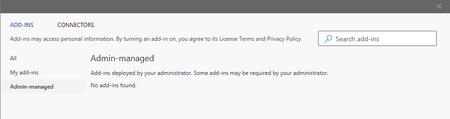
In our office we have several integrated add-ins that our Microsoft 365 Global Admin assigns 'everyone in our organization' to Outlook. Examples: Zoom, Microsoft Viva, Since Mid July around when we received the (v2205) updates to Microsoft Office we began experiencing issues with these plugins not loading. Even when checking their settings within Outlook it shows me as having no apps assigned under admin-managed despite being able to log into the Outlook Web Mail service and see the very same plugins there. Outlook (V2205 - Enterprise Monthly Update Channel) Outlook for the Web I'm trying to identify if this is something that was introduced as part of the office update or some other security setting that is beginning to block these from loading. I should advise that the issue is intermittent for our users. Typically users will have to either close/relaunch Outlook when it goes missing. I've tried some local troubleshooting with certain machines. Erasing their Outlook profile along with their OST files and the plugins did load until the next day when they disappeared again. Needing some advise on what could be causing the add-ins to intermittently go away and come back.3.8KViews0likes4Comments
Outlook app web add-ins not working when WIP enabled
Hi, I'm using the new Dynamics 365 app for Outlook and it works fine on a Windows 10 device that is not protected by MS Intune's Windows Information Protection / app protection. It seems like all Outlook web add-ins don't load (COM add-ins work fine). I have also opened a case with MS Intune support, but it seems like there is no option to add web add-ins as protected or exempted apps, so that it could work with WIP. This is a big concern as currently I need to either reduce our security by removing WIP protection from Outlook or not have the Dynamics 365 app for Outlook / any web add-in for that matter. Anybody have any ideas? Thanks, Georg3.4KViews0likes3Comments
AD Connect with an existing O365 Tenant
we're about to enable AD Connect for an active Office 365 tenant and need some clarifications. The Tenant is hosting O365 users with exchange online for the organization mail domain company.org but at the moment is disconnected from the On-Prem AD. So all the users have been defined on the tenant with smtp email address as Email address removed. No Exchange Server is present onprem. The question is about Soft Merge and exchange management after the AD Connect is installed. - Am I correct that simply having the logon account UPN been equal to the Tenant's username will be enough to "match" the users and have them synchronized by AD as master ? - What happens to exchange online mailboxes ? Will there be any impact ? As far as I know when the users are "managed" by AD an on-prem exchange server should be present to manage the "email" properties. thanks SC2.7KViews0likes7CommentsAPI getAccessTokenAsync gives Token with empty payload
Hey all, I am actually doing plenty of stuff with Office Addins, following the guides and patterns Microsoft is giving especially for the use of the new Identity API in the Office clients for an SSO experience. Everthing is fine on the dev stages, after some wrapping my head around the concepts I have my React app as Word/Outlook Addin with Node.js/Expressjs middleware and plenty other stuff that does not matter here. When bringing this from Dev to Prod, I struggle with a strange effect in the customers Office 365 tenant that prevents a decoding of the token one gets from the Office client on the users side ( see https://docs.microsoft.com/de-de/office/dev/add-ins/develop/sso-in-office-add-ins#add-client-side-code for reference, we are talking about getting the local token as starting point for a AAD V2 endpoint authentication by calling Office.context.auth.getAccessTokenAsync()). After a lot of debugging I figured out that the token does not contain the data it should have and therefore is not able to be decoded in the middleware. Looks something like this: Token in our very own Office tenant -> Screenshot 1 Token in customer tenant -> Screenshot 2 As one can see the whole payload is empty. I can't do much more here than calling the JavaScript method and make sure the API is loaded (works as I get at least something). Has anyone an idea what is happening here?2.2KViews0likes1Comment