videos
12 Topics
Severe Frame Drops in Microsoft Edge When Playing Tencent Video HEVC at 1080P in Windows
When playing HEVC videos from Tencent Video(https://v.qq.com) on Microsoft Edge (Windows), I experience severe frame drops at 1080P resolution. However, this issue does not occur when playing at 720P. Interestingly, Chrome does not exhibit the same problem when playing the same 1080P videos. I have saved the relevant video files for comparison. Is this a bug in Edge? Upon analyzing the files using Mp4Box.js, no significant differences were found. https://thumbplayer-76307.gzc.vod.tencent-cloud.com/testvideo/mp4/h265/ffmpeg_output_1080P.mp4 https://thumbplayer-76307.gzc.vod.tencent-cloud.com/testvideo/mp4/h265/ffmpeg_output_720P.mp4 AMD Ryezen7 4700G DDR4 3200 16x2 RTX 3050 8GB Windows 11 22H2 22621.4460332Views1like4Comments
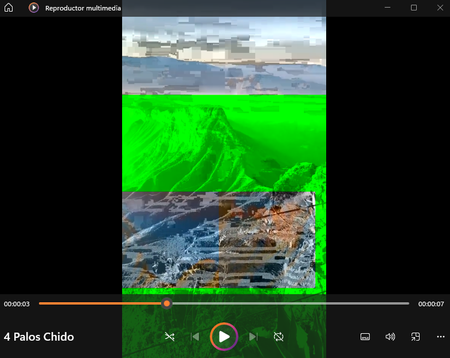
Error al reproducir videos desde la pc en Windows 11
Al principio pensé que seria un problema con controladores de la tarjeta gráfica y los actualice a lo último en la actualidad: Pensé que podría ser una actualización de Windows que me falto y ya la actualice a su totalidad: Y todavía persevera este error, para ser honesto ya no sé que hacer. Si me pudieran apoyar en verdad lo agradecería, que tengan un muy buen día.8.1KViews0likes1Comment
Edge Flickering when watching videos
Version 105.0.1343.33 (Official build) (64-bit) On both Youtube (Dark mode) and Netflix, my screen keeps flickering, but it doesn't occur on other browsers such as Brave. I've set the Choose ANGLE graphics backend to D3D9, D3D11, but still, the issue still persists. I'm using a discrete GPU (GTX 1070) and I've not had any flickering on Games. Basically, just the Edge browser whenever I'm watching videos. Anyone else have this issue?1.8KViews0likes0Comments
Videos stop-starting in Teams
I need to present a session that has embedded YouTube videos in the PowerPoint deck. When I share the deck, I cannot play the video. It plays for a fraction of a second and then stops. If I click play again, the same thing happens. The same applies when I try and share any video (online or local) on a Teams call. Even if I'm not sharing my screen but I'm on a teams call, I cannot play videos.Solved3KViews2likes3Comments
can not move video files between channels in teams
Good day all, I have an issue with moving video files from one channel in teams to another. The video file size is 258Mb. It acts like it uploads but takes forever and no response in the end. Please any experienced this issue before? Is there a limited file size for moving files on teams? I need an urgent response as It affects productivity in my organization. Thank you.Solved1.7KViews1like3CommentsGive feedback on SharePoint site/page creation with videos
My name is Paul Chang and I'm a designer working on Microsoft Stream. Stream is integrating into OneDrive and SharePoint and we're hoping to make improvements to how videos show up on SharePoint. We'd love to chat with people who have had experience creating SharePoint pages/sites with video content for work. We'll discuss the creation experience, how video content is added, and pain points with the current process. If you're available to join us for a 45 minute conversation, please sign up for a time and date that works for you using this link: https://calendly.com/sharepoint-videos/45min , and we'll send an invitation for a Teams meeting to the email you provided. If you have any questions, you can contact me at pacha@microsoft.com.831Views0likes0CommentsSS40: save files, rename, add tags, send to terminal, etc. faster for datahoarders and not
Suggestion (SS): 40 Classification: DATAHOARDING On Vivaldi i see different people posting other suggestions related to hoarding, so i decided to post here my other suggestions too (part 1 https://link.ws/edgess11), even if i know not all users will use it. I know that such suggestions can be reached (or at least in some parts) via scripts, extensions, terminal or macapps and are not the main focus of browsers. Said that, if you are interested read the post, otherwise skip it. I give you simply ideas, and such ideas are really hoarding focused. I know that this is maybe not legal for all websites too. those are just ideas. First we start with a feature that i never discovered before and after trying it i discovered in opera for mac we need to use option. i tried on edge and is not supported 2) i already talked about overlay button with both integration to mac or to onedrive as destination, or save to different folders in right menu, or drag drop download, or other https://link.ws/edgedatahoarder. another option would be to add a download button below each video and photo, no matter where. 3) about a smart select feature i already reported you before. Implemented on datahoarding activities means select 20 links and download all pdf at the same time (or other files). 4) a feature to detect images, document, movies, pdf in the site and download all that at once, or download only pdf for example. About images, would be better to download the full image, and not small pictures. 5) maybe add both option save to mac and open pdf in tab and maybe using a different destination, so download to /user/blabla/pdf and maybe sorted by source website. in such way we can directly read the paper too, and if needed we can copy that to other clouds directly once you implement the suggestion of importing in onedrive or you can directly integrate an option save to onedrive and to mac at the same time. 6) a way to copy a single link to a list and then copy the whole url in this list (this doesn't mean to use edge collections). once we are done we could use such lists to download files via other web apps, or mac app or terminal 7) a way to submit url to terminal directly, by adding specific terms (example https://www.pair.com/support/kb/paircloud-downloading-files-with-wget/). so we can manually add terms for wget, youtubedl, etc.. once we visit a page, we click right click or on the menu bar and select send to terminal and then we select wget or ytdl, or other. 😎integration of 7 for 6) 9) if i select 10 tabs an option to copy urls and maybe add support for 7) or 4) 10) a way to save such things to favorite without need to use bookmarks. in such way we know exactly where we get such files if someone ask us where we get that. the problem is that files show such metadata, but a lot of times is missing. 11) about 10) the feature of yesterday https://link.ws/edgevvss1 can help too. 12) a way to autorename all downloaded files, example if i use macuser A edge profile B i want on all my files a name like " xxx - macA edgeB" 13) renaming can be used for other goals too, like add the title of the post to the pdf, the url, or other information. 14) smart macos auto tags: we configure specific rules "like from website xx add tag xx" and add tag macA and edgeB too (related to 12.) 15) optionally add comments, but tags are much more useful. 16) like 5) an option to download files by source urls in specific folders. 17) torrent support like coccoc (i already reported that as comment in another post) 18) integrated vpn (same here) I copy the wish of another user here too3.6KViews1like5CommentsGet started with Node.js in 26 short videos
Getting started with any new technology is hard, and very time-consuming. Node.js being my favorite platform, I've always wanted to give something back to this awesome community. That's why with some awesome friends, we created this series of practical, bite-sized videos about Node.js for beginners, so you can learn the foundations at your own pace. 2.2KViews0likes0Comments
What is the best approach to upload videos inside SharePoint modern pages
I have a new requirement for one of our customers, is that their managers want to record videos and show them inside SharePoint modern pages. so what is the best approach to do so? i read about MS Stream & Office 365 videos, but i have these questions:- 1. What are the main differences between MS Streams & Office 365 videos? and which one is more suitable for our case? 2. Do any of these apps (MS Streams & Office 365 videos), allow the users to directly record videos? or those 2 apps only allow to upload videos? Thanks1.5KViews0likes3Comments