microsoft 365 admin center
1064 TopicsSecuring the Modern Workplace: Transitioning from Legacy Authentication to Conditional Access
Authored by: Gonzalo Brown Ruiz, Senior Microsoft 365 Engineer & Cloud Security Specialist Date: July 2025 Introduction In today’s threat landscape, legacy authentication is one of the weakest links in enterprise security. Protocols like POP, IMAP, SMTP Basic, and MAPI are inherently vulnerable — they don’t support modern authentication methods like MFA and are frequently targeted in credential stuffing and password spray attacks. Despite the known risks, many organizations still allow legacy authentication to persist for “just one app” or “just a few users.” This article outlines a real-world, enterprise-tested strategy for eliminating legacy authentication and implementing a Zero Trust-aligned Conditional Access model using Microsoft Entra ID. Why Legacy Authentication Must Die No support for MFA: Enables attackers to bypass the most critical security control Password spray heaven: Common vector for brute-force and scripted login attempts Audit blind spots: Limited logging and correlation in modern SIEM tools Blocks Zero Trust progress: Hinders enforcement of identity- and device-based policies Removing legacy auth isn’t a nice-to-have — it’s a prerequisite for a modern security strategy. Phase 1: Auditing Your Environment A successful transition starts with visibility. Before blocking anything, I led an environment-wide audit to identify: All sign-ins using legacy protocols (POP, IMAP, SMTP AUTH, MAPI) App IDs and service principals requesting basic auth Users with outdated clients (Office 2010/2013) Devices and applications integrated via PowerShell, Azure Sign-In Logs, and Workbooks Tools used: Microsoft 365 Sign-In Logs Conditional Access insights workbook PowerShell (Get-SignInLogs, Get-CASMailbox, etc.) Phase 2: Policy Design and Strategy The goal is not just to block — it’s to transform authentication securely and gradually. My Conditional Access strategy included: Blocking legacy authentication protocols while allowing scoped exceptions Report-only mode to assess potential impact Role-based access rules (admins, execs, vendors, apps) Geo-aware policies and MFA enforcement Service account handling and migration to Graph or Modern Auth-compatible apps Key considerations: Apps that support legacy auth only Delegates and shared mailbox access scenarios BYOD and conditional registration enforcement Phase 3: Staged Rollout and Enforcement A phased approach reduced friction: Pilot group enforcement (IT, InfoSec, willing users) Report-only monitoring across business units Clear communications to stakeholders and impacted users User education campaigns on legacy app retirement Gradual enforcement by department, geography, or risk tier We used Microsoft Entra’s built-in messaging and Service Health alerts to notify users of policy triggers. Phase 4: Monitoring, Tuning, and Incident Readiness Once policies were in place: Monitored Sign-in logs for policy match rates and unexpected denials Used Microsoft Defender for Identity to correlate legacy sign-in attempts Created alerts and response playbooks for blocked sign-in anomalies Results: 100% of all user and app traffic transitioned to Modern Auth Drastic reduction in brute force traffic from foreign IPs Fewer support tickets around password lockouts and MFA prompts Lessons Learned Report-only mode is your best friend. Avoids surprise outages. Communication beats configuration. Even a perfect policy fails if users are caught off guard. Legacy mail clients still exist in vendor tools and old mobile apps. Service accounts can break silently. Replace or modernize them early. CA exclusions are dangerous. Every exception must be time-bound and documented. Conclusion Eliminating legacy authentication is not just a policy update — it’s a cultural shift toward Zero Trust. By combining deep visibility, staged enforcement, and a user-centric approach, organizations can securely modernize their identity perimeter. Microsoft Entra Conditional Access is more than a policy engine — it is the architectural pillar of enterprise-grade identity security. Author’s Note: This article is based on my real-world experience designing and enforcing Conditional Access strategies across global hybrid environments with Microsoft 365 and Azure AD/Entra ID. Copyright © 2025 Gonzalo Brown Ruiz. All rights reserved.863Views0likes1Comment
Cancelling Microsoft Customer Agreement (MCA)
I'm a Microsoft CSP provider. My customer wants to cancel their subscriptions because they want to leave the Microsoft. Do I need to cancel their MCA or will it be cancelled automatically? If it is necessary to cancel the MCA, where should this be done? Thank you very much!Solved42Views0likes1Comment
Locked Out of Global Admin – Lost Authenticator – Case 2602060010000939 – Need Escalation
I am locked out of my Global Administrator account because my phone broke on February 5, 2026 and I no longer have access to Microsoft Authenticator. There is no alternative authentication method configured. Case ID: 2602060010000939. I contacted support on February 6 and the ticket was set as Severity C with an 8-hour response expectation. After several days, I have only received generic replies and no contact from an engineer. This account is critical for my business operations, and I have now been without access for five days. I understand it was my responsibility to maintain backup methods, but I urgently need help from Microsoft to recover access. Please contact me. Samuel LeoSolved103Views0likes1Comment
Microsoft Feedback Portal account issue
I changed my Microsoft email a year ago, and it updated everywhere other than the Feedback Portal. As a result, I get an error when I try to login, or do anything on the page. Microsoft account support's suggestion was to login to the Feedback Portal which is insane given I'm having issues accessing it. How can I get this issue resolved? I've got three separate support tickets now and they keep asking me to wait 24 hours to get the issue resolved. Can someone from the Feedback Portal team please contact me to resolve this? This is what Microsoft Support have said: "understand your frustration, and yes—this is an account‑related issue because the Feedback Portal is still tied to your old alias, which causes login conflicts and forces you out. Your Microsoft account itself signs in correctly, but the Feedback Portal is pulling outdated identity data that you cannot update on your own. Since you cannot access the Portal to submit feedback, directing you back there is not a workable solution. What you need is for Support to escalate this to the internal Identity/Feedback Platform engineering team so they can manually correct the outdated alias mapping on the backend. In this situation, the Feedback Portal and Tech Community teams are the ones who manage and maintain that specific platform. Because the issue appears on the Feedback Portal side—even though your Microsoft account is working normally—only their dedicated team can make the necessary corrections on their end. That’s why we are guiding you to connect with them through the links provided: https://techcommunity.microsoft.com/ or https://feedbackportal.microsoft.com/feedback. They will be able to review the portal‑specific account data and assist you further. I understand why this is frustrating. Since you’re unable to stay signed in to the Feedback Portal, I completely see why posting there isn’t possible for you. However, I do need to be transparent: I’m not able to escalate this issue directly to the Feedback Portal team, as they don’t provide internal escalation channels for us and only accept requests through their own platform."80Views0likes2CommentsMicrosoft Feedback Portal account is not working
I changed my Microsoft password a year ago, and it updated everywhere other than the Feedback Portal. As a result, I get an error when I try to login, or do anything on the page. Microsoft account support's suggestion was to login to the Feedback Portal which is insane given I'm having issues accessing it. How can I get this issue resolved? I've got three separate support tickets now and they keep asking me to wait 24 hours to get the issue resolved. Can someone from the Feedback Portal team please contact me to resolve this?" This is what Microsoft Support have said: "understand your frustration, and yes—this is an account‑related issue because the Feedback Portal is still tied to your old alias, which causes login conflicts and forces you out. Your Microsoft account itself signs in correctly, but the Feedback Portal is pulling outdated identity data that you cannot update on your own. Since you cannot access the Portal to submit feedback, directing you back there is not a workable solution. What you need is for Support to escalate this to the internal Identity/Feedback Platform engineering team so they can manually correct the outdated alias mapping on the backend. In this situation, the Feedback Portal and Tech Community teams are the ones who manage and maintain that specific platform. Because the issue appears on the Feedback Portal side—even though your Microsoft account is working normally—only their dedicated team can make the necessary corrections on their end. That’s why we are guiding you to connect with them through the links provided: https://techcommunity.microsoft.com/ or https://feedbackportal.microsoft.com/feedback. They will be able to review the portal‑specific account data and assist you further. I understand why this is frustrating. Since you’re unable to stay signed in to the Feedback Portal, I completely see why posting there isn’t possible for you. However, I do need to be transparent: I’m not able to escalate this issue directly to the Feedback Portal team, as they don’t provide internal escalation channels for us and only accept requests through their own platform. "42Views0likes1Comment
People Skills Not Enabling – Possibly Due to Tenant Being Marked as “EDU”
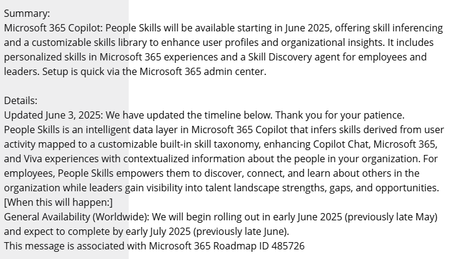
Hi everyone, We’re trying to roll out People Skills across our organisation, but the feature never becomes active in our Microsoft 365 tenant. After a lot of investigation, it looks increasingly likely that the root cause is that our tenant is classified as an Education (EDU) tenant. Which is correct, we are a mixed tenant accurately so for licensed purposes, but Education tenants don't get People Skills. Service plans updated and all initially looked out just no configuration appeared. Anyone else having issues with People Skills? MC1060842 – (Updated) Microsoft 365 Copilot: People Skills will be available starting in May MC1060845 – New Service Plan: People Skills Announcing People Skills general availability and new Skills agent | Microsoft Community Hub68Views0likes0Comments
Integrated Apps & Central Deployment Fails
Issue with Integrated App and/or Central Deployment of add-ins ending with errors. After trying several different apps, for Excel or Word the process ends with a different error depending on which method is used. Integrated Apps, ends with a Failed Central Deployment, ends with “This operation was unsuccessful - reasons may include: Learn more about eligibility requirements.” We are trying to deploy the web version of the app All users have a Business Premium license all prerequisites appear to be fine tried 3-4 different apps using both methods, Integrated apps & Central Deployment (Add-in) using Global Admin account to deploy Tried setting everyone, dif individuals all fail We are trying to deploy an add-in for Excel web app, any assistance would be appreciated.1.6KViews0likes4Comments
Audit Log, what is TokenIssuedAtTime?
I used audit log to search user delete MS Teams files, by using Recycled File and Recycled Folder, I got the log file. Why the TokenIssuedAtTime and the CreationTime are so much different? Below is one of the log record {"AppAccessContext":{"AADSessionId":"8f382a1d-b233-425c-92f4-3cf9ed395c9e","CorrelationId":"ae68fba0-40db-2000-ce07-a7bde7727c3f","TokenIssuedAtTime":"2023-12-23T00:47:57","UniqueTokenId":"U4m5SFCmckOiN_QLrysqAQ"},"CreationTime":"2023-12-26T04:24:52","Id":"7a3dc23c-2699-485b-0a87-08dc05ca9b40","Operation":"FolderRecycled","OrganizationId":"7cf9c29c-c6af-4790-b98b-4eff7637f9be","RecordType":6,"UserKey":"i:0h.f|membership|email address removed for privacy reasons","UserType":0,"Version":1,"Workload":"SharePoint","ClientIP":"2001:d08:e2:58d:61cb:e4bc:c451:aef9","UserId":"email address removed for privacy reasons","AuthenticationType":"FormsCookieAuth","BrowserName":"","BrowserVersion":"","CorrelationId":"ae68fba0-40db-2000-ce07-a7bde7727c3f","EventSource":"SharePoint","IsManagedDevice":false,"ItemType":"Folder","ListId":"33880cd7-1db1-450f-9cd0-5c437c0ccaee","ListItemUniqueId":"184cd92b-40cf-4fa1-82aa-ad5fa61a2a05","Platform":"WinDesktop","Site":"f1bb631d-8ff4-4411-b49f-066e20be905c","UserAgent":"Microsoft SkyDriveSync 23.246.1127.0002 ship; Windows NT 10.0 (19045)","WebId":"aa607282-8b47-47d1-938b-c0cde8e2d87d","DeviceDisplayName":"2a01:111:2055:202:4701:ee31:fe3f:156","CrossScopeSyncDelete":false,"HighPriorityMediaProcessing":false,"SharingType":"","SourceFileExtension":"","SiteUrl":"https://mysharepoint.sharepoint.com/sites/mysite/","SourceRelativeUrl":"Shared Documents/test/MyFolder","SourceFileName":"Quotation","ObjectId":"https://mysharepoint.sharepoint.com/sites/mysite/Shared Documents/test/MyFolder/Test1"}980Views0likes1CommentDriving Trust Through Certification: New TAC Feature Updates for IT Admins
Managing app security and compliance in Microsoft Teams just got easier! With recent updates in Teams Admin Center (TAC), IT admins can now quickly identify trusted apps and enforce organizational standards with confidence. These enhancements not only simplify governance but also underscore the value of Microsoft 365 Certification as a key trust driver. What Existed in TAC? Before the recent trust‑based enhancements, Teams Admin Center already provided foundational visibility into app trust through the Security & compliance tab in the app details experience. This surfaced key signals such as publisher information, permission scopes, data access, and links to security and compliance documentation, helping admins perform due diligence during app reviews. While these signals required manual review and cross‑checking, they established an important baseline for evaluating risk and compliance, reinforcing the role of TAC as the central place for governing apps in Microsoft Teams. What’s New in TAC? Trust Visibility Enhancements The new “Apps to Consider Allowing” tile highlights certified apps, publisher-attested apps, and those providing compliance evidence. This feature enables IT admins to quickly filter and identify apps that meet organizational standards. Security & Compliance Column and filters Amins can now view compliance attributes—such as SOC 2, FedRAMP, and penetration testing—directly in TAC. This helps admins speed up app reviews with trust-based filters and make informed choices without leaving the dashboard. Trust-based filters enable IT Administrators using Teams admin center to view and easily filter apps and agents by specific industry standards, certifications and compliance attributes such as SOC 2, ISO 27001, HIPAA, GDPR, and more. This will help to streamline app evaluation workflows, enabling broader access to trusted apps across the organization. Dedicated Collections Curated lists of certified apps and agents for easier discovery. Saves time by grouping trusted solutions in one place. Why It Matters For IT Admins: Streamlined governance, reduced risk, and faster compliance checks. For ISVs: Certification boosts visibility and credibility, helping apps stand out in a competitive marketplace. Call to Action Get certified to boost visibility and trust. Learn more about Microsoft 365 Certification →714Views0likes0CommentsSharePoint/OneDrive Migrations
What's the strategy supposed to be for tenant to tenant SharePoint/OneDrive migrations now that Microsoft have retired Mover.io? I'm supposed to use Microsoft Migration Manager but this doesnt include tenant to tenant connectors like Mover did.1.1KViews0likes4Comments