customization
13 TopicsCompleting your profile & connecting social media profiles
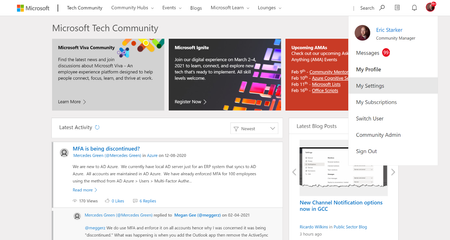
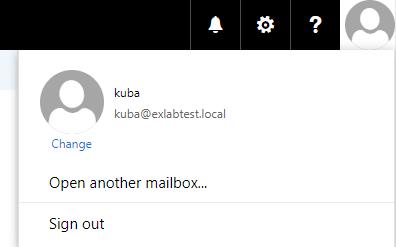
Changing an avatar Click on the default avatar at the top right of the navigation bar and select 'My Settings'. Click the edit button over the current avatar. Upload your own image, or choose a default avatar, then click save. Create a bio Click your avatar at the top right of the navigation bar and select “My Settings”. Click on the Personal tab, and provide your name, preferred pronouns, bio, and other details about yourself. When finished, click 'Save'.7.5KViews21likes0Comments
Bulk style elements
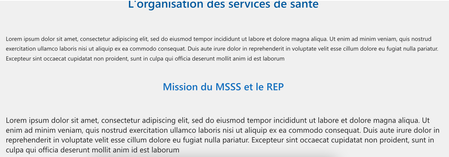
I'm building a knowledge base using a SharePoint site. I'm looking for ways to style the site, ideally in bulk, so that I can change the appearance of all elements in the site at once. Because choosing all paragraphs manually to apply justify on them is a chore I'd like to avoid and I expect SharePoint to be a modern app that doesn't need such manual work. I'd like all the styling to appear on all pages of this particular site, but if we could do it for all our sites that we be even better! I've tried using the https://github.com/hugoabernier/react-application-injectcss, but this doesn't work for guests users. Here below are two use cases of a bulk style editing. First case: titles and text. I'd like all title colors to be the same withtout manually changing it. For the text, I'd like all text to be justified and the same size and font. This worked internally by changing the p and h3 element with injectcss. Second example is white text on white background in the title element. I could change it to blue with injectcss but for guests users they can't read the title. I know SharePoint allows us to put a shading but it lowers the image quality. I'm wondering if there's a way to style a SharePoint site or if another tool would be better suited to build a knowledge base. Would it be easier to build a dedicated website from scratch so that I can have control over the CSS, for example?382Views0likes0CommentsFeature Request - Collections & Etc.
I would like the ability to add all open tabs in a window to a collection instead of having to individually add them one by one. And also maybe some extra customization/tweaks like what Vivaldi has (Different methods of grouping; Stacked, Two Level, or Compact Fitted to single tab width, Tab Tiling; Multi-Window tabs in a single browser window, Lots more UI customization/configuration; completely custom theme(s), and a Toolbar Editor). I know this isnt stuff that can just be added on a whim, but i would like to see if any Edge devs see this post. My main request so far is just the collections one i mentioned. Thank you600Views1like0Comments
Updates Change Settings
I'm beyond frustrated...every time there is an update, I lose all my customized settings. I have customized my quick access tool bar, even my theme changes. I frequently lose folders and documents I have pinned. These settings save me time and increase my efficiency. Me spending an hour recreating my settings is stealing time from my employer, and I'm not happy about it. Not what I wanted to see when I log in first thing on a Monday morning.1.6KViews0likes2CommentsIntune MDM Setup-Screen anpassen
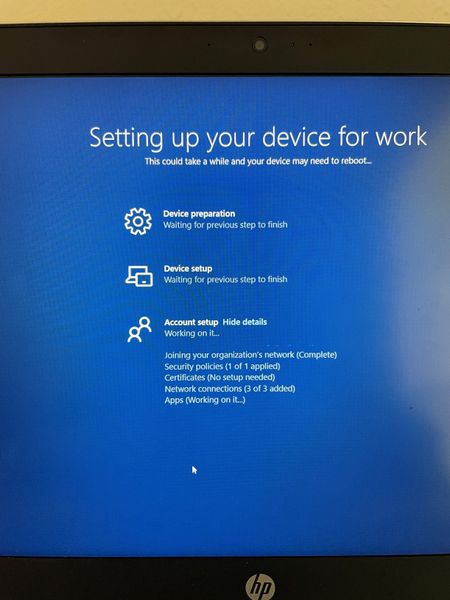
Hallo zusammen, ist es möglich, den MDM-Einrichtungsbildschirm mit personalisiertem Text zu versehen? Anstatt "Setting up your Device for work..." würden wir uns einen eigenen Text wünschen. Unter den OOBE Einstellungen finde ich dazu nichts. Vielen Dank im Voraus!2.2KViews0likes3Comments
How to create a teams template with site template (webparts etc)
I want to create a ”Microsoft Teams” -template that provisions team related settings and related site collection items (documents, web parts, and so on). As far I am aware this is not possible. Teams template does not create a site collection, and it is not possible to create a new team using the site template. Would the best idea be to create a site model and request that users first use this template to create team site and then use this new team site as to create team? Any ideas?1.5KViews0likes1CommentSharePoint : Workflow > Send an Email > Customizations (CSS)
Hello everyone, I'm customizing the body of an email send by SharePoint's Workflow action "Send an Email". Knowing that this action does not support what's inserted in the <style></style> tags and the only way is to do it inline within the target html tags, I'm currently facing the following issue: somewhere in my email's body text, I'm getting the value of a specific item's field (example: [%CurrentItem:Body%] which can contain images in between of the text. How can I apply the css in order to set this images' width? Thanks in advance! Kind regards, Duarte549Views0likes0Comments
How to customize SharePoint List (Field Label) in Bold and How to increase the Size.
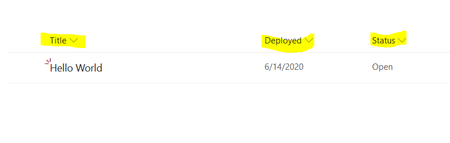
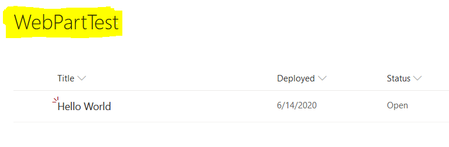
Hi SP Experts, I am very new to SharePoint, I have 1 requirement regarding the Header Field Label formatting and Customization in SharePoint List. Issue - I need to enlarge and size of Field Label of SharePoint List. (Please Find the Yellow highlight Field). I need to achieve like below. I didn't find a proper solution or Guidance on Internet Please if possible suggest me the solution Thanks,2.8KViews0likes1Comment