channel
63 Topics
Adaptive Cards in Teams channel messages: fixed narrow width — request for width control
Hi Teams Platform team, We post structured status reports as Adaptive Cards into a Teams channel. The card consistently renders at a fixed width of 448 px on a 1080p display at 100% scaling with a maximized Teams desktop client — well below the available channel message stream width. Wide multi-column tables get truncated or wrapped, which significantly hurts readability. What we've tried No card-level `width` property exists in the Adaptive Cards schema. `msteams.width: "Full"` is documented to apply only to Stageview / task module / tab — silently ignored in channel messages (tested). Same payload via three delivery paths — Incoming Webhook, Logic App "Post adaptive card in chat or channel", and Microsoft Graph `POST /teams/{id}/channels/{id}/messages` — all render at the same narrow fixed width. The constraint is in the Teams channel-message renderer, not in any delivery layer. Minimal repro payload (7-column results table; all field names and values replaced with generic placeholders): { "type": "message", "attachments": [ { "contentType": "application/vnd.microsoft.card.adaptive", "content": { "$schema": "https://adaptivecards.io/schemas/adaptive-card.json", "type": "AdaptiveCard", "version": "1.5", "msteams": { "width": "Full" }, "body": [ { "type": "TextBlock", "text": "Pipeline Report — run-001", "weight": "Bolder", "size": "Medium" }, { "type": "Table", "gridStyle": "accent", "firstRowAsHeaders": true, "columns": [ { "width": 2 }, { "width": 1 }, { "width": 2 }, { "width": 1 }, { "width": 2 }, { "width": 1 }, { "width": 1 } ], "rows": [ { "type": "TableRow", "cells": [ { "type": "TableCell", "items": [{ "type": "TextBlock", "text": "Col-1", "weight": "Bolder", "size": "Small" }] }, { "type": "TableCell", "items": [{ "type": "TextBlock", "text": "Col-2", "weight": "Bolder", "size": "Small" }] }, { "type": "TableCell", "items": [{ "type": "TextBlock", "text": "Col-3", "weight": "Bolder", "size": "Small" }] }, { "type": "TableCell", "items": [{ "type": "TextBlock", "text": "Δ Col-3", "weight": "Bolder", "size": "Small" }] }, { "type": "TableCell", "items": [{ "type": "TextBlock", "text": "Col-4", "weight": "Bolder", "size": "Small" }] }, { "type": "TableCell", "items": [{ "type": "TextBlock", "text": "Δ Col-4", "weight": "Bolder", "size": "Small" }] }, { "type": "TableCell", "items": [{ "type": "TextBlock", "text": "Status", "weight": "Bolder", "size": "Small" }] } ] }, { "type": "TableRow", "cells": [ { "type": "TableCell", "items": [{ "type": "TextBlock", "text": "item-a", "size": "Small" }] }, { "type": "TableCell", "items": [{ "type": "TextBlock", "text": "mode-x", "size": "Small" }] }, { "type": "TableCell", "items": [{ "type": "TextBlock", "text": "0.000/0.000","size": "Small" }] }, { "type": "TableCell", "items": [{ "type": "TextBlock", "text": "+0.00%", "size": "Small", "color": "Good" }] }, { "type": "TableCell", "items": [{ "type": "TextBlock", "text": "0.000/0.000","size": "Small" }] }, { "type": "TableCell", "items": [{ "type": "TextBlock", "text": "-0.00%", "size": "Small", "color": "Attention" }] }, { "type": "TableCell", "items": [{ "type": "TextBlock", "text": "✅ Pass", "size": "Small" }] } ] } ] } ] } } ] } `msteams.width: "Full"` is present but has no visible effect in the channel message context. Feature request Either of: Honor `msteams.width: "Full"` in channel-message context (not just Stageview/task module/tab), OR Add a card-level property (e.g. `msteams.channelWidth: "Full" | "Default"`) explicitly scoped to channel messages. Is this a known limitation with an existing tracking item, or should we also file it on the M365 Feedback Portal for upvotes? Thanks!26Views0likes2CommentsHow to Post Video Clips in Teams Channel Posts and Replies
Later in January 2025, Teams will give users the ability to post video clips to channel conversations in posts and replies. The feature is similar to that released for Teams chat in September 2022. It’s also similar to the ability to include a video clip in Outlook messages. Given the popularity of video clips in other apps, it’s likely that this feature will be popular with users. https://office365itpros.com/2025/01/13/video-clip-teams-channel/355Views2likes2Comments
Send Messages using Bot/Change Notification in MS Teams
Hi I have some questions regarding bot functionality within Microsoft Teams. I'm developing an app/plug-in to monitor and analyze all incoming messages in chats and channels. The goal is to intercept these messages, check them for specific flagged (e.g., inappropriate) content, and instantly send a notification back to the respective chat or channel if flagged content is detected. I need to achieve this in real time. Currently, I’ve implemented the first half of this functionality using Microsoft Graph’s change notifications API, allowing me to intercept and read messages as they arrive. However, I’m facing a limitation: since my app doesn’t have permissions to post messages, I can't use the Graph API’s send capabilities to notify users within the channels or chats. To work around this, I’m considering utilizing a bot. My approach is to have a bot send these notifications to the appropriate chats and channels, using identifiers such as tenant ID, team ID, channel ID, message ID, and chat ID—information I retrieve through the change notifications API. So here are my main questions: Can I use a bot to send messages to various chats and channels on demand, leveraging the IDs obtained from the change notifications API? This would allow my app to handle message interception while the bot takes over in sending the flagged notifications. In my current setup, is there a way to reply to chats or channels directly using the Graph API's 'send' functionality through the app itself? It is related to Application/Delegation Permissions. Thanks560Views0likes5Comments
Error Please try again later when adding ANY existing list or creating new list in ANY Teams channel
Hello, I have multiple different lists added as tabs in different MS Teams standard channels and have had them working fine for a year. Company moved over to the new MS Teams a couple months ago and no problems. A couple days ago I had to remove a List from a channel and now, I can't add it back. I keep getting Error Please try again later and the option to click a Refresh button. I did a bunch of troubleshooting to see if it was just this list or just this channel. The most frustrating part is that it doesn't appear to just be this list or channel now. Anything I try to do with the Lists app in Teams (add exisiting list or create a new list) in any channel in any team I have I get that error. The oddest part is that I have a List in one of these channels and it's working fine but I tested to see if I can add that List to another channel in the same team or different team since it's already added and working fine in one channel, but still get the error. Even if I try to add any exisiting list or create a new one to the channel I already have the working List in, still get the error. I've created new teams and standard channels to test this and still....the same error. My organization uses Lists in Teams specifically to manage and track important employee information and communicate using our teams channels. I am at a loss here and can't seem to find a solution. I've done troubleshooting with Lists already and posted this on the Microsoft Lists community hub as well but wanted to post here too since it could be both or some kind of issue with MS Teams itself. FYI - I've already done tons of troubleshooting with MS Teams the last couple days, everything you can imagine, including uninstalling, reinstalling, trying on the web, etc, etc, etc, etc.3.4KViews1like8Comments
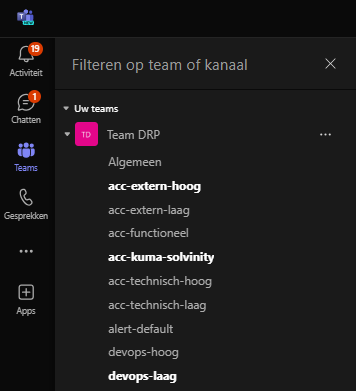
Microsoft Teams > Teams > Unread messages in team-chat
Hi! Whenever we receive a message in on of our teams channels we get a notification on the top left, but not on the 'Teams' page. I added a screenshot to show what I am talking about, I would love to have a 'badge' with the nr of missed messages in channels;511Views0likes0Commentscan not invite persons into my public channel outside my organisation
Hi, i have created a public channel and want to invite peaple outside my organisation. But when i paste the mail address then it shows "not found" and i am not able to invite this person. And another hint is, for public channels there is no Link to this available ? Why ? And when using normal channels, the the link is not usable for users outside my organisation. My goal is to create a channel for everyone (perhaps invite them first) to follow my help desk. I want to post help hints and the followers should participate on this. And everyone should be a follower.733Views0likes4Comments
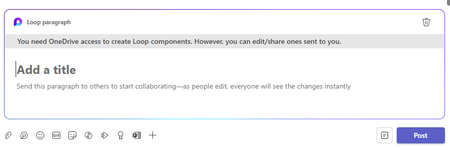
Loop Components in Channels - needs cache clear/sign-out to work
Hi, I have been testing the new Loop Components in Channels feature in Public Preview but it needs me to clear the Teams cache or sign-out to make it work. This is each time after I quit and restart Teams. The error I get is below, is this something others are seeing?No "+" - button in specific teams channel available
Hey there, we got one specific teams channel with no "+" option for new tabs / notebooks etc. as in other channels. I got full permission to this channel. A long time ago, when MS announced that the wiki-tab will be gone, i exported all other wikis from other channels with no problems, but also in this specific channel where the "+" button is missing, i was not able to export our wiki (the export option was not showing up since then). Can anybody tell me what's the problem here? Thanks! best regards, Philipp654Views0likes0Comments
[CHANNELS] Post Order - Use Top Down (Recent -Old)
Request Display post top-down using recent - old (cfr Outlook) Pin to the top (cfr Outlook) Context: Currently the ordering of the posts is bottom up, with the most recent post at the bottom. This is confusing and it deviates from other apps with similar functionalities (fb, twit,...). The use of the team channel to convey important information fails, as users are acustommed to find recent information on top. I do not understand why MS Teams has adopted another apporach than commonly used is similar applications. Why did you not adhere to your own methodologies: outlook is top-down. Pls use consistent approaches in your apps. Do check the MS-outlook on ordering and pinning post (emails). Thnx.36KViews3likes35Comments
Upload and add a video to a channel via MS (on SP)
Hello, I have created a company wide channel, however when I upload a video using the new Stream on SharePoint option, the video uploads fine but there is no "add to channel" option. Checking videos uploaded to Stream Classic, they have a different interface and the 3 dots with an option to add to a channel. I also don't have the option to upload a new video to Classic which allows the channel option. I am stuck and appreciate any advice. thanks.2.4KViews0likes6Comments